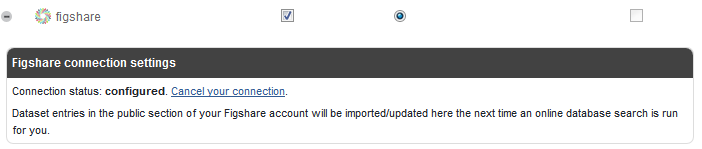
How to connect your figshare account
Do you already have a figshare account? If so, you can set up a connection by clicking "Configure connection", after which your datasets will be imported and regularly synchronised to Symplectic Elements.
Please note that synchronisation with figshare automatically imports your figshare datasets as approved authored publications. There is no need to approve them afterwards.
This article will show you how to connect your figshare account to Symplectic Elements.
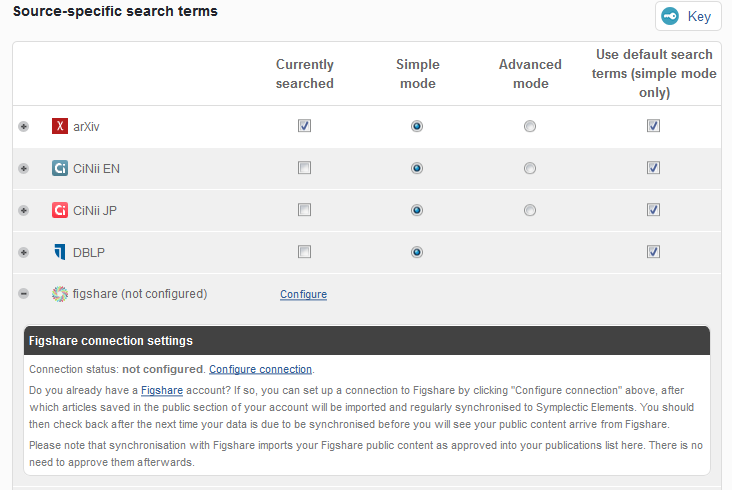
1. Configure connection
Select My Data Sources on your home page to modify your search settings. Scroll to the bottom of the page and expand the figshare data source by clicking the plus button on the right-hand side, and select to Configure connection.
2. Login to figshare
Symplectic Elements needs to access your figshare account to synchronise with it. Add your figshare email and password.
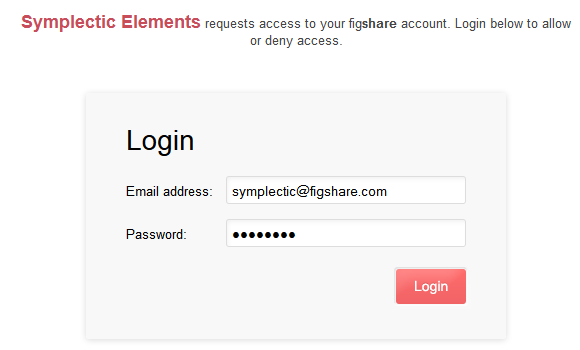
3. Accept connection
Accept the connection request to complete the configuration.
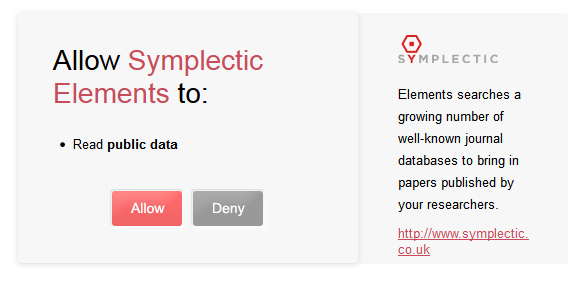
Cancelling your connection
Select My Data Sources on your home page to modify your search settings. Scroll to the bottom of the page and expand the figshare data source by clicking the plus button on the right-hand side, and select to Cancel your connection.