
How to restrict entry of data to Elements - Field locking, External feeds, and Availability
This article outlines various ways by which you can restrict editing of data within Elements.
Elements can accept information in a variety of ways - harvesting of records from external data sources, users entering data in to manual records and information may also be populated from a feed from an authoritative local source.
When data is fed into Elements from another system it is not always desirable to allow it to be modified if you would like to retain it as it was received from the source system, and sometimes there are cases where certain activities or outputs are appropriate for use within certain schools or faculties but not others.
Elements has a few features that can help you restrict records from being updated, or types from being available to certain users in the system. Below is a summary and explanation of how each feature may be useful for you.

You can hide an item from the "My publications" screen (or whichever module you are in). To hide, select the Privacy icon as shown at the top right hand side of the item's stub (or tile).
In Version 6.x and 7.n:
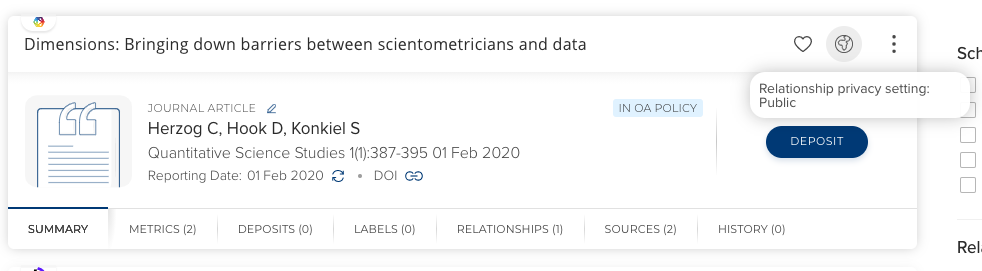
The effect of setting an item as Private means that it will not appear on your profile or exported CV, and will not be seen if the object is viewed from someone else's perspective.
It is important to be aware that this hide action is one that will affect only your relationship with the object in the system, that is, it will have no impact on the 'hide' setting for other users in the system who may also have a relationship with the object. The object will also be available for others in the system to discover via the "Explore" function or within the reporting database or via the API.

Availability is a setting which may be toggled while managing a Publication, Professional/Teaching Activity, Grant, Project or Equipment type. After entering the management of a type at Menu > System admin > [DATA CATEGORY SETTINGS] > {Module} > {Module} types (V6.n Category Admin > {Module Type} > Manage Type) as an administrator you will be presented with a tree of the primary group structure, which you can use to set whether this type is available to users within that group.
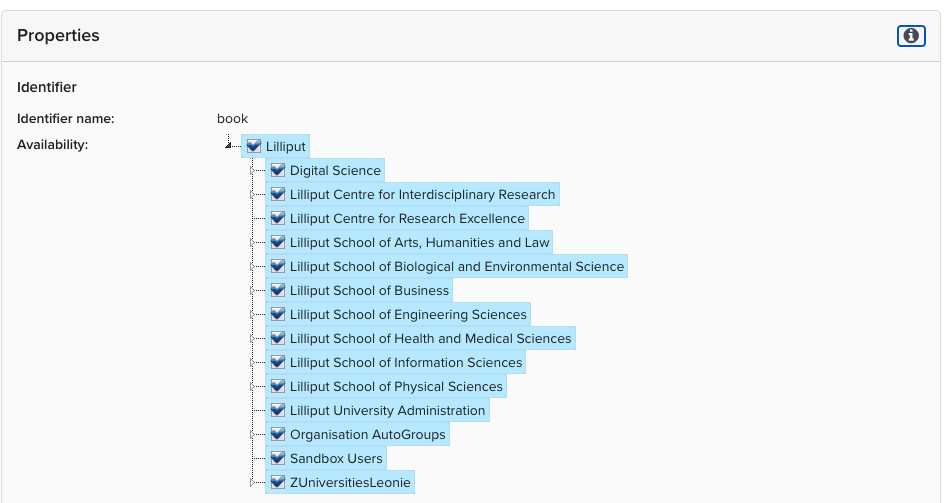
If a group has been selected as having a type available then this means that it is available for population by a user. If a type is not available objects of those type will still be seen on the objects page however they will not be available for creation. They will also not be available for filtering and they also may not change another objects' type to that of one which isn't available.

Individual fields within an object's type definition can also be restricted from user input. This feature can be used to prevent users updating data that may have been originally imported from an external system but you wish to keep preserved.
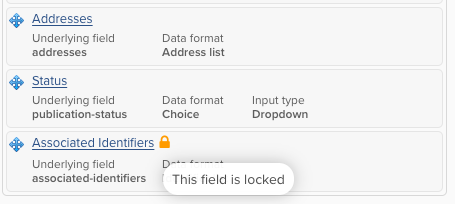
To lock a field you will need to manage the type that you wish to lock a field within at Menu > System admin > [DATA CATEGORY SETTINGS] > {Module} > {Module} types. (V6.n Category Admin > <Module Type> > Manage Types) and then click on the field to modify its attributes. There is a control on this screen which is called "Locked" selecting this will prevent users from updating the field within a manual record.

It is possible to restrict creation of new records within a type by marking it as "Externally managed", this means that it is intended for population via an external system. A type may be indicated as externally managed via its 'manage types' screen at Menu > System admin > [DATA CATEGORY SETTINGS] > {Module} > {Module} types (V6.n Category Admin > <Module Type> > Manage Types.
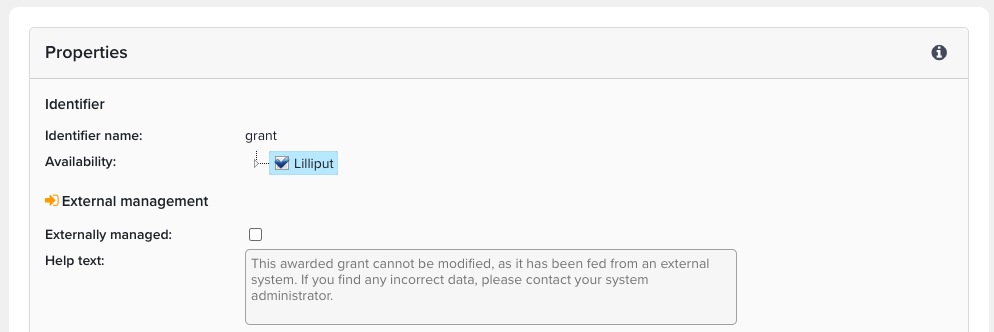
Actions that may be made on an externally managed type are also limited. An externally managed type cannot be created, edited, split, merged, or have their types changed. Additionally, existing teaching activities cannot have their types changed to any externally managed type.