
How is the summary view in Assessment selections populated?
Show on Summary
You can determine the display of fields in the Assessment selection views by enabling the Summary field property. Field properties are located in the field properties of any data type at the bottom of the page.
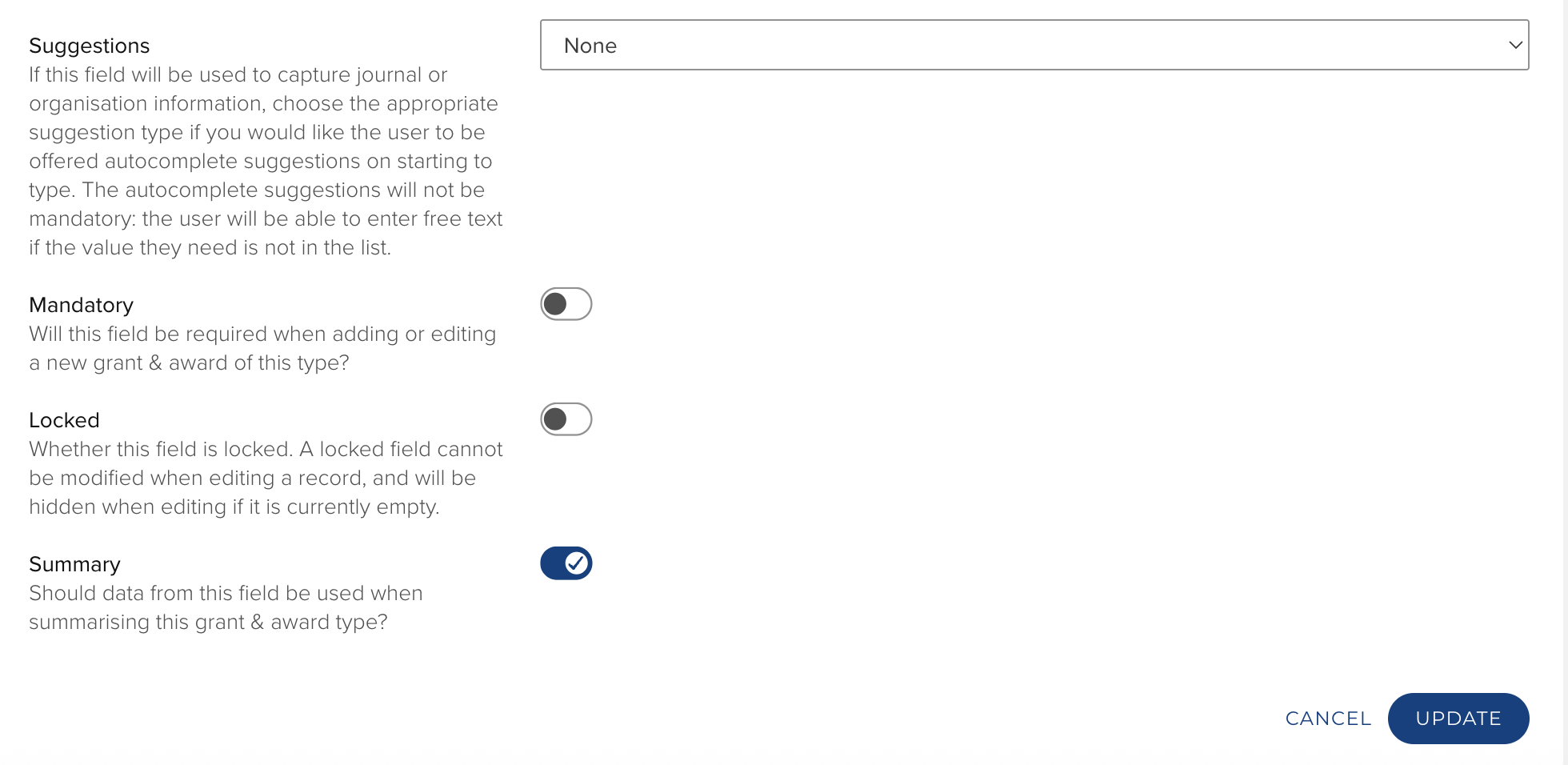
Data Source Precedence
Metadata for the summary view is taken from the record with the highest data source precedence (as defined in System Admin > Data Sources > Data Source Management). Some item/object level information for specific types is taken from the parent item, as described below.
Journal Articles and Conferences - Publication Elements
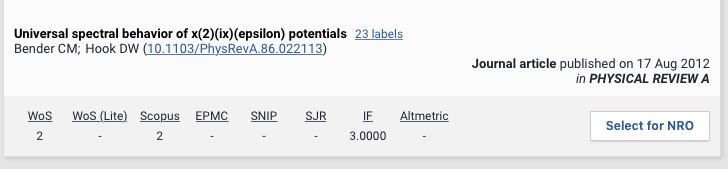
In the example screen shot above the source of data is as follows:
Record - title, author. identifiers, publication date and source (journal, conference details) are taken from the the highest data source precedence defined in System Admin > Data Sources > Data Source Management.
Publication - DOI if absent from the highest data source precedence; any labels that are applied; citations and journal statistics; Elements publication type.
Books - Publications Elements
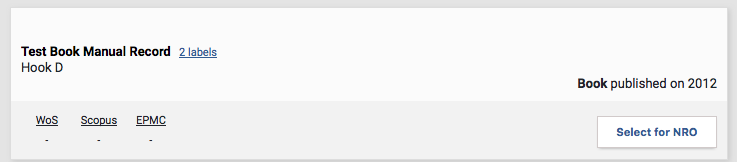
In the example screen shot above the source of data is as follows:
Record - title, author. DOI and publication date are taken from the the highest data source precedence defined in System Admin > Data Sources > Data Source Management.
Publication - DOI if absent from the highest data source precedence, labels.
Publication - the publisher, place of publication, isbn's, series, volume, pagination are only available in the Elements view, not in the Assessment view.
Grants
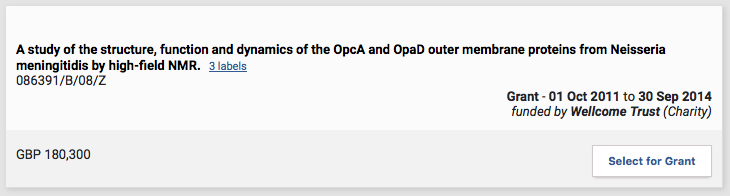
In the example screen shot above the source of data is as follows:
Record - title, number, date, funder and amount are taken from the the highest data source precedence defined in System Admin > Data Sources > Data Source Management.
Grant - any labels that are applied.