
How to configure ADFS authentication in Elements
This article describes how to configure ADFS authentication in Elements.
Note: ADFS authentication in Elements requires ADFS 3.0 and WS-federation
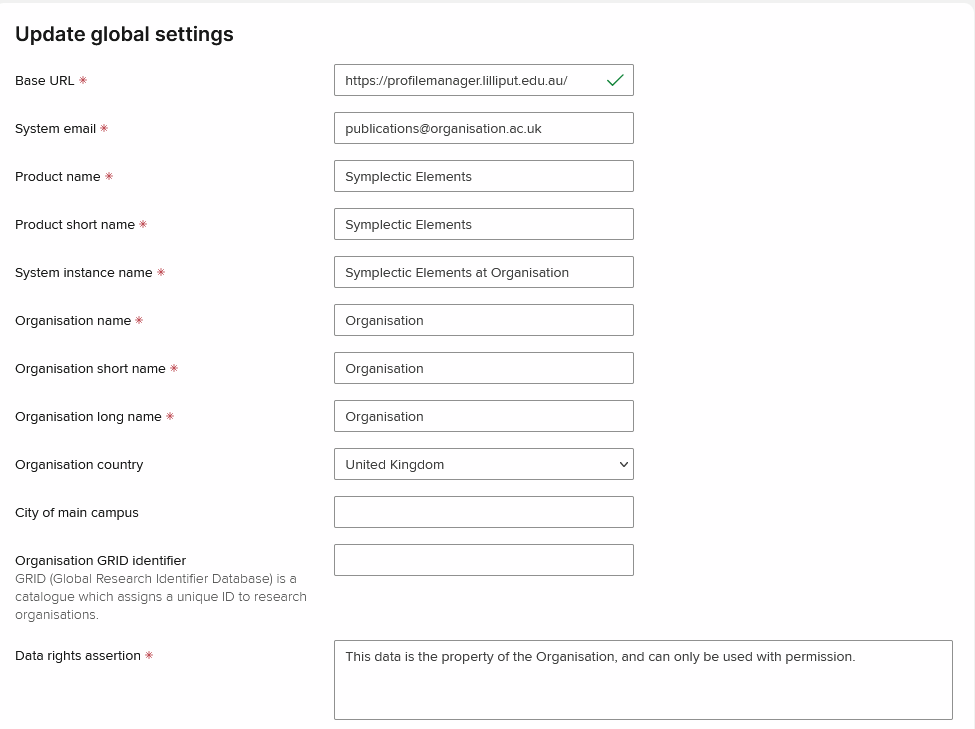
Configure Base URL
Make sure that Base URL on the Global settings page is configured correctly, i.e. set to the Elements instance URL.
Note: HTTPS should be used. Using HTTP will introduce problems with redirecting pages.
Add ADFS authenticating authority
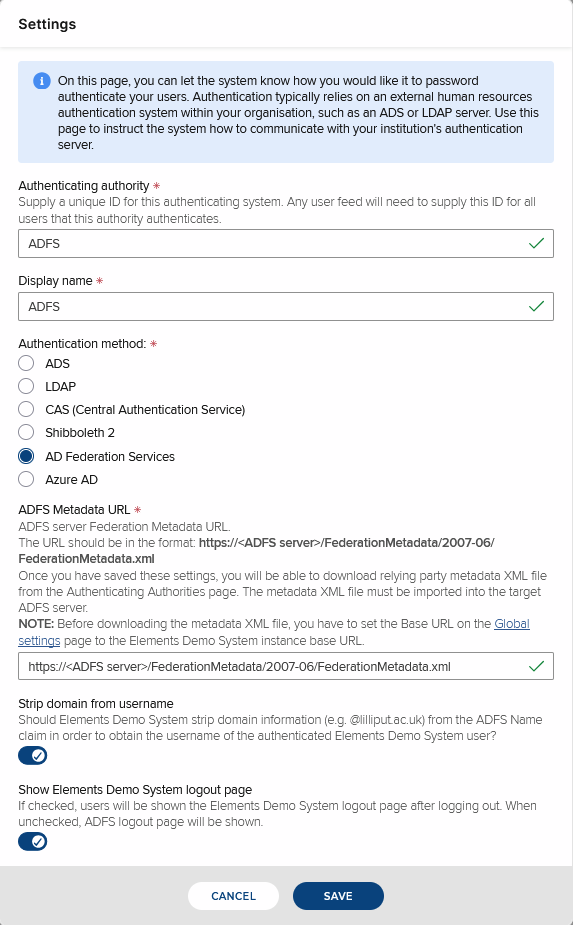
Select AD Federation Services authentication method.
ADFS Metadata URL is the link to the target ADFS server. Format of the URL is usually https://<ADFS server>/FederationMetadata/2007-06/FederationMetadata.xml
ADFS server sends back authenticated user's username. By default, the username is in the form user@domain. Check Strip domain from username checkbox if Elements usernames do not contain the @domain part.
Click Save.
Elements ADFS metadata
After configuring Base URL and ADFS authenticating authority, you can download Elements ADFS metadata file from the Authenticating authorities page:
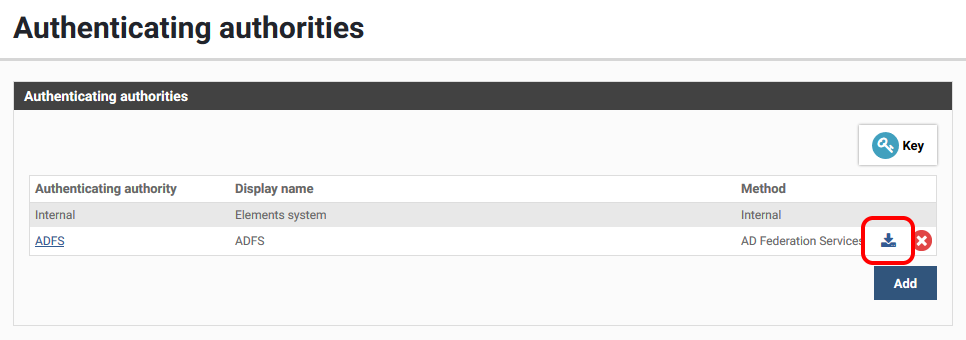
This file defines ADFS relying party metadata for the Elements instance. The file needs to be imported by ADFS server administrators using Add Relying Party Trust Wizard from ADFS Manager to create a relying party trust for the Elements instance.
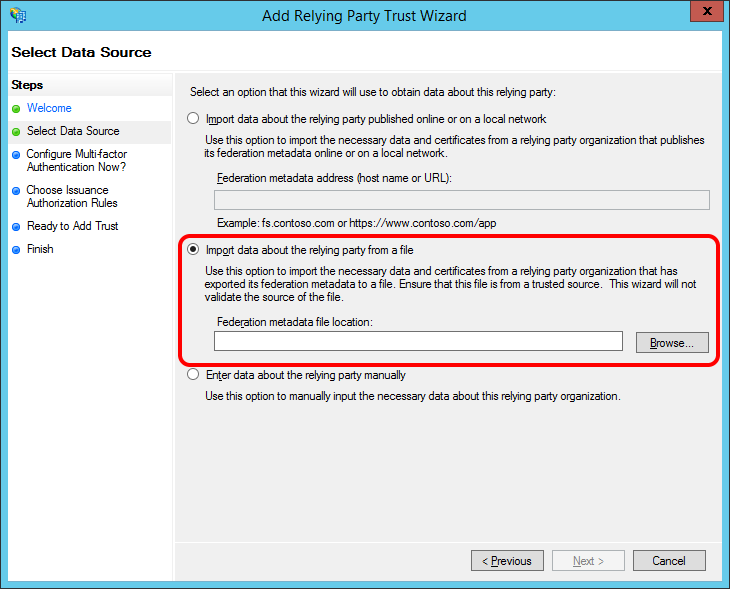
After importing the file, a minimal set of Claim Rules needs to be defined for the newly created Relying Party Trust using the Edit Claim Rules command
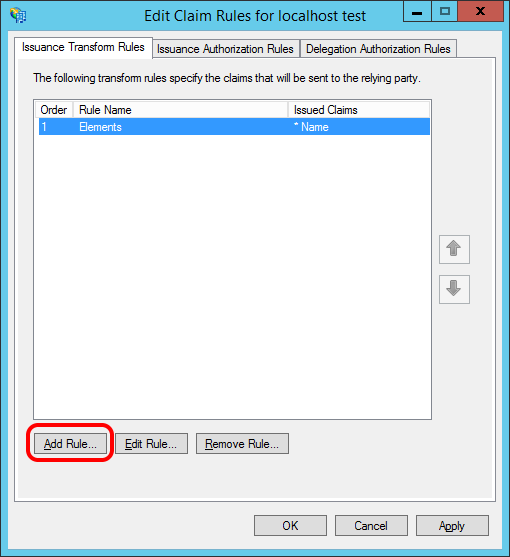
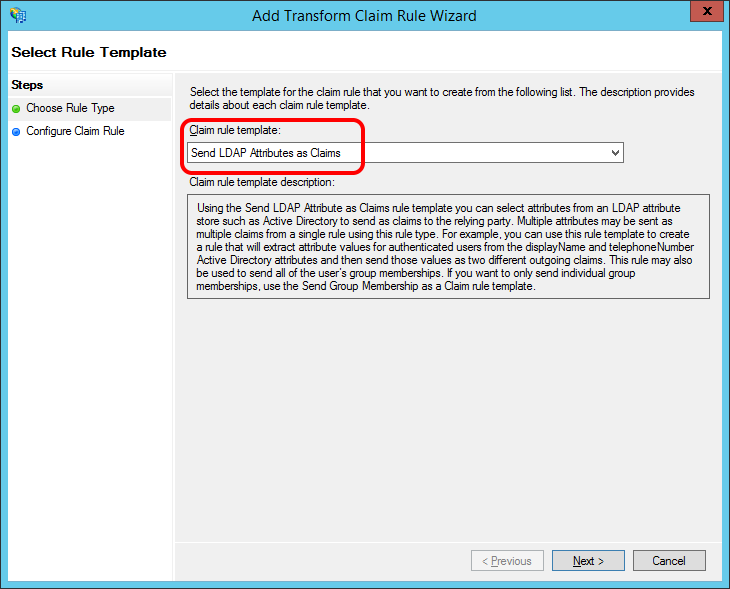
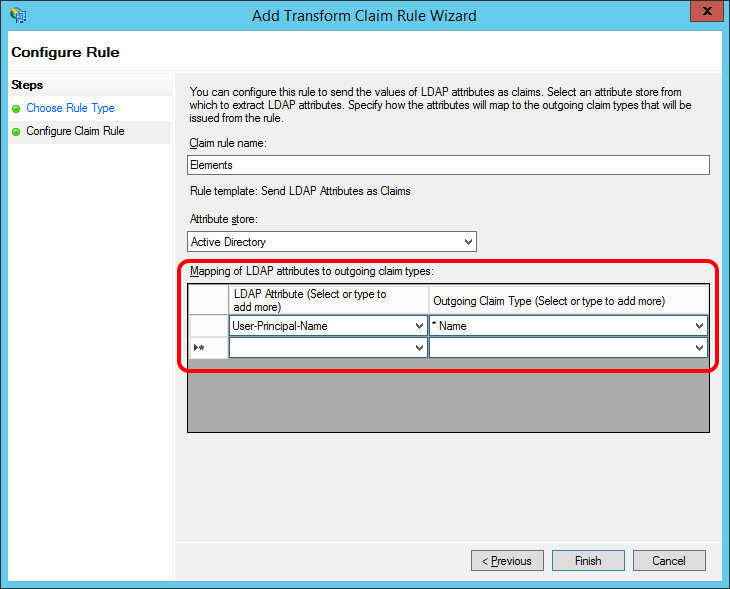
Elements currently requires the outgoing Name claim to be populated with authenticated user's username. This is most commonly done by adding a rule using the Send LDAP Attributes as Claims rule template:
Add a mapping from User-Principal-Name LDAP attribute to the required Name claim:
Using ADFS authentication
After configuring ADFS authentication, add at least one System Admin user that can be authenticated via ADFS.
In Elements web.config file, change the bypass-adfs-login application setting value from true to false and save the file. This will restart the Elements website and switch on ADFS authentication.
Note: If an ADFS authentication authority is defined in Elements, the only way to bypass ADFS authentication and use Elements login page is to set bypass-adfs-login back to true in the web.config file.Note: When using ADFS authentication, users should close all browser windows after logging out. Otherwise, they will not be asked for username and password if they navigate back to an Elements page. It would seem that browsers cache authentication credentials and reuse them until they are closed.