
REF2: Review tab
Edited

Released : 5.16
Updated : 5.17
REF2: Review tab
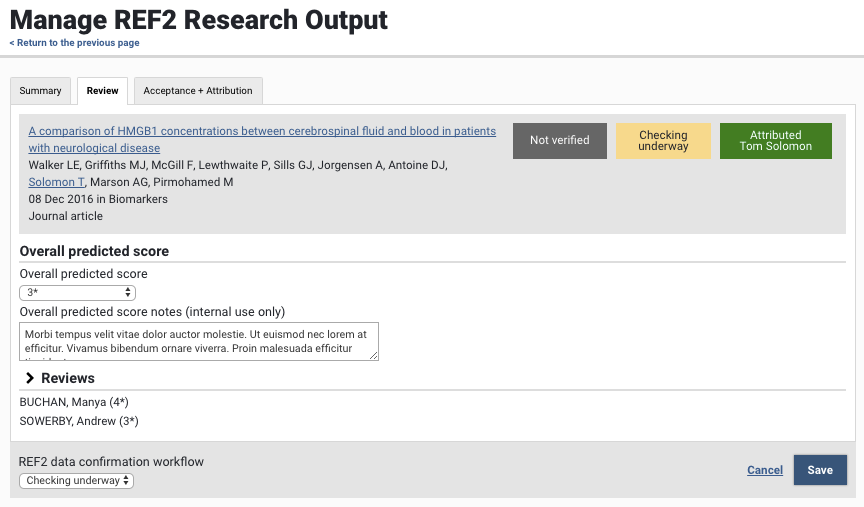
The Review tab in the REF2 form enables you to capture the overall predicted score for the REF2 in the selected UoA, and displays all peer reviews captured against the output (by default collapsed).
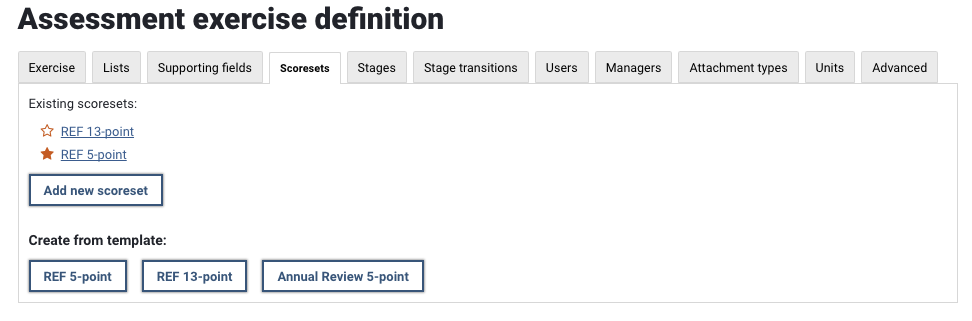
Establishing the scoreset to use as the overall scoreset for REF2 outputs
In order to capture an overall predicted score for REF2s, you must first define which scoreset is to be used as the overall REF scoreset. Only a single scoreset can be used across the institution as the overall REF scoreset. Go to your REF exercise definition and select the Scoresets tab. Select the star next to the scoreset you wish to employ as the overall REF scoreset.
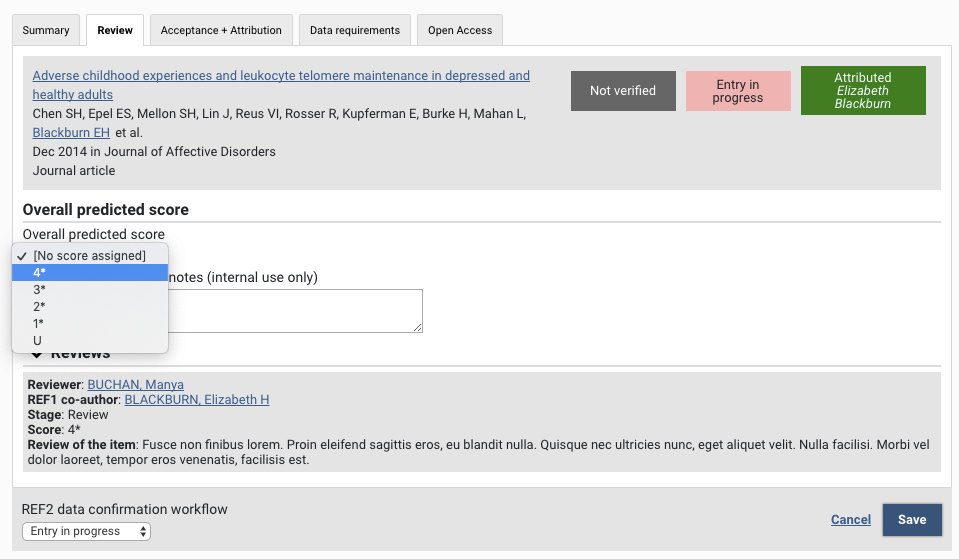
Capturing the overall predicted score on a REF2 output
Once the overall REF scoreset has been selected for the unit, the ability to capture an overall predicted score on the REF2 form will be enabled.
Was this article helpful?
Sorry about that! Care to tell us more?