Assessment - Uploading Reviewer content in bulk via CSV import
Uploading Reviewer content in bulk via CSV import
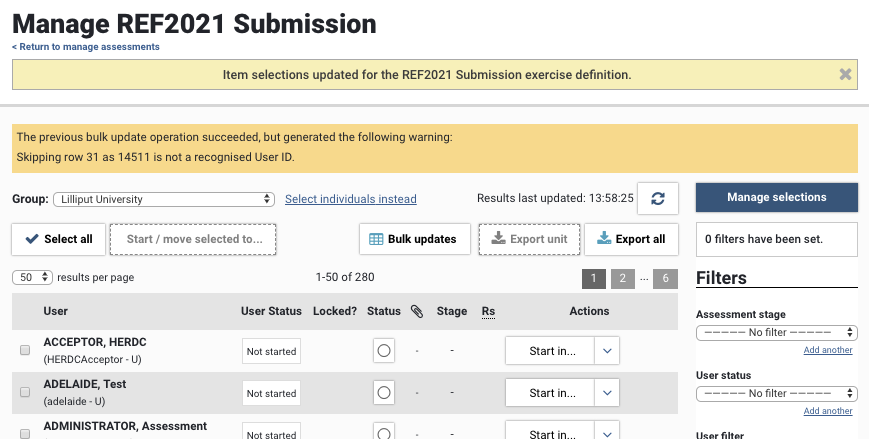
It is possible to upload Reviewer content using a CSV bulk update function, accessed from the Manage Exercise screen.
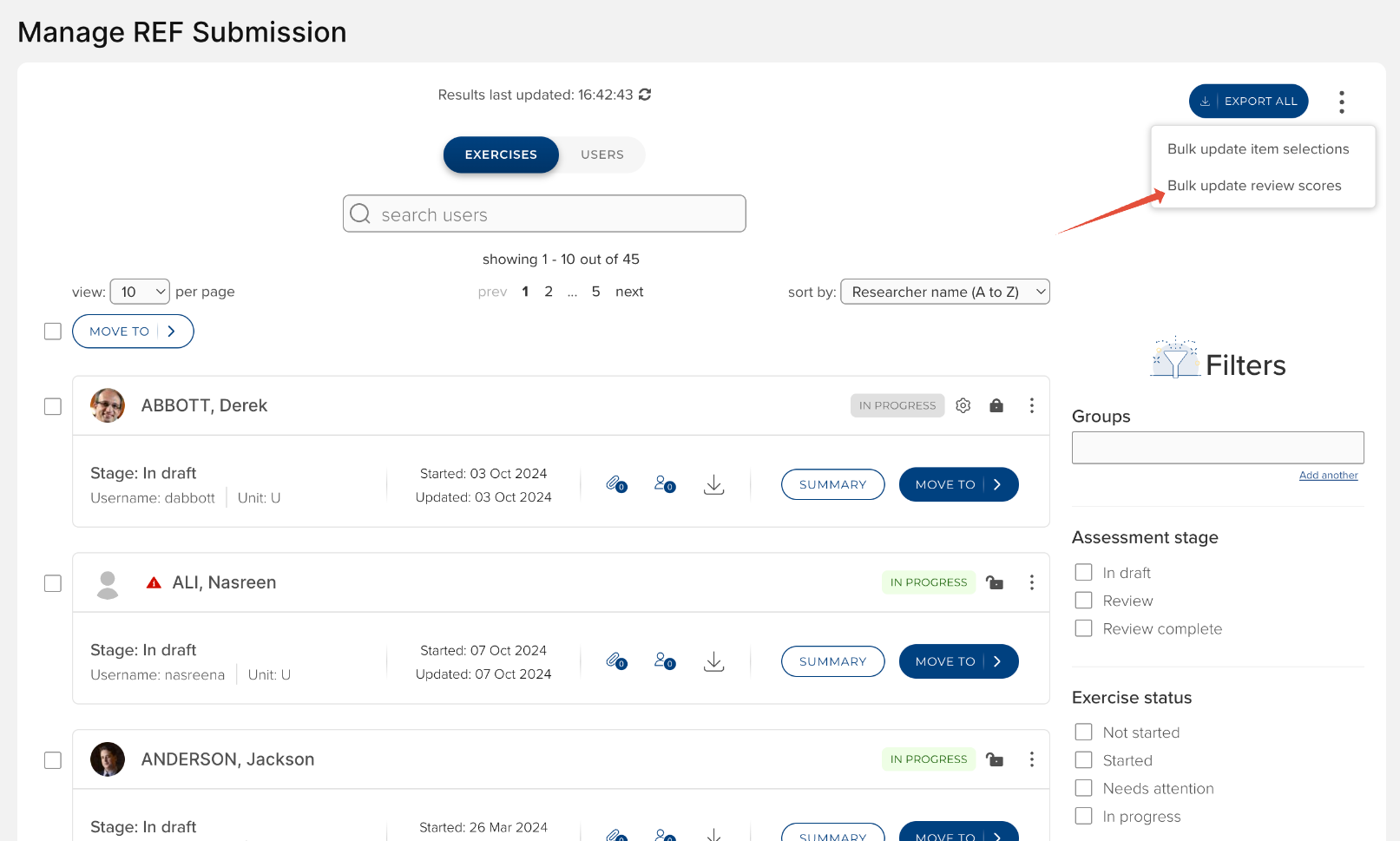
Reviewer scores
The Reviewer scores bulk update operation enables you to upload Reviewer content per item in bulk, including:
Reviewer
Review score
Review comments
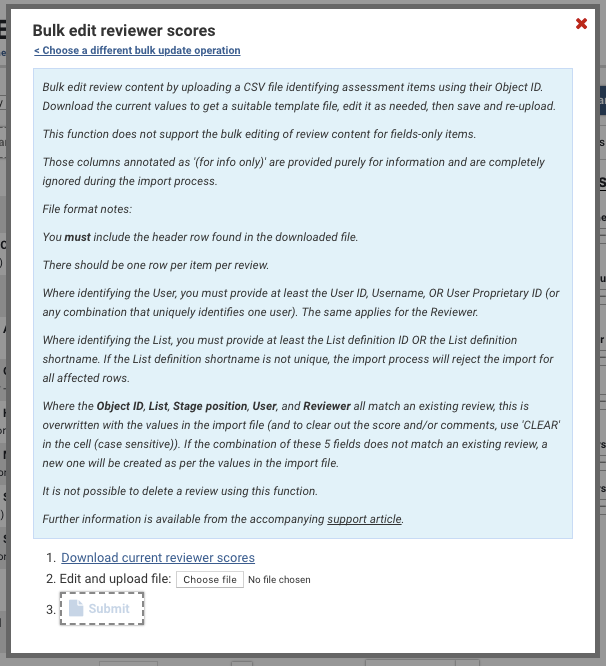
You can 'Download current reviewer scores' for all items in the exercise with existing Reviewer content. The downloaded file will reflect any filters you have applied on the Manage Exercise screen.
Notes:
You must include the header row found in the downloaded file. It is recommended you download the current values to get a suitable template file, edit it as needed, then save and re-upload.
There should be one row per item, per user, per reviewer. This function does not support duplicates (a single object reviewed multiple times by the same reviewer for the same user); no warning will be generated by the job - the first of the duplicate reviews will be uploaded and all other duplicates ignored.
If providing a Review score, a scoreset must be selected for the selected exercise stage (this must be selected at the item level in the selected exercise stage)
To create new reviewer content:
Complete the columns as described below for each item you wish to record a review for
To update existing reviewer content:
Where the following all match an existing review, you can overwrite the existing Score or Comments by simply replacing the existing value(s) in the file:
Object ID, AND
List defintion ID / List definition shortname, AND
Review stage position, AND
User ID / Proprietary ID / Username, AND
Reviewer User ID / Proprietary ID / Username
To clear the existing score or comments, populate the cell with the text CLEAR (case sensitive)
The import assumes unique Score names - if they are not unique, the job will take the first matching Score from the list
When a Review is not supported in the selected stage, this will generate an error in the job and affected review content will not be imported
This function does not support the bulk editing of review content for field-only items
It is not possible to delete a review using this function
There is the possibility of job timeouts if the import file is quite large - it is recommended that each upload file is restricted to ~2k records
Field | Description | Accepted values |
Object ID | The Elements Object ID for the item to be reviewed (e.g. Publication ID, Grant ID, Impact ID) | e.g. 15241 |
Object name (for info only) | Name of associated item (e.g. Publication title, Grant name) | Is provided for information only. The import process completely ignores any values in this column. |
List definition ID | ID for the desired list in the exercise | e.g. 49 |
List definition shortname | Shortname for the desired list in the exercise (aka Abbreviated name) | Text string (e.g. Publications, Grants) |
Stage position | Stage position against which to record the review | Numerical value (e.g. 2) |
Stage name | Stage name against which to record the review | Text string (e.g. Review stage) |
User ID | ID of the User against whom you wish to record the review | e.g. 831 |
Username | Username of the User against whom you wish to record the review | e.g. mbuchan |
User proprietary ID | Proprietary ID of the User against whom you wish to record the review | e.g. 106066, buchan106 |
User name (for info only) | Name of the User against whom you wish to record the review | Is provided for information only. The import process completely ignores any values in this column. |
Reviewer user ID | User ID of the Reviewer for whom you wish to record a review | e.g. 831 |
Reviewer username | Username of the Reviewer for whom you wish to record a review | e.g. mbuchan |
Reviewer proprietary ID | Proprietary ID of the Reviewer for whom you wish to record a review | e.g. 106066, buchan106 |
Reviewer name (for info only) | Name of the Reviewer for whom you wish to record a review | Is provided for information only. The import process completely ignores any values in this column. |
Review score | Review score provided by the reviewer | e.g. 4, 3*, 2+ |
Review comments | Comments provided by the reviewer | Text string |
Job logging
Any errors encountered during the bulk edit operation will be listed in the yellow information box at the top of the screen following the import being actioned. Note that a record will be skipped upon first encountering an error - so if there are multiple errors in a row, the log will only cite the first encountered.