
Removing a REF1 Researcher from the submission

Released : 5.18
Removing a REF1 Researcher from the submission
To remove a REF1 researcher from the submission, you have a few options:
Flag the individual as not to be included in the REF1 form
Assign the user to the 'Unallocated' unit
Remove the user from the exercise
Flag the individual as not to be included in the REF1 form
In the REF1 form, you can indicate whether an individual is to be included in the REF submission via the 'Include in submission' flag.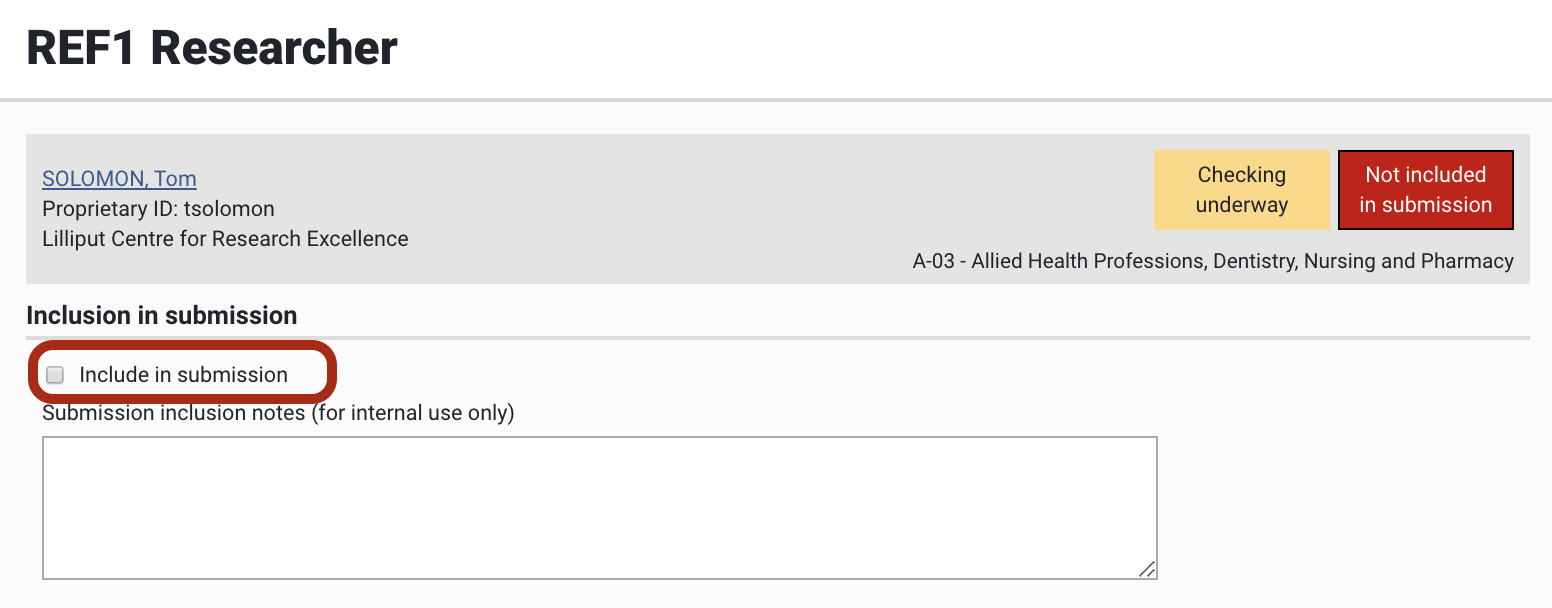
The advantage of using this function rather than simply deleting the user from the exercise is that you can record submission inclusion notes, capturing the reasons for removing the individual from the submission.
In terms of REF2 affiliations, flagging an individual as not to be included in the submission will have no effect.
Assign the user to the 'Unallocated' unit
Individuals assigned to the 'Unallocated' unit will not be included in the submission XML. Therefore, assigning a user to the 'Unallocated' unit will exclude them from the submission. Note though that in every other way, the 'Unallocated' unit behaves as all other units, and REF2 outputs can be accepted and attributed - but these will not be included in the submission XML.
Guidance on how to change individuals' unit assignments is available from the Unit of Assessment support article.
Remove the user from the exercise
In the exercise definition, you can remove users that have been manually added individually to the exercise.
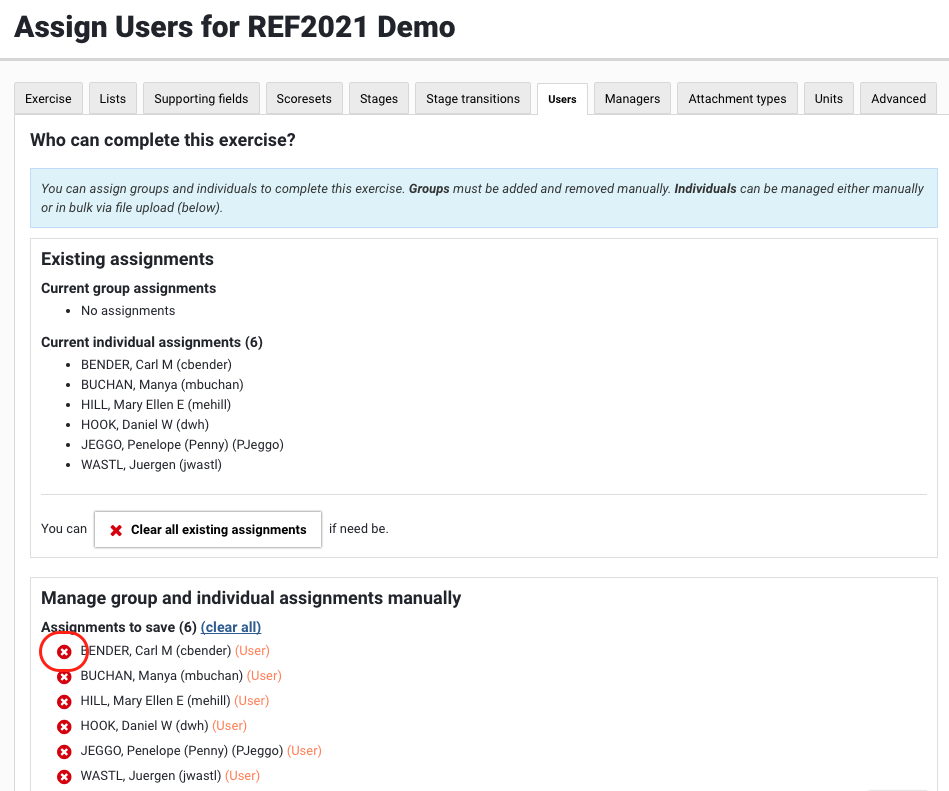
Note that if you have added users to the exercise using Groups, it is not possible to exclude specific individuals.
Where a user is removed from the exercise, all of their selections are removed, as are any REF2 affiliations and/or attributions.