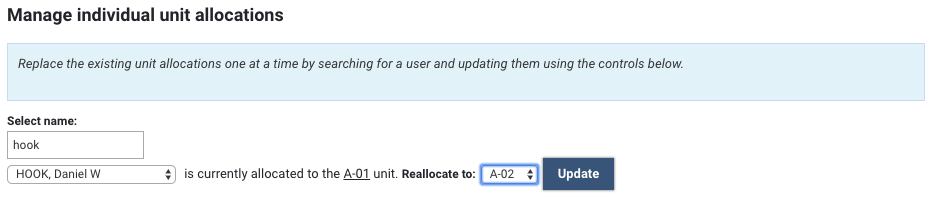
Assigning users to Units of Assessment

Assigning users to Units of Assessment
Initially, all users are by default assigned to the 'Unallocated' Unit.
Users can be assigned to Units either manually one-by-one, or in bulk, using a CSV import. These options are available at the bottom of the page, following the list of Units.
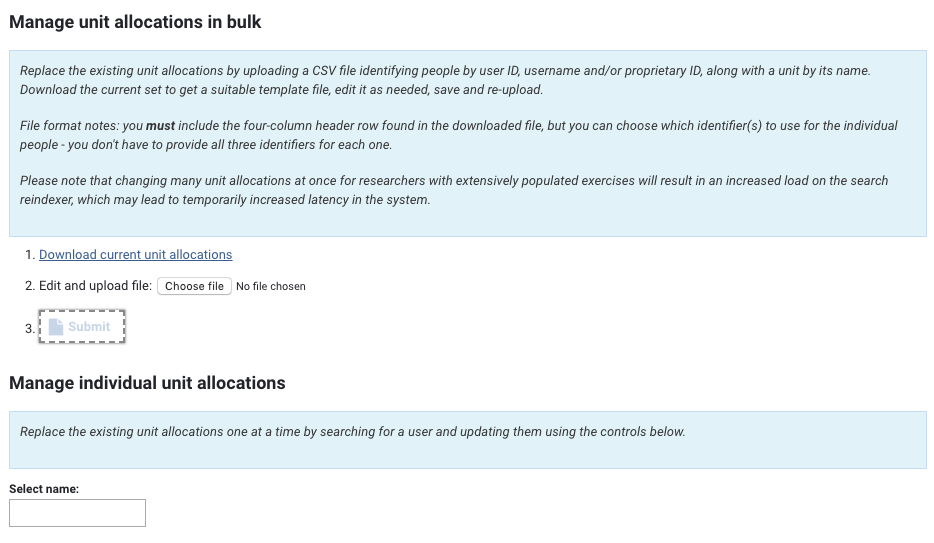
Manage unit allocations in bulk
Unit allocations can be managed in bulk, using a CSV import.
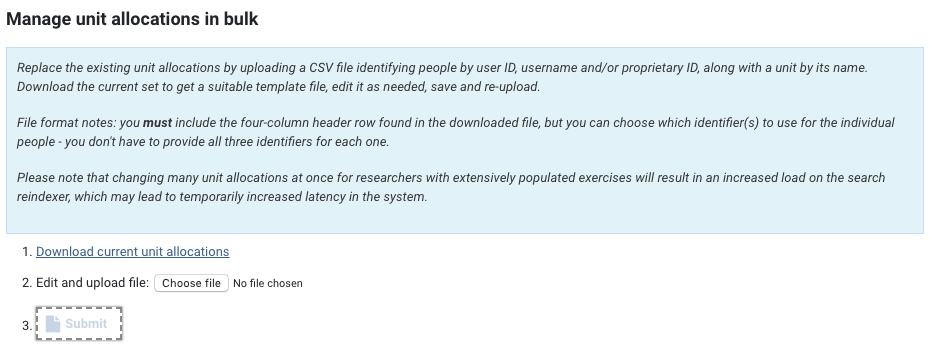
First 'Download current unit allocations', which will provide you with the list of all Users in the exercise and their current allocations.
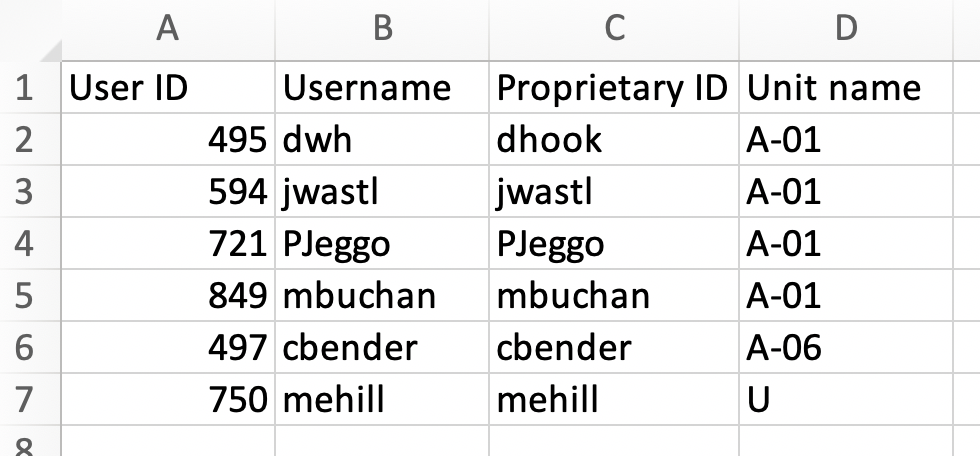
To change an individual's unit allocation, just overwrite the existing Unit name with the desired unit (using the accepted coding (e.g. B-12, D-32, A-03B)). Save the file, then upload and submit.
Manage individual unit allocations
If you want to simply change a small number of users' unit allocations, you may wish to simply do these individually using the 'Manage individual unit allocations' function.