
Mapping form fields
Where you have multi-stage funding opportunities and want to copy information input in a Proposal form from one stage to the next (saving researchers re-inputting data), you need to set up a mapping between the forms.
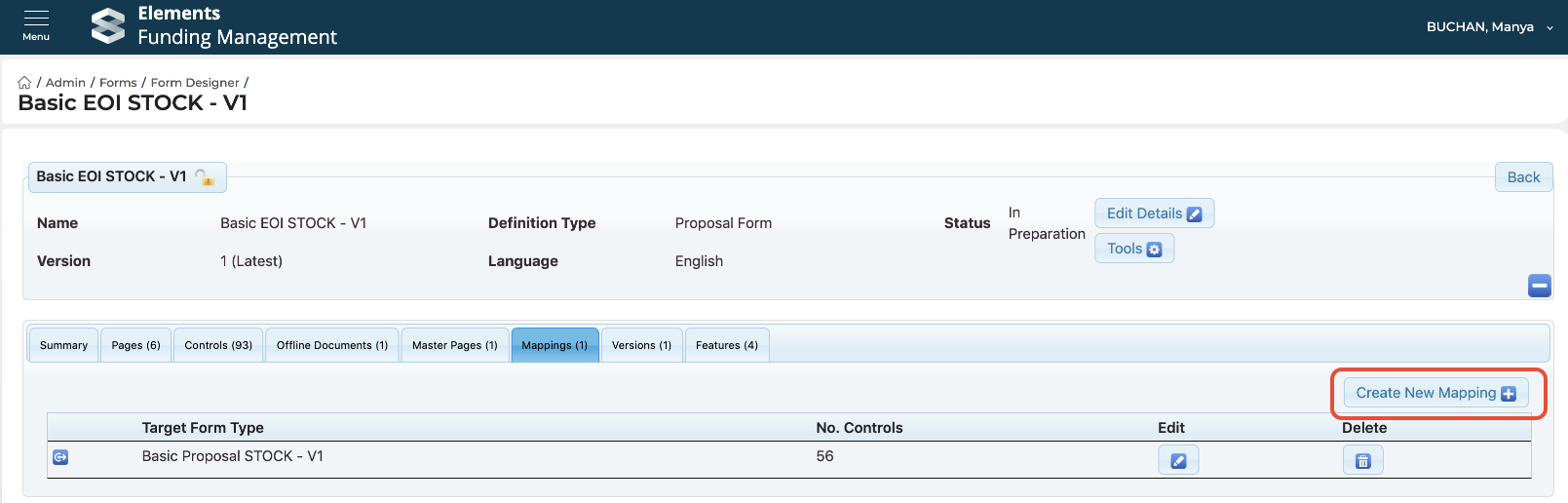
Go to Funding Management Console > Admin > Forms > Form designer, and select the form you wish to create a mapping from. Then navigate to the 'Mappings' tab, and select 'Create new mapping':
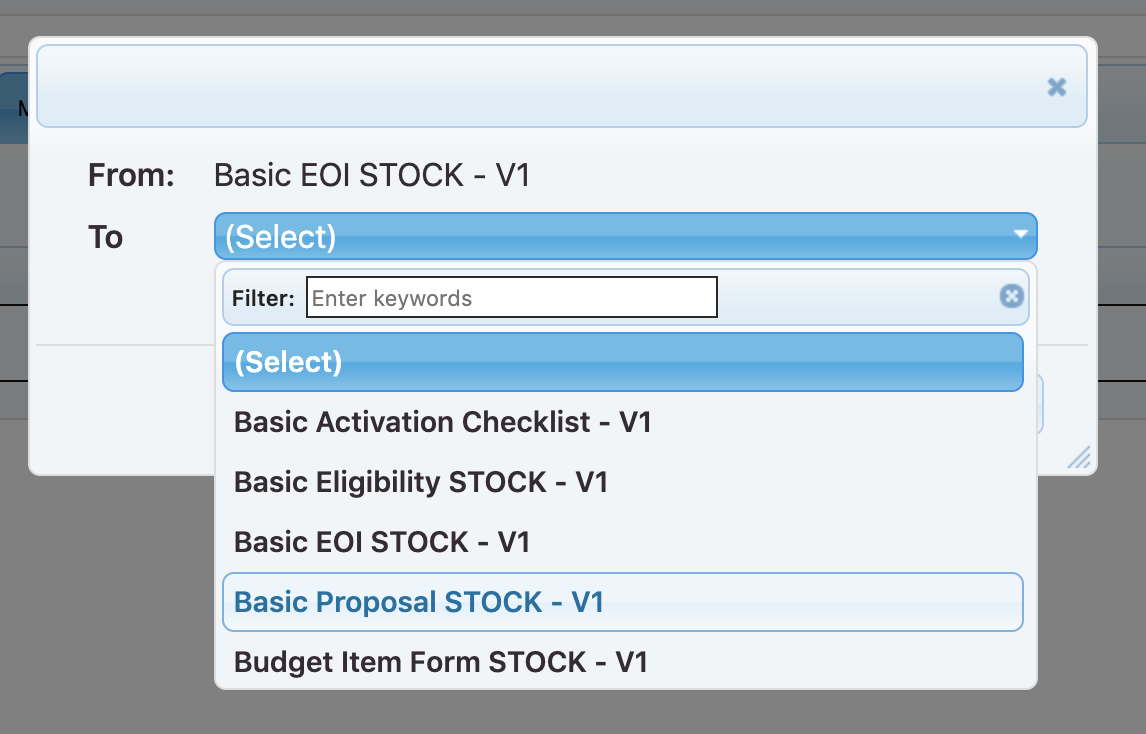
Then select the target form you wish to map to, and select 'Create':
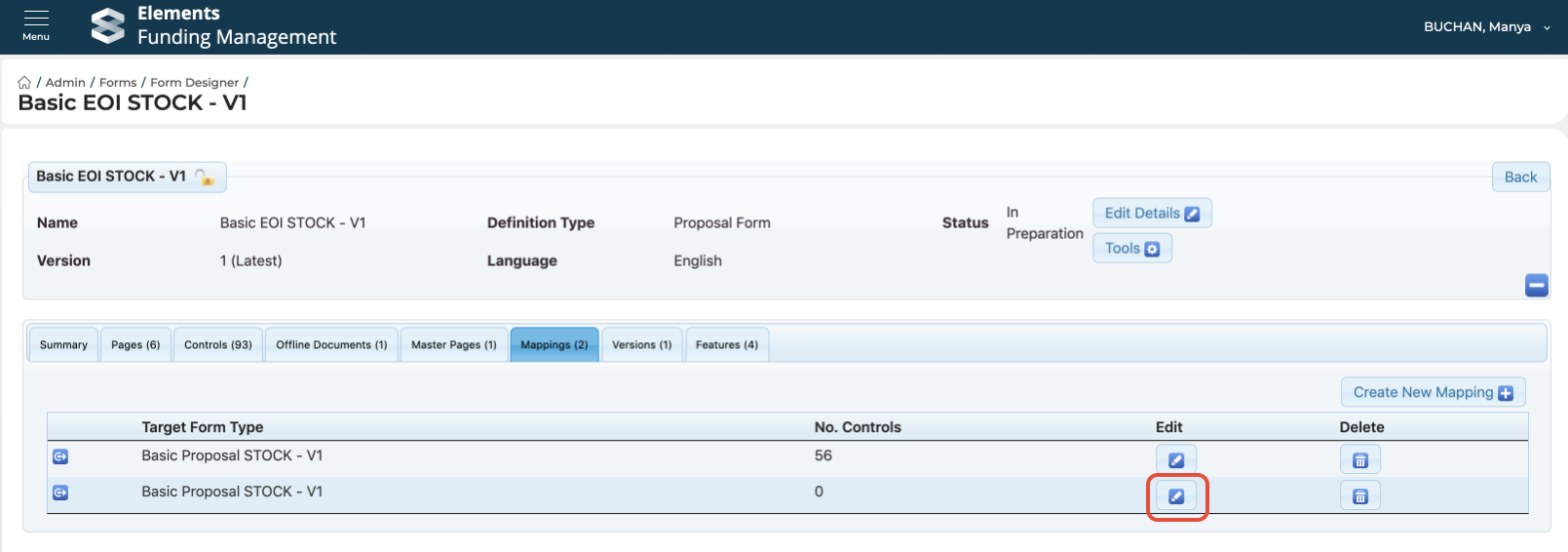
The mapping will then be created. You next need to check the mapping and give it a name. Select Edit.
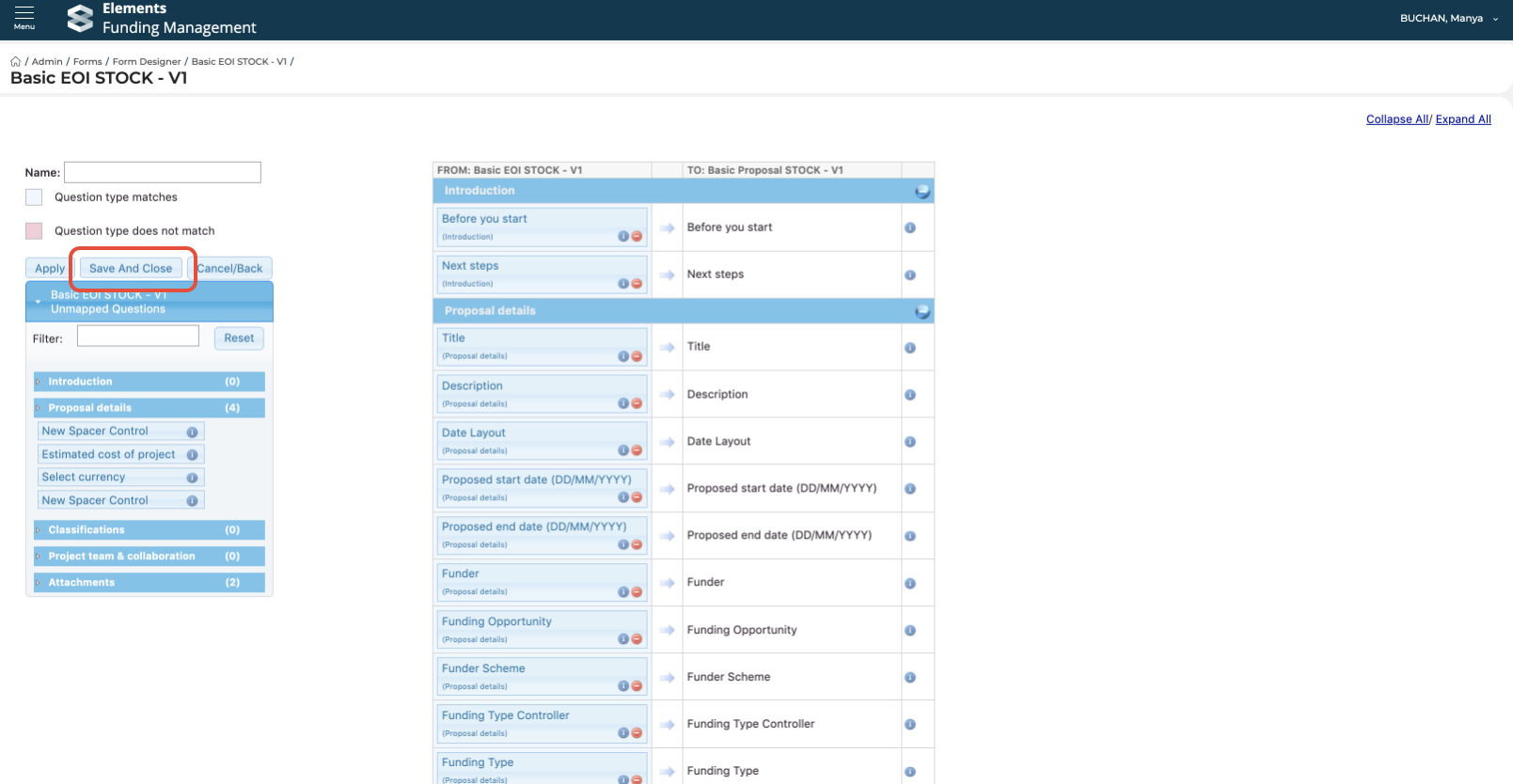
The system will suggest mappings where it can (based on form control type / name), but you can modify these as required.
You can also see in the table on the left which form controls have not been default mapped.
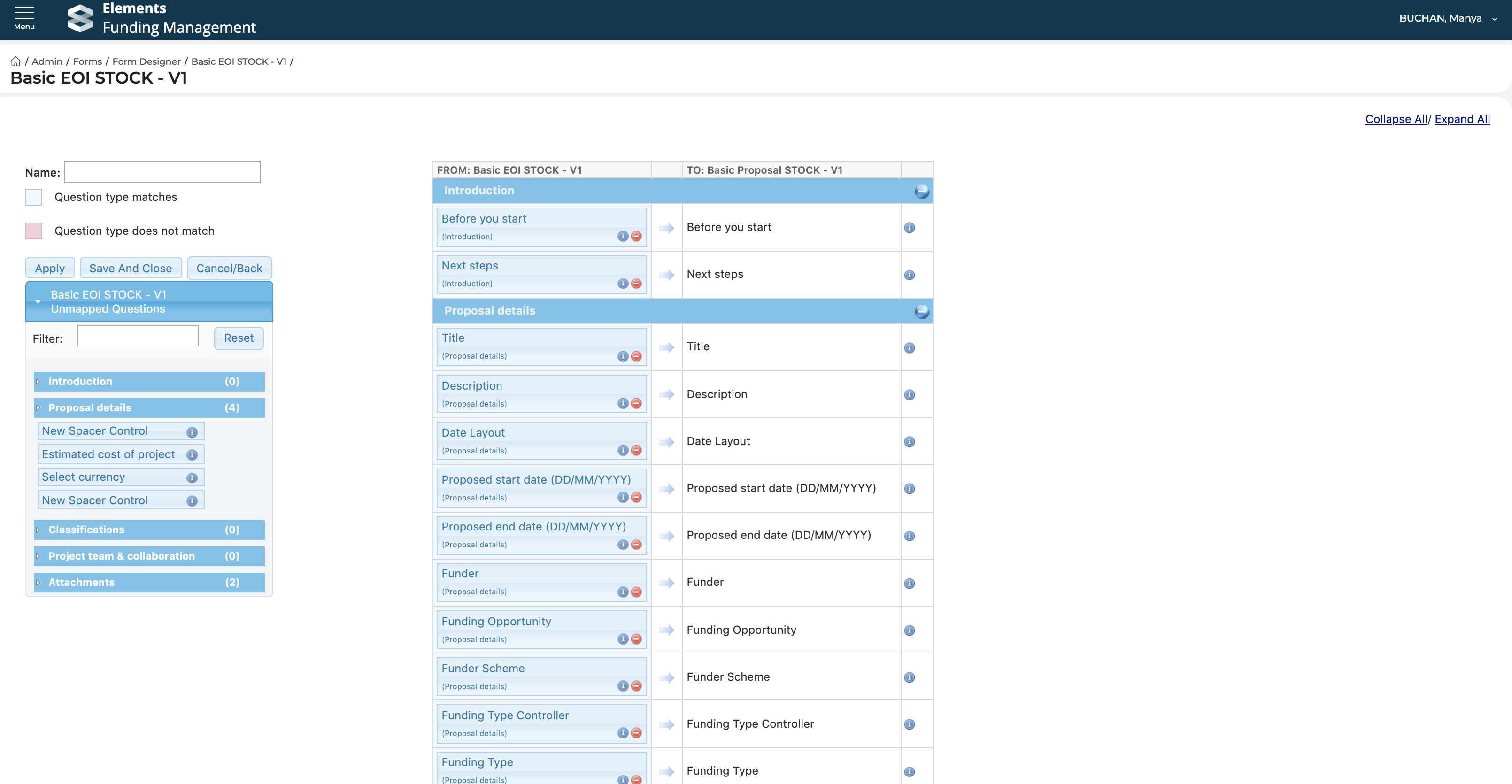
When you have finished configuring your mapping, remember to give the mapping a name and 'Save and close' the mapping:
As you can see, it's possible to have multiple mappings from one Form template to another, or from one Form template to any others.