
How is the Reporting Database kept up to date?
Introduction
The Reporting Synchroniser background service, when running, continuously keeps the Reporting Database in sync with data changes made in the Elements operational database. It can be seen on the Scheduled Jobs page of Elements:
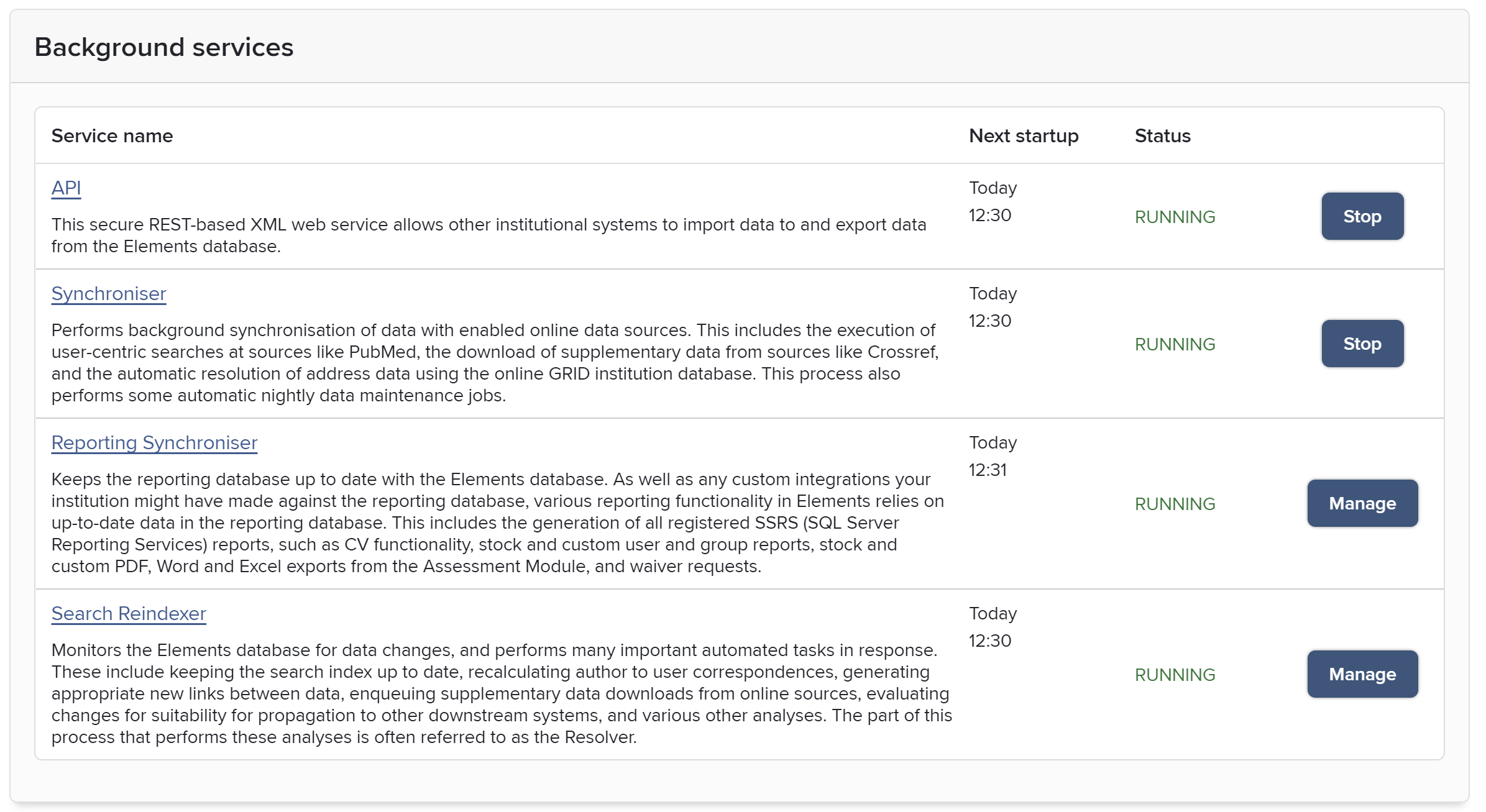
The set of tables and columns defined in the Reporting Database is dependent on the setup of a particular instance of Elements. Even when the structure of the Reporting Database becomes out of sync with the Elements database (for example, when type/field definitions are altered by your Elements system administrator), the reporting database synchroniser will do its best to bring as many changes over as possible until the Reporting Database is next rebuilt (which should be done after making changes to type/field definitions in Elements).
At any given time, the Reporting Synchroniser will be performing one of three kinds of data synchronisation:
Full: A full synchronisations can be run manually, and is also typically scheduled to run every two weeks at the weekend. It begins by deleting all rows from all tables in the Reporting Database. It then proceeds to refill them all with data in the Elements operational database. This can take several hours to complete depending on the amount of data in your Elements instance, and while it is running, anything consuming data from the Reporting Database may show incomplete data.
Differential: Changes made to all but the most static tables are brought across from the Elements operational database to the Reporting Database. This kind of synchronisation runs once per hour and can take up to around half a minute to complete.
Real-time: Changes made to most of the tables in the Reporting Database, including those for publications, users, and the links between them, are synchronised very frequently. Typically, data is kept up to date to within a few seconds, depending on system load.
Running the Reporting Synchroniser service
During normal operation, the Reporting Synchroniser should be running continuously. It can be manually started and stopped from the Elements website on the Reporting Synchroniser management page, located in the menu under System Admin.
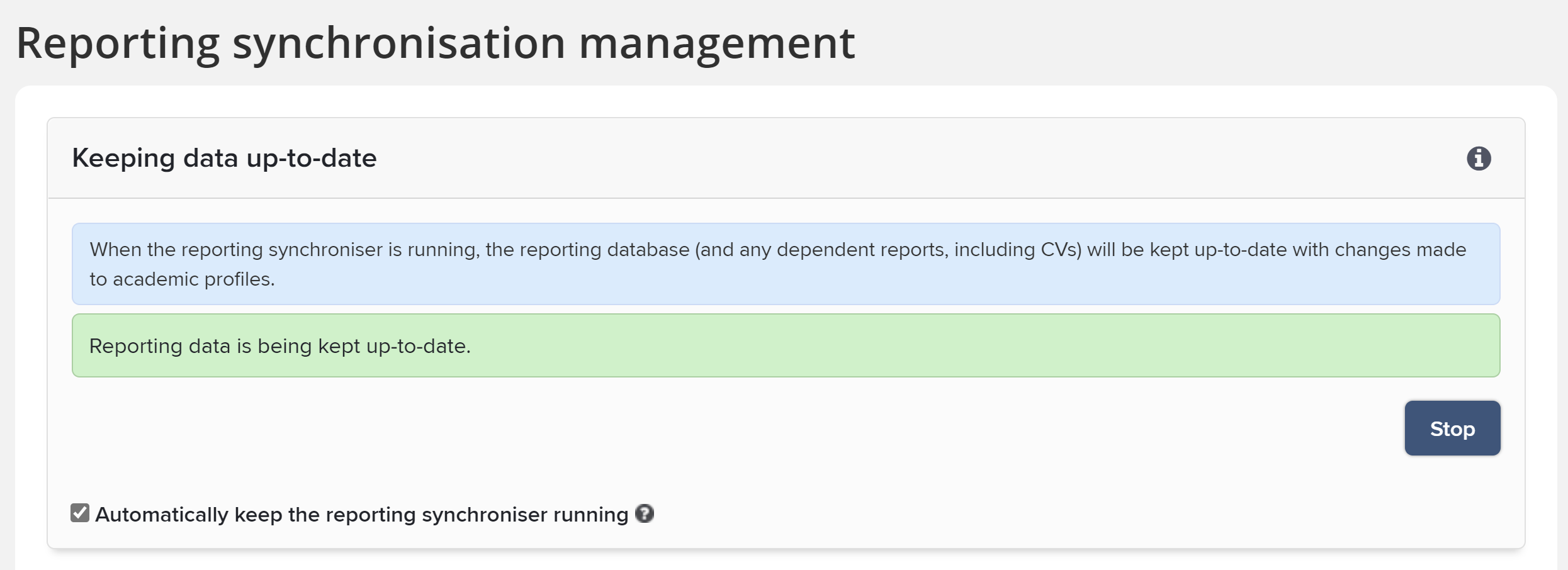
Real-time data synchronisation
Real-time data synchronisation runs continuously. To manage load on the system, it focuses on synchronising changes to a key set of important tables whose data changes regularly:
All main object and record tables and all of their child tables:
Assessment Supporting Information
Deposit Advice
Equipment
Funding Body
Grant
Impact
Journal
Organisational Structure
Professional Activity
Project
Publication
Teaching Activity
User
Exception: the [User Identifier] table is not synced in real time
All user preference tables:
User Assessment Supporting Information Preferences
User Deposit Advice Preferences
User Equipment Preferences
User Funding Body Preferences
User Grant Preferences
User Impact Preferences
User Journal Preferences
User Organisational Structure Preferences
User Professional Activity Preferences
User Project Preferences
User Publication Preferences
User Teaching Activity Preferences
Relationship tables and views for each pair of categories:
Link
Deposit Advice Journal Relationship
Equipment Equipment Relationship
Equipment Grant Relationship
Equipment Impact Relationship
Equipment Organisational Structure Relationship
Equipment Professional Activity Relationship
Equipment Project Relationship
Equipment Publication Relationship
Equipment Teaching Activity Relationship
Equipment User Relationship
Funding Body Grant Relationship
Funding Body Publication Relationship
Grant Grant Relationship
Grant Impact Relationship
Grant Organisational Structure Relationship
Grant Professional Activity Relationship
Grant Project Relationship
Grant Publication Relationship
Grant Teaching Activity Relationship
Grant User Relationship
Impact Impact Relationship
Impact Organisational Structure Relationship
Impact Professional Activity Relationship
Impact Project Relationship
Impact Publication Relationship
Impact Teaching Activity Relationship
Impact User Relationship
Organisational Structure Organisational Structure Relationship
Organisational Structure Professional Activity Relationship
Organisational Structure Project Relationship
Organisational Structure Publication Relationship
Organisational Structure Teaching Activity Relationship
Organisational Structure User Relationship
Professional Activity Professional Activity Relationship
Professional Activity Project Relationship
Professional Activity Publication Relationship
Professional Activity Teaching Activity Relationship
Professional Activity User Relationship
Project Project Relationship
Project Publication Relationship
Project Teaching Activity Relationship
Project User Relationship
Publication Publication Relationship
Publication Teaching Activity Relationship
Publication User Relationship
Teaching Activity Teaching Activity Relationship
Teaching Activity User Relationship
User User Relationship
OA scheme and child tables:
OA Scheme Assigned Deposit Config Group
OA Scheme Compliance Rule
OA Scheme Compliance Rule File Version
OA Scheme Compliance Rule Open Access Status
OA Scheme Compliance Rule Reuse Licence
OA Scheme Exception Type
OA Scheme Funder Name
OA Scheme Publication Type Setting
OA Scheme Publication Type Setting Compliant Repository
OA Scheme Publication Type Setting Excluded Sub Type.
Publication OA Exception
Publication OA Scheme State, and child table:
Publication OA Scheme State Compliance Issue
Waiver Request
Assessment Exercise
Assessment Item
Assessment REF1 Researcher
Assessment REF2 Output
Differential data synchronisation
Differential data synchronisation runs hourly. It monitors tables containing data that may change relatively frequently, but which generally do not need to be as up to date in the Reporting Database as those above. Hourly updates are made to the following tables:
Category tables
Source tables
Object type tables
Field tables
Groups tables
Group role tables
Label scheme and vocabulary tables
Log tables
Match suggestions tables
Object history tables
Repository item tables (RT1)
Delegate tables
Search term tables
Research assessment tables
HERDC tables
The [User Identifier] table
Reports which consume data from these tables may not reflect fully up to data information and may need to wait up to an hour after data changes are made.
Full data synchronisation
Full data synchronisation typically runs once every two weeks at the weekend, or whenever you choose to manually run it. It deletes all of the data in all of the tables in the Reporting Database and then refills them. It is the only form of synchronisation that can keep (for example) the following infrequently- or never-changing tables up to date with the Elements database:
Date tables
Currency tables
Geography tables
OA Exception Type
OA State Compliance Issue
OA State Compliance Status
OA State Scope Issue
OA State Scope Status.
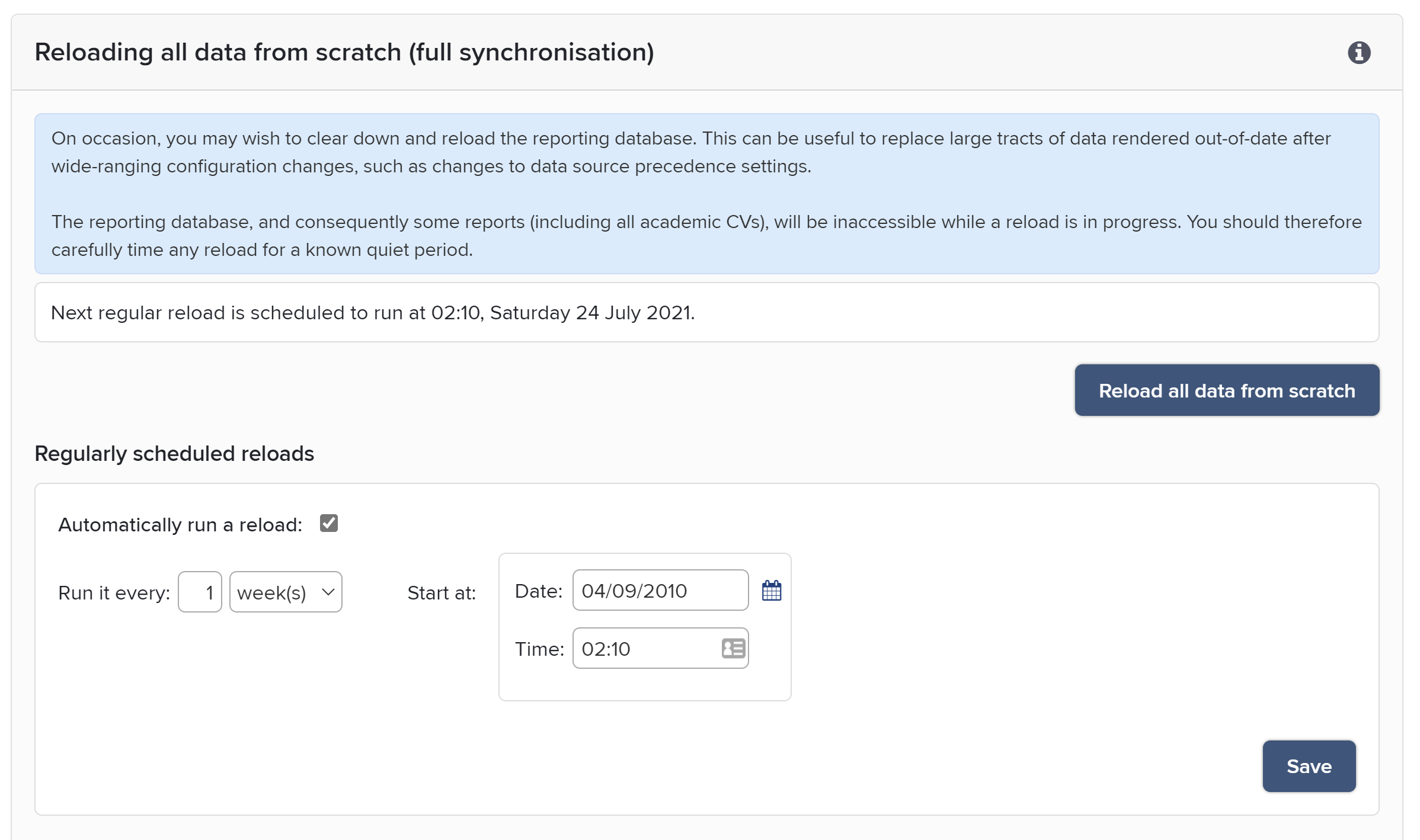
A full data synchronisation will always be performed when the Reporting Synchroniser is started for the first time on an empty Reporting Database. While the Reporting Synchroniser is running, a full data synchronisation can be requested from the Reporting Synchroniser management page. This marks the Reporting Database for full synchronisation, and the Reporting Synchroniser service will begin the full sync as soon as it can.
Full data synchronisation can take a long time, and because it begins by deleting all data, the Reporting Database should not be used while it is running. It is therefore best to schedule a full sync at a time when the Elements system is not under heavy load, and the Reporting Database is not required for use by either Elements itself or by any downstream systems.
Structure synchronisation
At the time the Reporting Database was last (re-)built, Elements created appropriate structure (tables and columns) in the Reporting Database to reflect the data model configured in Elements by your institution at that time. If your institution subsequently modifies the Elements data model (e.g. by adding, editing or removing custom fields or custom data types), the tables and columns of the Reporting Database may no longer align with the new data model.
Until the Reporting Database is rebuilt, the Reporting Synchroniser will continue as best it can to populate the existing structures in the Reporting Database. Where an expected table or column is missing in the Reporting Database, synchronisation will skip that table/column. Where an table/column in the Reporting Database no longer corresponds to a data type/field in Elements, the table/column will be ignored.
To ensure data is properly synchronised for the new data model, your institution should run a special job called structure synchronisation from the Reporting Synchronisation Management page (System Admin > Search & Reporting > Configure Reporting > Reporting Synchronisation).
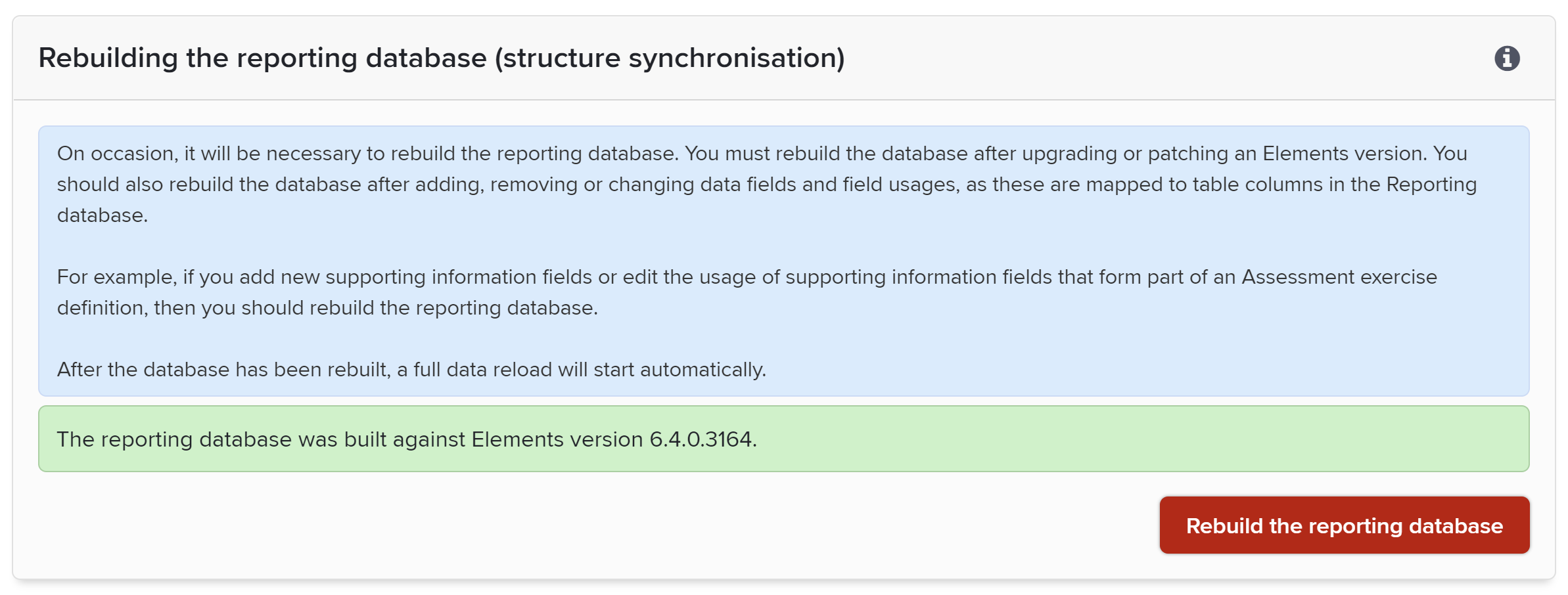
Click the red "Rebuild the reporting database" button to start the process of rebuilding the Reporting Database in line with the current data model. This will cause all tables (and all their data) to be dropped from the Reporting Database and a new set of empty tables to be created. Once that process has completed, the Reporting Synchroniser will automatically start to repopulate all of those tables data using a full data synchronisation. Wait for that to complete.
As well as rebuilding after data model changes, the Reporting Database should be rebuilt in this way immediately after each time Elements is installed, upgraded or patched to reflect any stock changes made to the data model in the new version of Elements.
A structure synchronisation drops all stock tables and recreates them. This will, of course, remove any customisations your institution might have made to stock tables. Please see the following article for advice on maintaining your Reporting Database customisations: Customising the reporting database