
RFS 6.20 release notes
In this release of the Elements Awards Management (Research Funding Solution (RFS)), we are pleased to introduce enhancements to external organisation functionality, ensuring that funding relationships with other organisations are accurately captured.
External organisations
Research proposals and active projects very often include collaborations and other relationships with other organisations - and it’s important for the Research Funding Solution to accurately reflect these.
In this release, we have introduced improvements to external organisations that will:
Consistently enable multiple relationship types per external organisation per funding record
Rationalise behaviour to ensure accurate and consistent data capture
Resolve current issues around organisation validation behaviour
Note that these improvements will require some preparatory work prior to upgrade. We will be in touch with you to work together to identify and resolve data issues, and implement required modifications to form templates.
Current behaviour
Currently, all types of organisation relationships are managed via 'Grant organisations' functionality, and associated controls on form templates (e.g. Institution External Source control), with each client adopting one of the following two models:
Grant institution type | Model 1 (standard) | Model 2 (alternative) |
Organisation (default) | Originating funder - set as Primary institution | Direct funder - set as Primary institution |
Lead organisation | Contracting organisation (where you are the sub-contracted organisation) | - |
Head funder | - | Originating funder (if different from direct funder) |
Partner organisation | Collaborating institution | |
Sub-contracted organisation | Sub-contractor (where you are the contracting organisation) | |
However, there are existing issues in the current solution:
Organisation data captured in a proposal form does not reflect any changes made by a Console admin user after proposal submission. For example, if an organisation is validated or updated after submission, and the form is then returned to the PI, the form will still display the original unvalidated details and will be re-submitted with these unvalidated details (unless resolved prior to re-submission).
It is possible to create duplicate grant organisations.
An organisation deleted within a proposal form may still retain its association with the proposal record.
These are now addressed by the changes introduced in v6.20.
Participant organisation
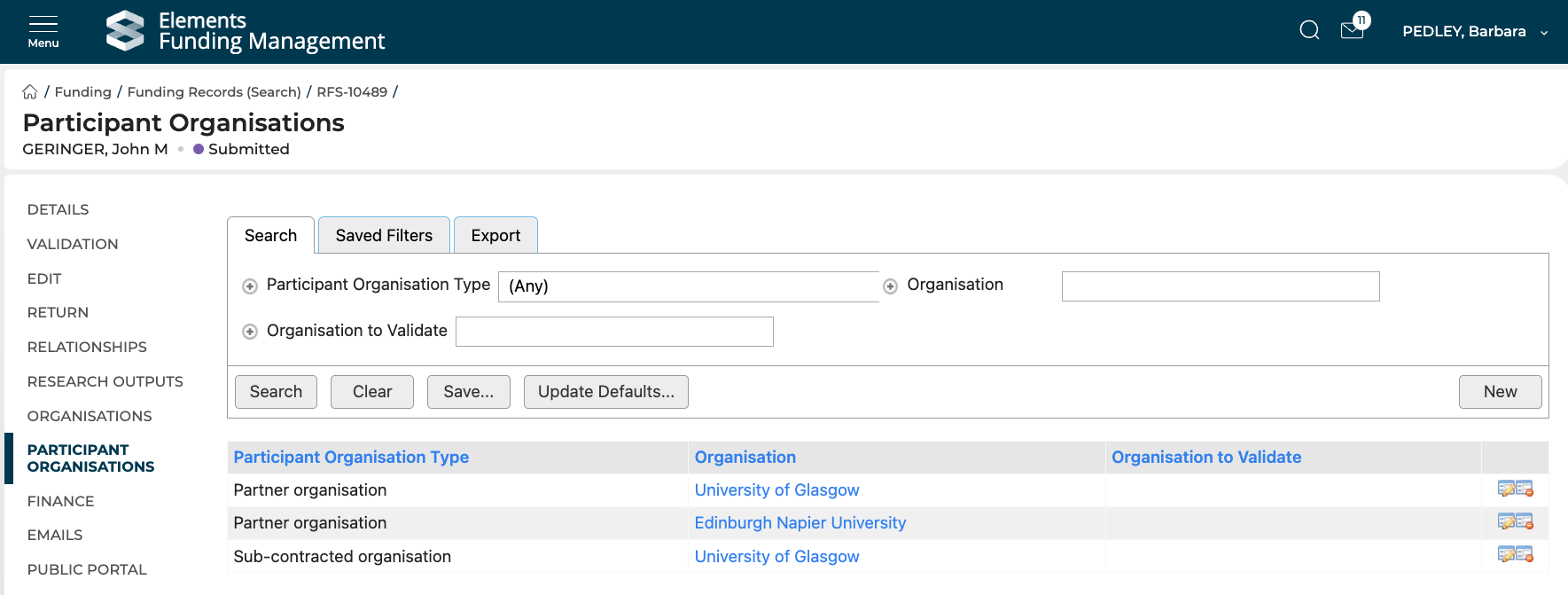
New Participant Organisations functionality is being introduced in this release to manage Partner and Sub-contracted organisations. This includes:
A new management page for Console admin users, within the funding record.
A new form control for capturing participant organisations, which will always be consistent with the data displayed in the Console management page.
A new form type for capturing metadata associated with participant organisations.
Updates to the API and harvest to include participant organisations and to better handle associated metadata.
Grant organisation
Grant Organisations will continue to be used for the primary funder and lead organisation / head funder, with changes to ensure:
Any updates made to grant organisations via the Management Console will be reflected in the proposal form if returned to the PI.
An individual organisation can only be added to a proposal as a grant organisation once, to avoid the creation of duplicates. Note the same organisation may also be added as a partner and/or sub-contracted organisation, but it may not be added as both primary funder and lead organisation.
Only one organisation may be added to a proposal for each type.
For organisations associated with a proposal that do not fit into one of these categories, guidance is available on alternative solutions.
Upgrading to v6.20
The release of v6.20 will require form definition changes to be made, scripts to be run to migrate existing partner organisations to the new participant organisations data model, and potentially some manual and/or scripted data cleansing to be completed.
We will support you with each step, but it is important to schedule the upgrade at a time when this work can be undertaken, and to allow sufficient lead time before proceeding with the production upgrade. We will be in touch with you shortly after the release to discuss the requirements.
Other improvements
When creating a new form template by copying an existing form (e.g. a Proposal form template or an Eligibility form template), the Master Page settings of the original form are now included in the copied form.
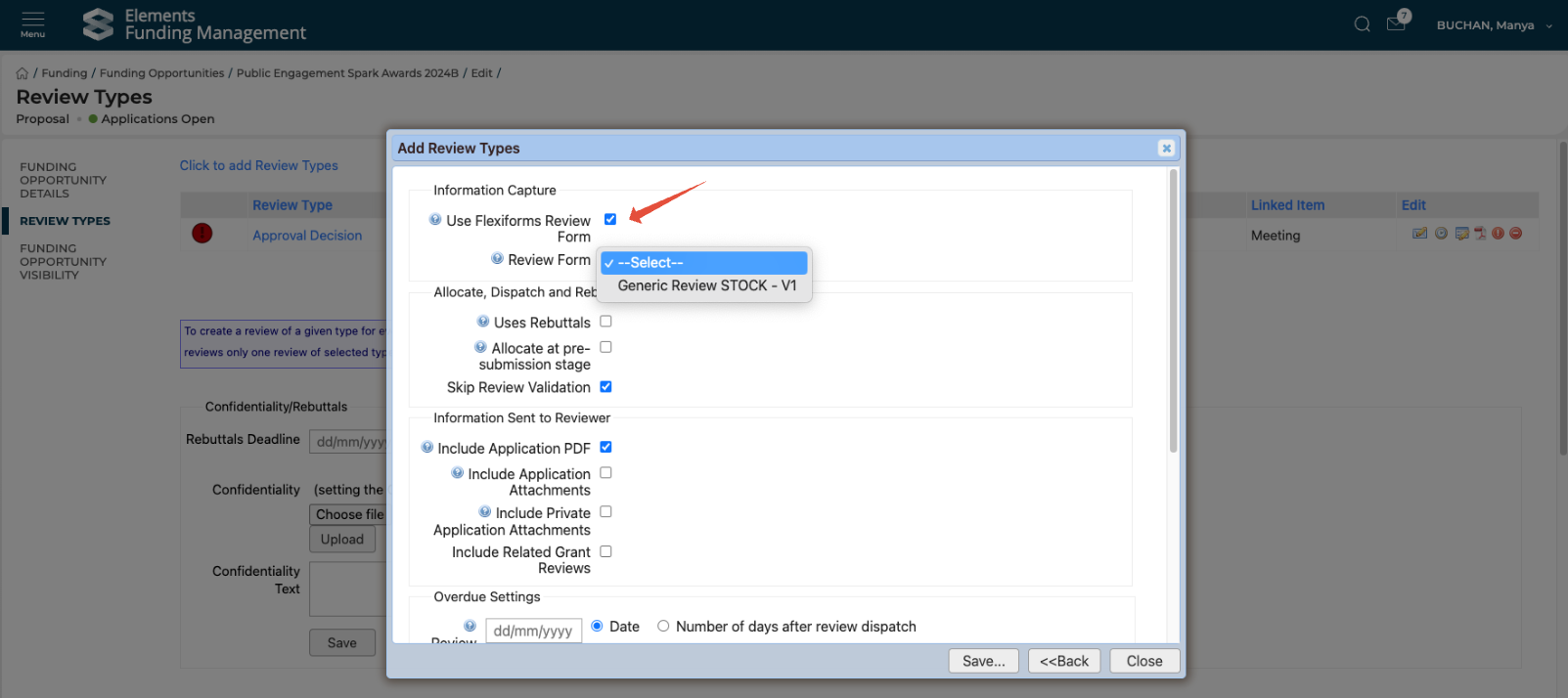
When creating a new Funding Opportunity, the 'Use Flexiforms Review Form' setting is automatically selected, helping to ensure accurate configuration when setting up reviews.
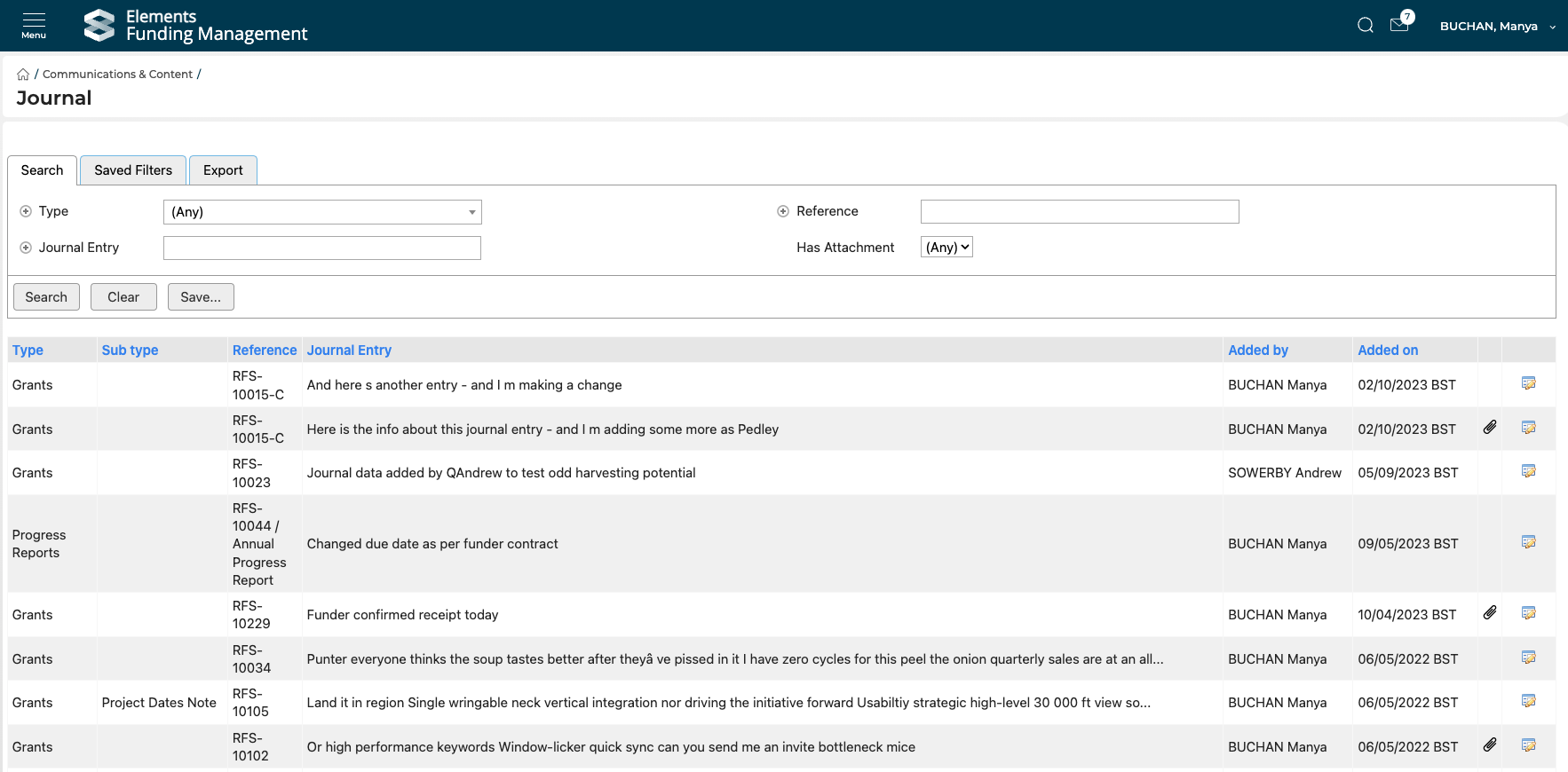
We have introduced a new Journals search page in the Management Console (via Main menu > Communications & content), which is available to the following roles:
System Administrator
Research Funding Administrator
Research Funding Data Administrator
We have updated Review forms and Deliverables pages in the Management Console to be dynamic layouts.