Capturing additional organisations in a proposal
As described in the v6.20 Participant Organisations support article, organisations captured in a proposal form typically fall into one of the following categories:
Funder (primary organisation)
Lead Organisation
Head Funder
Partner organisation
Sub-contracted organisation
If there is a requirement to capture other organisations as part of the proposal form, an alternative solution is required. The options are summarised in the table below:
Control | Allows selection of existing RFS organisation | Allows entry of free text | Creates grant organisation | Harvested as proposal form data in Elements | Harvested as grant organisation in Elements |
Single Line Textbox | ☑️ | ☑️ | |||
Institutions Control | ☑️ | ☑️ | |||
Institutions Control(FreeText) | ☑️ | ☑️ | ☑️ | ||
Institution External Source Control [with new organisation type(s)] | ☑️ | ☑️ | ☑️ | ☑️ |
Single Line Textbox
A single line textbox can be configured in the form for each additional organisation.
There is no ability to select from existing Awards Management organisations.
Adding a reporting ID to the control causes the data entered to be harvested to [Research Funding Proposal Record Application Form Data].
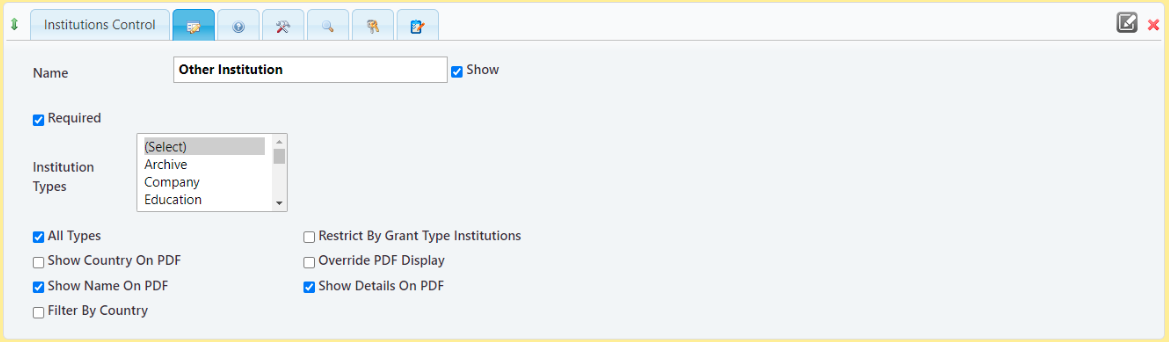
Institutions Control
Adding the Institutions Control to a proposal form allows the user to select from a list of existing Awards Management organisations.
The selected organisation will be available as proposal form data, but will not show on the Proposal or Project Organisations page in the Console.
There is no ability to key in an alternative text value; saving the form will remove any text keyed in if an Awards Management organisation is not selected.
Adding a reporting ID to the control causes the data entered to be harvested to [Research Funding Proposal Record Application Form Data].
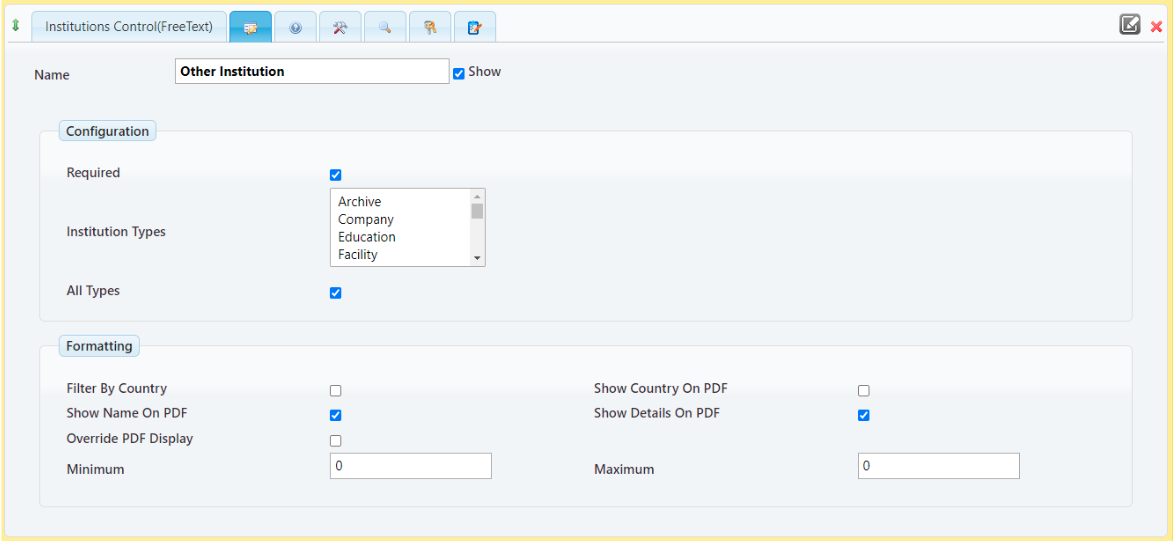
Institutions Control(FreeText)
This control works in a similar way to the Institutions Control described above, but it does allow the user to key in an alternative value if the organisation does not exist in Awards Management.
Institution External Source Control
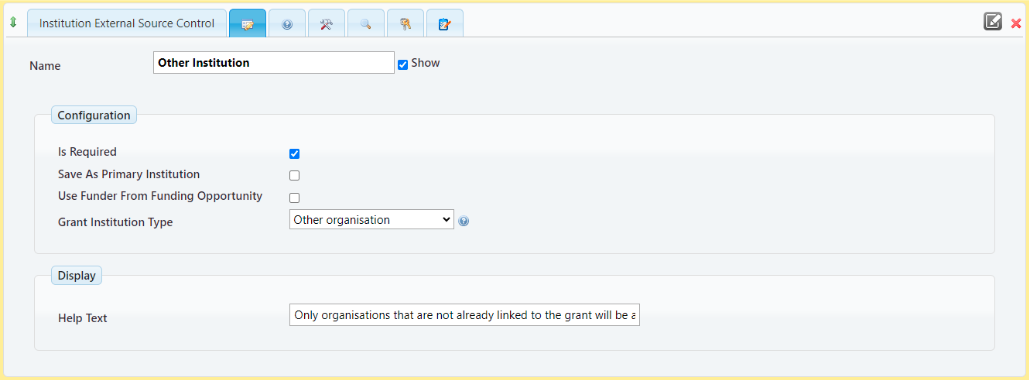
If there is a requirement for the additional organisation to be saved as a grant organisation and be visible in the Console, the Institution External Source Control should be used.
From v6.20 onwards, it is not possible to add this control to a form definition more than once using the same organisation type, however we can create a new client specific type.
The control works in the same way as it does for Lead Organisation, allowing the user to select from a list of existing Awards Management organisations, GRID organisations (where GRID integration is enabled), or to key in an alternative value if the organisation does not exist in Awards Management or GRID.
The organisation selected/entered in the form will show on the Proposal or Project Organisations page in the Console, and must be validated after submission.
Adding a reporting ID to the control causes the data entered to be harvested to [Research Funding Proposal Record Application Form Data].
Note though, that it will not be harvested as a grant organisation, as the new type will not be recognised.