
Item evaluation module overview
What is the Item evaluation module?
The Item Evaluation module is a new addition (v7.1) to the Elements platform, offered as part of the Evaluation & Review solution. It supports the peer review of individual items, such as publications. This is different from the existing Assessment module, which is user-centric and evaluates a portfolio of an individual's academic activity.
The module is envisioned as a workflow-based tool for reviewing individual research items, enabling support for a constant flow of review or for specific periods of review activity. A key benefit is that it is item-centric, allowing for a more focused review of individual items.
Why a new module?
While the Assessment module will continue to be supported for use cases like annual reviews and promotion processes, the new Item Evaluation module provides a more flexible approach. It is designed to enable:
More focused review of individual items.
An improved, more flexible reviewer allocation process.
Increased transparency where desired.
Support for more continuous, rolling review processes, rather than annual peaks of activity.
The module also allows you to identify the right reviewers per item, rather than per individual. This provides better support for reviewing multi-disciplinary research, as a single item can easily have multiple reviews across different units or disciplines.
How does it work?
The module supports distinct user journeys tailored to the needs of each role.
Researchers can nominate individual items of work for review.
Reviewers evaluate the items.
Managers coordinate the process for their unit(s), including capturing overall review outcomes.
Administrators configure and oversee the system institution-wide.
It is envisioned that outcomes from individual item evaluations can be fed into larger assessment exercises. This combination will ensure that the most appropriate peer review of research is obtained, leading to more accurate and informed assessment outcomes.
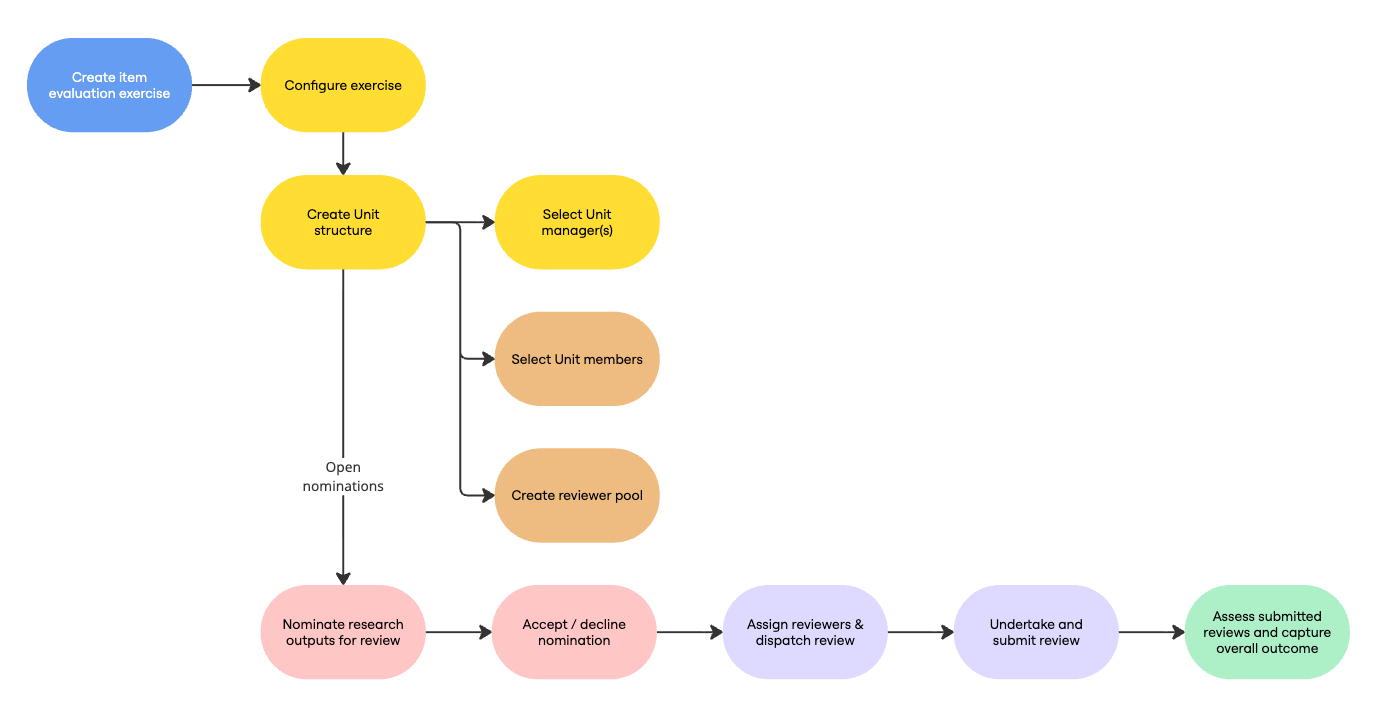
Image: High-level flow of the Item Evaluation module
Current functionality
Initial launch (v7.1)
Upon initial release, the module supports the initial stages of publication peer review exercises, including functions to:
Create and configure Item Evaluation exercises,
Create Units within an exercise, including selecting members and managers,
Configure form fields for application in nomination, review, and overall outcome forms,
Configure the nomination form for an exercise,
Nominate publications for review, and
Accept / decline nominations.
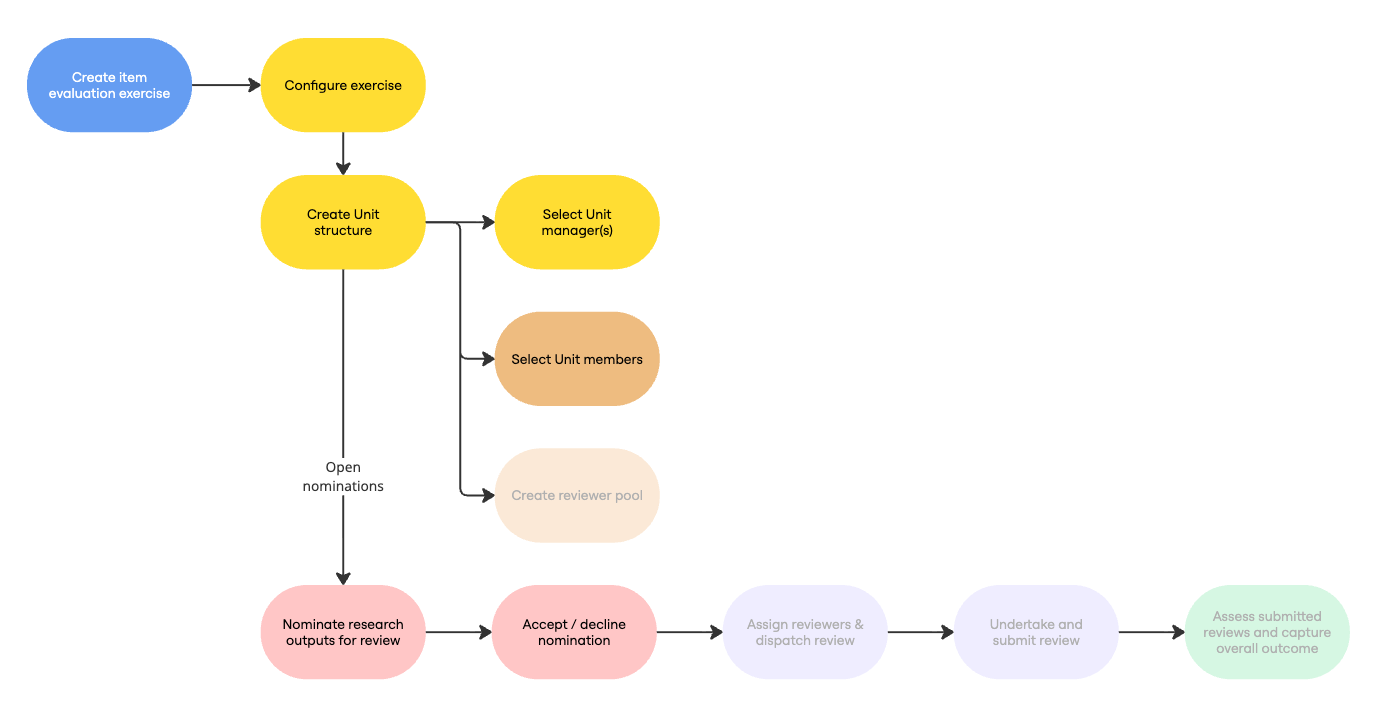
Image: Stages of the high-level flow available upon initial release (v7.1)
Further foundations (v7.2)
In this release, we delivered the remaining item evaluation module foundations, including the ability to:
Select Unit reviewer pool members,
Configure the review and overall outcome forms for an exercise,
Assign & dispatch publications to reviewers,
Submit reviews, and
Capture the overall outcome of the item’s evaluation.
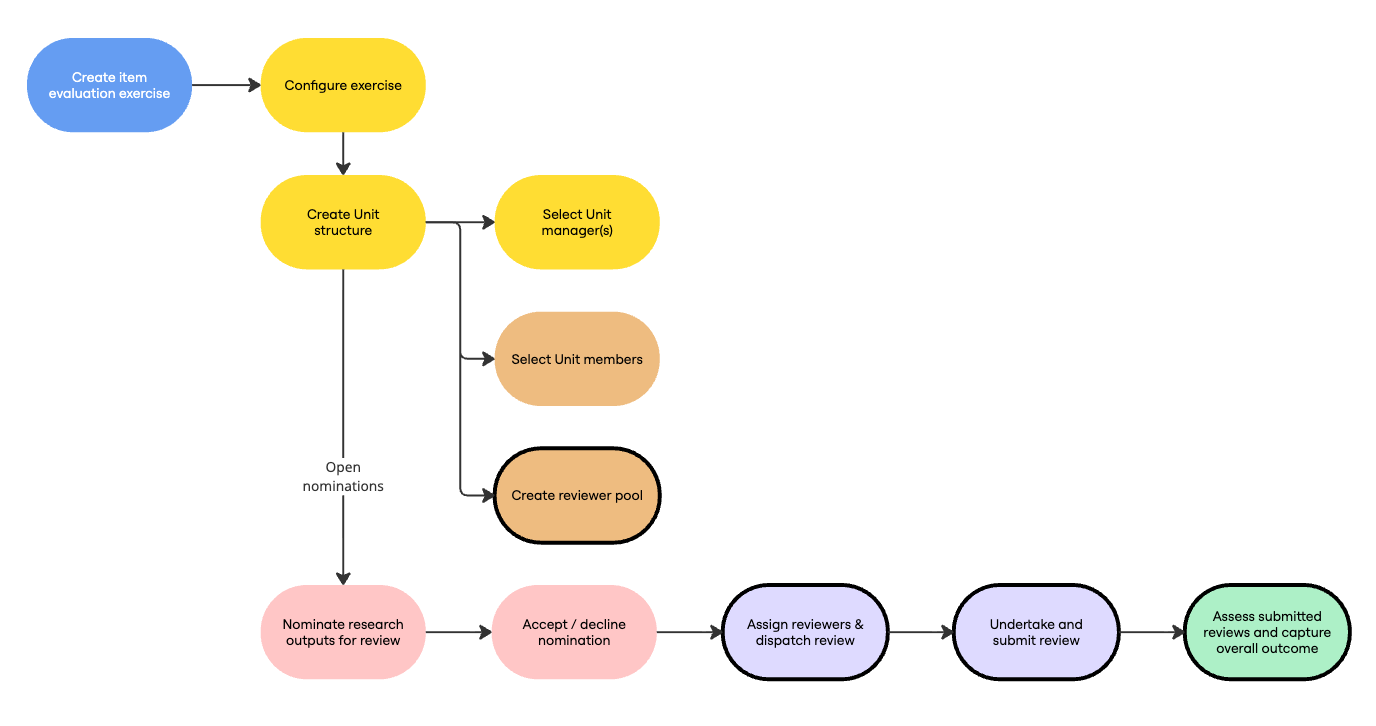
Image: Stages of the high-level flow available from v7.2
Module expansion (v7.3)
In this release, we expanded the functionality available to support more scalable and insight-driven review processes.
This included:
Reporting and on-screen insights
Additional management actions, to help teams manage activity at scale
Bulk assignment and dispatch of reviews
Bulk nomination
Nominate on user’s behalf without impersonation
Nominate to additional units
Unit-level configuration options, to provide greater local control
Highlighted score functionality, making outcomes easier to interpret
Improved configuration workflows, including expanded configuration warning and error notifications to help ensure all expected configuration settings are fully defined and your exercise operates as expected
History event visibility, making decisions / modifications easier to track over time
How do I get the module?
The Item Evaluation module is available within the Elements Evaluation & Review solution.
Clients that already licence this solution will have access to the module automatically.
Clients who only currently licence the Assessment module should contact their Account Manager so a contract amendment can be arranged to move you on to the full Evaluation & Review solution.
If you're not sure whether you licence the full Evaluation & Review solution, or just the Assessment module, get in touch with your Account Manager.