
How to enable the Sherpa Romeo integration
The Sherpa Romeo integration was updated in 5.21.0.2727 to align with the new Sherpa Romeo V2 API issued by Jisc.
Following the structure used on Sherpa Romeo itself, deposit guidance from Sherpa Romeo is displayed on 3 sub-tabs relating to the Submitted, Accepted and Published versions of the publication. Where deposit of a version is not permitted, the corresponding tab does not appear.
We have included links back to the source material where possible to allow users to view additional information associated with the policy.
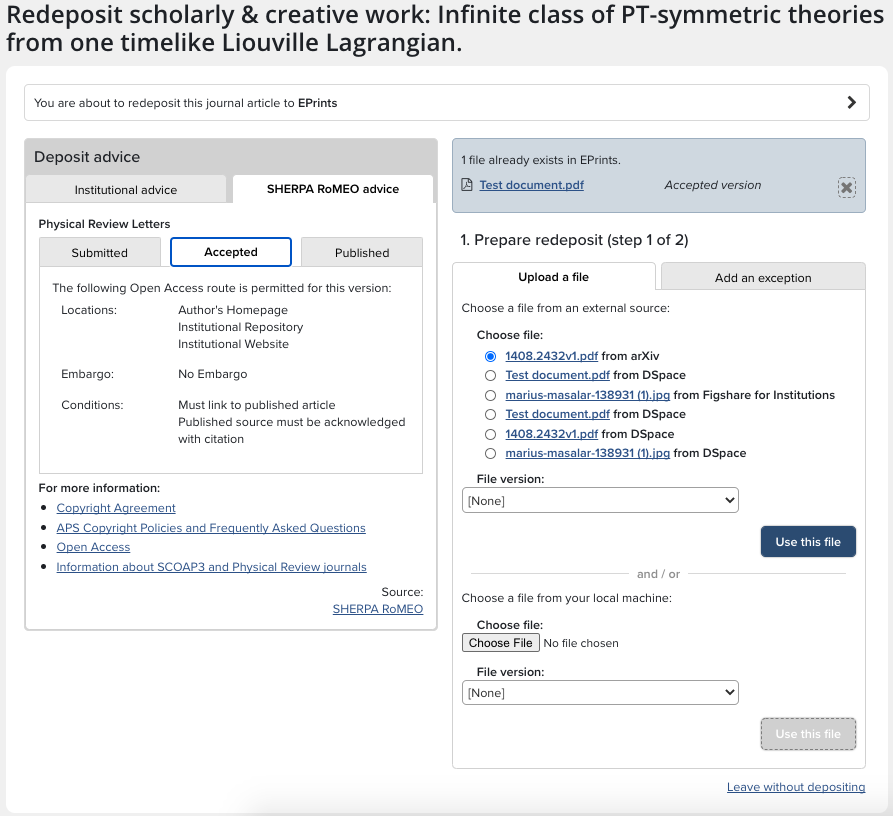
Please note that in line with these changes, we have also updated the capture and display of General Deposit Advice. Sherpa Romeo advice will be displayed on the deposit page alongside institutional advice when (a) deposit advice is active and (b) Sherpa Romeo advice is available for the publication being deposited.
Enabling the Sherpa Romeo integration
You must register for a specific API key for use with your system at https://v2.sherpa.ac.uk/cgi/register. Please note, you must do this even if you used the earlier integration as the new API requires new credentials.
Once you have received the API key, the next action depends on how your Elements system is hosted:
If your Elements system(s) are hosted by Symplectic, open a new support ticket requesting that the key be added to the configuration files.
If your institution hosts Elements in-house, follow the instructions below:
To configure Elements with the Sherpa Romeo API key, locate the file <Main_Installation_Folder>\Sync.Synchronise\Synchronise.exe.config
In that file locate the line:
<add key="sync-sherpa-api-key" value="" />And set the "value" attribute to your new API key.
Important: Stop and restart the System Admin > Operations > Scheduled Jobs called Synchroniser and Synchroniser: SHERPA RoMEO after adding these values.
Important: Add these values to the configuration file of each of your servers.
Once enabled, Elements will harvest the journal records from the new Sherpa API and periodically update them as needed. Please note that initial harvest may take some time to complete due to the large number of records to be harvested. The API requests an individual ISSN roughly every three seconds, so a database with 200,000 records would require approximately 7 days to be completely searched. Also, please note that Jisc changed their inclusion criteria which has resulted in a smaller number of journals having Sherpa Romeo data available. Exact numbers are not available, but anecdotal evidence suggests the new inclusion criteria will result in coverage between 35% and 45% compared to the old system.
N.B. this will need to be done for each Elements server separately. The same credentials can be used for multiple servers.