
Repository Tools 1 & 2: Module Administration - General Deposit Advice
This article outlines how deposit advice can be customised to appear in the repository deposit screens.
Customise deposit advice (v6.20+)
Deposit advice is configured via Open Access > Deposit Advice > General Deposit Advice.
You can create and format deposit advice for the following:
Group - Specify by the whole organisation or by primary group. If you select primary groups you will be offered the option to override the organisational settings
Show advice when in scope / not in scope - Advice can be specified depending on whether the publication is in scope of the relevant OA scheme that includes deposit prompts, or not within scope.
You can also add more customised guidance at either the journal or publisher level, if desired.
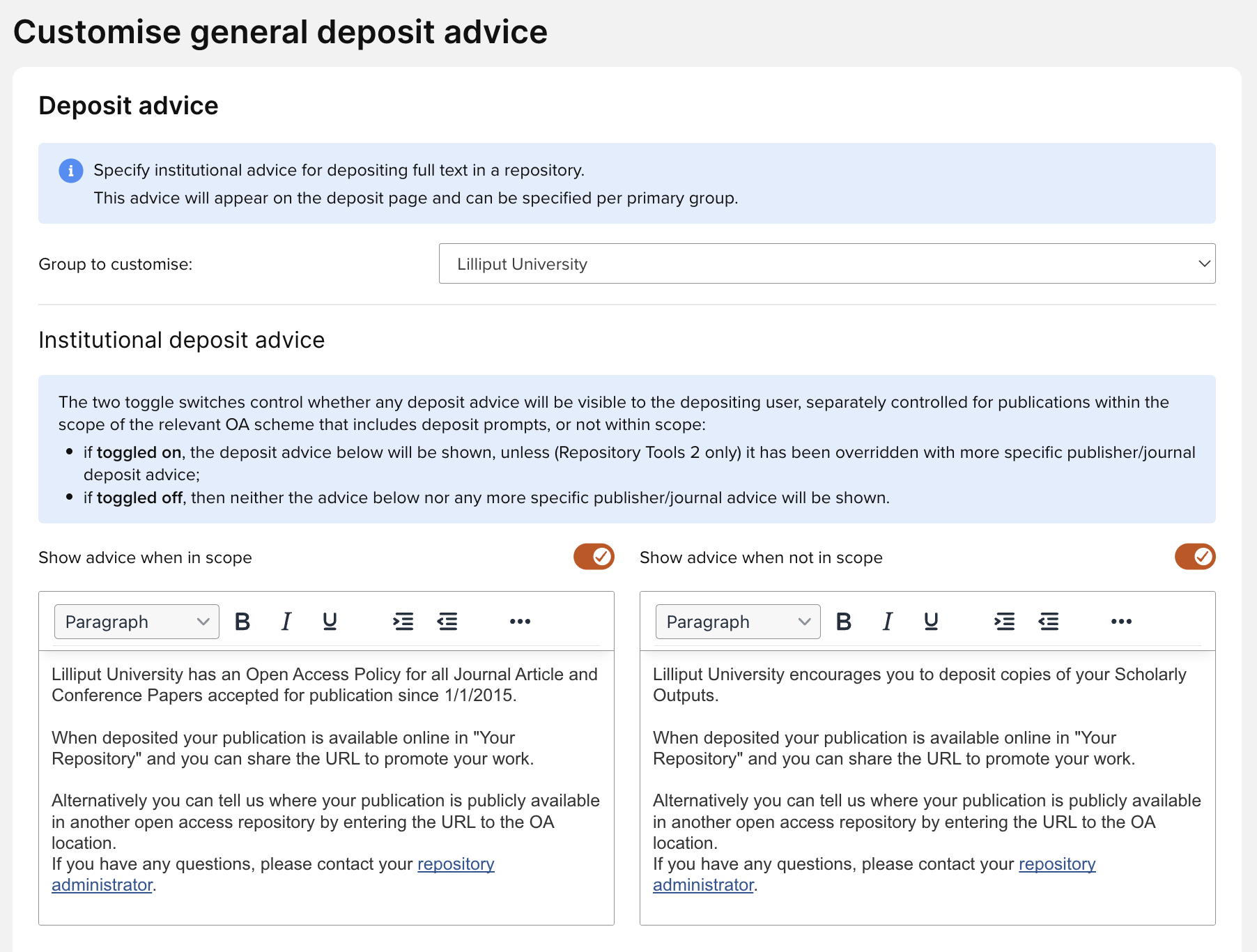
Image: Configuring institutional deposit advice
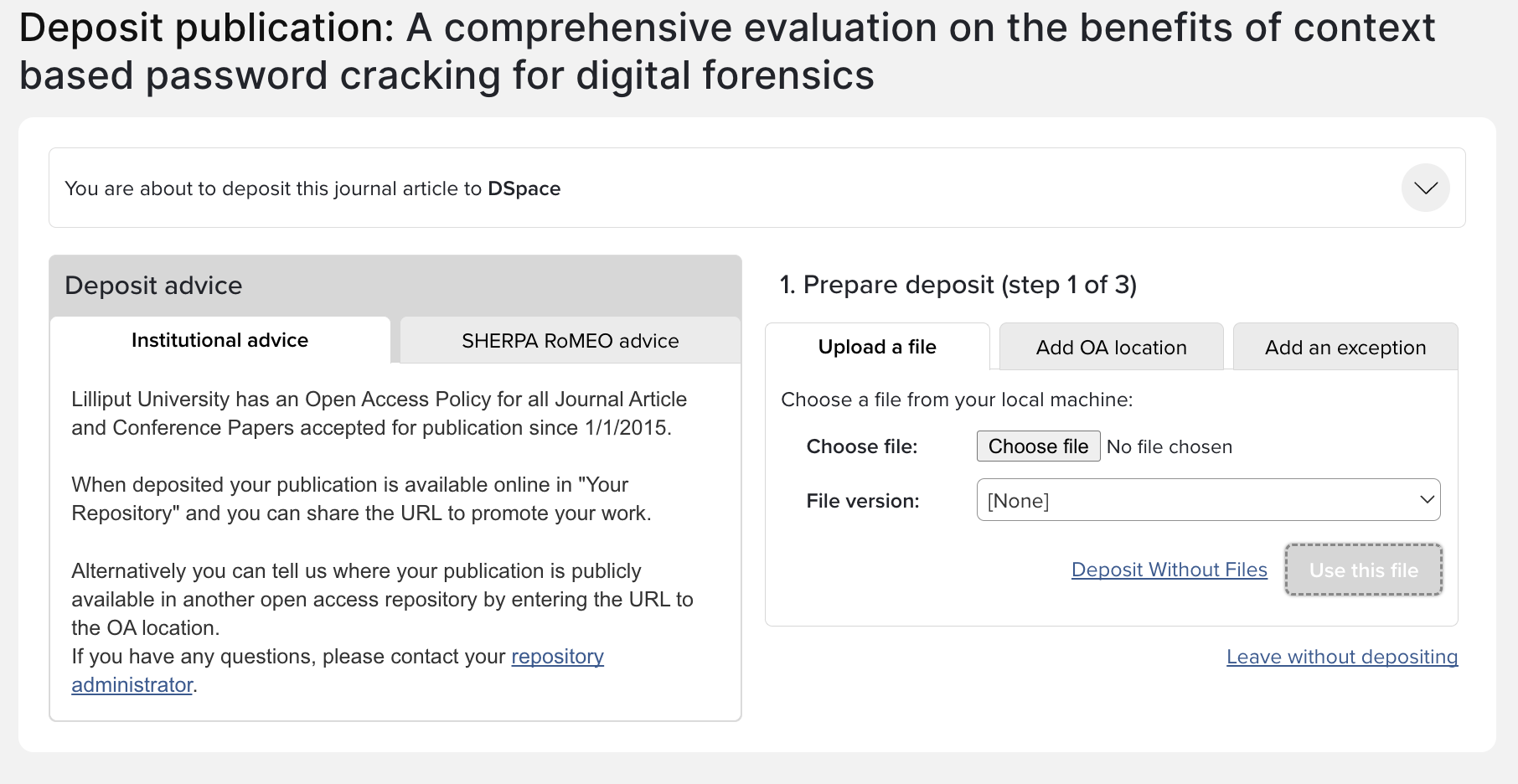
Image: Deposit screen, showing deposit advice
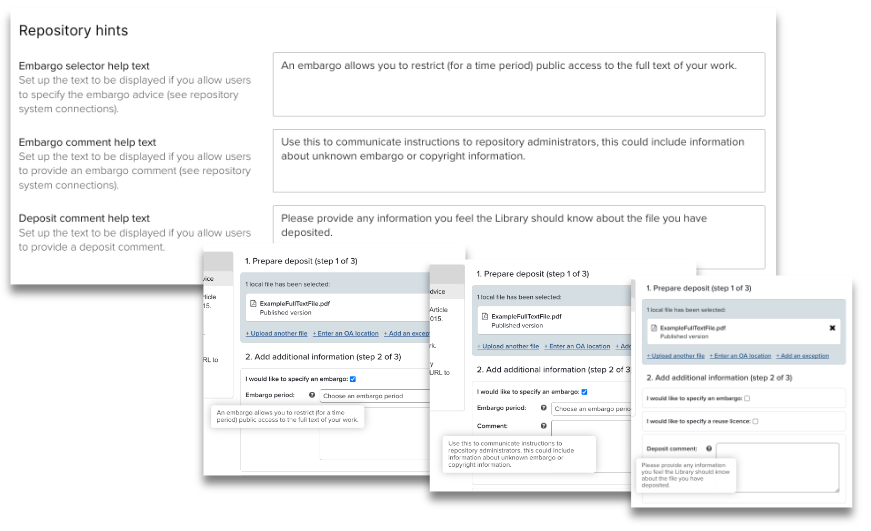
Repository hints
You can configure repository hints for your users, helping them to accurately complete the deposit process.
Embargo selector help text
Provide the text to be displayed if you allow users to specify the embargo advice (via Open Access > Repository tools > [selected repository]).
Embargo comment help text
Provide the text to be displayed if you allow users to provide an embargo comment (via Open Access > Repository tools > [selected repository]).
Deposit comment help text
Provide the text to be displayed if you allow users to provide a deposit comment (via Open Access > Repository tools > [selected repository]) .
Customise deposit advice (v5.21.0.2727 to v6.19)
Deposit advice is configured via Open Access > Deposit Advice > General Deposit Advice. The advice configured in the General Deposit Advice section will appear on both the Repository Tools 1 and Repository Tools 2 Deposit pages.
You can create and format deposit advice for the following:
Group - Specify by the whole organisation or by primary group. If you select Primary groups you will be offered the option to override the organisational settings
OA Policy - Advice can be specified by policy. Activate the check box to determine the advice to display for publications.
In line with the changes introduced by the new SHERPA RoMEO API, 'Sherpa colours' are no longer used. As a result, the deposit advice page has been simplified. Now the page displays one set of general institutional advice, with a variant for publications which are/are not in policy. If deposit advice is active and SHERPA RoMEO advice is available, it will be displayed in its own tab on the deposit page.
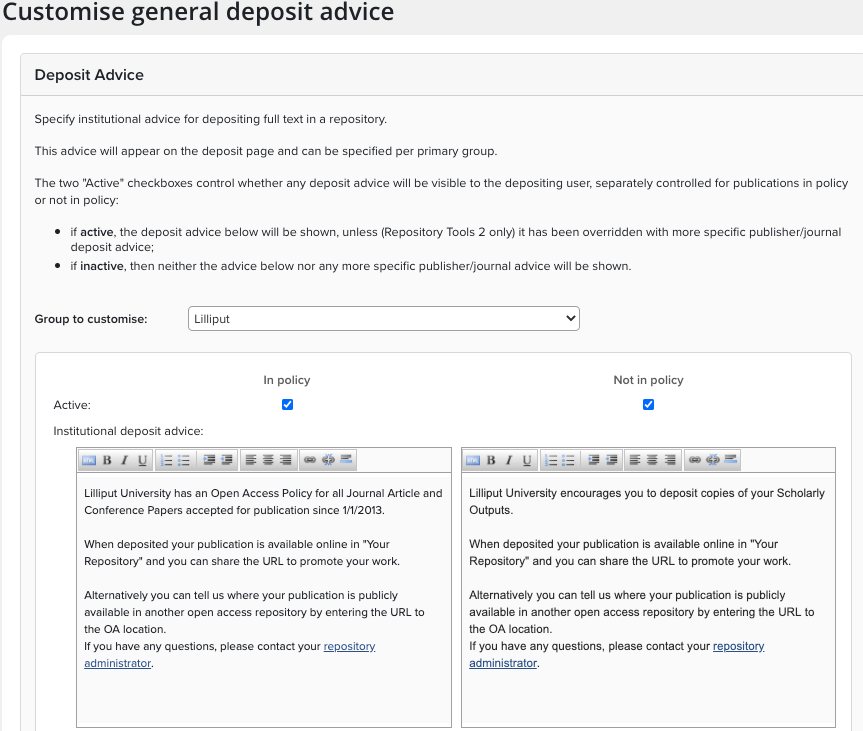
This updated capture of general institutional deposit advice consolidates the concepts of 'general guidance' (the blue box) and deposit advice used in earlier versions of Elements, allowing for a more streamlined user experience when depositing items. It is displayed on the left-hand side panel of the deposit page as per the below image (for both RT1 and RT2 integrations).
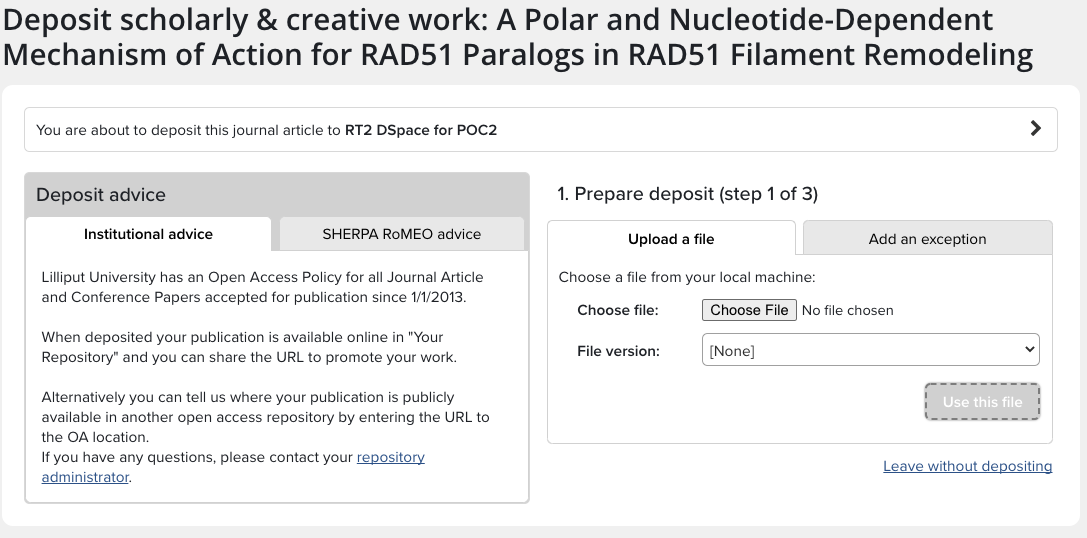
For organisations using the RT2 integration, we continue to offer the ability to add more customised guidance at either the journal or publisher level if desired.
Embargo and Commenting Advice
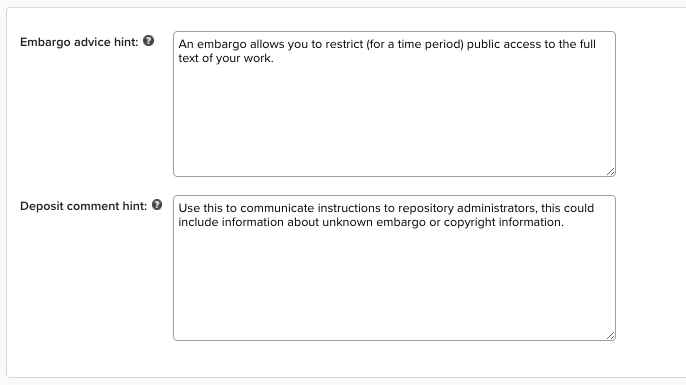
On the Customise General Deposit Advice page at Open Access > Deposit Advice > General Deposit Advice, the Embargo and Commenting options can be displayed after a file is uploaded during file deposit. The following help text can be added:
Embargo advice hint - Help text is displayed alongside the embargo period drop down.
Deposit comment hint - Help text is displayed alongside the deposit commentary box.
Customise deposit advice (v5.21.0.2727 and earlier)
You can create and format deposit advice for the following:
Group - Specify by the whole organisation or by primary group. If you select Primary groups you will be offered the option to override the organisational settings
OA Policy - Advice can be specified by policy. Activate the check box to determine the advice to display for publications.
Guidance Text - This text will display at the top of the Deposit Page. Text can be formatted and include links to external pages.
Advice for RoMEO Journals / Non RoMEO Publications - This advice is displayed on the Institutional Advice tab on the Deposit Page. The ISSN for journals is used to determine RoMEO colour; if no ISSN is present, then the Non-RoMEO advice is used.
Also display SHERPA RoMEO details - If the checkbox is enabled, then the RoMEO data is sourced directly from RoMEO based on the Journal ISSN and displayed in a tab alongside the Institutional Advice tab on the Deposit Page. This cannot be customised.