Repository Tools 1: Troubleshooting
N.B. This article relates to the Repository Tools 1 (RT1) protocol, which is no longer supported as of Elements 6.11. New repository integrations should use Repository Tools 2 (RT2).
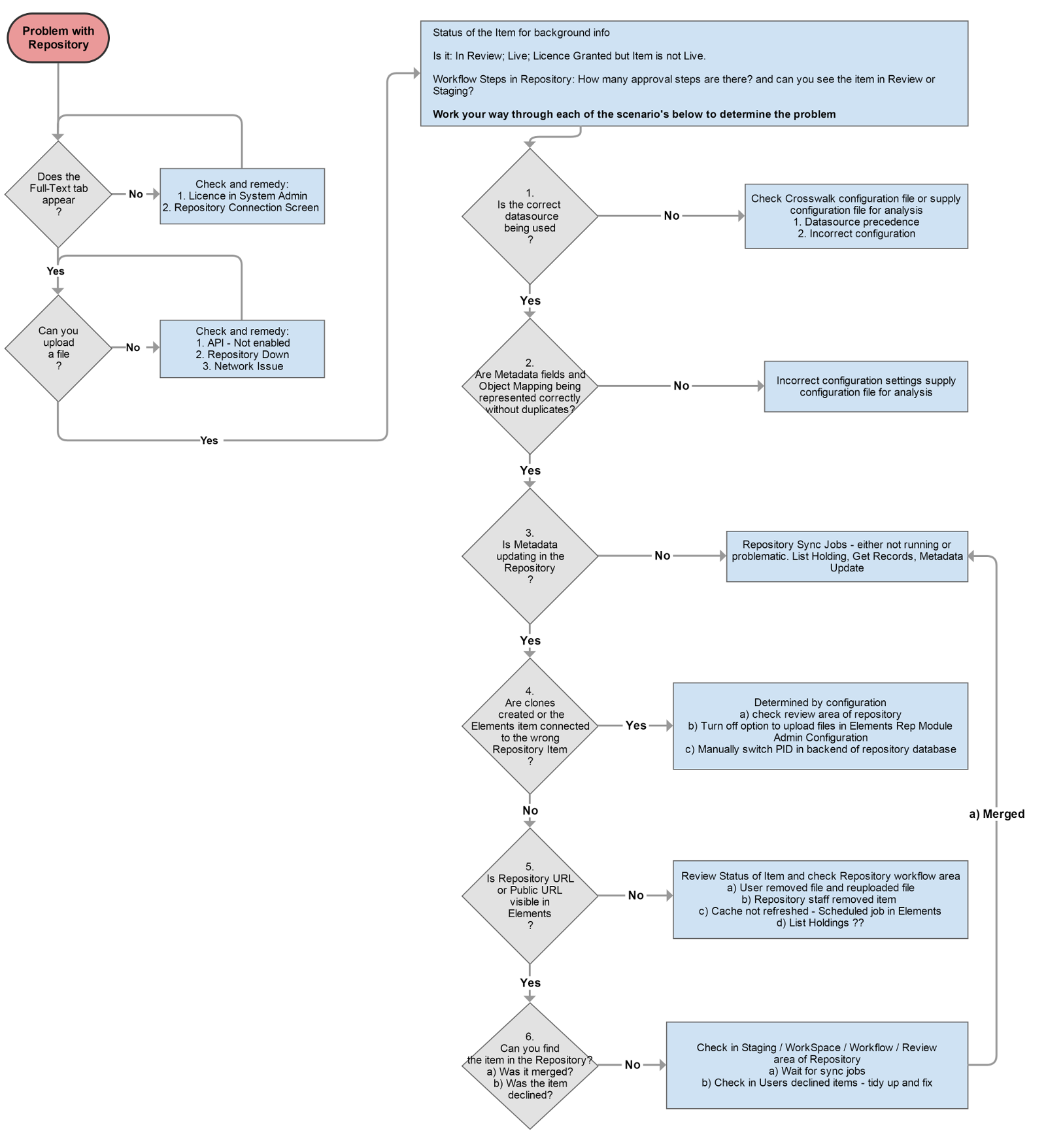
This article provides you with some basic problem solving steps when you have problems with your repository integration. Work your way through the flowchart below prior to logging a support call as it may very quickly identify the crux of the problem. We have also included some useful information to include when you contact our support team and some tips for a smoother integration.
Useful Information
What RT connector version and which Repository Platform do you have? For example RT4DS 1.7.3.6 Software; DSpace
Elements Configuration - What options have you enabled in the Elements Repository Connector screens?
Repository Connector Configuration -What options have you enabled in the configuration file?
Crosswalk - Can you list the configuration and fields you are crosswalking or upload a copy of the file?
Repository Sync jobs - Do you have these running? Can you confirm this?
Can you provide URLs of the items from Elements and items in the Repository?
Tips
If possible, include the Elements Publication ID in your crosswalk when implementing the Repository integration.
Some content is only available at the object level, but you can map these to the repository. Examples are: labels, embargo. Other content has a direct field to field mappings. Check the crosswalk documentation for details.
If you have an issue with clones, the solution may be to file changes directly in the Repository.
Participate in the Repository Q&A forum follow for updates and new posts.
Open large version of workflow