
Repository Tools 2: A Functional Overview
Building on the advancements in repository technology in recent years Symplectic is creating the next generation of repository integrations for Elements.
Repository Tools 2 is the philosophy behind the building of next generation institutional repository interoperability in Elements. It differs from the existing Repository Tools 1 approach in several important ways, ultimately enabling us to deliver richer functionality and a more maintainable interaction between Elements and your institutional repository in the months and years to come.
This document provides a high level description of the Repository Tools 2 (RT2) functionality in Elements.
Repository Tools 2 Core Functionality
Repository Tools 2 provides functionality to:
Harvest metadata about items from the repository and store it within Elements (as publication records)
Make deposits from Elements into a repository (using Elements publication metadata and uploaded or through-loaded files) *1
Use the data collected within Elements to monitor and report on open access engagement and compliance *2
Whether all functionality is available for various repository platforms is subject on the limitations of each repository.
Functionality for each repository platform is being released gradually. Information on the extent of RT2 support for a range of repositories can be found in the Repository Tools Knowledge Base.
*1 Note: This functionality requires a licence for Repository Tools.
*2 Note: This functionality requires a licence for the Open Access Monitor.
Benefits of Repository Tools 2
With Repository Tools 2, Symplectic offers an enhanced repository integration that combines the benefits of harvest, deposit and monitoring functionality. A Repository Tools 2 integration provides increased oversight of actions occurring within an integrated repository and makes significantly more repository information available within Elements for data reuse and reporting.
This has the following benefits:
By supporting repositories as data sources, Elements extends its consistent, centralised, curated view of publications. This enables academics and administrators to view and interact with all of their outputs in a single system, saving time and effort.
Similarly, enabling deposit via Elements simplifies workflows for researchers, reducing the time and effort required and potentially increasing the proportion of items deposited.
Elements can use the data collected to actively encourage researchers and administrators to deposit their publications to institutional repositories.
Elements can monitor compliance within Open Access policies defined within Elements. This provides greater transparency to the deposit process , encouraging deposit providing guidance to researchers and data and reporting to research managers.
How does it work?
Elements communicates with a repository to read data from it and deposit items to it. Crosswalks define how your repository's data is mapped into Elements, and from Elements into your repository. These are defined using crosswalk map files, which use a similar structure for all RT2 repositories and for both harvest and deposit.
Communication
Elements needs to communicate with an RT2 repository in order to perform its functions.
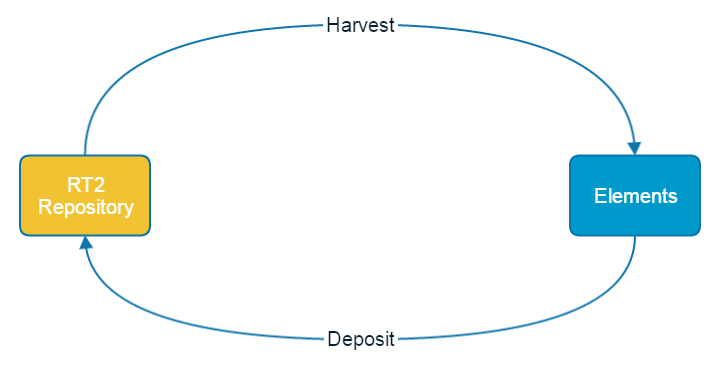
Two different forms of communication can be implemented:
Harvest: this process regularly reads items from the repository and saves them in Elements. When a new repository item is found Elements will search its database for a matching publication. If it finds one, the repository metadata is added to the publication as a new record. If no match is found, Elements will create a new publication. If the metadata of an existing repository item changes, Elements will update the metadata it holds in its corresponding record. This process ensures that Elements metadata and repository metadata remain synchronised, even if changes and additions to the repository are not made via Elements. Harvest can be limited to individual repository collections if required.
Deposit: this process is used to make a deposit into a repository from Elements. The Repository Tools Module must be licensed to access this functionality.
Crosswalking
Every organisation has its own set of data definitions and object/item types, for both Elements and their repository. This means that each organisation must define how data fields, data values and object/item types are mapped when data is moved between the systems. A crosswalk map tells the systems where each piece of metadata should go.
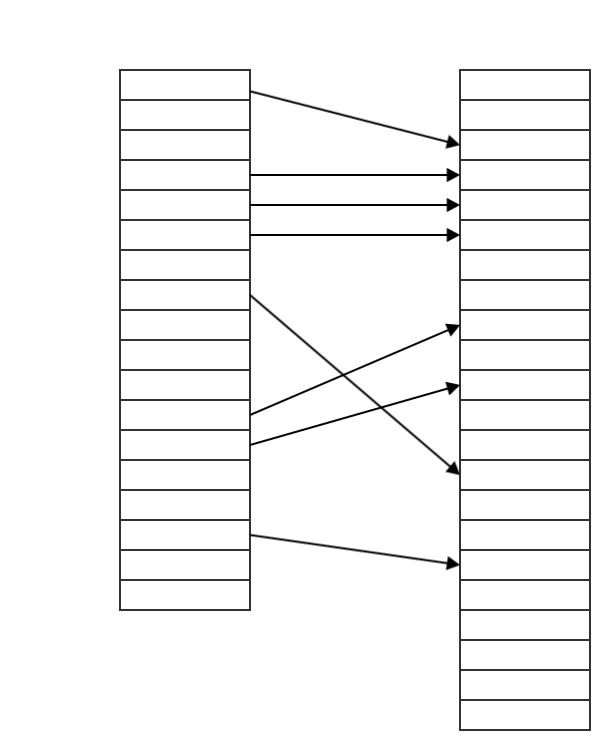
Elements uses XML files to define these mappings. For each repository, Elements uses a Harvest (or inbound) map file and a Deposit (or outbound) map file. Elements provides basic map files for each supported repository type; these will typically need adjusting to match the exact requirements of your organisation.
More Information
For additional information about RT2 see: