
Making Stock REF Registered Reports available
Last updated for: Elements version 5.15 (May 2019)
Checking the Reports have been installed
As a system administrator, you can see that the expected four stock REF reports have been registered in your Elements system as part of installation/upgrade by checking the System Admin -> Operations -> Reporting Synchronisation menu which will give a list on screen:
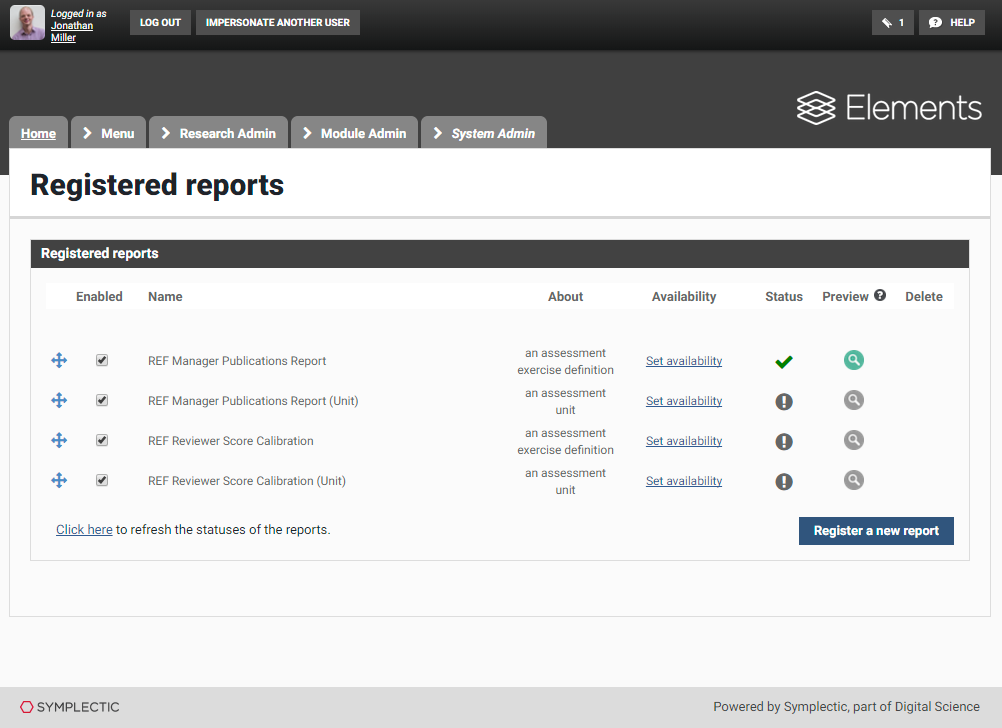
There will be other Stock Reports, about users, groups and waiver requests, as well. For clarity, the image above shows only the REF Manager ones. Note that you can re-order the list by dragging the


Registered Reports deployment is included as standard for customers hosted by Symplectic. If you do not see the Registered Reports menu item, or the list is empty or does not contain those reports listed above, and you are a self-hosted customer, then you may need to install SSRS, complete its configuration, or deploy Elements SSRS Reports. The required steps to have Registered Reports deployed in Elements are:
Installation and configuration of Microsoft SSRS, part of SQL Server
Ensuring that in web.config the setting export-cv-functionality is set to true
Running Reporting.Setup.exe after version upgrade, and choosing the second option "Deploy Elements SSRS reports":
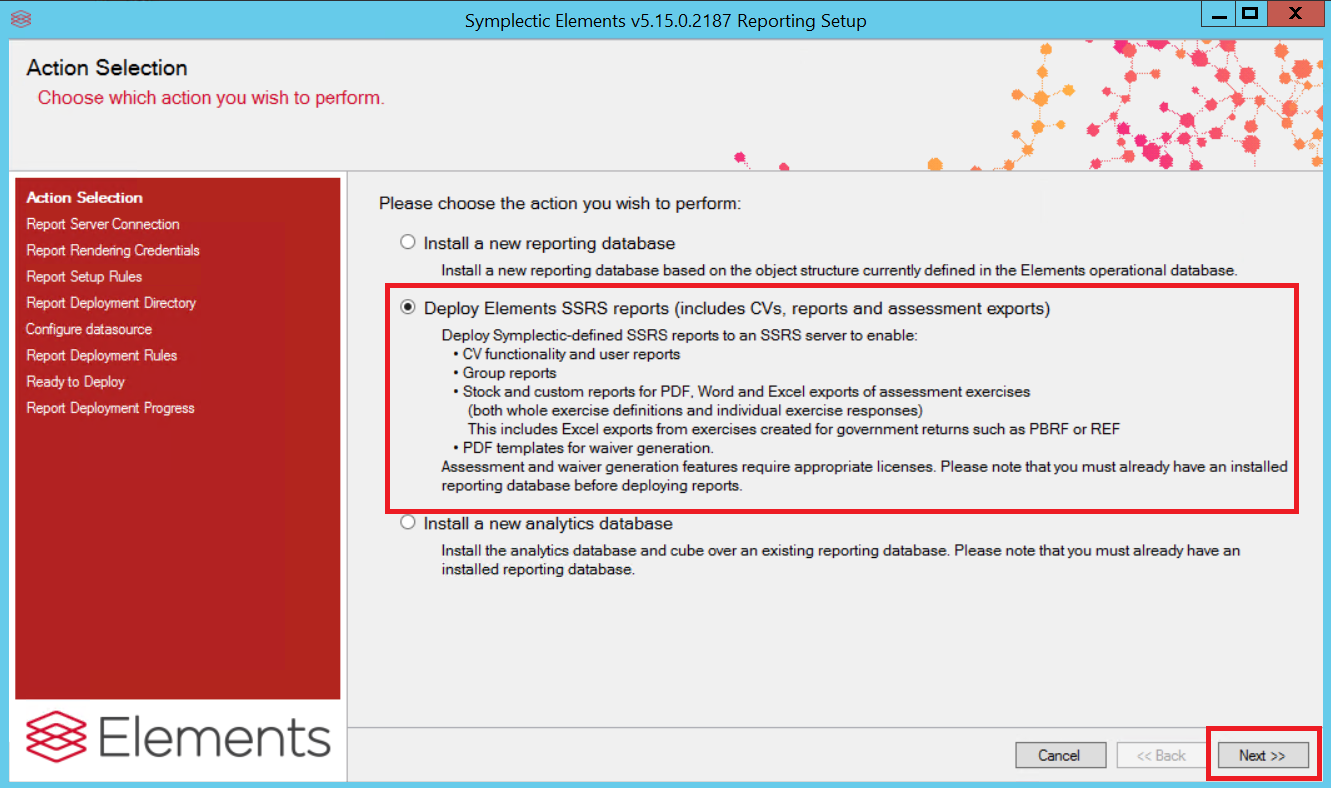
For further details, including configuration of SSRS where multiple servers are involved, please refer to [How to Configure CVs in Elements].
Enabling and Making the reports available to your REF preparation exercise definition(s)
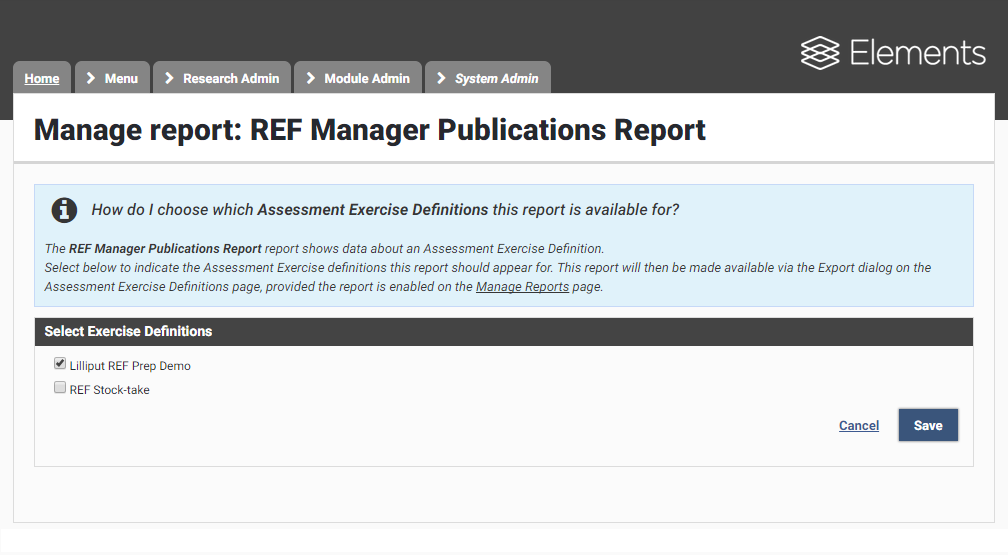
The Registered Reports page shows a checkbox for each report to mark it as enabled. Ensure that this is ticked for the REF Reports you wish to use. Then use the Set availability link and select which exercise definitions the reports have been made available to. By default, when installing upgrading to version 5.15, the three reports new to version 5.15 are not made available to existing exercise definitions.
If you have any queries about installing, deploying or making available stock registered reports, please contact us via a support ticket.