
Manage Selections screen

Released : 5.15
Updated : 5.16, 5.19
Manage selections screen
The Manage Selections screen enables you to manage your output selections for REF, including registering whether individual outputs are 'accepted' or not into the UoA pool of output.
This page provides a list of all items selected for all REF1 researchers in this UoA, showing each output and all affiliated REF1 researchers in the UoA. You can manage selections here in the following ways:
Accept the output for submission to REF2021 (i.e. it is confirmed to be research, and has met the internal quality threshold), ready for attribution and capturing REF2 data requirements
Do not accept the output for submission to REF2021 (i.e. it is not research or is not sufficient quality)
Remove an individual output from a REF1 researcher's list of selected outputs
Remove the output from the exercise
You can navigate to the Manage selections screen for any Unit you have access to via the 'Change unit' drop down, or you can access the Manage REF2 Research Outputs screen for the selected from this screen.
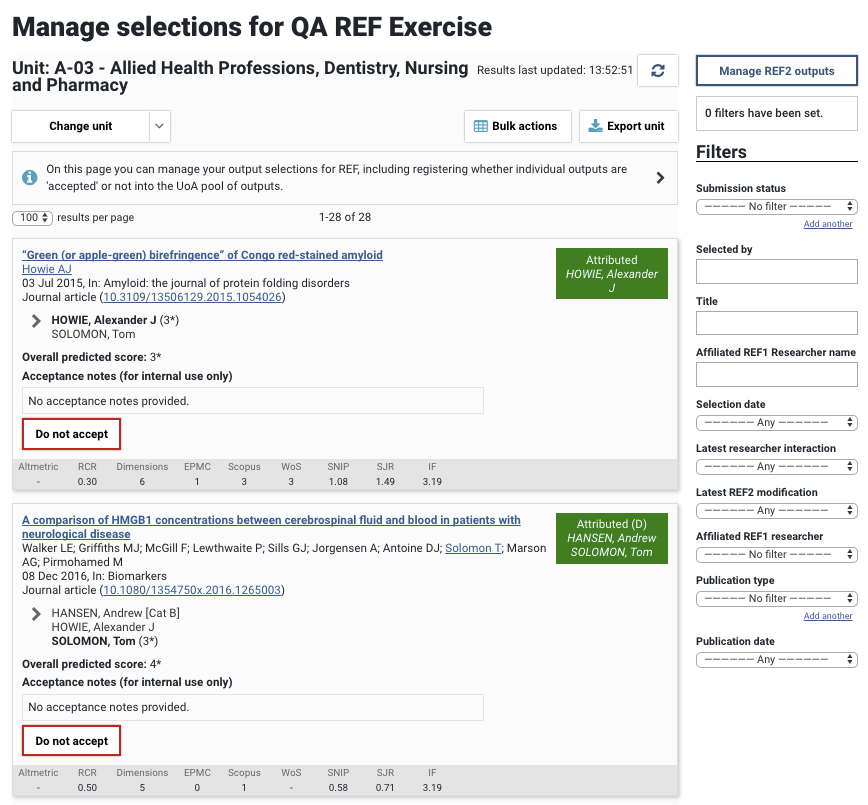
Recording the acceptance decision
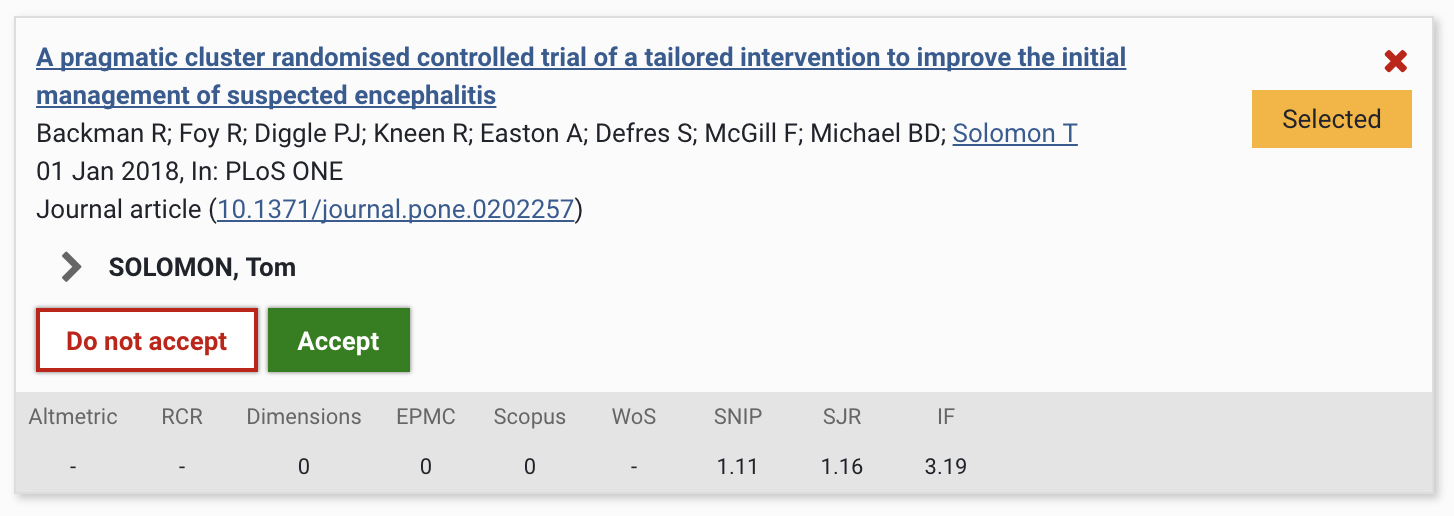
For each output selected in the UoA, you have the choice to Accept or Not accept the output for the REF submission.
Accepting an output
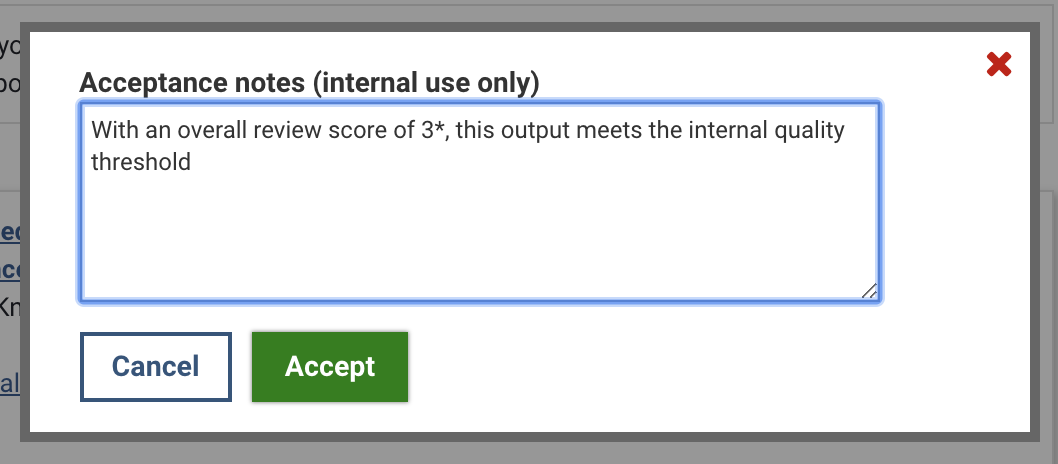
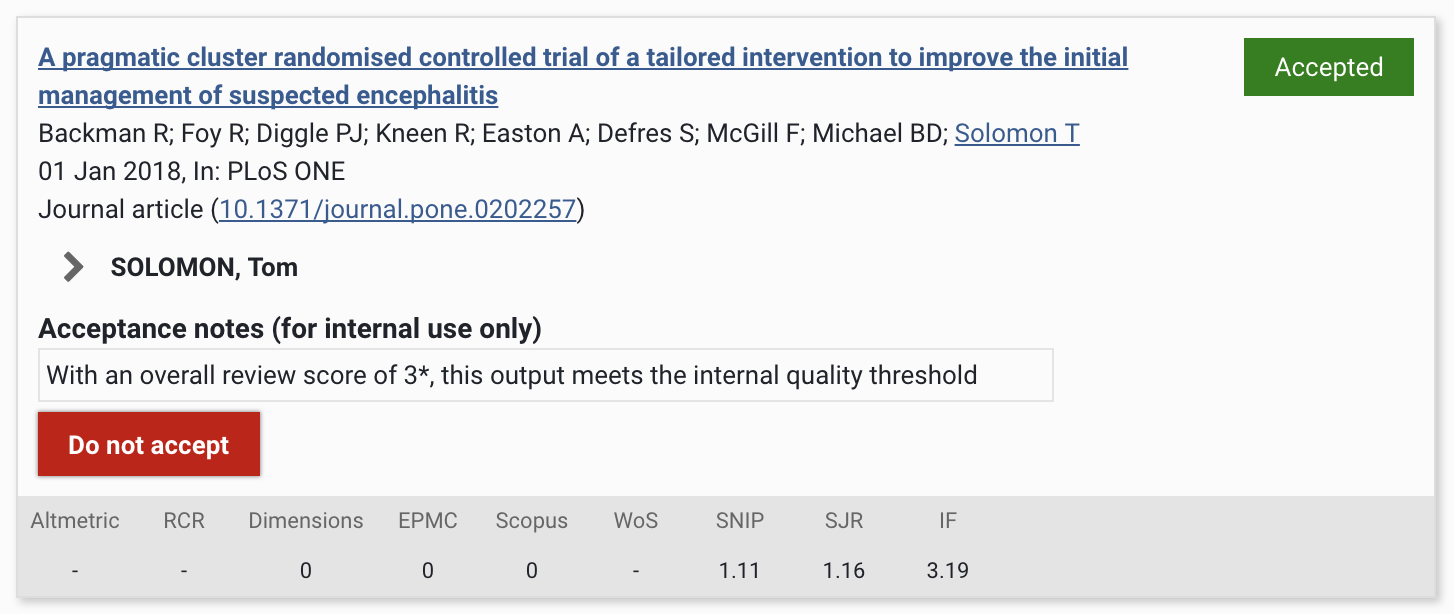
To Accept an output, select the green Accept button. The option to Accept is available if the output is in the Selected or Not accepted state. It is also possible to capture notes relating to the acceptance decision (these are not visible to users).
Not accepting an output
To Not accept an output, select the red Do not accept button. The option to Not accept is available if the output is in the Selected or Accepted state. It is also possible to capture notes relating to the acceptance decision (these are not visible to users).
Removing a publication
To remove an output from a REF1 researcher's list of selected outputs, click on the red X in the top right-hand corner of the object.
If the individual is the sole author, or is the only co-author in the UoA that selected the output, you will be asked to confirm that you wish to proceed with the deletion. This action will remove the publication from the exercise.
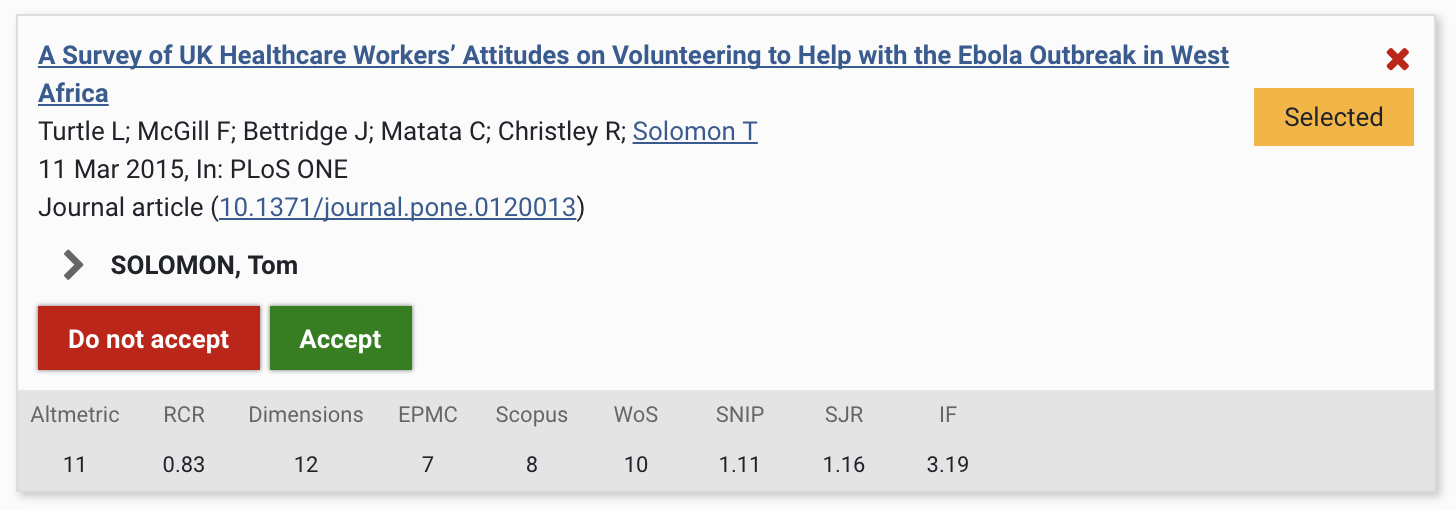
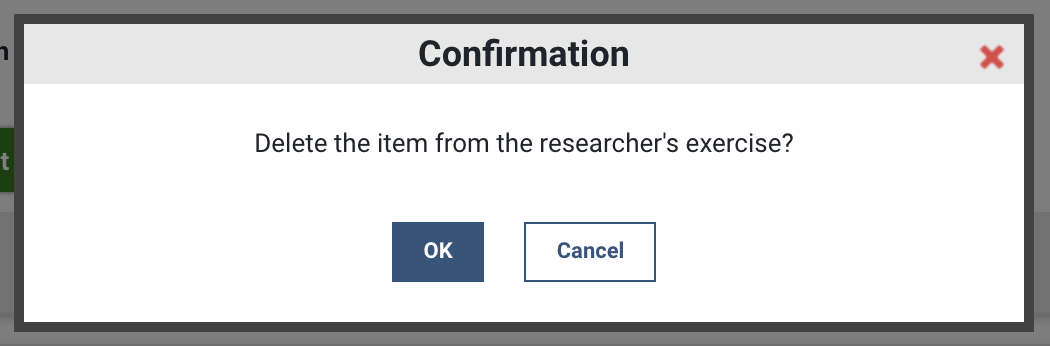
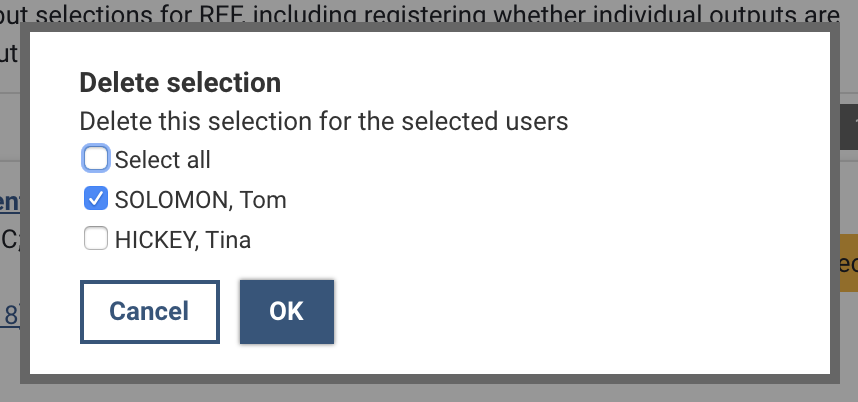
If the individual is one of multiple co-authors in the UoA that selected the output, you will be presented with an option to select which individual researcher(s) for whom you would like to remove the selection, or whether you would like to remove the selection for all researchers.
If selecting all researchers, this will remove the publication from the exercise.
If selecting only some of the listed researchers, this will only remove the output from those individuals' list of selected outputs, but will not remove their association with the REF2 Research output; the output will continue to be attributable to those individuals, so long as they made a substantial contribution to the research.
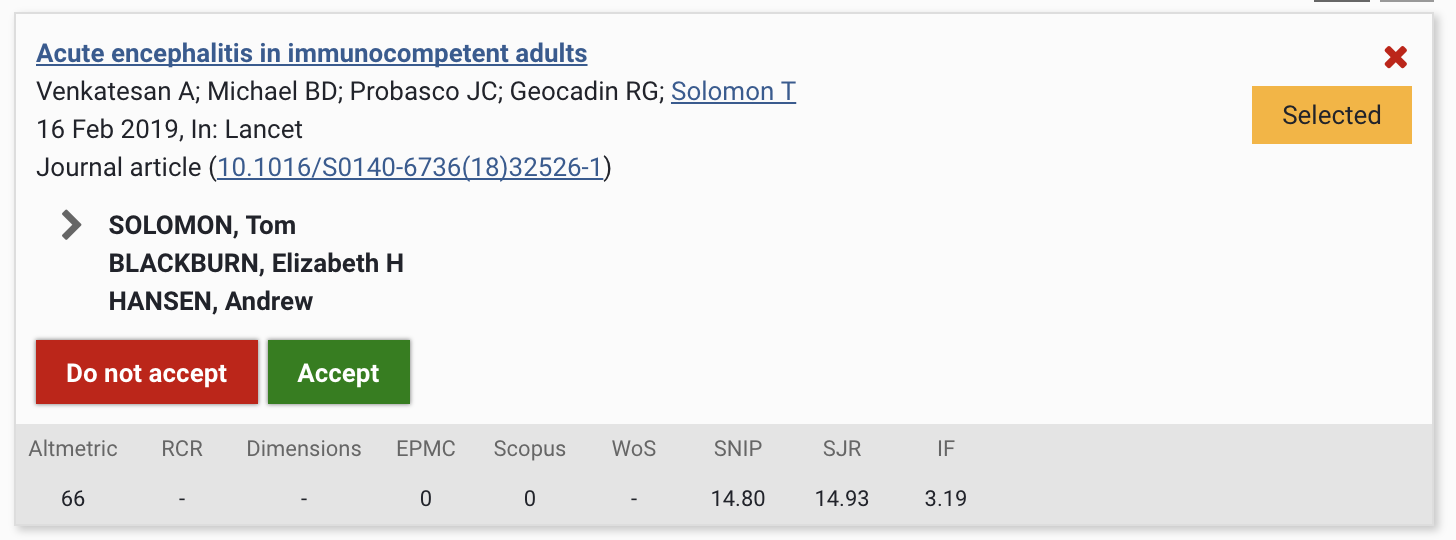
The option to remove an individual selection from a REF1 researcher's list of selected publications, or to remove the selection entirely from the exercise, is only available when the publication is in the Selected state. Once it has been Accepted, the only means to remove it from the submission is to change its submission status to 'Not accepted'.