
REF Reviewer Score Calibration Report
Applies to: Elements version 5.15 (May 2019) or higher
The REF Reviewer Score Calibration Report is a Registered Report at both exercise definition and unit level which provides information on how individual reviewers have been scoring. Once enabled and made available, it can be accessed by managers via the Export all or Export unit" buttons on the Manager page for your exercise definition(s), as shown below, or via the "Export unit" button on the REF-specific Manager Selections page for your REF2021 exercise.
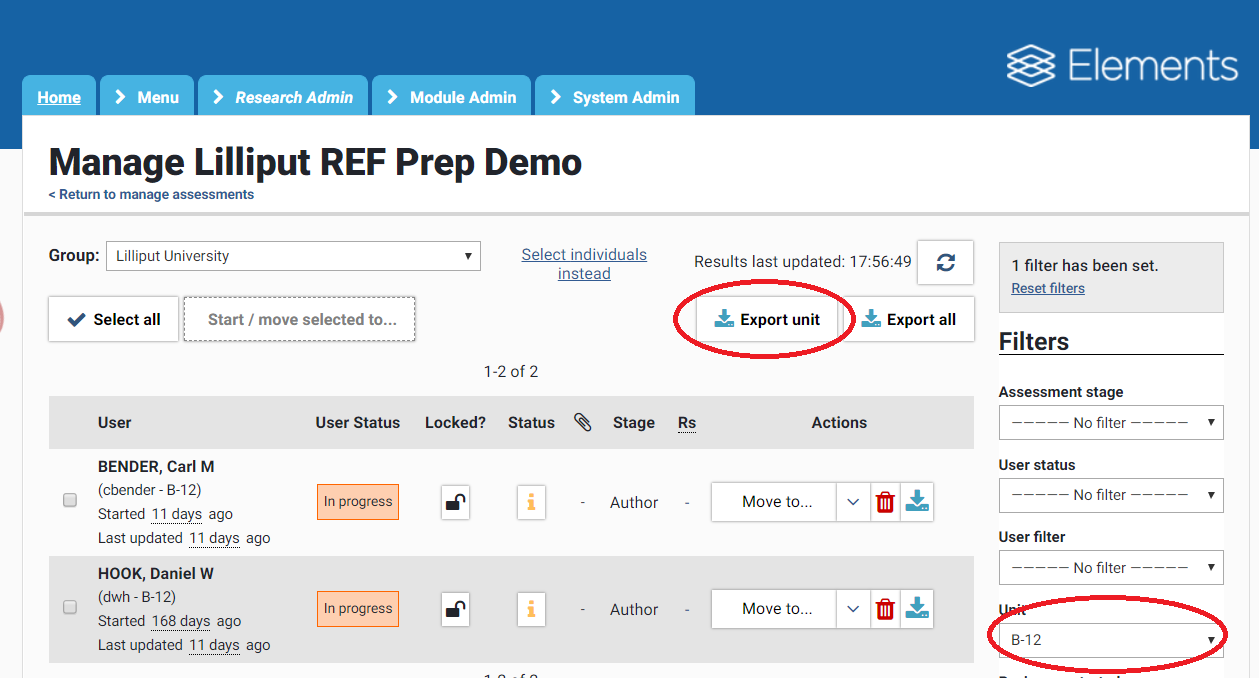
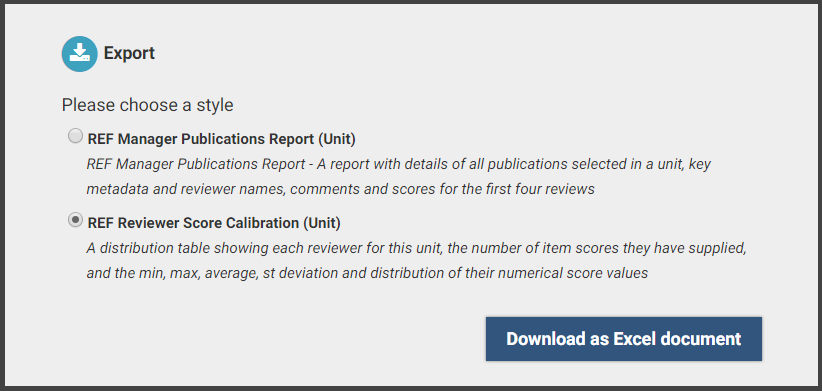
Image: Exporting REF Reviewer Score Calibration for a unit
The report renders to Excel and comprises a cover sheet block and a table of reviewers. For each reviewer, it shows a single row with:
the number of item scores they have supplied
the minimum, maximum, average and standard deviation of their numerical score values
a textual representation of the distribution of their numerical score values, showing each individual score in ascending order, separated by space characters.
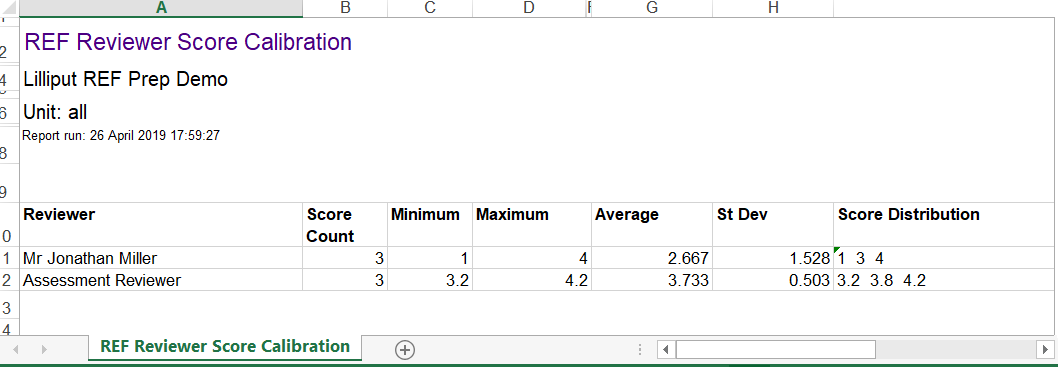
Image: REF Reviewer Score Calibration Report in Excel
Note: The REF stock reports include only selections by any user currently allocated to the exercise. They do not count selections by users who have been unallocated from the exercise, even if there are selections in the database for them. The exercise responses for such unallocated users are shown with a ! warning on the Manager page for the exercise definition, and their selections will re-appear on the REF Manager Publications Report if/when they were to be re-allocated.
All review scores are shown in this report, irrespective of review stage in which the review was created, and irrespective of whether reviewer is still assigned as a reviewer of the selecting user's outputs in the current stage, or the stage at which that review was originally added.
If you have any queries regarding the REF Manager Publications Report, please raise a support ticket or start a post in the REF2021 Support Forum.