REF2: Open Access tab

Released : 5.17
Updated : 5.19, 5.20
REF2: Open Access tab
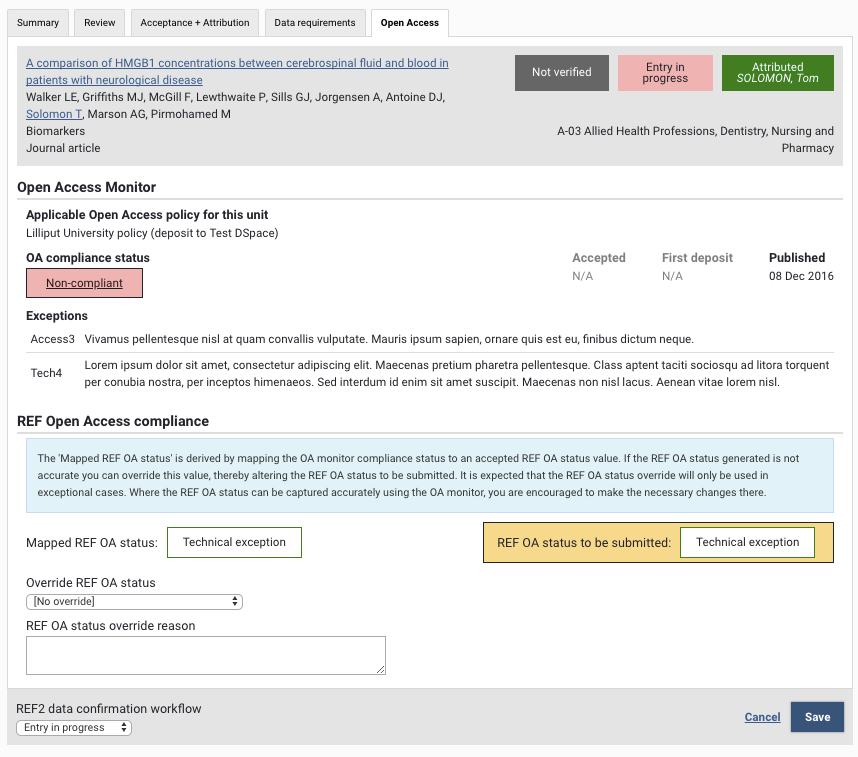
The Open Access tab of the REF2 form displays information sourced from the OA monitor (including relevant dates and exceptions), the resultant mapped REF OA status, and the facility to override the REF OA status for return in the submission.
As the Open Access status is only to be returned for those output types covered by the REF OA policy (D-Journal article and E- Conference contribution), the Open Access tab is only visible for these output types.
Edit access to the Open Access tab may be restricted, if you have enabled the REF2 Open Access Manager role.
Open Access Monitor
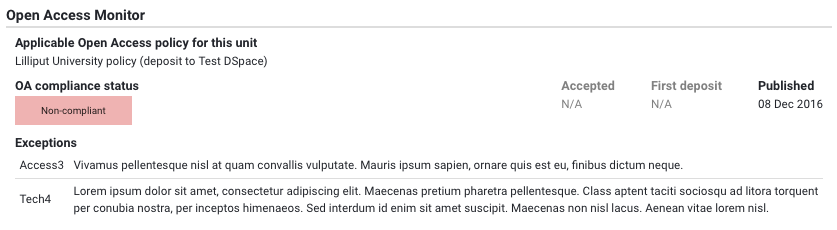
The Open Access Monitor section of the REF2 OA tab displays:
Applicable OA policy in the Unit (as per the Unit configuration) (note for U (unallocated) Unit, the top level institutional policy is applied), along with the selected deposit repository (where there are multiple repositories configured)
OA compliance status
Where this has been overridden in the OA monitor, the overridden value will be displayed here (with an asterisk to indicate it is the overridden value)
Relevant dates (Acceptance, First deposit, and Published)
Exceptions, along with any comments input (this includes both REF exceptions and generic exceptions)
Notes on the Applicable OA policy in the Unit
You should be aware that the Open Access Monitor may indicate a different compliance status if the policy applied to the Unit is different to the applicable polic(ies) in the OA Monitor. If REF-relevant OA policies have been configured as expected, these differences should only relate to different embargo periods and the allowable maxima permitted by the different panels. However, different policies may require deposit in different repositories, which can also affect apparent compliance; in these cases you may need to make use of the REF OA compliance override to generate the correct REF OA compliance status.
REF Open Access compliance
When returning the REF OA status in the submission, we must return one of the following values:
Compliant
Not Compliant
Deposit Exception
Access Exception
Technical Exception
Other Further Exception
Out of Scope
Exception within 3 months of publication
As such, we need to map the OA monitor compliance status to one of the accepted values. The mapping rules are as follows:
Elements OA value | REF2 OA status value |
Tech 1 OR Publication is not included in OA policy | Out of scope |
Compliant OR Deposit 6 | Compliant |
Deposit 7 | Exception within 3 months of publication |
Deposit 1-5 | Deposit exception |
Tech 2-4 | Technical exception |
Access 1-3 | Access exception |
Other exception | Other further exception |
Not compliant (and no other value applies) | Not compliant |
Notes on mapping:
Where the Elements OA value is 'Compliant' and exceptions have also been applied, these exceptions are ignored in the mapping to the REF2 OA status.
Where more than one exception of the same type has been applied, these 'merge' into a single REF OA status (e.g. if Deposit 1 and Deposit 5 are selected, this returns 'Deposit exception' in the REF OA status
Where more than one exception of different types have been applied, in order to determine which one to return in the REF submission, we apply the following priority order:
Exception within 3 months of publication (Deposit 7)
Deposit exception (excluding Deposit 6/7)
Technical exception (excluding Tech 1)
Access exception
Other exception
So, if 'Exception within 3 months of publication' and 'Other' is selected, this will map to 'Exception within 3 months of publication'.
Where an output is not within the scope of the applicable OA policy due to publications being excluded as they were published prior to the 'user arrive date' or after the 'user leave date', these are mapped to 'Not compliant' (while they are not within the scope of the applicable OA policy, they are within the scope of the REF OA policy, and therefore it would not be correct to return a value of 'Not in scope').
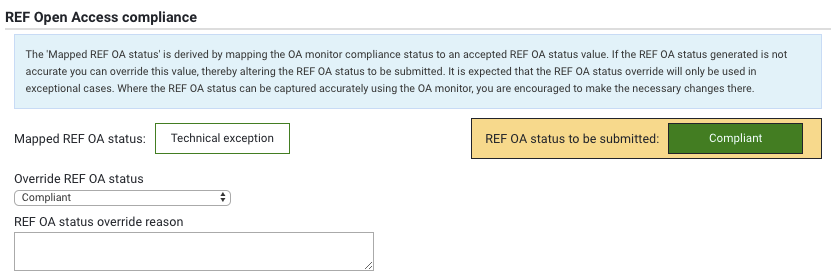
The mapping of the Elements OA value to the REF2 OA status is provided in the 'Mapped REF OA status' field. If no override is selected, this then is also the 'REF OA status to be submitted', and will be the value that is returned in the submission XML.
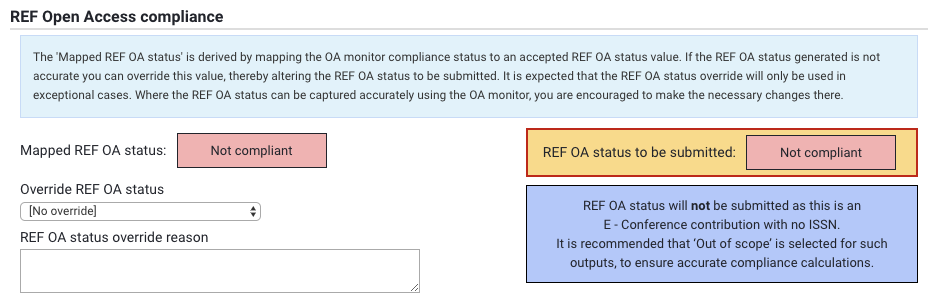
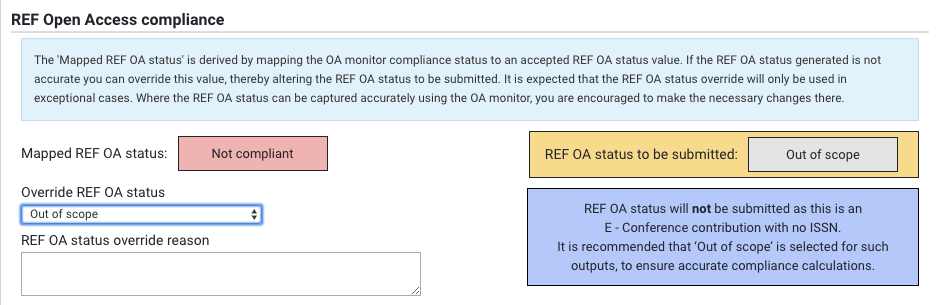
If the 'Mapped REF OA status' is not the desired value to be returned, you can override this using the 'Override REF OA status' drop-down, selecting the desired REF OA status to be returned. You can also capture an override reason. If an override is selected, the 'REF OA status to be submitted' is updated, and this will be the value that is returned in the submission XML. Note that it is expected that the REF OA status override be only used in exceptional cases. Where the REF OA status can be captured accurately using the OA monitor, you are encouraged to make the necessary changes there.
E-Conference Contributions with no ISSN
REF OA status is captured for all D-Journal articles and E-Conference contributions, but is only returned in the submission XML for E-Conference contributions with an ISSN and D-Journal articles. You may have E-Conference contributions with no ISSN in Elements with a REF OA status, but this will not be included in the XML generated.
Where you have an E-Conference contribution with no ISSN, it is recommended that 'Out of scope' is selected to ensure accurate compliance calculations.