REF2 Outputs Report

Released : 5.17
Updated : 5.19, 5.20 (and 5.20.0.2685, 5.20.0.2803, 5.20.0.2906), 5.21 (and 5.21.0.2804, 5.21.0.2915), 6.0.0.2805 (and 6.0.0.2897), 6.1.0.2898
REF2 Outputs Report
The REF2 Outputs Report is designed to give managers of a unit or an exercise definition ready access in Microsoft Excel to a detailed list of all REF2 Research Outputs in the REF submission.
The report is available in Excel format and has two tabs/sheets:
Outputs
Affiliations
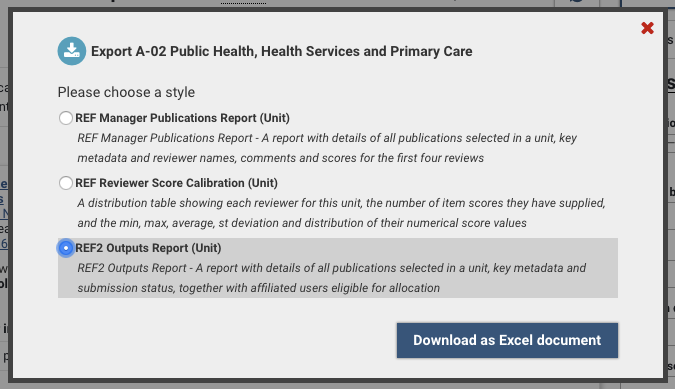
The report is available from:
Screen | Whole exercise | Unit-level |
Manage units | Y (excluding default Unit) | Y (excluding default Unit) |
Manage exercise | Y | - |
Manage selections | - | Y |
Manage REF2 Research outputs | - | Y |
Manage REF1 Researchers | - | Y |
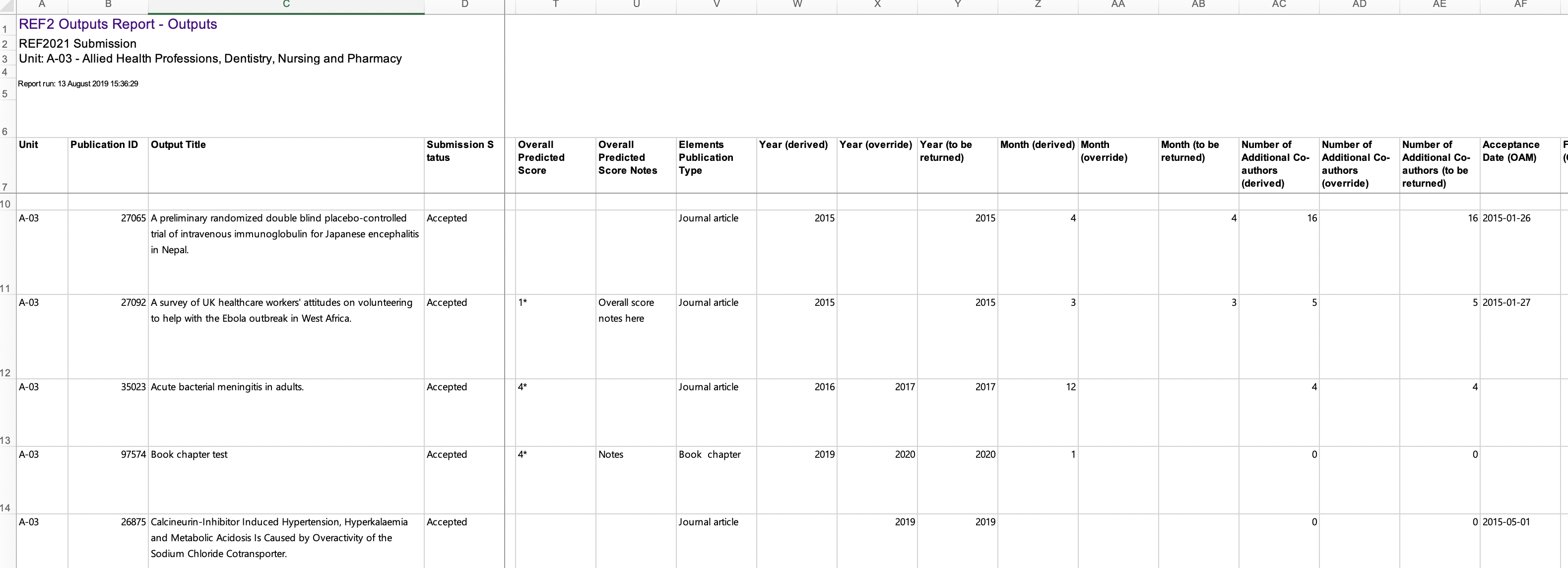
Outputs tab
The 'Outputs' tab lists all REF2 outputs and their associated metadata. This includes:
Submission status
Attributed REF1 name(s) and details
Category and Research Group(s) of Attributed REF1 Researcher(s)
REF2 counts at the Unit and REF1 Researcher levels (as per the Counting REF2 Research Outputs support article)
Overall predicted score and notes
Publication year and month (derived values and overrides)
REF2 Output type
Open Access details (for D-Journal articles and E-Conference contributions only):
Relevant values from the Open Access Monitor (Acceptance date, First deposit, Publication date)
REF OA status
REF2 metadata fields such as Additional information, Interdisciplinary, Forensic, Cross-referral, Sensitive
Bibliographic metadata such as Place, Publisher, Article number, etc.
WoS ID and citation count (in relevant UoAs)
Output allocation (in relevant UoAs)
Double-weighting and reserve
Pending and reserve (while the field is no longer to be used, it still exists in the datamodel)
English abstract
COVID delayed output flag and affected output statement
Electronic / Physical output submission management information
REF2 Data confirmation workflow
Where a REF1 Researcher name is followed by an asterisk in the report, this indicates that the researcher selected the item for the exercise.
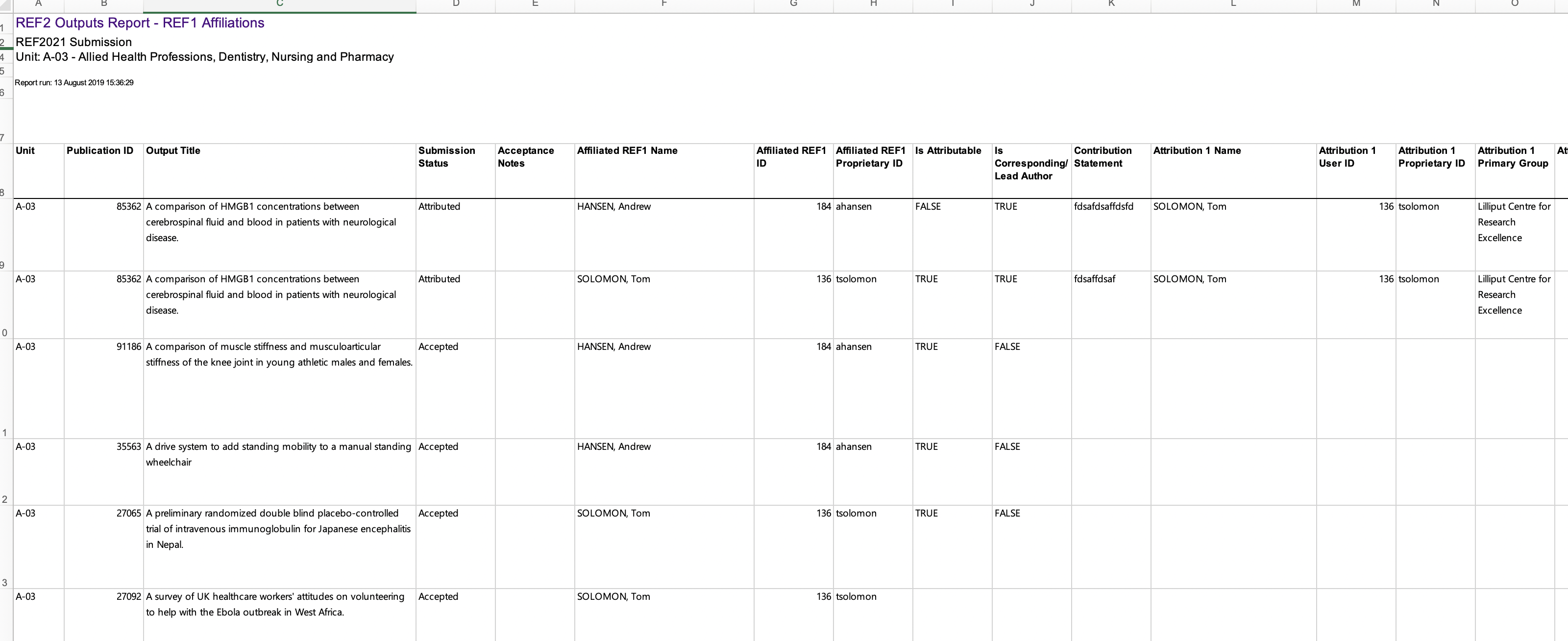
Affiliations tab
The purpose of the 'Affiliations' tab is to help with attribution decisions by listing all REF2 outputs, one row for each combination of REF2 and affiliated REF1 Researcher. Fields available include:
Submission status
Affiliated REF1 name(s) and details, including Category and Research Group(s)
REF1 author contribution details
Attributed REF1 name(s) and details, including Category and Research Group(s)
REF2 counts at the Unit and REF1 Researcher levels (as per the Counting REF2 Research Outputs support article)
REF2 Output type
Overall predicted score and notes
Publication year and month
REF OA status
Double-weighting
Where a REF1 Researcher name is followed by an asterisk in the report, this indicates that the researcher selected the item for the exercise.