Bulk edit REF1 content

Released : 5.18
Updated : 5.19, 5.20
Bulk edit REF1 content
It is possible to edit REF1 metadata using a CSV bulk update function, accessed from the Manage REF1 Researchers screen.
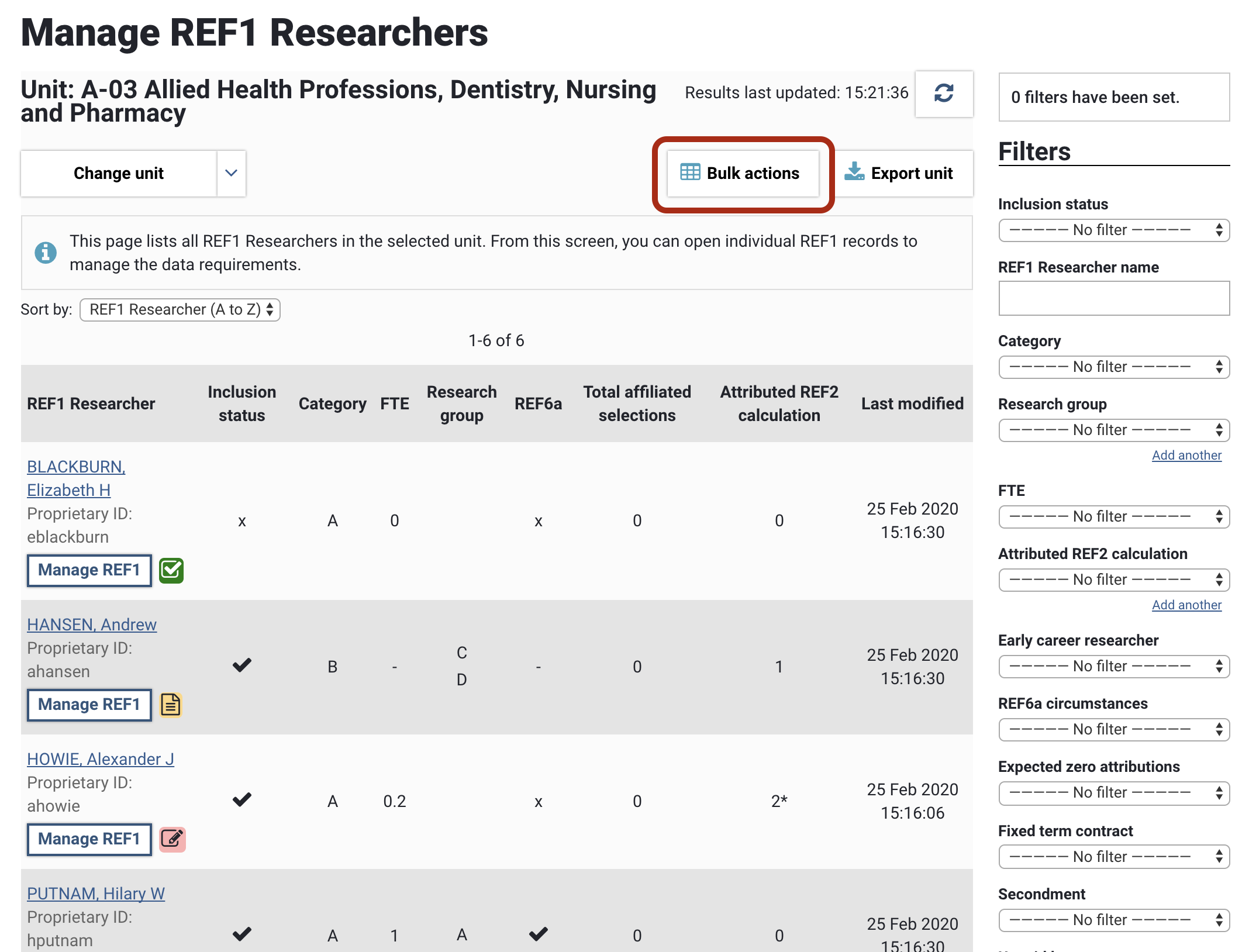
To access the import file template, go to the Manage REF1 Researchers screen for the desired UoA, and select 'Bulk actions'.
The REF1 bulk edit function enables you to edit all REF1 fields to be returned in the submission (bar the researcher name and ID, which will be sourced from the HR user feed), such as:
HESA ID
ORCID
Research group(s)
ECR
Contract FTE
Fixed term contract, Secondment, and Unpaid leave start and end dates
Cat B contract details
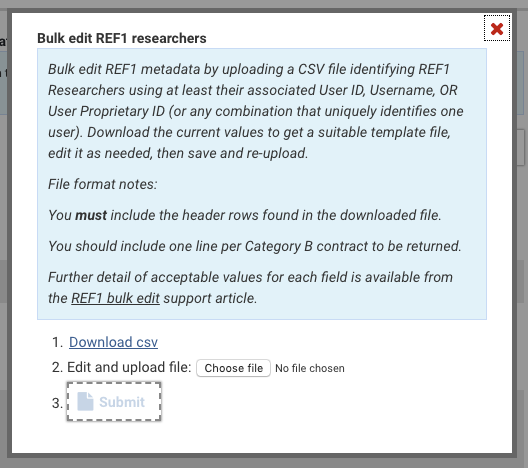
You can download the current REF1 values for all users in the UoA, by selecting 'Download csv'. The downloaded file will reflect any filters you have applied on the Manage REF1 Researchers screen.
Notes:
You must include the header row found in the downloaded file.
Category A staff:
One row per Cat A member of staff
Category B staff:
One row per Cat B contract
It is not possible to delete an existing contract using the bulk edit import - only existing contracts can be edited and new ones created
Each contract is identified by the Cat B Contract start date and Cat B Contract end date for a specified user - where these match an existing contract, details will be overwritten as per the rules below. Where these don't match an existing contract, a new contract will be created.
For Cat B details that apply against the person (rather than the contract) e.g. date of birth, ORCID, inclusion state, the import process will only read these fields from the first line relating to the Cat B member of staff. So if no ORCID is provided in row 1, but an ORCID is provided in row 2, no ORCID will be uploaded
Overwrite rules:
To update a REF1 metadata field, replace the existing value in the file
Leaving a cell blank will clear any existing value (note that this is different to other REF bulk actions available)
For boolean fields (where the only accepted values are TRUE or FALSE), these cells cannot be left blank - you must provide a value (either TRUE or FALSE).
Before a REF1 record for an individual is actually created, the following default values will be applied:
Category = A
Include in submission = TRUE
ECR = FALSE
Look out for HESA IDs that lead with zeros. Depending your settings in the application in which you open the CSV file (e.g. excel), leading zeros may be removed from HESA IDs
There is the possibility of job timeouts if the import file is quite large - it is recommended that each upload file is restricted to ~2k records

REF1 field | Description | Accepted values |
User ID | ID of the User against whom you wish to record the review | e.g. 831 |
Username | Username of the User against whom you wish to record the review | e.g. mbuchan |
User Proprietary ID | Proprietary ID of the User against whom you wish to record the review | e.g. 106066, buchan106 |
User name (for info only) | Name of the User against whom you wish to record the review | Is provided for information only. The import process completely ignores any values in this column. |
Category | Choose between Category A (current staff on the census date) and Category B (former staff on the census date). By default, all users are assigned Cat A. | A or B |
Include in submission | Flag an individual as included / not in the submission. | TRUE / FALSE |
Submission inclusion notes | Capture notes relating to the submission inclusion decision | String |
HESA ID | HESA staff identifier. | e.g. 031141123456 |
Date of birth | DD-MM-YYYY | |
ORCID | ORCID ID. | e.g. 0000-0002-6890-268X |
Claimed ORCID in Elements (for info only) | The individual's Claimed ORCID in Elements. | Is provided for information only. The import process completely ignores any values in this column. |
Connected ORCID in Elements (for info only) | The individual's Connected ORCID in Elements. | Is provided for information only. The import process completely ignores any values in this column. |
FTE | For Cat As, the Contracted FTE on the census date. | Any value between 0.20 and 1.00 (inclusive). Maximum 2 decimal places. |
FTE notes | Capture notes relating to the contract FTE being returned | String |
Research connection | Is required if Contract FTE is between 0.20 and 0.29 (inclusive) | String |
Reason for no Research connection statement | Should only be provided if no Research connection statement is provided and FTE is between 0.20 and 0.29 (inclusive) |
If multiple reasons are to be returned, return as a comma-separated list (e.g. Caring responsibilities, Personal circumstances) |
ECR | Category A only. Only required for staff members with no HESA ID. | TRUE / FALSE |
Research group 1 | If Research groups are enabled for the Unit (see the Unit of Assessment support article), you can provide Research Group assignments (up to 4, if multiple assignments are configured - one per column) | Research group name (e.g. Particle Physics) |
Research group 2 | " | " |
Research group 3 | " | " |
Research group 4 | " | " |
FTC | If the individual is on a fixed term contract. Cat A only. | TRUE / FALSE |
FTC start date | Fixed term contract start date. Value will only be accepted if FTC = TRUE. | DD-MM-YYYY |
FTC end date | Fixed term contract end date. Value will only be accepted if FTC = TRUE. | DD-MM-YYYY |
Cat B Contract start date | Start date of the eligible employment period where an output is being claimed. Cat B only. | DD-MM-YYYY |
Cat B Contract end date | End date of the eligible employment period where an output is being claimed. Cat B only. | DD-MM-YYYY |
Secondment | If the individual is on secondment. | TRUE / FALSE |
Secondment start date | Secondment start date. Value will only be accepted if Secondment = TRUE. | DD-MM-YYYY |
Secondment end date | Secondment end date. Value will only be accepted if Secondment = TRUE. | DD-MM-YYYY |
Unpaid leave | If the individual is on unpaid leave. | TRUE / FALSE |
Unpaid leave start date | Unpaid leave start date. Value will only be accepted if Unpaid leave = TRUE. | DD-MM-YYYY |
Unpaid leave end date | Unpaid leave end date. Value will only be accepted if Unpaid leave = TRUE. | DD-MM-YYYY |
Number of outputs being input directly into REF submission system | Where you wish to input REF2 outputs directly in the REF submission system (e.g. O-Confidential reports not held in Elements), input the number of outputs attributed to this individual. | Integer (whole number only) |
Title(s) of outputs being input directly into REF submission system | Title(s) of any REF2 outputs being input directly into the REF submission system | String |
REF6a - minimum waived | Whether the individual's minimum requirement of one attributed output has been waived due to REF6a individual circumstances | TRUE / FALSE |
Zero attributions expected | Whether it is expected that the individual will have zero REF2 attributions | TRUE / FALSE |
REF1 data confirmation workflow | Data confirmation workflow state of the REF1 |
|
Job logging
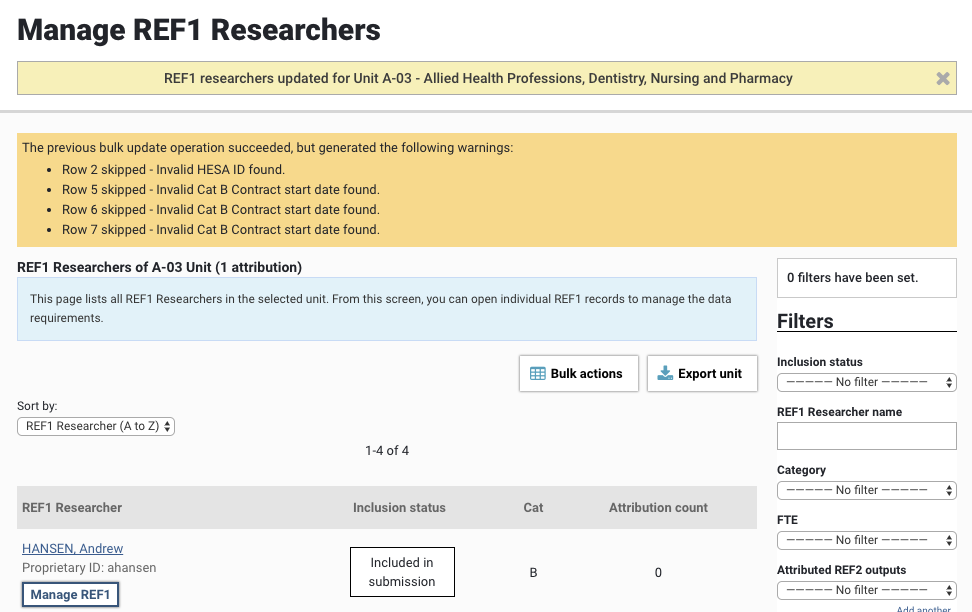
Any errors encountered during the bulk edit operation will be listed in the yellow information box at the top of the screen following the import being actioned. Note that a record will be skipped upon first encountering an error - so if there are multiple errors in a row, the log will only cite the first encountered.