
REF1 Researchers Report

Released : 5.19
REF1 Researchers Report
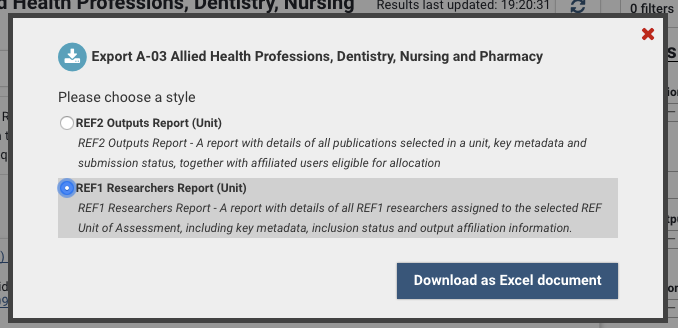
The REF1 Researchers Report is designed to give managers of a unit or an exercise definition ready access in Microsoft Excel to a detailed list of all REF1 Researchers in the REF submission.
The report is available in Excel format and has two tabs/sheets:
Cat A
Cat B
The report is available from:
Screen | Whole exercise | Unit-level |
Manage units | Y (excluding default Unit) | Y (excluding default Unit) |
Manage exercise | Y | - |
Manage selections | - | Y |
Manage REF2 Research outputs | - | Y |
Manage REF1 Researchers | - | Y |
Cat A tab
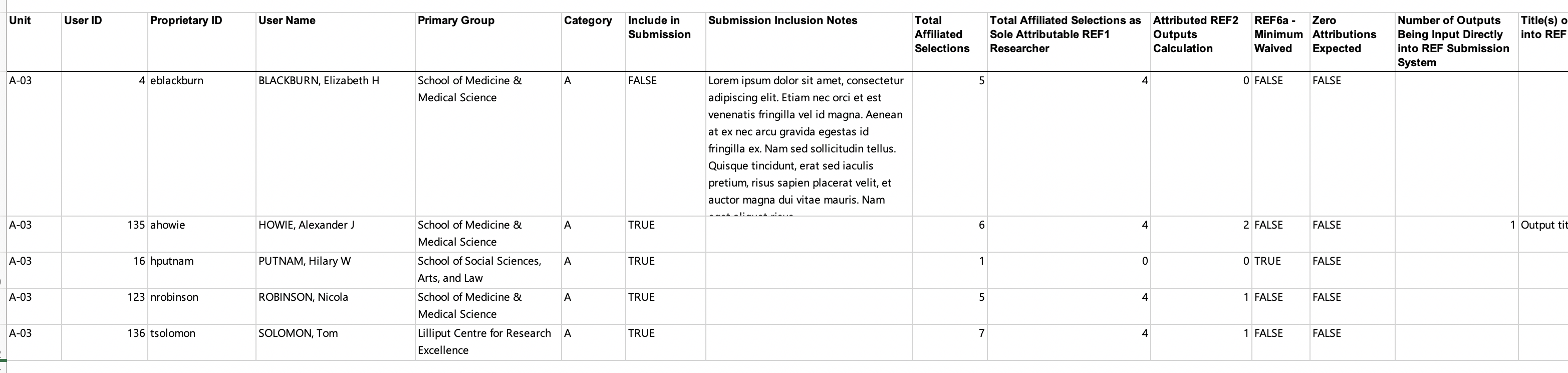
The 'Cat A' tab lists all Category A REF1 Researchers in the Unit and their associated metadata (one row per Researcher). This includes:
User details
Category
Submission inclusion status and notes
Details on output affiliations
Total affiliated selections in the exercise
Total affiliated selections in the exercise where the REF1 Researcher is the sole attributable REF1 Researcher
Attributed REF2 Outputs calculation (as per the rules for counting REF2 outputs)
REF6a circumstances
Zero attributions expected
Number and title(s) of outputs being input directly into the REF submission system
HESA ID, DoB, ORCID
FTE and notes
Research connection and Reason for no Research connection statement
ECR
Research Group(s)
FTC and dates
Secondment and dates
Unpaid leave and dates
REF1 Data confirmation workflow
Cat B tab
The 'Cat B' tab lists all Category B REF1 Researchers in the Unit and their associated metadata.
All fields are as per the 'Cat A' tab, with the exception of:
Cat B Contract start and end dates
FTC and dates is not relevant to Cat B staff and is therefore not in this report
Note that in the Cat B tab, where multiple contracts are being returned for a Cat B Researcher, there will be one row per contract (so some data (e.g. Date of Birth, Name) will be duplicated
