
ORCID FAQ
Elements integration with ORCID has become an integral piece of functionality over the past several years. As the interaction between the two systems has become more complex, questions have arisen. We will attempt to answer some of them here. As ever, please feel free to send additional questions.
Introduction
Our initial ORCID integration allowed users to connect their Elements and ORCID accounts. This connection is achieved via OAuth in a similar manner to how figshare connections are made, for institutions that are familiar with that.
How does Elements retrieve publications from ORCID?
Currently, Elements and ORCID can interact via two mechanisms.
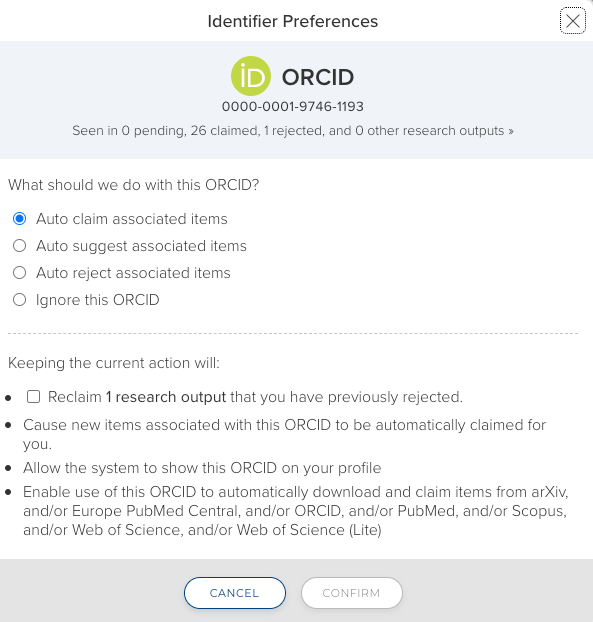
Autoclaiming - After completing a successful search of third-party data sources, Elements may suggest an ORCID that can be used for autoclaiming. As with other author identifiers, the ORCID iD can be configured to Auto claim associated items, Auto suggest associated items, Auto reject associated items, or to be ignored. The Elements synchronizer will search records from third-party data sources (Dimensions, Scopus, PubMed, EPMC and others) and, if requested, retrieve those items.
Please note: Elements will not retrieve publication records from ORCID profiles.
What is the second mechanism for retrieval?
An author can also link their Elements account to ORCID by logging into their ORCID account. It the write integration is enabled, the ORCID Settings page can be reached either by going to Profile & Work > Personal profile & identifiers > ORCID settings, or if you already have a claimed ORCID iD, by clicking on the 'Manage settings for this account' link. If the write integration is not enabled then users can connect to ORCID by going to Profile & Work > Personal profile & identifiers > My research identifiers, or via the homepage action prompt if this is enabled.

Please note: Clicking on the 'Register or Connect your ORCID ID' link will open the ORCID sign-in page.
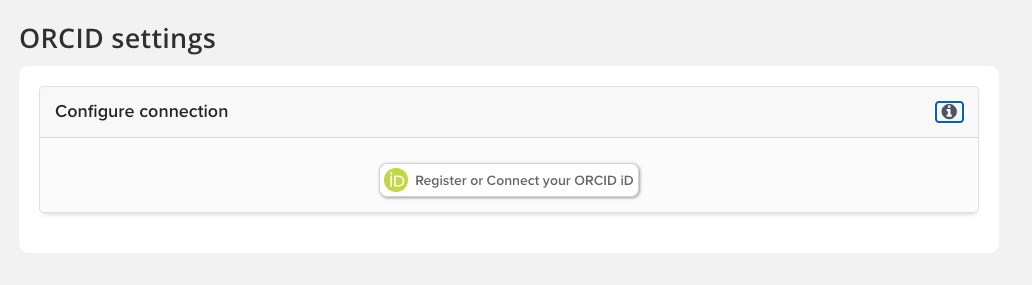
Once the ORCID credentials are entered, the user will return to Elements.
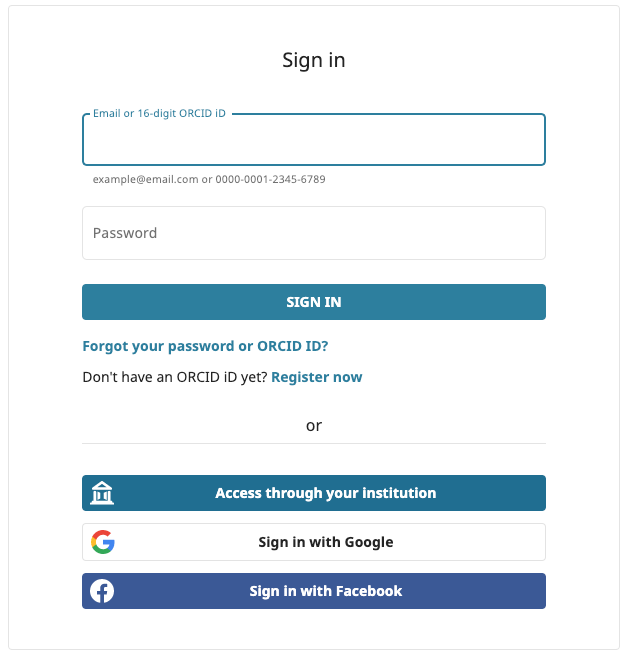
The 'Account not connected' message should disappear after sign-in.

Once connected, Elements treats the user’s ORCID account as a source of claimed publication identifiers, which Elements then uses to automate the retrieval of publication metadata from other sources In addition, the user’s ORCID identifier (e.g. 0000-0001-7832-9314) will be retrieved and made available within the Elements user interface.
Why doesn't Elements retrieve publications data from an ORCID profile?
Symplectic has opted to harvest only unique publication identifiers and use these identifiers to retrieve data from other online data sources. This approach was taken to ensure that additional metadata such as citation counts could be continually updated from these sources.
Will this bring in everything from ORCID?
Currently, the ORCID integration harvests DOIs, Scopus EIDs, and PubMed identifiers from the ORCID data and uses these to retrieve records from the Crossref, Scopus, PubMed, arXiv, and SSRN sources, respectively. These sources were chosen as the best candidates based on an analysis of the contents of the ORCID data file.
Additionally, ORCID only makes available documents (or “works," as they call them) that are marked as "public" or "read-limited" via their API. No information from works that the user has marked as "private" in their ORCID account will ever be passed to Elements.
Can Elements retrieve grants or other data types from ORCID?
Not currently.
Why doesn't the ORCID integration harvest records from Web of Science?
Our initial ORCID interop utilises our existing 'fetch' routines, which are programmed to retrieve metadata from originating data sources using the proprietary ID of the data source concerned, such as, for example, Scopus ID for Scopus, PubMed ID for PubMed, and DOI for CrossRef.
Unfortunately, the Web of Science ID (aka Accession Number) is not harvestable from ORCID and so we were unable to utilize our existing routines to go and fetch data from Web of Science.
Why do researchers have to authenticate their account? Why can’t I type in or import ORCIDs?
ORCID have stated that they do not want users typing in ORCIDs, as manual entry is a source of error which they are working hard to avoid. We have reflected this by requiring users to connect their Elements’ account to ORCID using OAuth.
Additionally without authentication, Elements would only be able to harvest ‘public’ ORCID works which could be limiting for researchers working in sensitive disciplines. You can read more about ORCID's privacy settings on their website.
Can you report on users that have an ORCID associated with their Elements account?
Yes. There is a Data Extract in the Reporting Hub called Associated ORCID IDs that lists associated identifiers and their connection status.
What do I need to do to make use of the ORCID integration?
The integration currently connects to the ORCID Member API rather than the Public API (see here for details). This is done partly because the Public API only ever returns ORCID works marked public, which could be limiting for researchers working in sensitive disciplines, and partly because OAuth authentication is currently only available via the Member API. In addition, the Public API comes with no Service Level Agreement.
Therefore, only institutions that are ORCID members will be able to make use of this initial ORCID integration.
ORCID are planning to make an authentication-only API available to non-members to allow for the retrieval of ORCID identifiers without requiring manual entry. Once this is available we will investigate whether it makes sense to extend the integration to use the Public API when access to the Member API is not available.
What do I need to do to configure Elements to integrate with ORCID?
Instructions are available at How to enable Elements to search ORCID.
Can I write data to my Elements profile into ORCID?
Instructions for enabling Elements to write data to ORCID are available at Enabling the ORCID Write Integration.
Which Elements types are pushed to ORCID?
Institutions can customise the mapping between Elements publication types and ORCID work types. This allows you to ensure that publication types, including custom types, are mapped appropriately to ORCID according to how your institution uses them. For details, see Enabling the ORCID Write Integration.
The default mappings are as follows:
Elements Type | ORCID Type |
|---|---|
book | book |
chapter | book-chapter |
conference | conference-paper |
journal-article | journal-article |
patent | patent |
report | report |
software | software |
performance | artistic-performance |
internet-publication | online-resource |
poster | conference-poster |
thesis-dissertation | dissertation-thesis |
dataset | data-set |
presentation | lecture-speech |
(anything else) | other |
I have received a notification from ORCID that publications were deleted from my account by Elements. How did this happen?
Most likely, the publications were marked as 'Private.' This can be done at either an individual or system level, so check with your System Administrator or submit a support ticket and the Elements team will investigate.
Please let us know if you have questions or feedback.
Can Symplectic bulk upload ORCID identifiers into our Elements system?
Yes, this is a common practice for implementing clients and can be performed as a service for current clients. Please submit a support ticket to request details.
ORCID offers different levels of membership. Does any particular level offer an advantage to Elements users?
ORCID offers both Basic and Premium memberships (See https://orcid.org/about/membership for details). Two factors may affect your decision about which to take:
Is any other system going to need to use the OAuth token? If yes, you will need Premium membership as it offers up to five sets of credentials.
The Premium membership also allows access to more API queries per day. If you anticipate having a large amount of activity (and, unfortunately, it's impossible for us to say exactly what "large" means at this point in time), then you may want to take advantage of the more robust service. All queries would be resolved in time, though we would expect affected users to see an increase in errors in the logs.