
RFS 6.7 release notes
The Elements Research Funding Solution (RFS) continues to grow and in this release we are pleased to introduce new functionality supporting various aspects of the research funding lifecycle.
Introduce RFS as a data source for Grants
Upon Project activation in RFS, Elements can now automatically create Grant objects which will:
Enable linking awarded grants to project outcomes (e.g. publications, impact) and other Elements content (e.g. other Grants).
Create stable records for reuse in public profiles (eg. Discovery), and CVs and other reports.
Allow matching to other Grant data sources such as Dimensions to assist with automated linking.
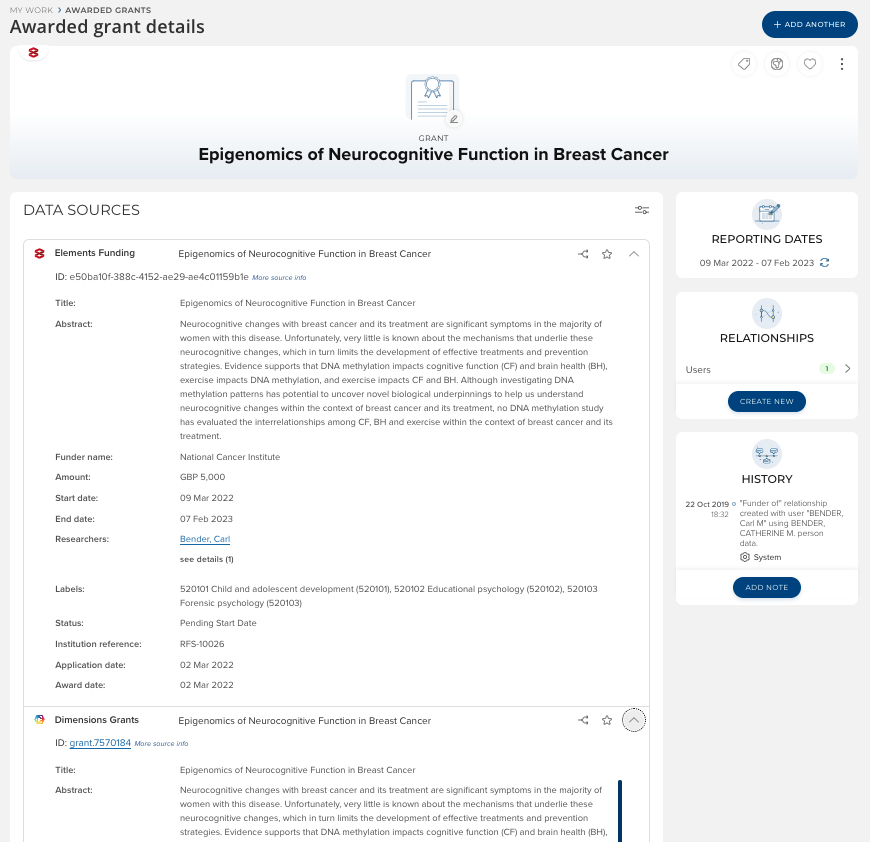
Further details are available here. Note that the 'Elements Funding' datasource is not automatically enabled upon upgrade to 6.7.
Improved Funding Management Console navigation
We have updated the menu structure within the RFS funding management console, making a number of improvements to navigation in response to community feedback. These changes seek to further clarify the delineation between pre- and post-award sections within the system and to provide clearer access to the cross-status Grants search functionality to help you find the data you need as quickly and easily as possible.
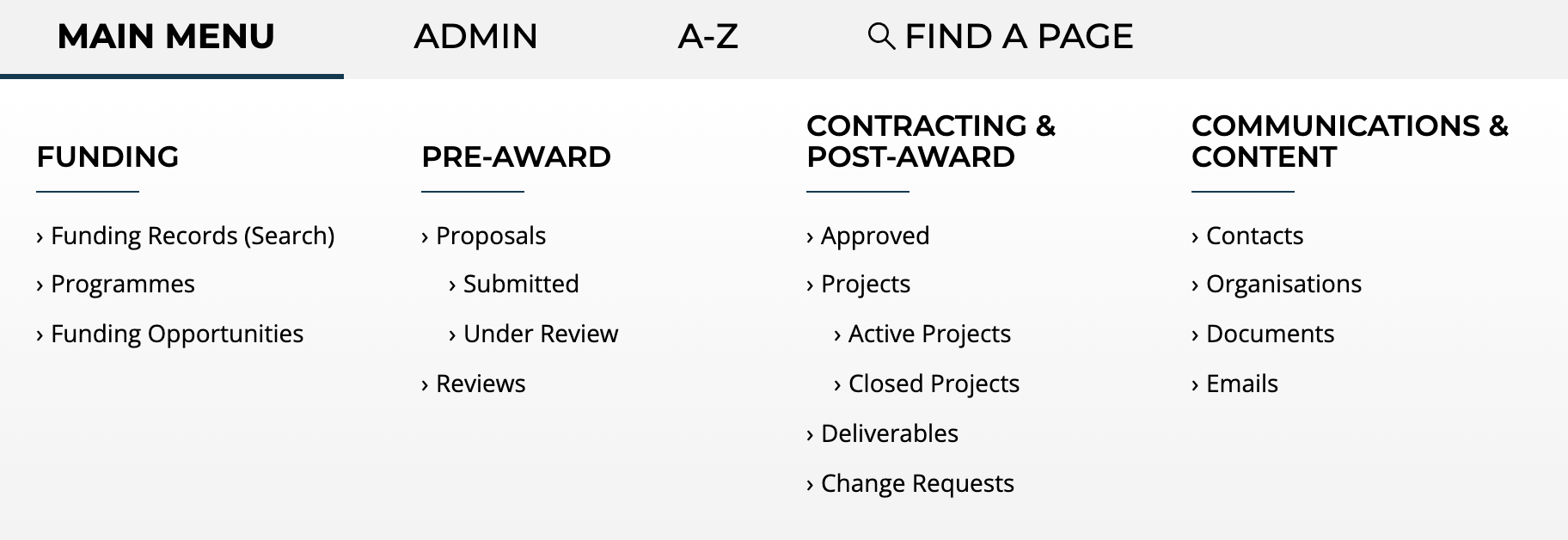
A new 'Funding' menu item has been introduced, from which the following can be accessed:
Funding records (Search)
Where all funding entities (whether pre- or post-award) can be searched
Programmes
Funding Opportunities
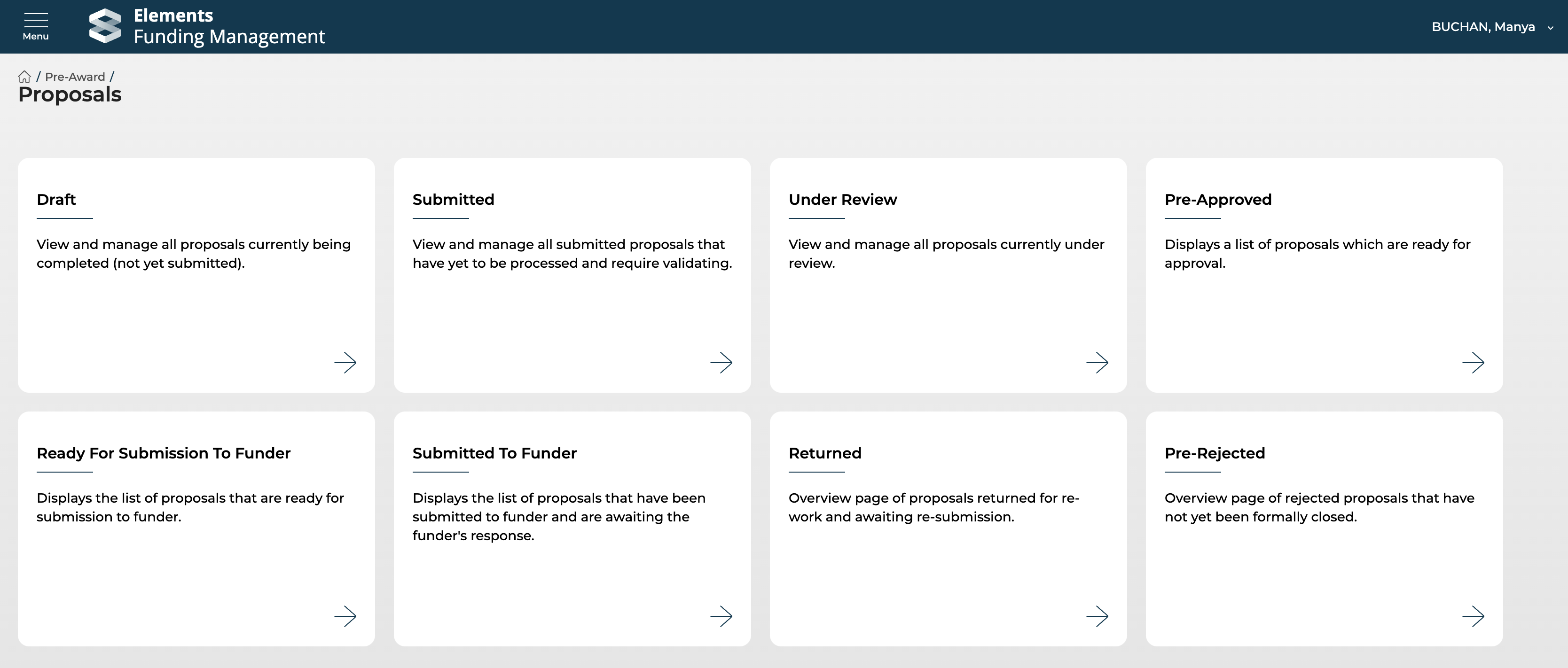
The Pre- and Post-award menus have been rationalised, making 'Pre-approved' proposals available in the Pre-award menu. And pre-filtered navigation tiles are now available for 'Ready for submission to funder' and 'Submitted to funder' statuses.
Additional items
Document templates
It is now possible for System Administrators and Research Funding Administrators to create and edit Document templates, enabling you to:
configure your own PDF download templates for various forms (e.g. Proposals, Change requests, Deliverables)
upload document templates for your users to access via, for example, a Proposal form (e.g. a budget template, a deliverable template, etc.)
More information is available here.
Reporting database
In this release, we changed the display name for all RFS sources from 'Research Funding' to 'Elements Funding'. This is the name that is used in the reporting database for the [Data Source] column of the [CategoryName Record] table. Any customers using this column value in custom reports/extracts may need to adjust it.
API
Some changes to the API have been included in this release:
Changed funderOutcomeReceivedDate of a FunderOutcomeDetails object from required to nullable