
Awarded grants
Upon Project activation in Awards Management, Elements can automatically create a Grant object which:
Enables linking Grants to project outcomes (e.g. publications, impact) and other Elements content (e.g. other Grants)
Creates stable records for reuse in public profiles (e.g. Discovery), and CVs and other reports
Allows matching to other Grant data sources such as Dimensions to assist with automated linking
Enabling the 'Elements Funding' datasource for Grants
By default, the 'Elements Funding' datasource is not enabled. The source can be enabled by System Administrators via System Admin > [DATA SOURCES] > Data Source Management. Additionally, Research Funding Administrators can manage the 'Elements Funding' datasource via the Awards Management Integration Monitor.
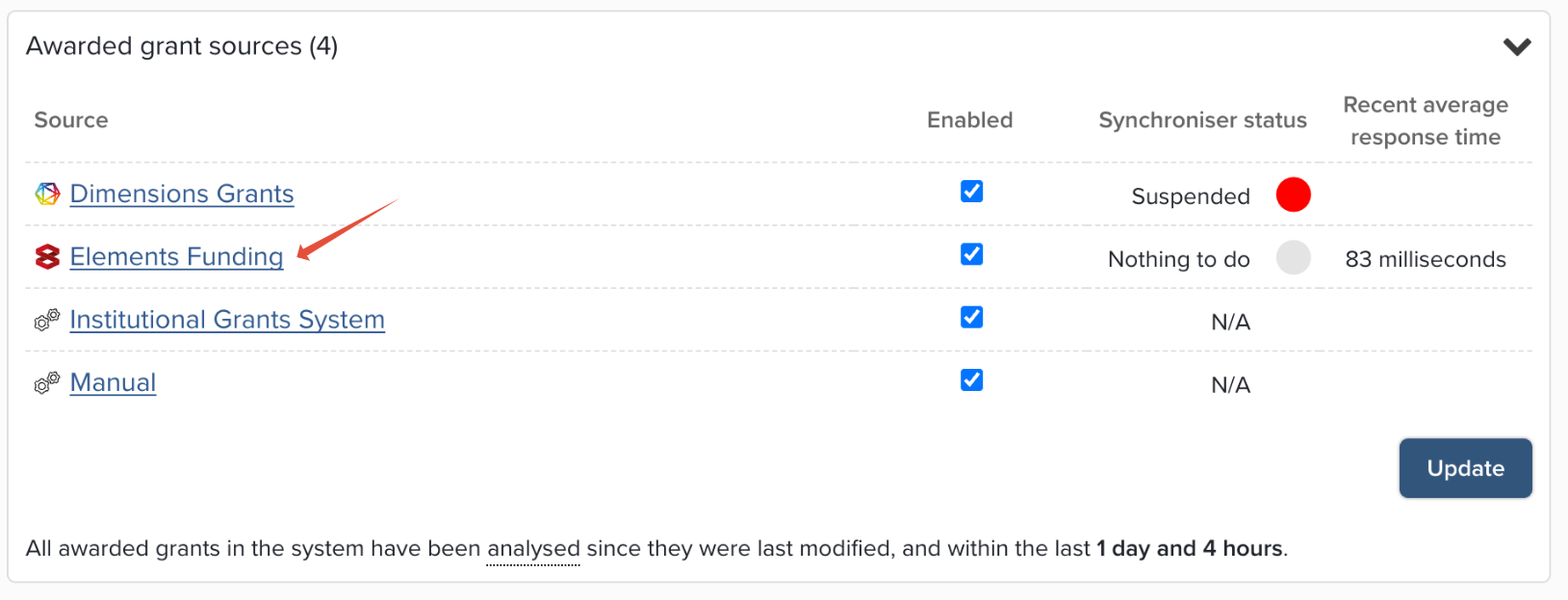
We recommend that 'Elements Funding' is set as the highest precedence datasource for Grants.
When enabled, Elements calls the 'Elements Funding' datasource every five minutes to harvest Grants.
Grant module settings
When introducing Awards Management as a datasource for Grants, you may wish to modify your Grants module settings.
Note that where 'Elements Funding' is enabled as a datasource, we encourage the 'Externally managed' setting to remain disabled for all Grant types sourced from 'Elements Funding'.
Grant Types
When sourcing Grants from Awards Management, Elements uses the Funding Type to define the Grant type, so where the Project has a funding type of 'Project grant', this will be created as a Grant with the type 'Project grant'.
All Awards Management funding types exist in Elements as Grant types and will synchronise as expected, but by default they are not made available to any groups. This means:
By default, these Grant types are not offered to users when creating new awarded grants or changing the type of existing ones.
They are not available as filters on the Grants list page (if you want them to be available as filters, you will need to enable them for relevant groups)
The default privacy and Discovery module settings of these Grant types are as follows (but can be modified as desired):
Type default privacy setting | Permitted privacy levels | Show in Discovery module | |||
Grant type | Public | Internal | Private | ||
Project grants | Category default | Enabled | Enabled | Enabled | TRUE |
Programmes | Category default | Enabled | Enabled | Enabled | TRUE |
Partnership grants | Category default | Enabled | Enabled | Enabled | TRUE |
Travel grants | Internal | Disabled | Enabled | Enabled | FALSE |
Dissemination and impact | Internal | Disabled | Enabled | Enabled | FALSE |
Senior fellowships | Category default | Enabled | Enabled | Enabled | TRUE |
Postdoctoral fellowships | Category default | Enabled | Enabled | Enabled | TRUE |
Early career fellowships | Category default | Enabled | Enabled | Enabled | TRUE |
Scholarships | Category default | Enabled | Enabled | Enabled | TRUE |
Prizes / Awards | Category default | Enabled | Enabled | Enabled | TRUE |
Research training | Category default | Enabled | Enabled | Enabled | TRUE |
Capital expenditure | Category default | Enabled | Enabled | Enabled | TRUE |
Infrastructure | Category default | Enabled | Enabled | Enabled | TRUE |
Philanthropic funding | Internal | Disabled | Enabled | Enabled | FALSE |
Seed funding | Internal | Disabled | Enabled | Enabled | FALSE |
Contract research | Private | Disabled | Enabled | Enabled | FALSE |
Consulting | Private | Disabled | Enabled | Enabled | FALSE |
Commercialisation | Private | Disabled | Enabled | Enabled | FALSE |
Other grants | Category default | Enabled | Enabled | Enabled | TRUE |
Data mapping
Grants underlying fields are populated from Awards Management as follows:
Elements Grant underlying field | Awards Management Project field | Awards Management form control (where relevant) | Notes |
title | Title | Grant Title | |
abstract | Description | Grant Synopsis Control | |
start-date | Start date | Grant StartDate | |
end-date | End date | Grant End Date Control | |
funder-name | Funder | Taken from Funding Opportunity, or if null, from the Proposal | |
funder-reference | Funder reference | ||
amount | totalAward | totalAward is populated at activation and updated with each change to the total Active budget. | |
institution-reference | Awards Management project reference | ||
application-date | Date submitted to funder, or if NULL Awards Management submission date | Submission date is the date the proposal is submitted in Awards Management. | |
award-date | Funder outcome received date or if NULL Awards Management Pre-approval date | Pre-approval date is the date the approval is recorded against the meeting and 'Finalise Reviews' selected. | |
status | Status | ||
labels | Classifications | ||
researchers | Affiliated internal collaborators | Only internal collaborators with the following participant roles are harvested:
Contributor role is set as per the participant role in Awards Management. Link type of 'Funded by' is set for all affiliated internal users. |
Additional notes:
Any change in Awards Management to any of the fields above will automatically update the associated Grant record in Elements
Relationships
Where there are related Projects in Awards Management, there may be configured behaviour such that a separate Awarded Grant is not created in Elements for the sub-grant (i.e. Extensions, Distributed budget, External distribution of funds). In such cases, the award amount of the sub-grant is included in the main parent Awarded Grant. Further detail is available at the bottom of the Relationship configurations support article.
Multiple sources for Grants
Where multiple datasources for Grants are enabled (e.g. Elements Funding and Dimensions), Elements will attempt to match Grant records together into a single object, as described here. (note that Elements does not try to match records only sourced from Elements Funding)
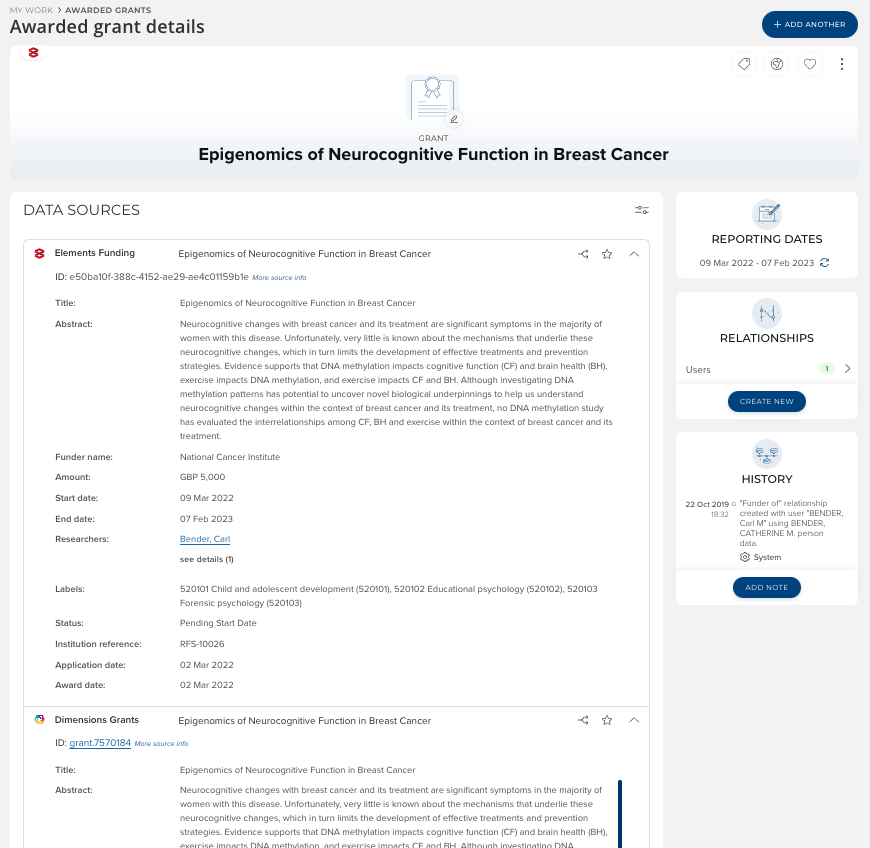
General support articles on Grants in Elements
Additional support articles about Grants in Elements are available below: