
Customise deposit version names
Clients using Elements v6.8+ can configure which file version names will be displayed to users when depositing publications via Elements. This functionality allows organisations to further tailor the Elements deposit experience and streamline the associated administrative management.
This functionality is available for use with our DSpace, EPrints and Hyrax RT2 integrations. Follow Open Access > Repository Tools to find the relevant repository setting page. Under Deposit Settings you will find the option File version configuration:

Default file versions
In this section the administrator can set the version names available to all types when no additional override is set. The system default values are:
Accepted version
Published version
Submitted version
Supporting information
You can add any desired new names using the input box (provided that the length does not exceed 100 characters). Clicking the "x" next to the names will delete it from the list. Remember to save the changes before leaving the page.
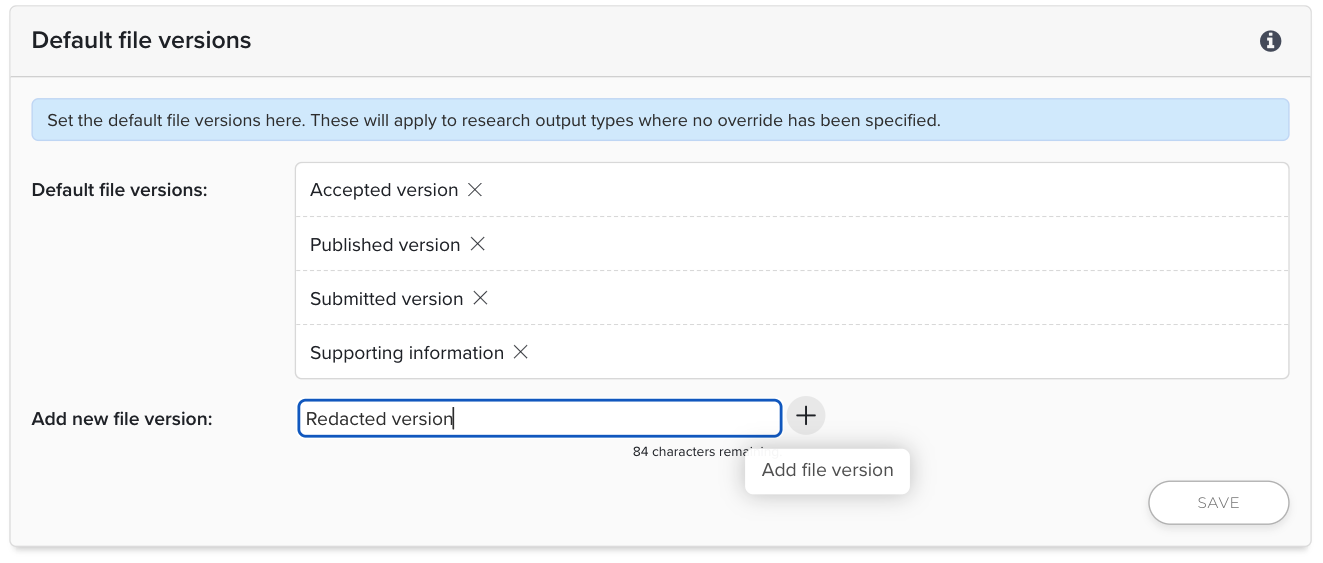
Note that identical values (case-insensitive) will not be accepted by the system.
For clients using Discovery and pushing full-text links for publications, please note that the default version names are hard-coded in the code to decide whether a full-text link is rendered for Discovery (for further details on the logic, please see this support article). Any value not identical to the system default ones (Published version, Accepted version, Submitted version; case-insensitive) would be considered of lowest precedence, and thus may not be used to render full-text links in Discovery. For example, if you rename the "Published version" to "Publisher's version" without altering the other system default version names, Elements may take a full-text link for a file of "Accepted version" to display on Discovery, as it would now be the highest precedent on the list. To use your custom version names in the logic for full-text links in Discovery, please submit a support ticket.
File version overrides
In this section the administrator can set the version names displayed for specific publication types. Select from the dropdown list the publication type you wish to add overrides to. Note that the overrides must be set one type at a time, and the changes must be saved before selecting another type to update. Click on the Override enabled checkbox and a new list appears below. Configure the file versions in the same way you add or delete the default version names.
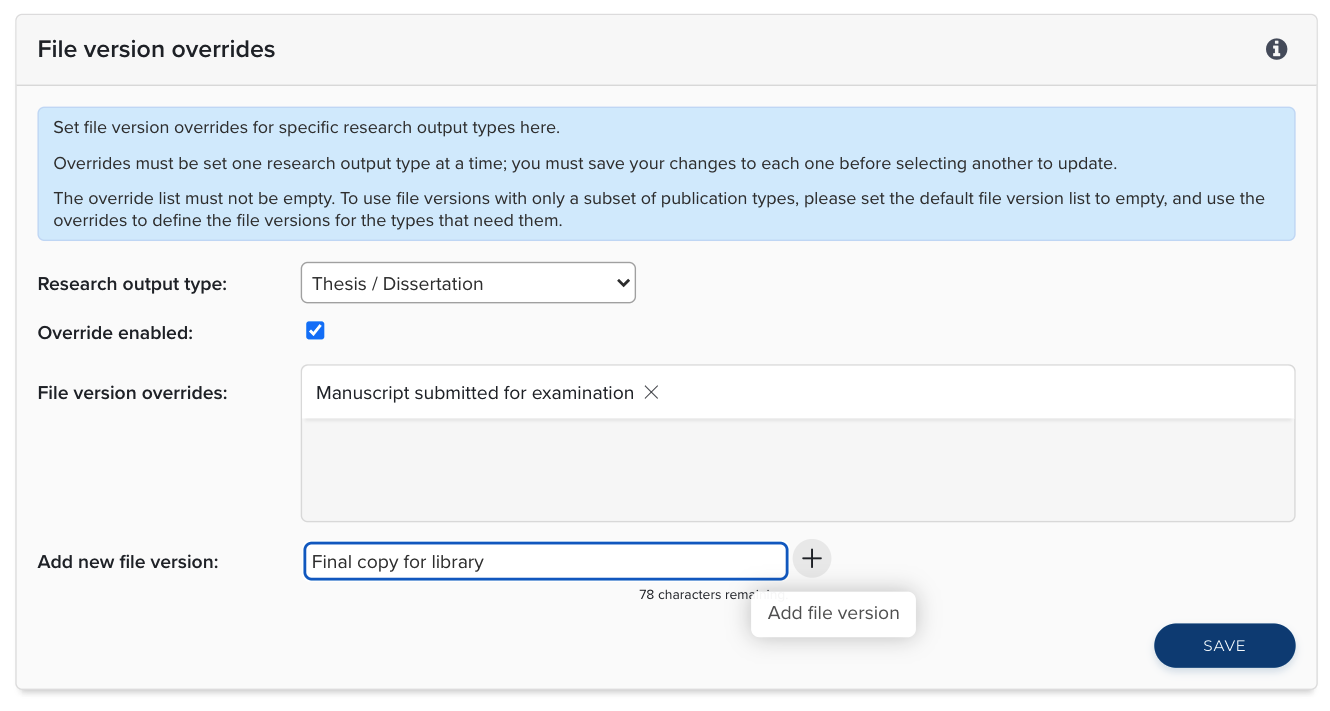
Once you save the changes, the dropdown list would display "(overridden)" after the name of the type, and the SAVE button would no longer be clickable. Deselect the checkbox to disable any overriding names, and the default version names apply.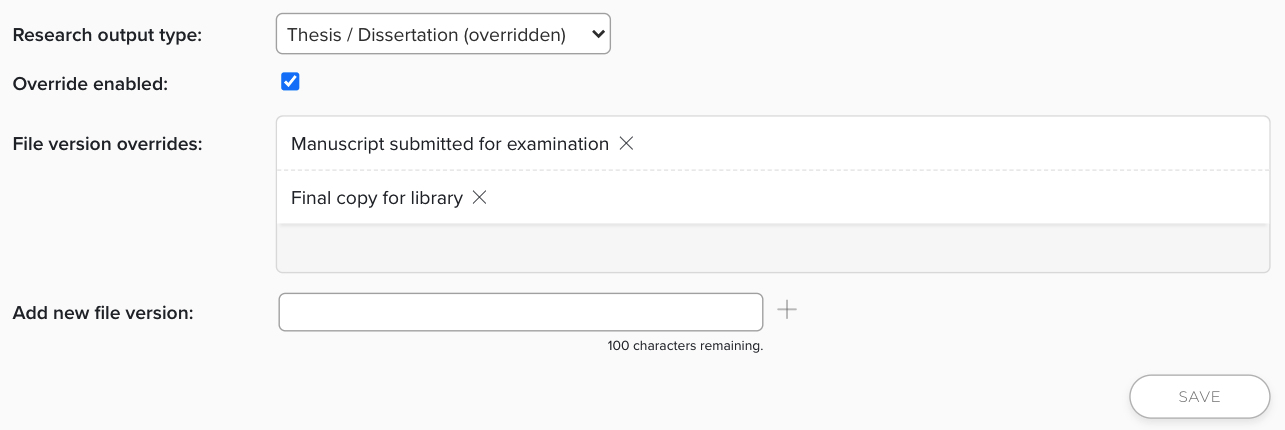
Note that the override list cannot be empty. If you would like to allow users to see version options for only a few publication types, please set the default file version list to empty, and use the overrides to define the file versions for the types that need them.
Customised file versions in OA Monitor
This functionality complements OA scheme configuration options which allow administrators to determine which, if any, file version names should be used as a part of an OA scheme's compliance calculations. Navigate to the OA scheme's configuration settings. File version is available as a compliance criterion in Repository criteria > Additional criteria.
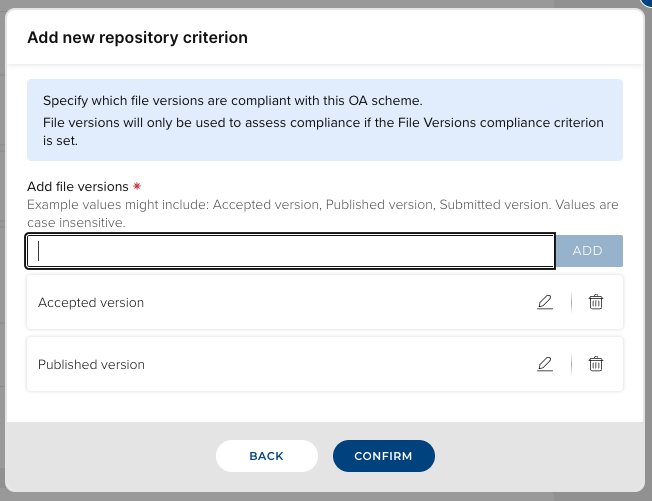
With this criterion, you can select from (or even revise) any existing file version names, including those for overrides, to be considered in the calculation of compliance with the OA scheme.