
Annual Collection: FAQ
This article contains some Frequently Asked Questions FAQs about the Annual Collection Module. It is used by the Australian Elements clients.
Does the Annual Collection only contain Publications?
Yes -- no other Elements object types are included in Annual Collection. The focus is on a per-publication assessment as it was originally based on the HERDC research outputs collection. HERDC is no longer required by Australian Universities and replaced by the ERA Research Outputs collection component.
What are the criteria for Publications being selected for the Annual Collection?
Firstly, the Researcher must be included (Generic Field in HR feed) and the publication must have a reporting date in the collection year.
Why is reporting date important?
Annual Collection uses the reporting date of an item because there are multiple dates available and these vary from data source providers. This article explains more about how the Reporting Date is derived.
Can a collection cover more than one year?
No, each year requires a separate collection to be setup.
Can a collection be deleted?
No, once a collection is created for a year it cannot be removed but it can be disabled. If you need to experiment use the Symplectic Preview sandbox.
What are the stages a publication goes through to be assessed?
First, it is selected based on reporting date and is in the "not nominated" state. If the auto-nomination rules apply and are enabled, then the item will automatically be changed to "nominated" when the Scheduled job runs. Admin staff can then assess the item and determine if it should be accepted or not.
What are the various states of a Nominated item in the Annual Collection?
The available states are "In Progress," "More Info required," "Accepted," "Accepted (internal only)," "Declined," and "Withdrawn." You can also Delete an item so it no longer appears in a collection.
Can Researchers add evidence of affiliation, publication date or additional details if requested by an administrator?
Yes, using the file upload option on the My nominations page, administrators can also do this on behalf of researchers.
Where are the files uploaded (attachments) in Annual Collection stored?
On the Elements server in Filestream Storage.
Can we alter the ERA checklist?
No, the list is fixed.
Can we alter the list of file types for attachments or the maximum size of uploads?
No, the list is fixed but if you have suggestions for new types create a support request.
Why is a publication missing from the Annual Collection Nomination Assessment?
Some reasons: In Progress awaiting more information, Reporting date missing or wrong; the Researcher(s) not included (HR data missing)
Is it possible to navigate from the Elements item to the Annual Collection
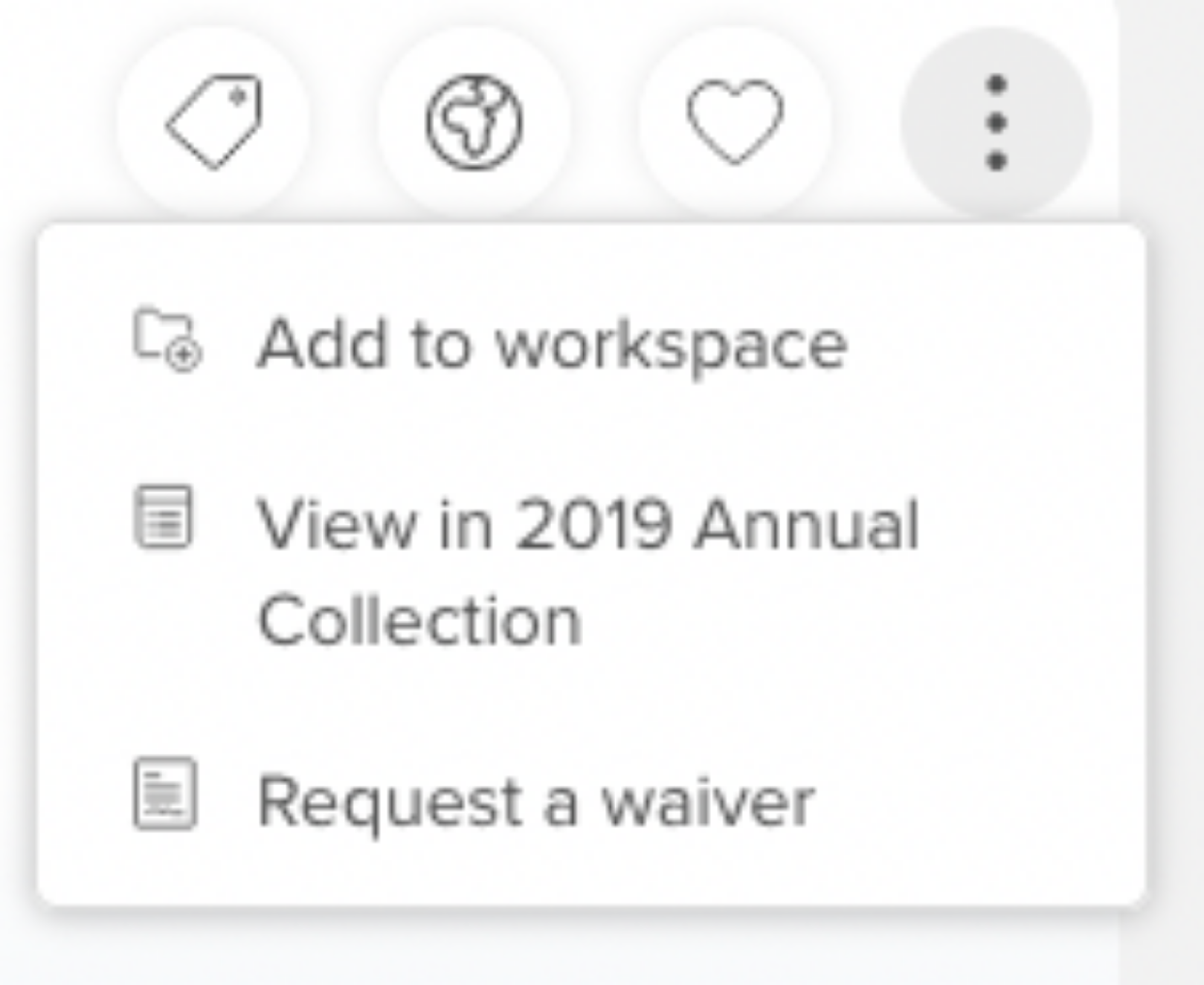
Yes, items that meet the Annual Collection rules will be displayed for collection administrators on the Elements view object page, top right under "more" (the 3 dots)
The collection contains a group structure but when filtering by groups some researchers are missing, why?
The HR data for the researcher may have changed or the group descriptor may not be defined for the group.
Items are not being Auto-nominated why?
The scheduled job: "HERDC Autonomination" may have failed or has not executed.
What are the auto-nomination rules?
Automatically nominates publications that are either flagged whilst adding/editing a manual record and/or where a publication contains a bibliographic record sourced from either PubMed, the Web of Science or Scopus.
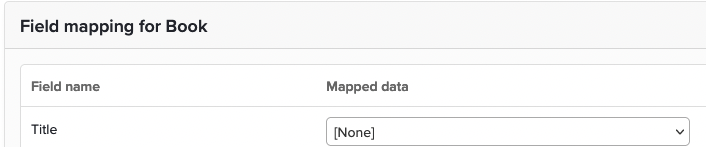
Why is the title missing in the Nomination Assessment view?
The Collection Category mapping has not been completed. In the screen shot example below, the title should be selected and updated.
How do we determine if there are missing metadata components?
Use the "Missing Key Fields" report. It requires the Key Details checkbox to be enabled in collection mapping.
How are data source records selected in the Annual Collection?
The default source record can be defined at the system level in the "Data Source Precedence" section on System Admin > Data Sources > Data Source Management and during Nomination Assessment up until the item is assessed.