Scheduled import jobs
System Administrators and Research Funding Administrators can view the status of and job logging of the RFS Finance integration: Expenditure import and RFS Finance integration: Finance details and income import in the Management Console via the Admin menu > System Management > Scheduler.
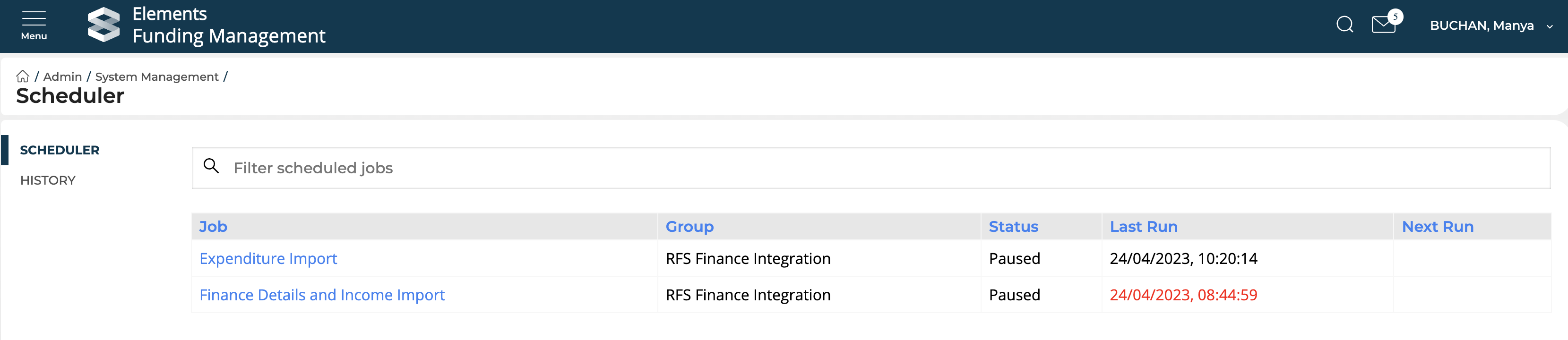
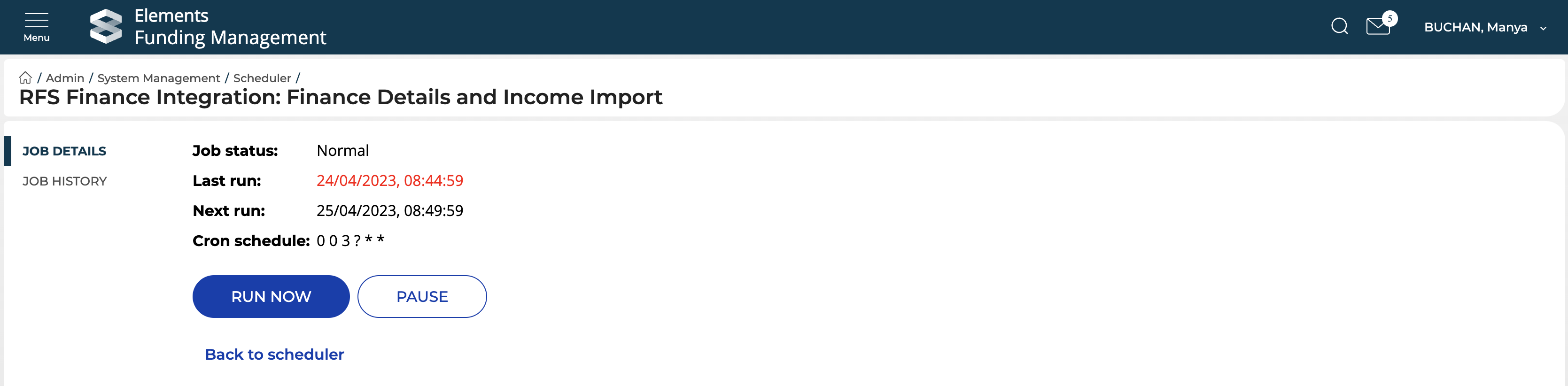
To view a particular job, select the name in the Job column. This will direct you to the Job Details page for the job where you can:
Observe:
The job status (Paused / Normal)
When the job was last run (and if RED, indicates there were errors when the job last ran)
When the job is scheduled to run next
Run the job now, on demand
Pause / Resume the job
To view the individual job history, select 'Job History' in the left-hand navigation. Where the 'Success' column says No, this indicates there were errors for that job run. Click on the desired job run to view those errors (and a summary of any successful imports).
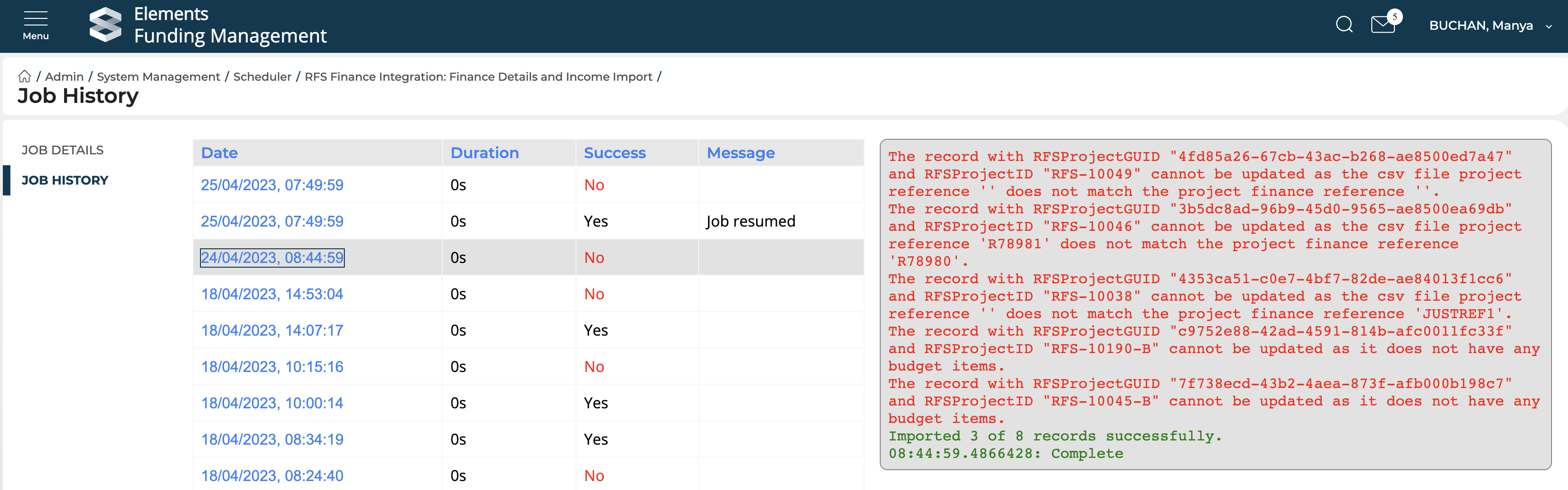
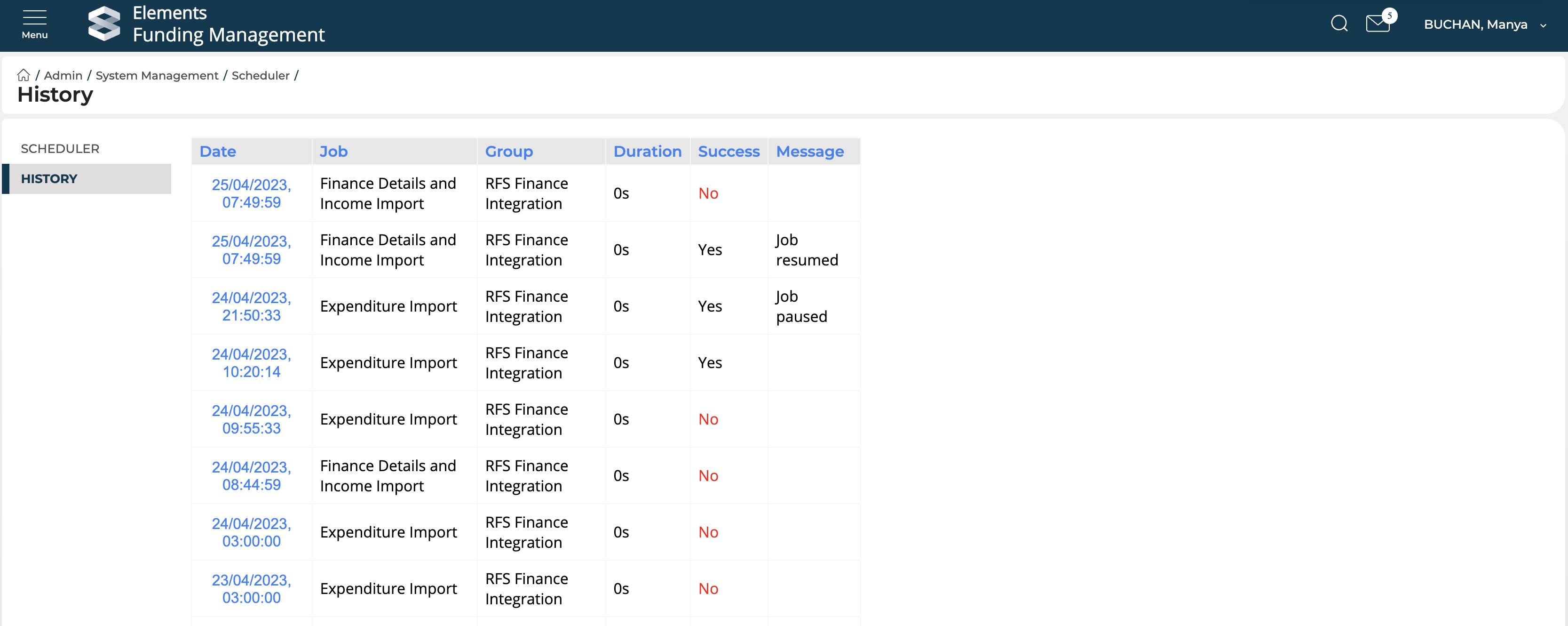
History - all jobs
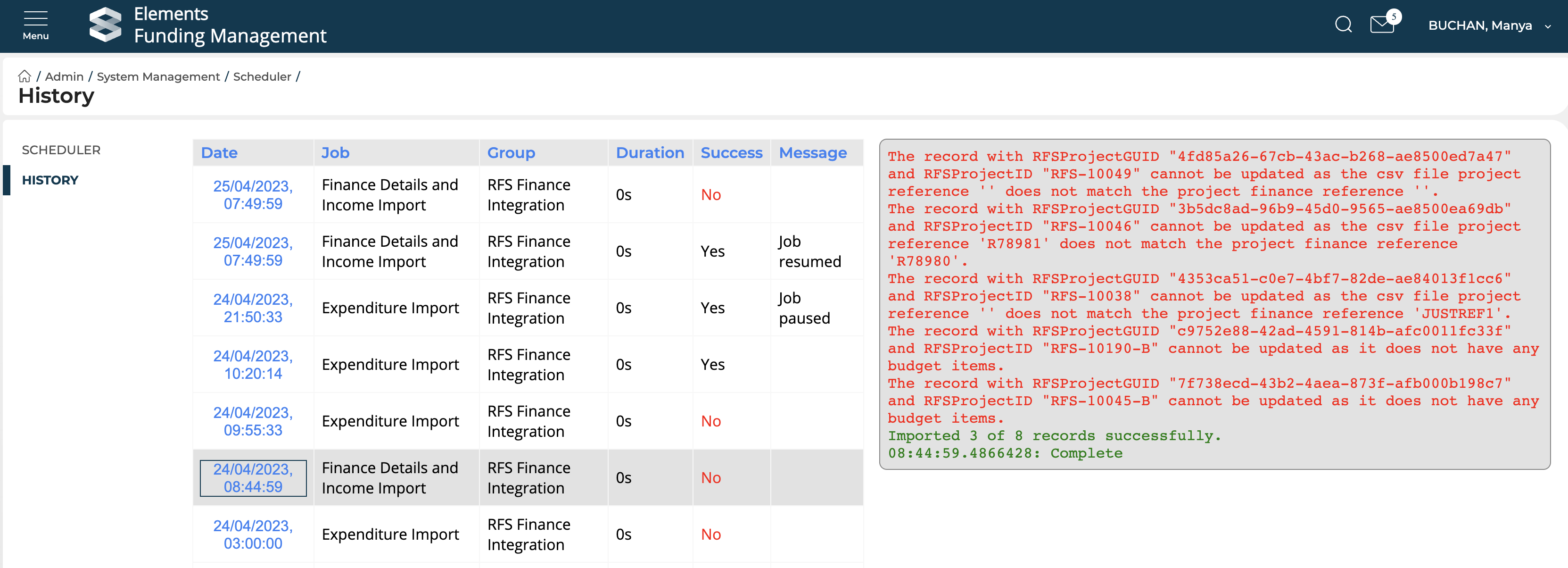
You can view the history and logs of both jobs via the 'History' tab in the left-hand navigation of the Scheduler page. Where the 'Success' column says No, this indicates there were errors for that job run. Click on the desired job run to view those errors (and a summary of any successful imports).