
Group import cutoffs
When carrying out an import of the group structure, it is important to be able to ensure that the changes that will be applied to the group structure are as expected. Introduced in v6.17, cutoffs provide a way to see at a glance if specific thresholds have been reached as part of the ‘review and apply’ step. This encourages administrators to make additional checks, before opting to apply the group import.
Administrators can set ‘cutoff’ values across four key types of changes; Group structure, Group membership, System roles, and Group roles.
Group structure cutoffs
The group import process supports bulk update of the group structure in Elements. This structural change can result in groups being deleted, added or moved. In addition certain group properties, such as the group name or description, can be updated as part of the import.
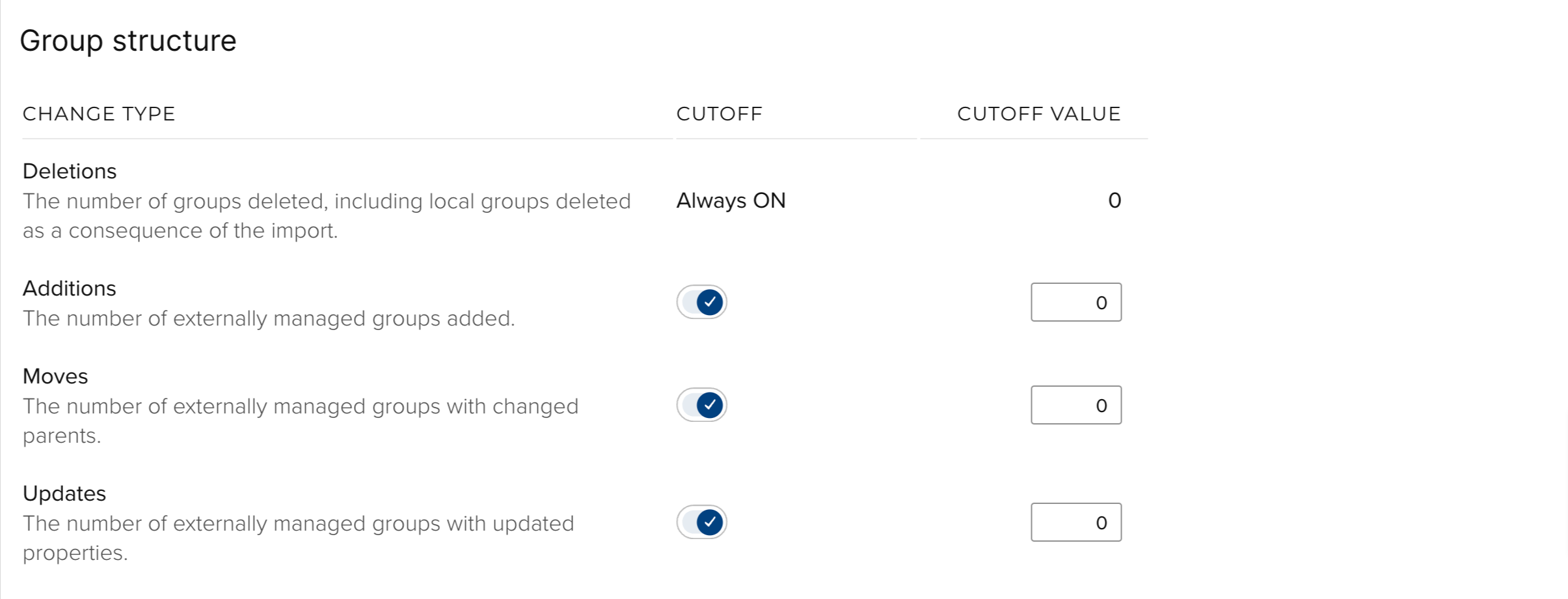
Deletions - Group deletions occur if an existing group’s Institutional Identifier is not found in the import file. In addition, locally managed groups can also be deleted as a result of the import, if their parent group is deleted. Please note that deletions cannot be undone, and all data associated with the group will be lost. The cutoff value relates to the number of groups that will be deleted as a consequence of the import.
Additions - Groups will be added if an Institutional Identifier is found in the import file that does not match an existing groups’s institutional identifier. The cutoff value relates to the number of groups that will be added as a consequence of the import.
Moves - Groups will be moved if the Institutional Identifier of their parent group is modified as a result of the import. Please note that this value only relates to groups who have had their direct parent changed. Sub-groups will move within the hierarchy as a consequence of the parent moving but will not be counted here as their direct parent has not changed. The cutoff value relates to the number of groups that have had their direct parent changed.
Updates - Certain group properties can be updated as part of the group import. The cutoff value relates to the number of groups that have been updated.
Group membership cutoffs
Users are considered explicit members of a group if they have been explicitly added to the group (i.e. through matching the WHERE clause in the case auto-groups, matching the Primary Group Descriptor in the case of primary groups, or manually added to the group in the case of manual groups). Users are implicit members of a group if they are explicit members of any sub-groups.
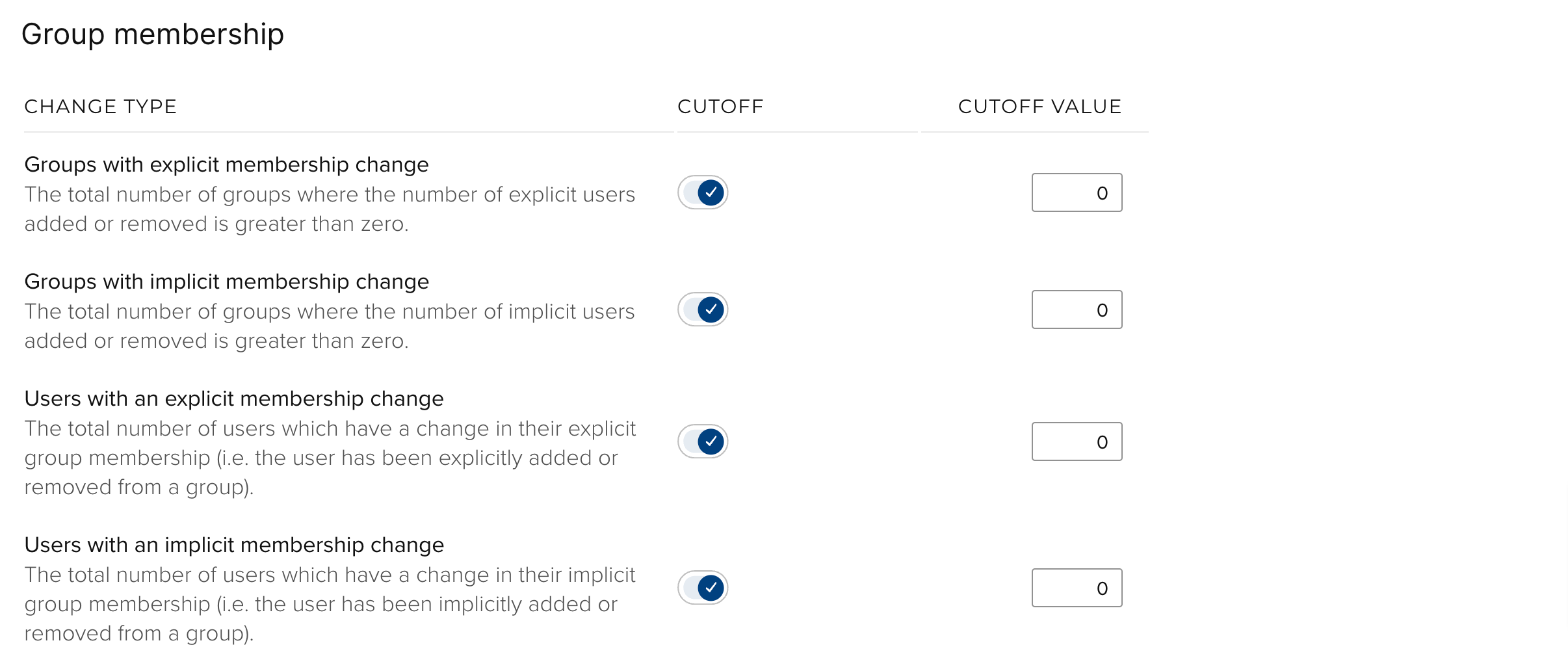
Groups with explicit membership change - The membership model, WHERE clauses and Primary Group Descriptor of groups can be updated as part of the group import. These changes may result in a change in the explicit number of users for a group. This cutoff value relates to the number of groups that have had any explicit members added or removed.
Groups with implicit membership change - Implicit membership can change as a result of a number of factors, such as moves, deletions and additions, as well as the explicit membership change of sub groups. This cutoff value relates the number of groups that have had any implicit members added or removed.
Users with an explicit membership change - Users can have their explicit membership changed as a result of the group import (e.g. through an updated WHERE clause or Primary Group Descriptor). This cutoff relates to the number of users who have been explicitly added or removed from a group.
Users with an implicit membership change - Users can have their implicit membership changed as a result of the group import (e.g. through a group move). This cutoff relates to the number of users who have been implicitly added or removed from a group.
System role cutoffs
System roles can be assigned to users and groups. These cutoffs only apply to users who have system roles that are assigned via their group membership.
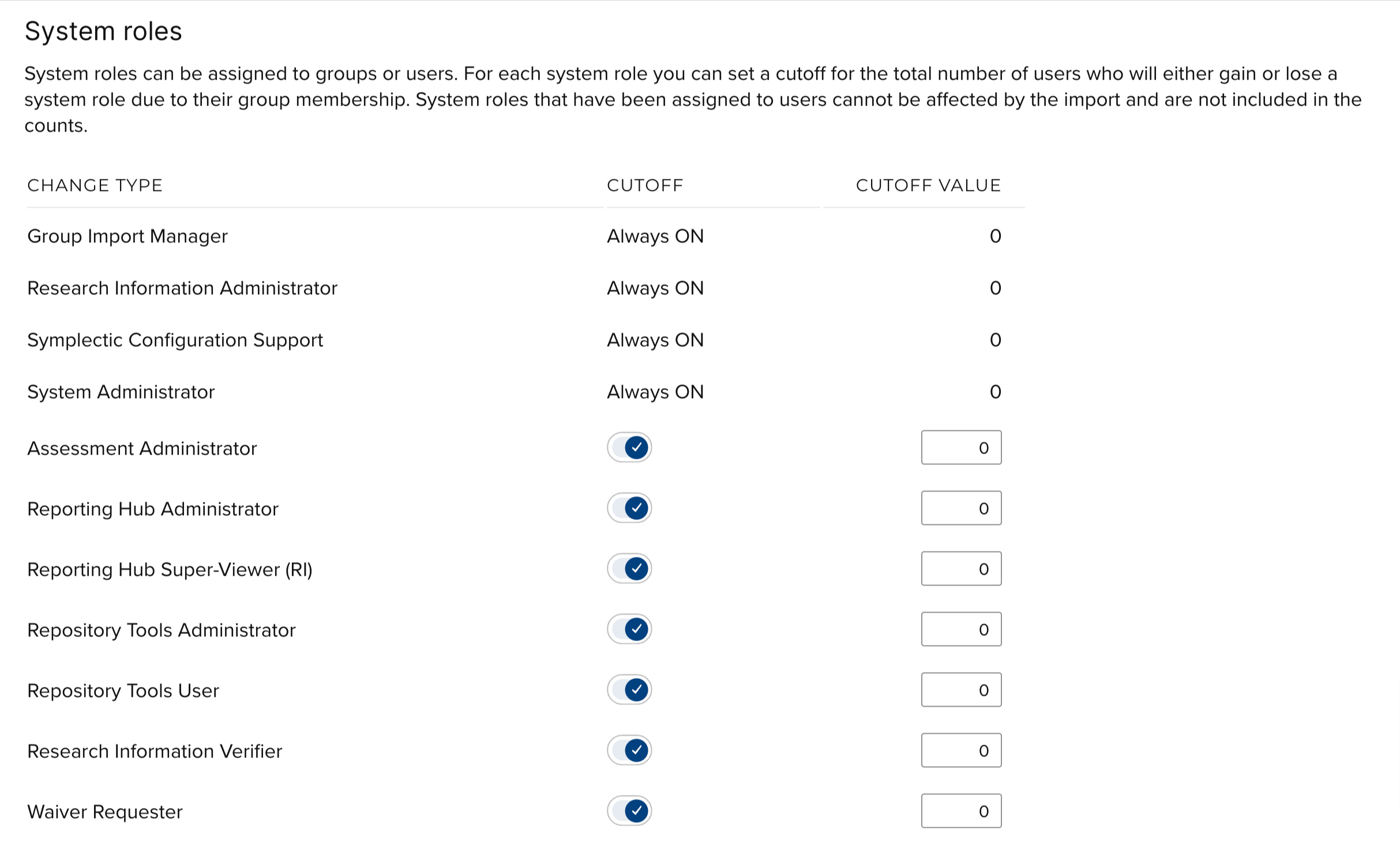
For each system role in the system, the cutoff relates to the number of users who will either gain or lose a specific system role. Please note that if you licence RFS you will see an extended set of system roles.
Group role cutoffs
Group roles can be assigned to users as well as other groups. When assigned to groups, two different groups can be both the subject and target of the role assignment. These cutoffs only apply to users who have group roles that are assigned via their group membership.
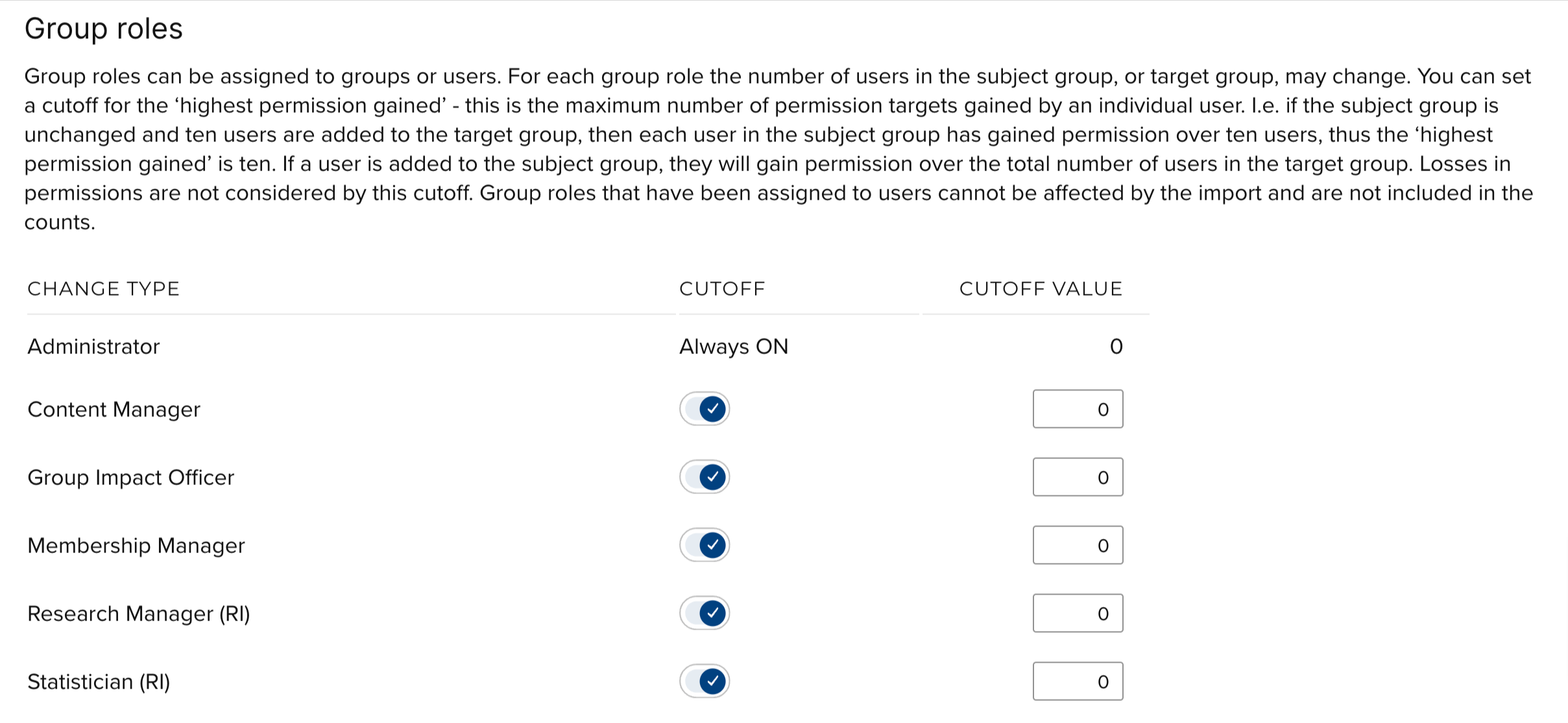
For each group role in the system, the cutoff relates to a count of the number of permissions gained. That is, for a given group role assignment, any increase to the number of users in either the target or subject group will constitute gained permissions. If users are added to the target group, each user in the subject group will have gained permission over these users. Conversely, if a user is added to the subject group, they will have gained permission over the total number of users in the target group. Losses in permission are not considered by this cutoff. Please note that if you licence RFS you will see an extended set of system roles.
Considerations
Cutoff values, as well as an indication that the cutoff threshold has been reached, are displayed as part of the ‘Review and apply’ step on the Group import page. This allows specific changes to be highlighted to administrators carrying out the import.
All cutoff values default to ‘on’ and a value of zero. You can disable certain cutoffs, meaning the cutoff value is ignored by the system. Deciding what value to give a cutoff should be based on a few different factors. You should consider the primary use case for the group import. For example, if you expect to frequently update the name of groups but rarely change the membership of groups, you could increase the cutoff of values for ‘updates’, but leave the cutoff values related to group membership at zero.
When deciding on the magnitude of the cutoff of value you should consider the approximate number of groups and users you have in the system. For example, if you have 500 groups in the system and you expect that in the normal operation of group import you would not move more than 5% of these, then you should set the cutoff value for ‘moves’ to 25.
Certain cutoffs are hardcoded to be ‘always on’ with a cutoff value of zero. This means that any changes related to these cutoffs will be flagged. These are changes that are considered highly relevant and must always be reviewed by the user carrying out the group import.