Awards Management 6.23 release notes
In this release of Elements Awards Management, we are very excited to introduce enhancements to the researcher and reviewer Awards Management experience (i.e. 'the portal'), including:
A refined user experience, including enhanced sign-posting of calls to action, improved filtering, and export list options,
New actions for researchers including the ability to directly submit deliverables, and to view more information such as a budget summary, documents, change requests, contract documents, and contract review statuses, and
Improved performance.
Refined user experience
We have made a number of changes to the user experience in the portal, including:
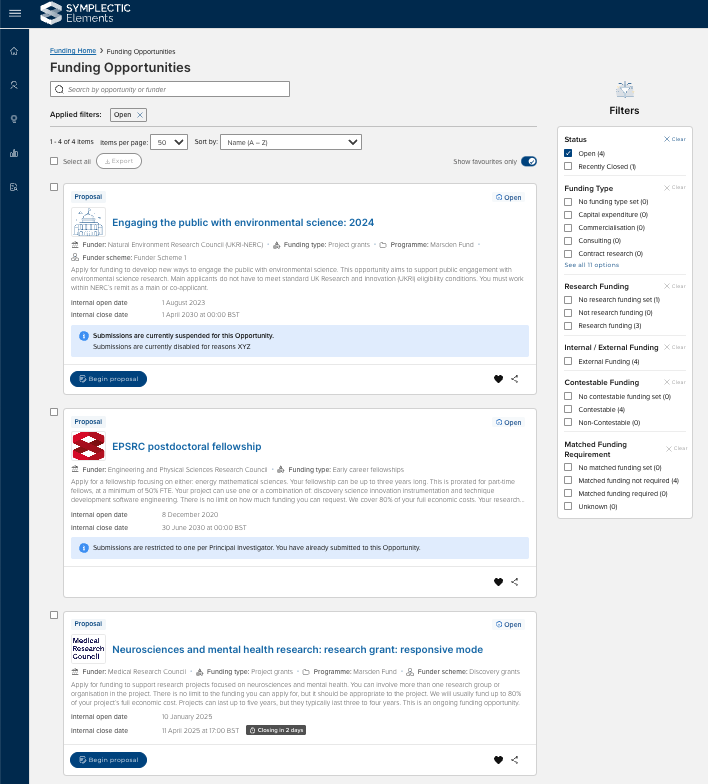
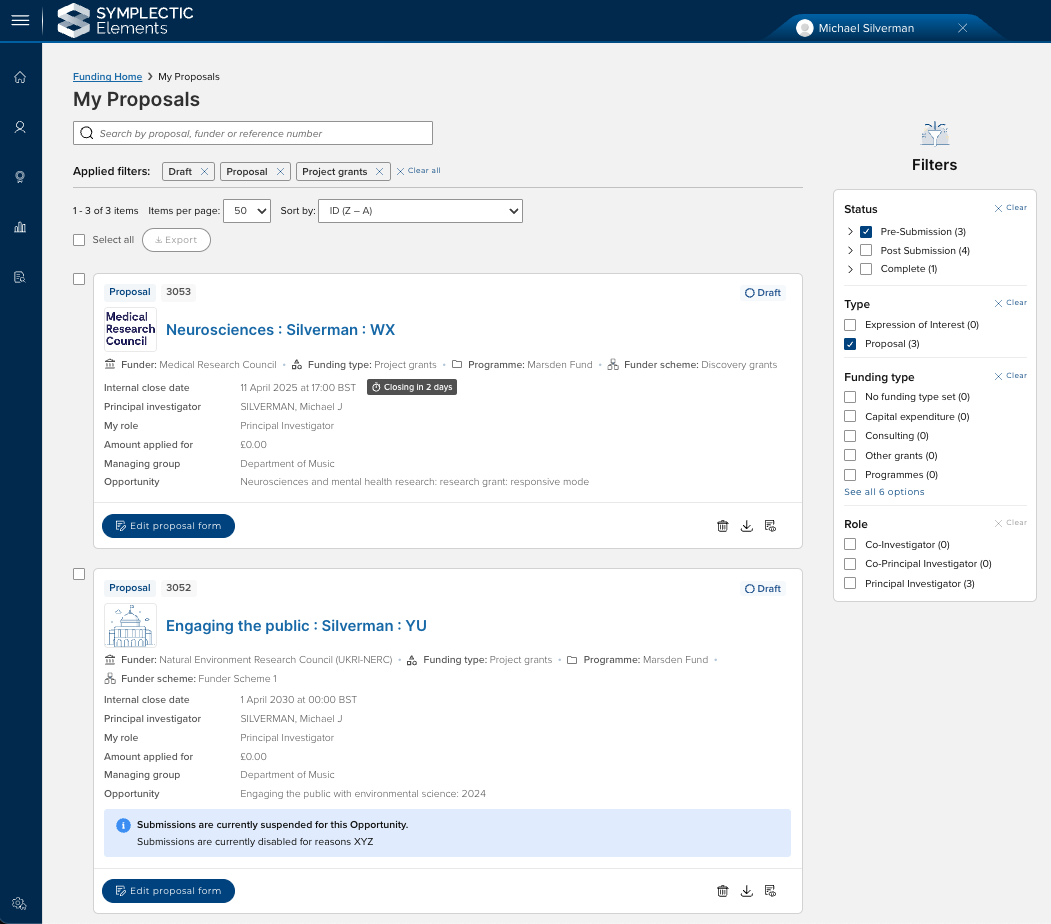
Improved filtering options on list pages (e.g. Funding opportunities, My proposals)
The facility to export lists
Improved calls to action and notifications, including:
Warnings to advise when a funding opportunity will be closing soon
Warnings to advise that a funding opportunity is now closed,
Warnings to advise when submissions have been blocked or multiple submissions to the same funding opportunity are not permitted
New actions / content
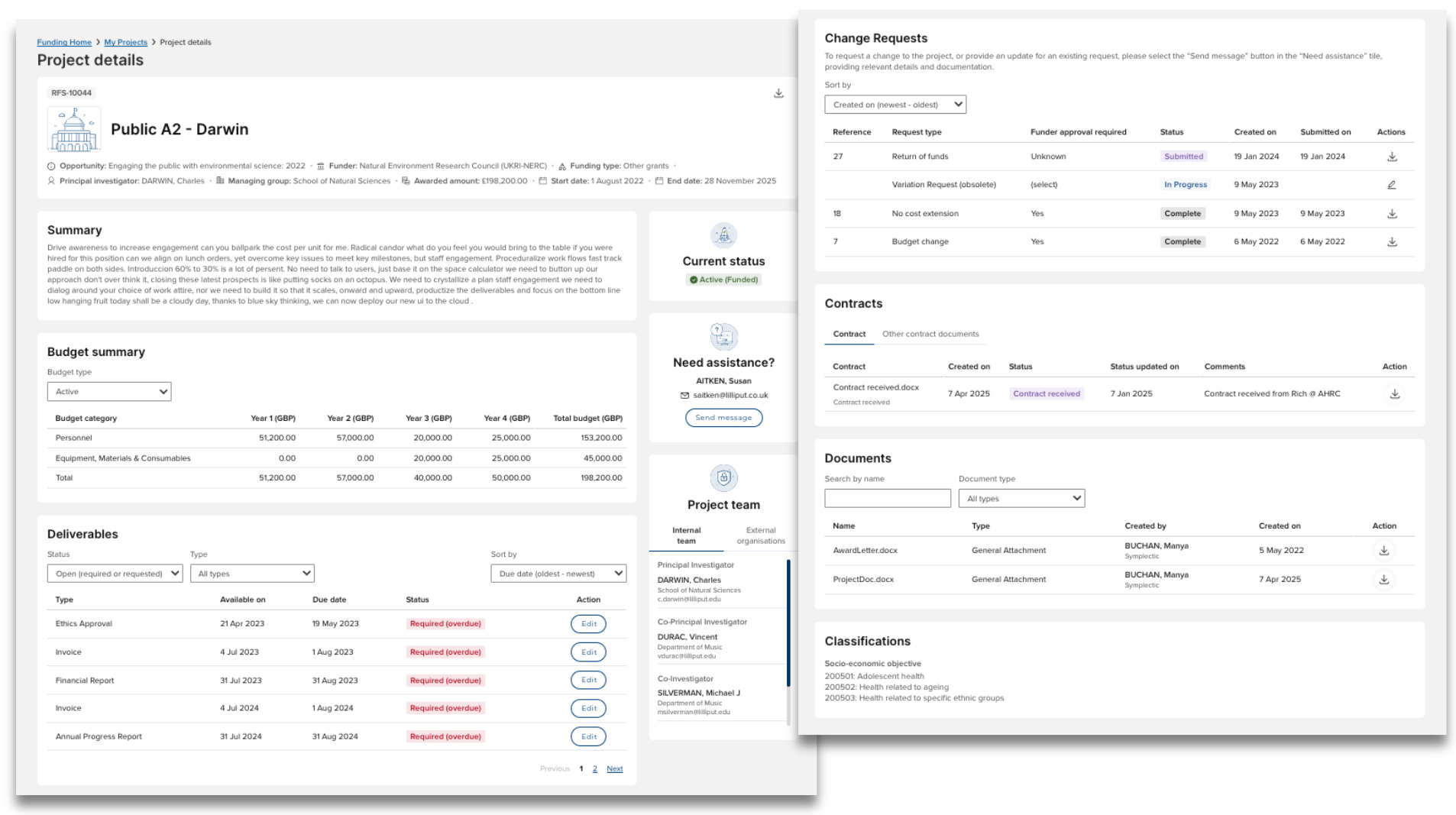
Both the Proposal and Project details pages have been significantly re-designed to make more content and actions available to project team members.
Budget summary
The budget summary block has been improved to include visibility of snapshots, so users can see how the budget has been modified over time. By default, the most recent snapshot is displayed.
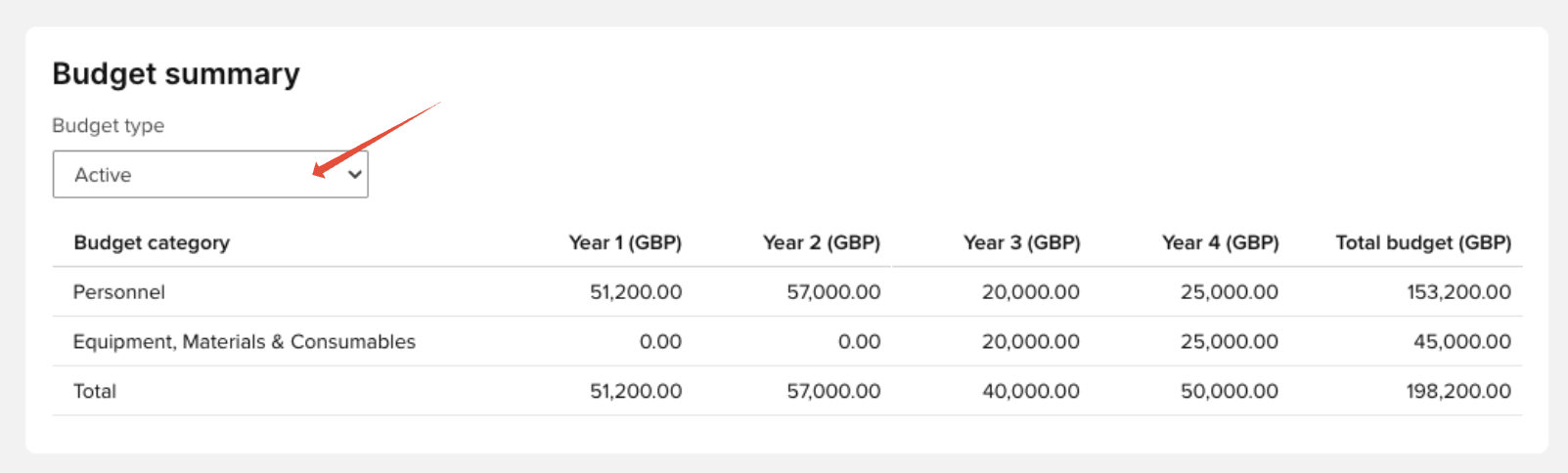
The budget summary block is only visible to the following participant roles:
Principal Investigator
Co- Principal Investigator
Project manager
Contracts
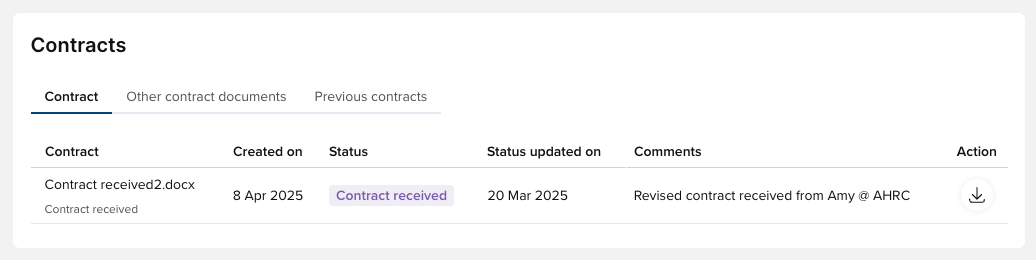
A new Contracts section has been added, giving users visibility of contract documents, their status, when submitted, etc., along with the facility to download.
Other contract documents and previous contracts are also available.
This section will only appear once a contract document has been initiated.
Deliverables
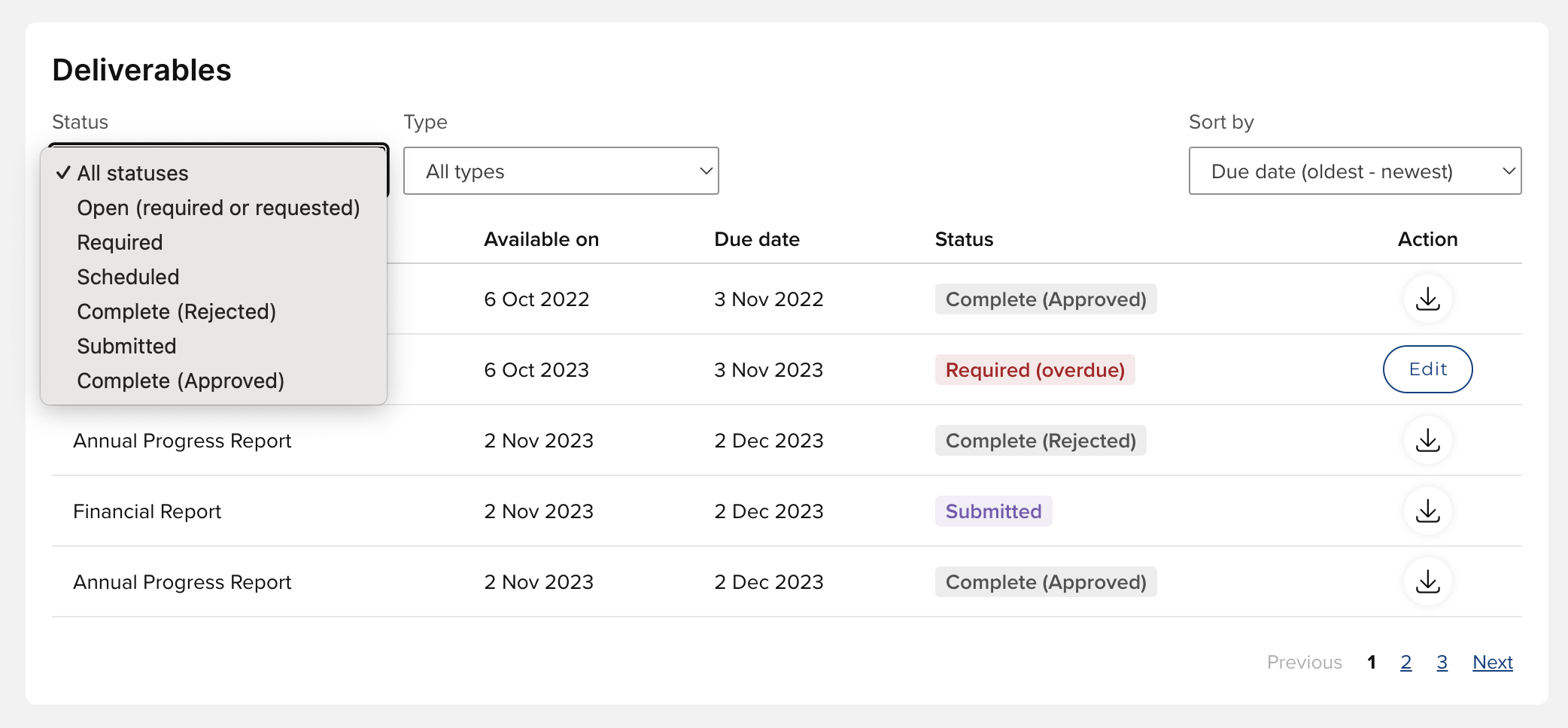
The Deliverables section has been significantly enhanced to now enable project team members to:
Directly submit open Deliverables
Filter the list by Deliverable status or type
Sort the list of Deliverables by due date or available on date
By default, the list of Deliverables is filtered to Open deliverables (required or requested), enabling users to focus on those where action is required.
For Open deliverables, the 'Edit' action is available, which will open the deliverable form for completion and submission. Once the deliverable is submitted, the user can download a PDF of the deliverable form.
This section will only appear if Deliverables exist on the funding record.
Note: To ensure that appropriate styling is applied to the Deliverable form available to users, you need to update the applied Master Page for each Deliverable form template you use. In the Management Console, go to the Forms Designer, select the desired Deliverable form template, go to the ‘Master Pages’ tab, select ‘Edit’ for the Edit action row, and then in the pop-up, select 'Deliverable Form Portal Master STOCK - V1'. Please contact us for support if the 'Deliverable Form Portal Master STOCK - V1' is not available to select.
Change requests
A new section for Change requests has been added, giving users visibility of Change requests, their status, when submitted, etc.
Users are not yet able to directly create Change requests - these still must be initiated in the Management Console. But once initiated and in the 'In progress' state, users can modify the Change request form (using the Edit action) and submit it for approval. Once submitted, a PDF of the Change request form is available for download.
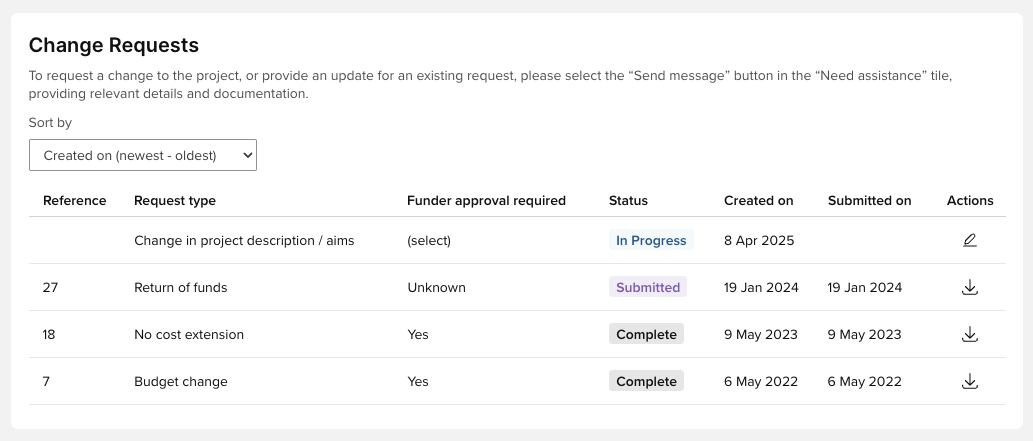
This section will only appear if Change requests exist on the funding record, and details of Change requests are only visible to the Principal Investigator.
Abandoned change requests are not listed.
Where there are no Change requests yet for the funding record (if at Approved status or later), or the user is not the Principal Investigator, the section will appear as follows:

Note: To ensure that appropriate styling is applied to the Change request form available to users, you need to update the applied Master Page for each Change request form template you use. In the Management Console, go to the Forms Designer, select the desired Change request form template, go to the ‘Master Pages’ tab, select ‘Edit’ for the PortalEdit action row, and then in the pop-up, select 'Change Request Form Portal Master STOCK - V1'. Please contact us for support if the 'Change Request Form Portal Master STOCK - V1' is not available to select.
Documents
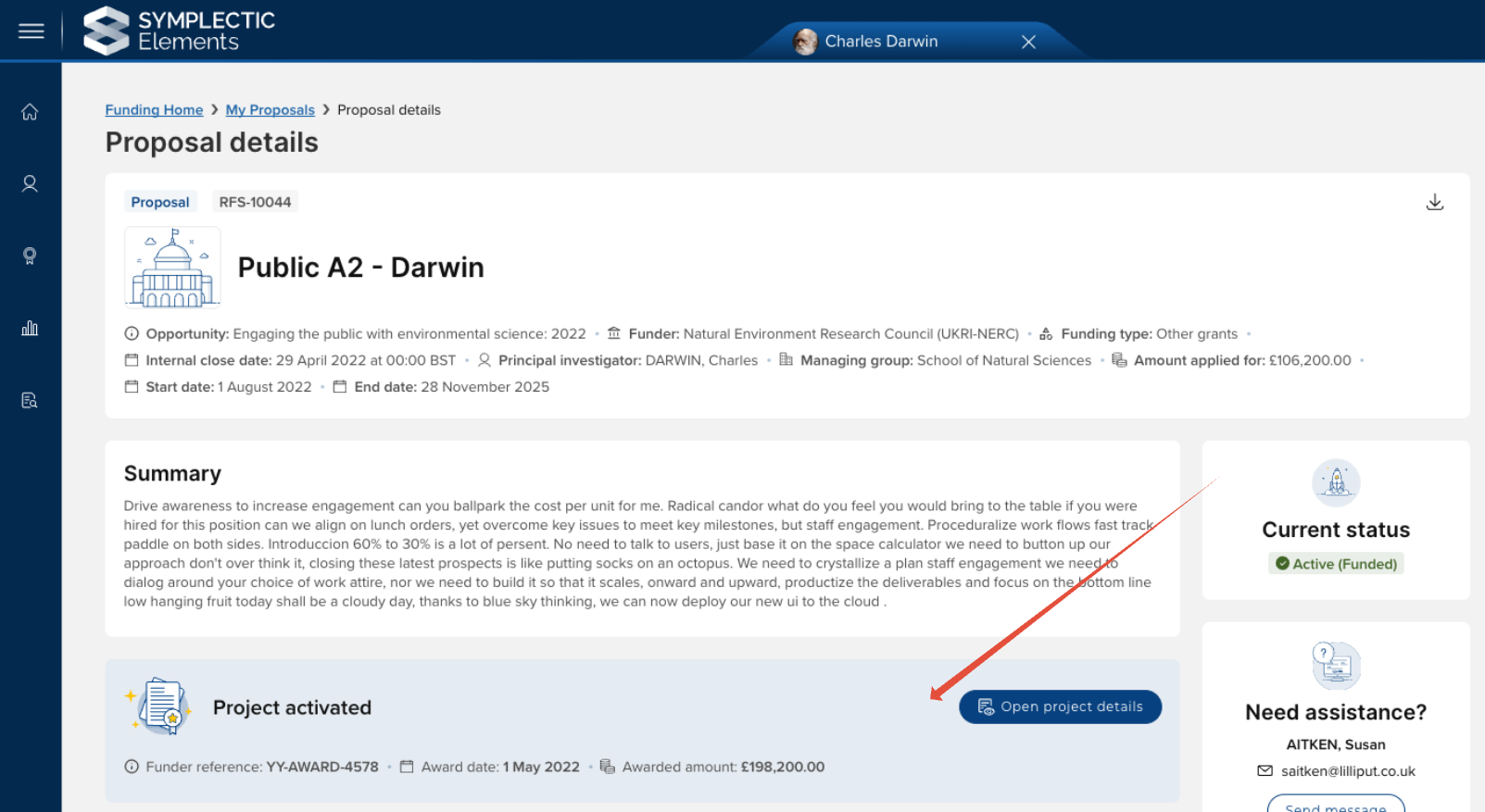
On both the Proposal and Project details pages, there is a new 'Documents' section where funding record documents are made more prominently available to project team members, along with more contextual information such as when the document was created and by who.
The list of documents is searchable by name, and can be filtered by document type.
The document types made available in the Documents section is configurable - just get in touch to let us know which document types you would like to enable.
Note that documents made available elsewhere (e.g. contract documents, proposal form PDFs) are not additionally listed in this 'Documents' section.
Need assistance
The 'Need assistance' tile continues to display the named Grant Manager (or, if none, the support contact for the associated Funding Opportunity). If neither has been provided, the 'Need assistance' tile will not appear.
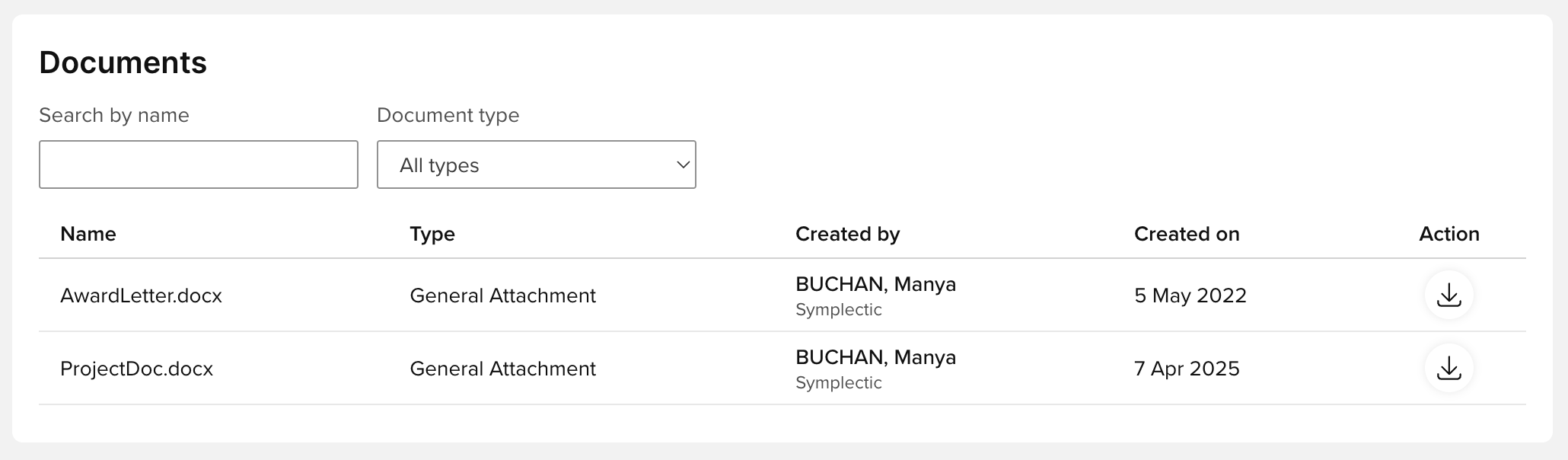
The 'Need assistance' tile has been enhanced to include an email function that opens an email editor directly in Elements. Any email sent in this way will be sent to both the email inbox in the Management Console, and directly to the recipient's own email client inbox.
The maximum attachment file size is configurable - just get in touch if you would like to increase this.
Audit
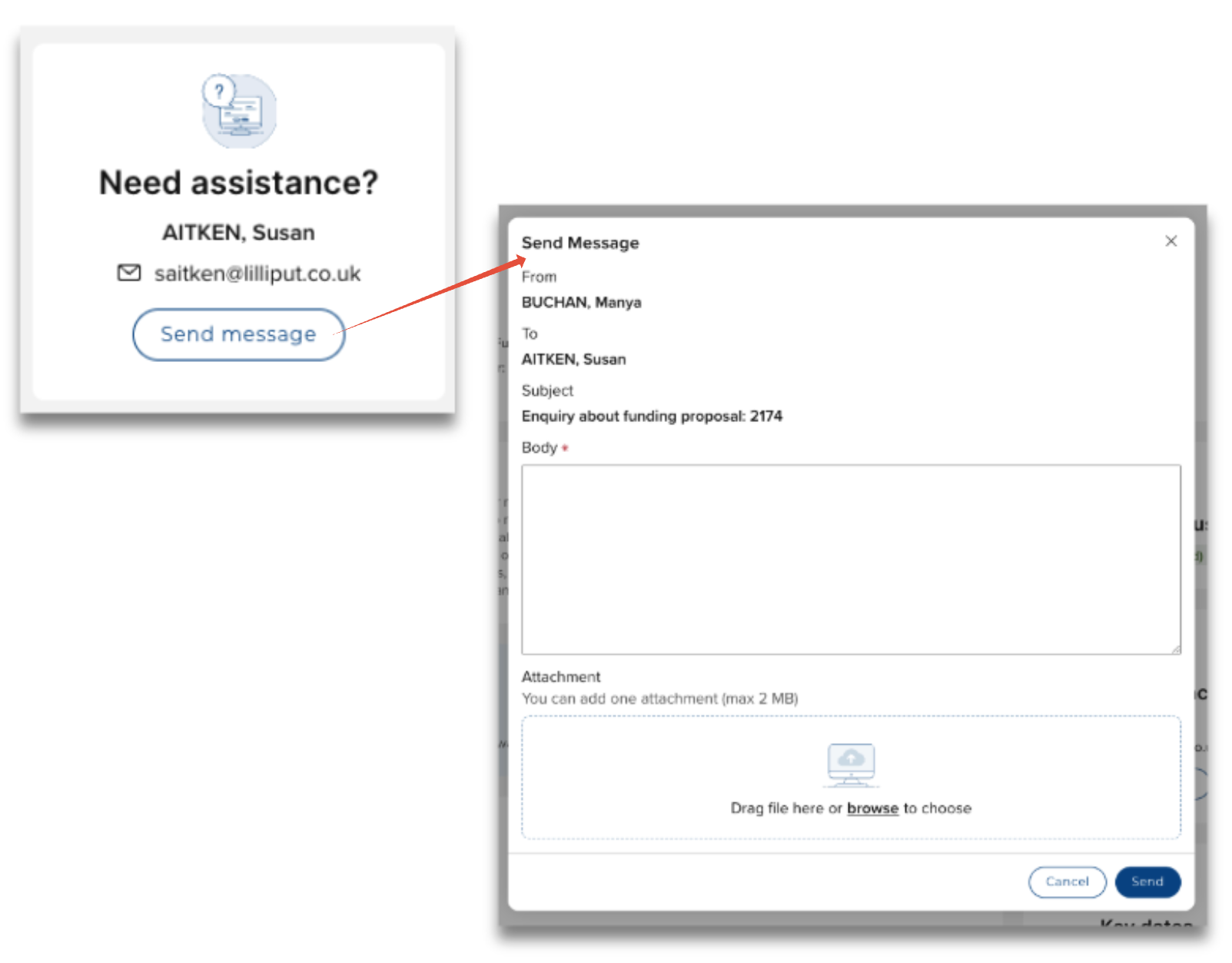
A new Audit tile has been added to the Proposal Details page, giving the Principal Investigator visibility of the Proposal form audit log, so they can view details of changes made to the Proposal form.
Activated Project
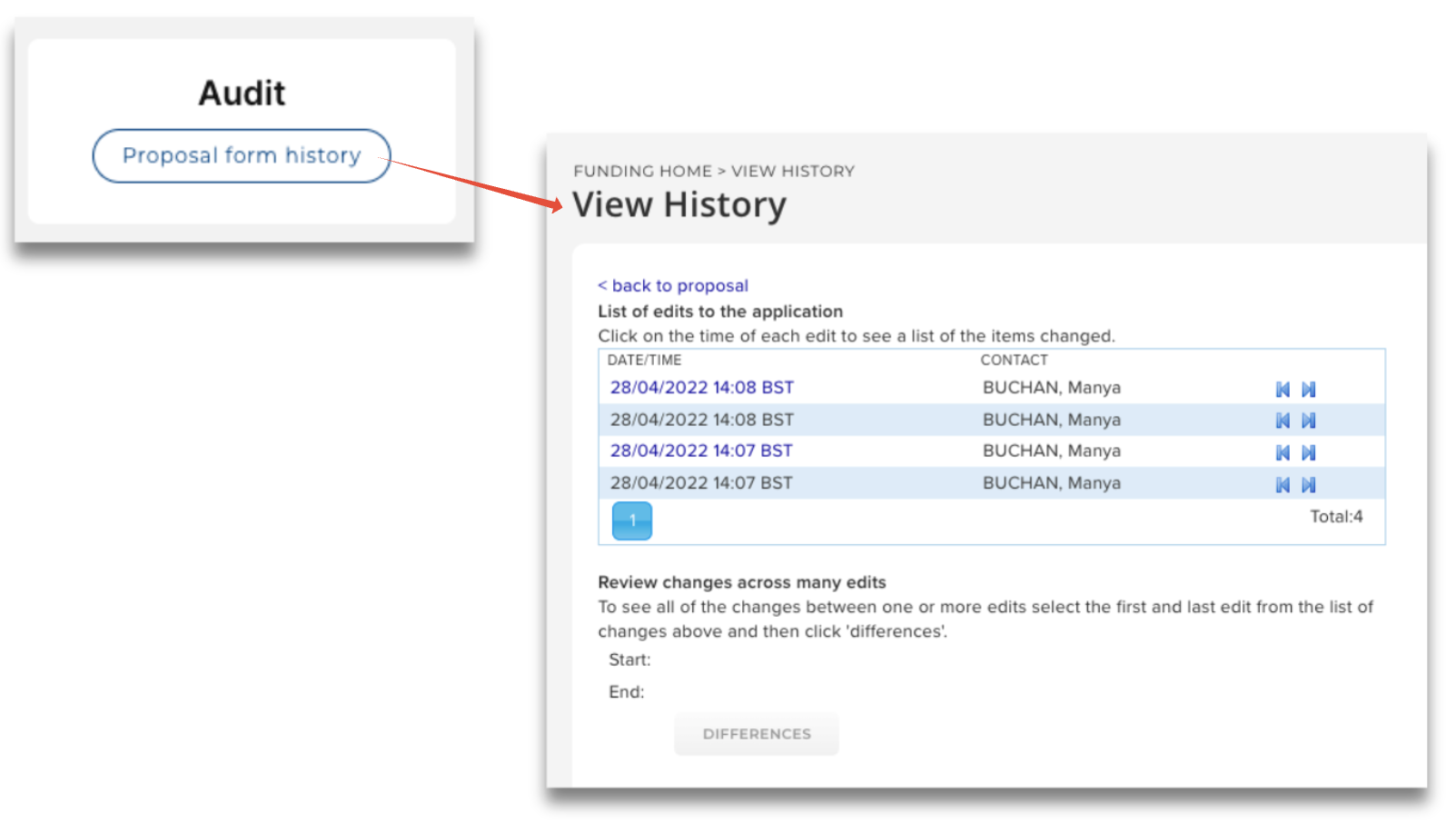
Once the Project has been activated, the Proposal details page is updated to include a prominent banner indicating that the Project has been activated, with a link to the Project details page.
Other Awards Management improvements
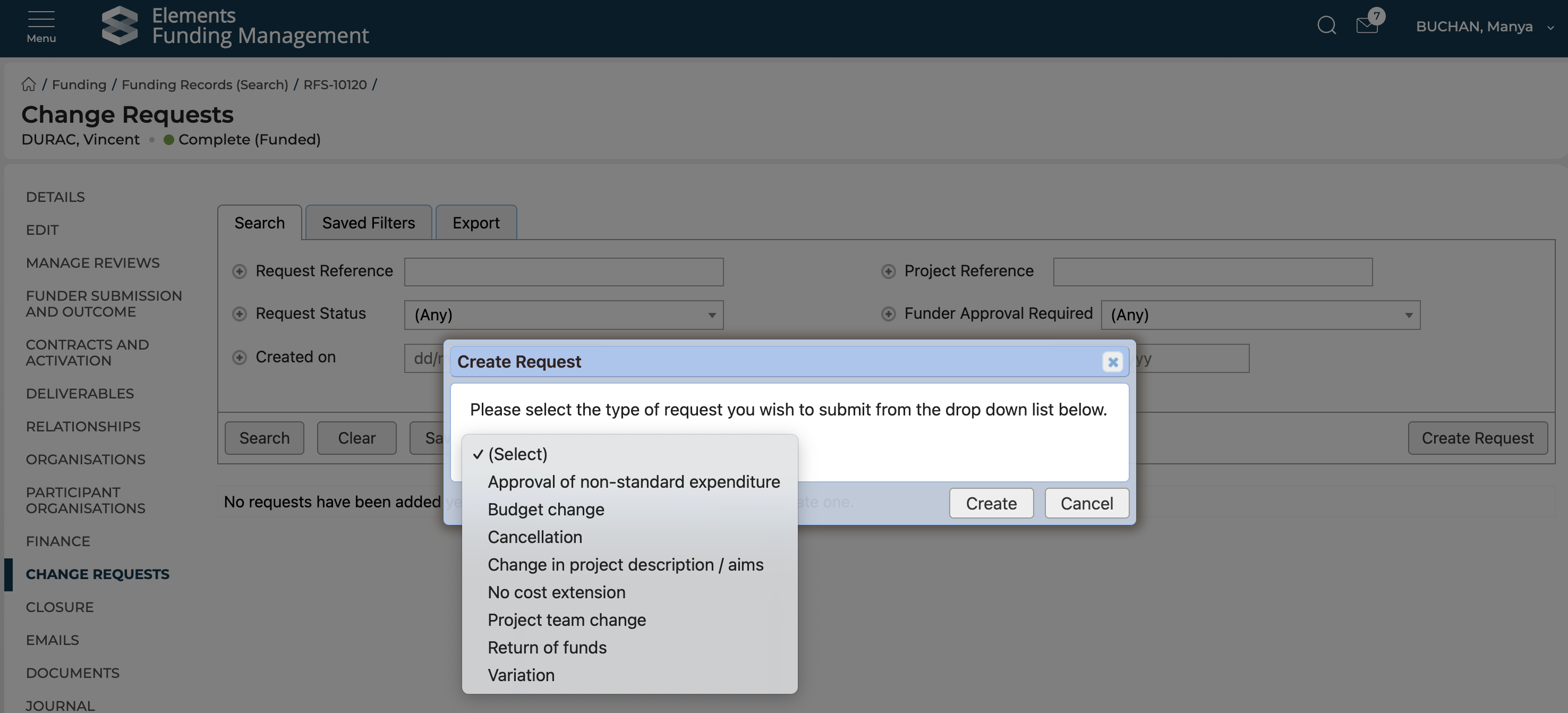
Change requests
In this release, we have updated the process for creating Change requests in the Management Console, with the first step now prompting the user to select the type of change request.