
Symplectic Elements v7.0 - Release Notes
Welcome to Symplectic Elements v7.0!
We're excited to announce the release of Symplectic Elements v7.0, packed with significant enhancements that focus on delivering a more intuitive, consistent, and robust platform, featuring:
An enhanced navigation experience: A completely redesigned menu for improved usability and accessibility.
Repository Tools improvements: Including DSpace 9 support and indefinite embargoes for Figshare for Institutions deposits.
External organisation updates: Such as harvesting CrossRef organisation IDs and an option to disable GRID ID links.
Awards Management enhancements: Offering new capabilities for project team members and configurable reviewer detail visibility.
This release also contains a number of additional smaller features and enhancements.
As always, the new version of Symplectic Elements and associated upgrade instructions can be found in the Symplectic Elements upgrade forum.
Enhanced Navigation Experience
We are pleased to announce a significant update to the Elements navigation menu, designed to streamline user experience and enhance overall platform usability. This release reflects our commitment to providing a highly intuitive and efficient interface for all users.
The new menu introduces:
Streamlined navigation and usability
Cross product consistency and familiarity
Enhanced accessibility conformance
Expanded custom branding
Streamlined navigation and usability
Updated menu position
The navigation menu has been repositioned from the top of the screen to a new, persistent left-hand sidebar, aligning with design best practices. The heading bar, and the navigation items included in it, have been consolidated into the sidebar. This change facilitates quicker access to essential features and content, and helps users more effectively locate the information they need.
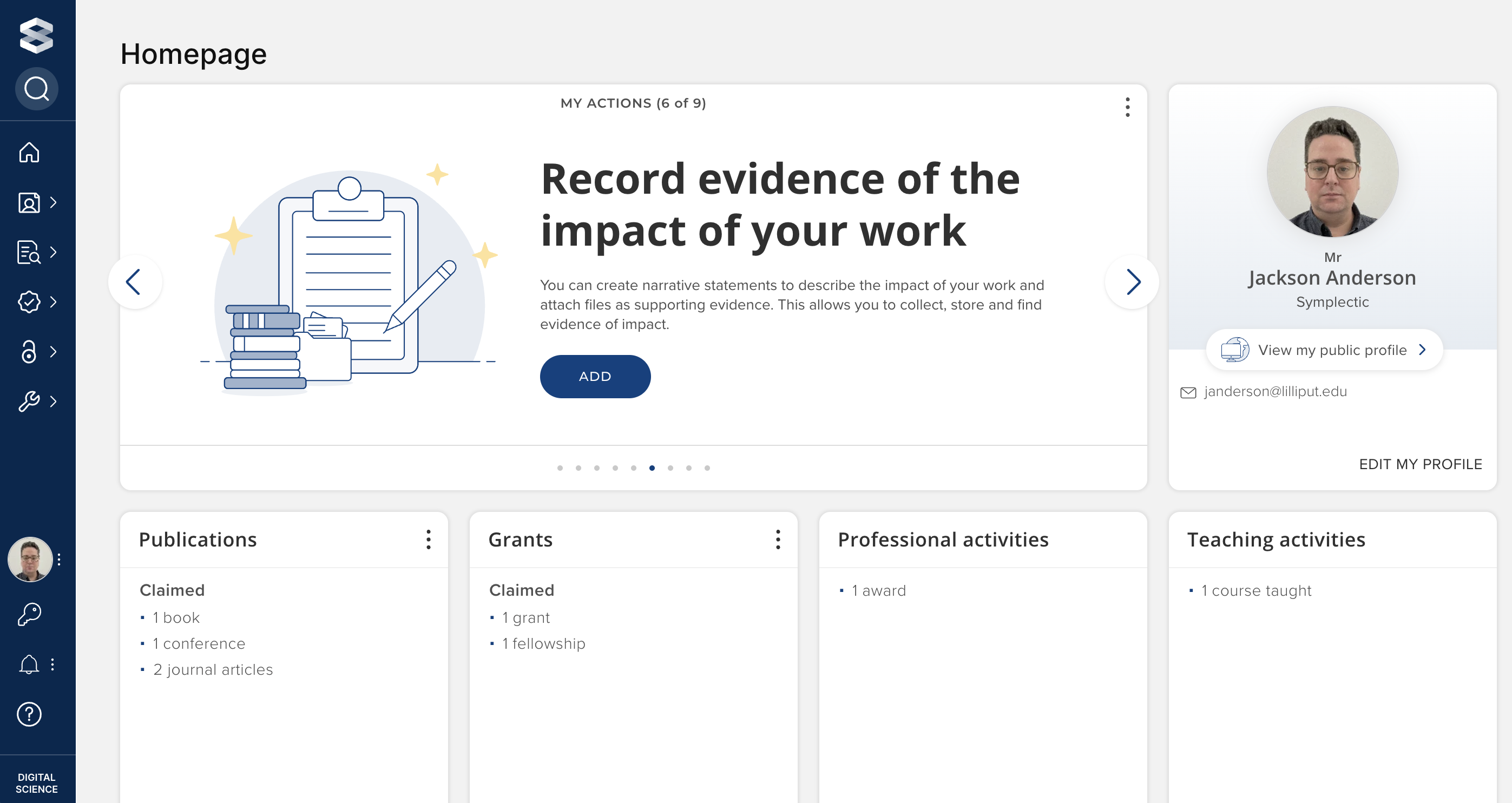
Image: The Elements homepage with new navigation menu
Modernised interaction patterns
The updated navigation introduces improved interaction patterns, providing a more dynamic and intuitive browsing experience.
Hovering over the new left-hand sidebar will expand the first layer of navigation.
Within this expanded menu, you'll find various sections that can be further explored by mousing over them, revealing additional nested layers where applicable.
For sub-sections containing more detailed options, these are now presented as nested menus that are collapsed by default, allowing for cleaner navigation while still providing access to lower levels of detail with a simple click.
Additionally, you can interact with the logo to trigger the menu to open without needing to maintain a hover state.
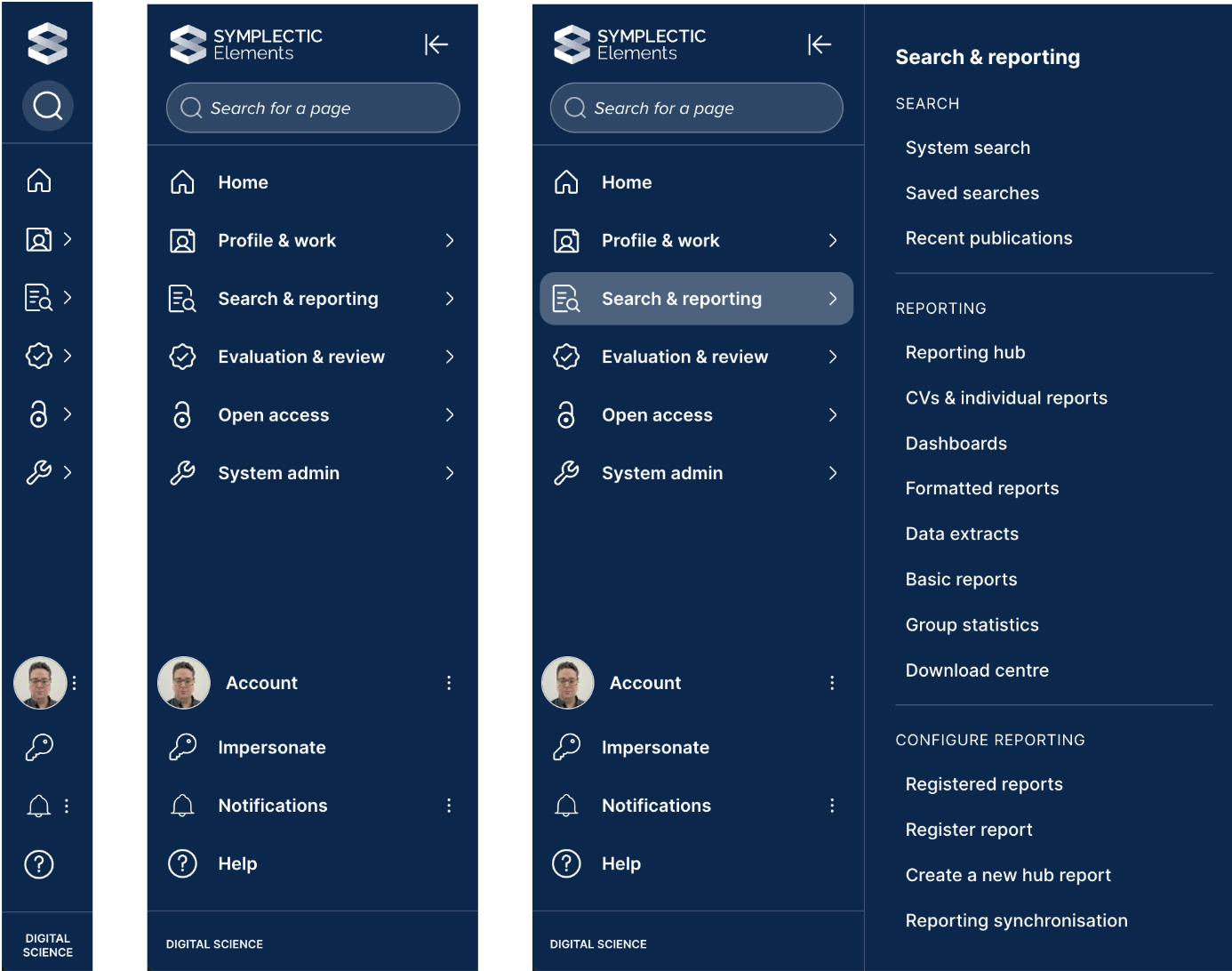
Image: The Elements sidebar open at three different levels
We've also made it more intuitive to find the pages you need. The 'Find a Page' search box now appears prominently at the top of the sidebar, allowing users to jump directly to any page without navigating through sections.
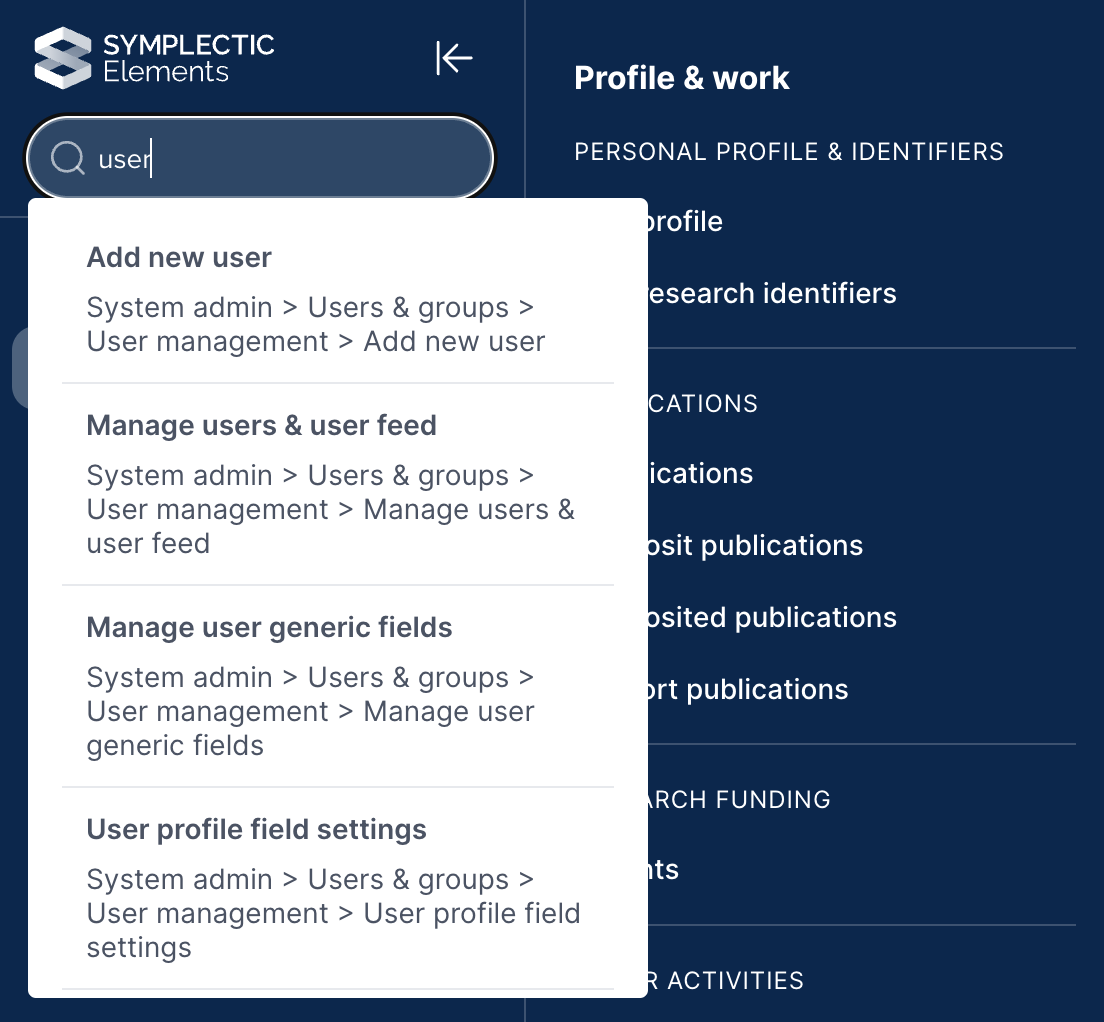
Image: Menu search functionality in action
Optimised information structure
We've taken the opportunity to reorganise and rename some headings for clarity.
For example, the ‘My Research Identifiers’ (automatic claiming) page has been moved from: “My Profile > My Settings > Automatic Claiming” to “Profile & Work > Personal Profile & Identifiers > My Research Identifiers”.
The majority of the heading structures will remain familiar, with adjustments to a few targeted pages that had been identified through user feedback.
Expanded custom branding
The new navigation design enhances the prominence of Symplectic Element’s custom branding capabilities, ensuring a more cohesive and personalised platform appearance that reflects your institutional identity.
Introduction of a smaller logo, always visible, in addition to the larger logo which displays upon menu expansion.
Custom branding colours now apply across all menu states - the persistent collapsed sidebar and fully open menu - with text and active status colours automatically adjusted based on your selected branding colour.
Text, icon, and select state colours are automatically optimised to WCAG compliant contrast ratios to ensure accessibility.
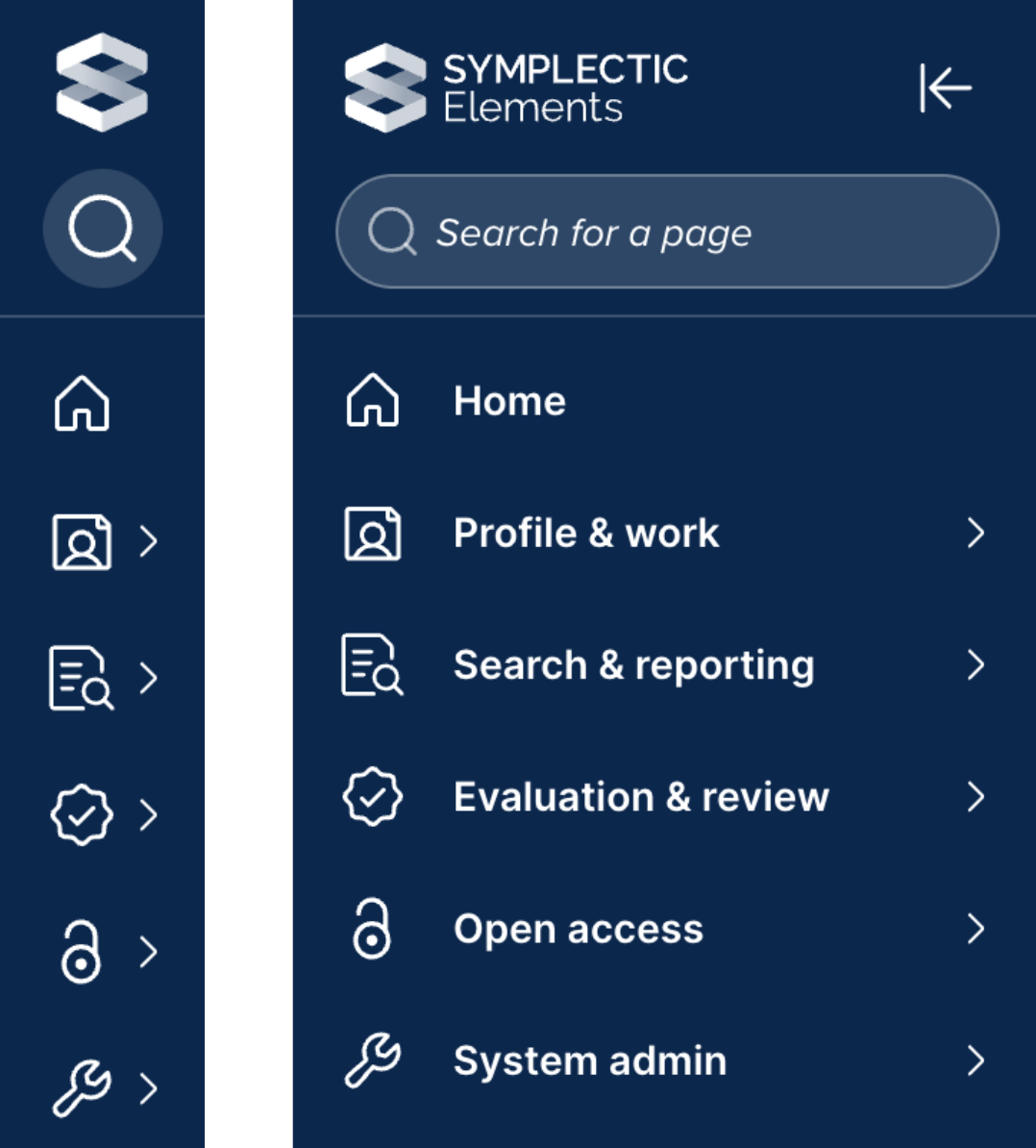
Image: Side by side of the small and large logo placements
Branding preferences can still be managed via System Admin > General Settings > Customise Branding.
For organisations with existing custom branding, your previously selected colours and logos will be automatically applied upon upgrade. However, given the more prominent use of branding within the new sidebar and the introduction of the small logo, we recommend a review to ensure optimal display.
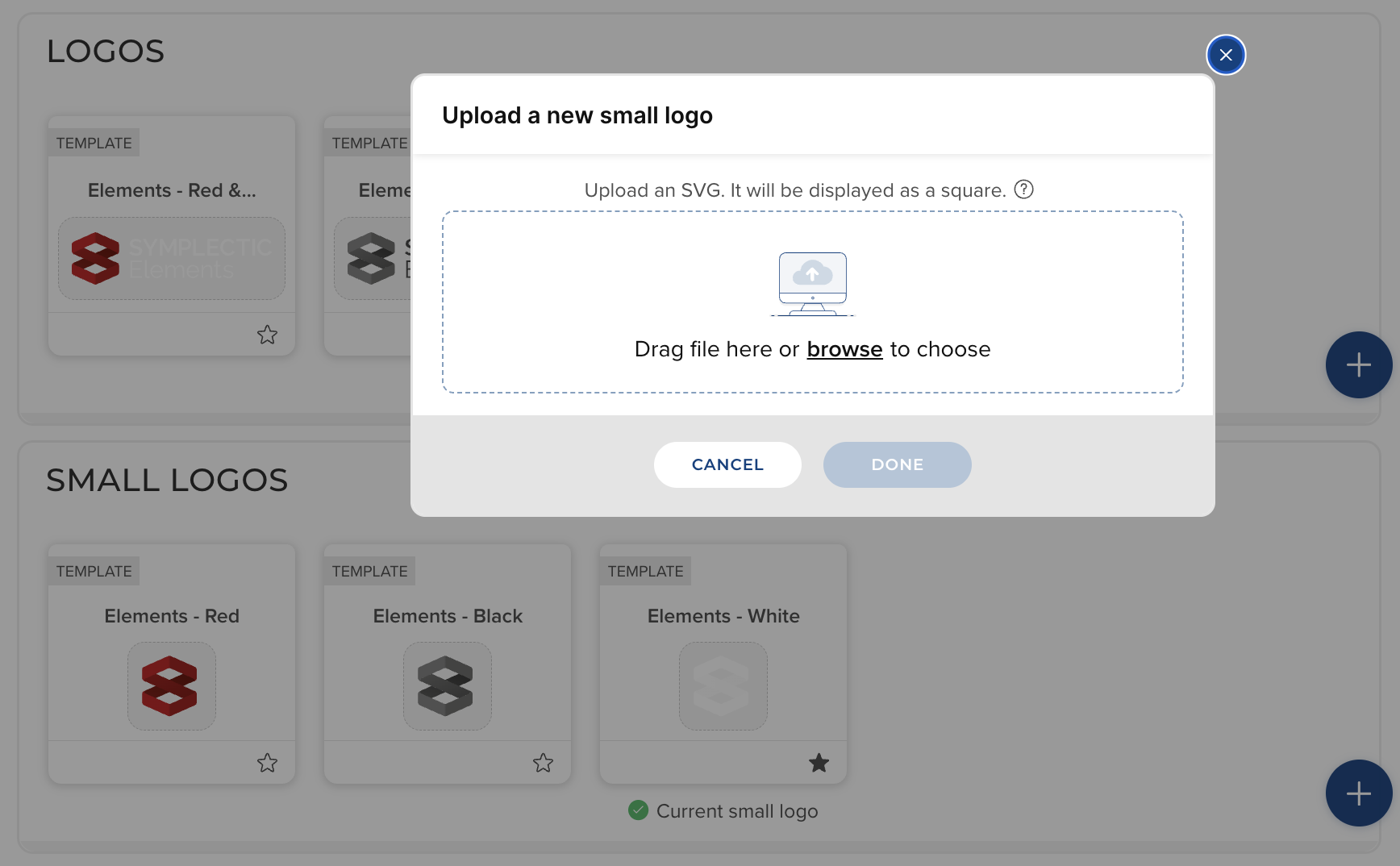
Image: Small logo upload screen
Cross product consistency and familiarity
This update brings Symplectic Elements' navigation into closer alignment with other Digital Science products, fostering a more consistent and familiar user experience across our ecosystem and reducing the learning curve for users engaging with multiple Digital Science offerings.
Enhanced accessibility conformance
Our commitment to inclusivity is reinforced with this update. The new navigation system is WCAG 2.2 AA compliant, ensuring that the platform remains accessible and fully functional for users with diverse needs, including those utilising adaptive tools.
Roll out and adoption
Upon upgrade to v7.0, the new navigation will be automatically applied; no action is required to enable it.
Given that the navigation menu is a significant user interaction point within Elements, we advise undertaking additional planning to communicate these changes to your user community prior to your upgrade.
If you currently have custom branding applied, your existing colour choices and large logo will carry across, however the new smaller logo will default to an Elements logo, which you may wish to replace with your organisation's logo. We recommend that all clients with custom branding review how their branding looks in the new menu before moving to production. For these clients, we recommend:
Uploading a small version of your logo to replace the default small logo, which will be set to a Symplectic Elements logo upon upgrade.
Reviewing your brand colours to ensure you are satisfied with the new appearance.
All custom branding choices can be modified on the existing 'Customise Branding' page, found under 'System Admin > General Settings'.
Repository Tools
Symplectic Elements 7.0 features two significant improvements to the Repository Tools module.
Support for DSpace 9
We have added support for 9.x versions of DSpace.
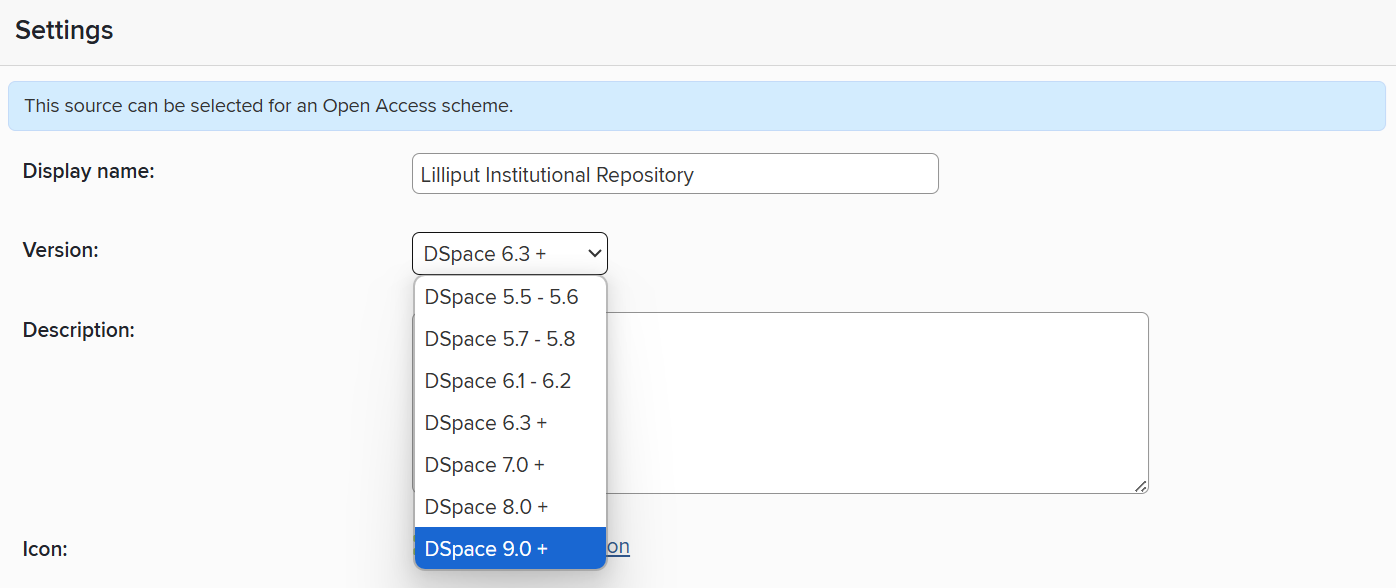
Image: The DSpace 9 configuration option in the DSpace data source settings
If upgrading a connected DSpace instance from 7.x or 8.x to 9.x, the only action needed in Symplectic Elements is to change the version number in the DSpace data source settings.
If upgrading from DSpace 5.x or 6.x directly to 9.x, please read this support article.
Figshare for Institutions: support for indefinite embargos in deposit
When depositing from Symplectic Elements to a connected Figshare for Institutions repository, it is now possible to set an indefinite embargo on the deposited files. An indefinite embargo has no automatic lift date and will remain in effect until it is manually lifted. This may be useful, for example, when the deposited files contain sensitive material which requires review before it is made public, or when the appropriate embargo period is not known at the time of deposit.
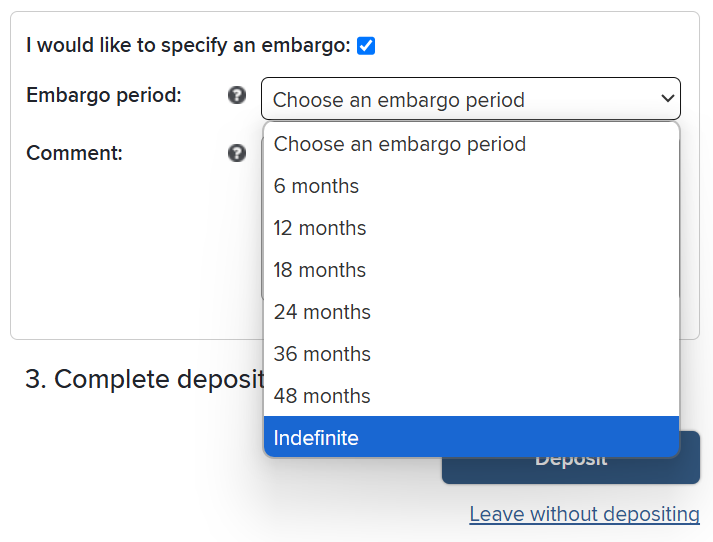
Image: The new ‘Indefinite’ option for embargo period when depositing to Figshare for Institutions
External organisations
Harvest organisation IDs in CrossRef author affiliations
CrossRef has recently added organisation identifiers to author affiliations in publication metadata. These are primarily ROR IDs but also include a number of ISNI and Wikidata identifiers. Symplectic Elements will now harvest these IDs from CrossRef where available.
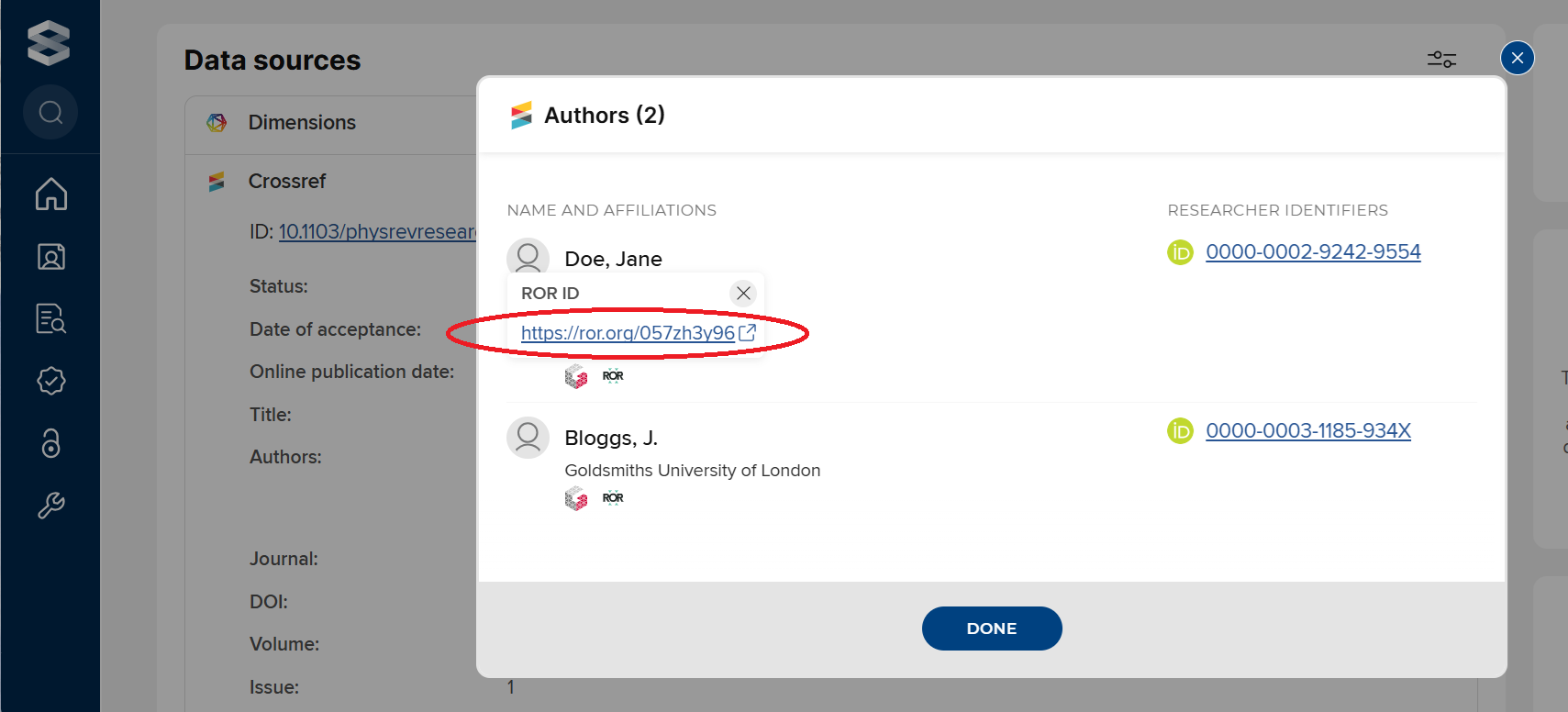
Image: ROR IDs in author affiliation metadata harvested from CrossRef
Option to disable GRID ID links
Following feedback that hyperlinks on GRID IDs are inaccessible to users without a paid Dimensions account, we have added a global option to enable or disable these links in the user interface.
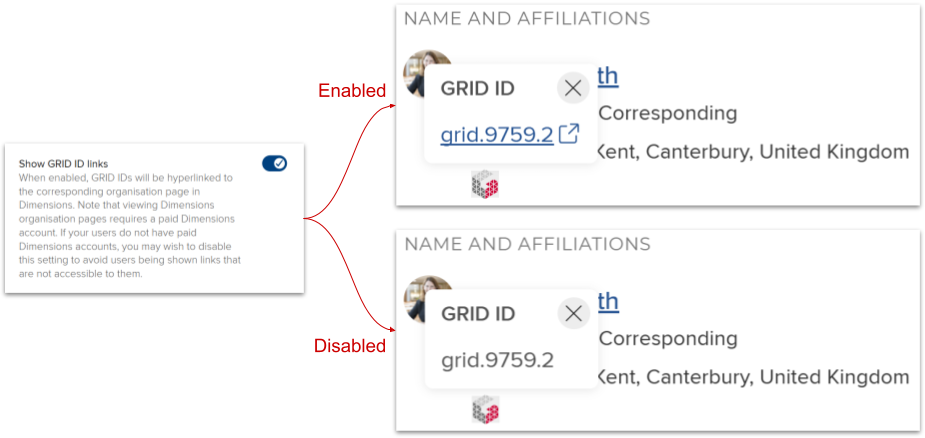
Image: The new ‘Show GRID IDs’ global setting and its effect in the user interface
Awards Management
In this Symplectic Elements for Awards Management release, we are very pleased to introduce further enhancements to the Awards Management experience for researchers (i.e. 'the portal'), including:
The ability for authorised project team members to create and delete Change requests directly.
Configuration options for hiding reviewer details on the Proposal details page.
As with previous releases, full details of the Awards Management functionality released in v7.0 are available in the Awards Management release notes on our support site.
Data availability statement
We've added a new ‘Data availability statement present’ field to the metadata model for publications, enabling users to indicate whether or not their publication includes a data availability statement. By default, the new field is used on publication types, appearing in the expandable 'additional information' section of the manual entry form:
Journal article
Conference
Preprint
Book
Book chapter
As with other Symplectic Elements metadata fields, the display of the field can be reconfigured and usages added for other publication types as needed.

Image: The 'Data availability statement present' field in the manual entry form and displayed in a publication record
At present, this property is not supplied by any external data sources, so it can only be populated by manual entry, an institutional feed, or via the API. We will monitor developments in this space and assess inclusion of this data should it become available from any external sources in the future.
We plan to include this property as an available OA Monitor compliance criterion in a future release.
Web of Science integration update
We are updating our integration with Web of Science (WoS) to ensure continued and robust data retrieval following Clarivate's announcement regarding the retirement of its WoS Lite API in November 2025. This proactive update secures the future of metadata access from the ‘wos-lite’ source within Elements.
Transition to WoS Starter API
With the release of Symplectic Elements v7.0, all metadata for the ‘wos-lite’ source will now be sourced from the Web of Science Starter API. This transition ensures uninterrupted access to critical bibliographic data, including authors, titles, publication years, and citation counts.
The updated integration will maintain all of the same functionality that the Lite API version provided. No impact to feature availability is expected.
API key requirements
This new integration necessitates the use of a WoS Starter API key. Most clients currently running updated versions of Symplectic Elements v6.13 or newer (and all clients on v6.16 or newer) should already have a compatible API key configured, as this was previously utilised for citation count data retrieval. For new implementations or if you require a new key, these must be acquired directly from Web of Science, as keys for the deprecated Lite API are no longer being issued.
Forward compatibility and future-proofing
This update in Symplectic Elements v7.0 is an early measure to support the expected sunsetting of the WoS Lite API by Clarivate. While Web of Science is planning additional API updates in the coming months, which we will integrate to expand support to earlier versions of Elements, this initial transition ensures that your system remains compliant. It is important to note that once WoS fully retires their Lite API (expected after November 2025), the ‘wos-lite’ source will cease to update unless your Symplectic Elements system is running a version that supports this new integration.
For any questions regarding your API key or this integration update, please contact our support team.
Other improvements and fixes
We have made improvements to the Synchroniser: SHERPA/RoMEO scheduled job to improve stability and reduce unnecessary updates.
The [HERDC Return].[DHET Journal Source ID] column in the reporting database now correctly reflects the DHET Journal Source configured for Annual Collections.
We have increased the character limit of the username field (to 320 characters), better supporting clients who use email addresses as usernames.
We have resolved an issue to ensure that users with an emoji in their last name can be impersonated.
End of support
As always, we recommend you regularly review our End of Support Announcements for information about upcoming end of support in Symplectic Elements for various technologies. We would like to draw your attention to the upcoming end-of-support dates for versions of Symplectic Elements:
Version | Release date | End of support date |
6.23 | 24 April 2025 | 24 April 2027 |
6.22 | 28 February 2025 | 28 February 2027 |
6.21 | 28 November 2024 | 28 November 2026 |
6.20 | 19 September 2024 | 19 September 2026 |
6.19 | 27 June 2024 | 27 June 2026 |
6.18 | 25 April 2024 | 25 April 2026 |
6.17 | 29 February 2024 | 28 February 2026 |
6.16 | 7 December 2023 | 7 December 2025 |
6.15 | 12 October 2023 | 12 October 2025 |
6.14 | 6 July 2023 | 6 July 2025 |
If you need assistance planning to upgrade, please contact our team via the Support Site.
We’re here to help!
We hope you enjoy getting to know the latest version of Symplectic Elements. Should you have any questions, we’re here to help! Just contact us at support@symplectic.co.uk for assistance.
Best wishes,
The Symplectic Team