
Awards Management 7.0 release notes
In this Elements Awards Management release, we are very pleased to introduce further enhancements to the researcher Awards Management experience (i.e. 'the portal'), including:
The ability for authorised project team members to create and delete Change requests directly.
Configuration options for hiding reviewer details on the Proposal details page.
Additionally, the update to the Elements navigation menu streamlines access to research funding pages.
Change requests
Change requests can now be created by authorised project team members via the Proposal Details (once the proposal reaches the 'Approved' state) or Project Details page in the portal. This function is available to the following participant roles by default (if you would like to make adjustments to which participant roles can access Change requests, just get in touch):
Principal investigator
co-Principal investigator
Project manager
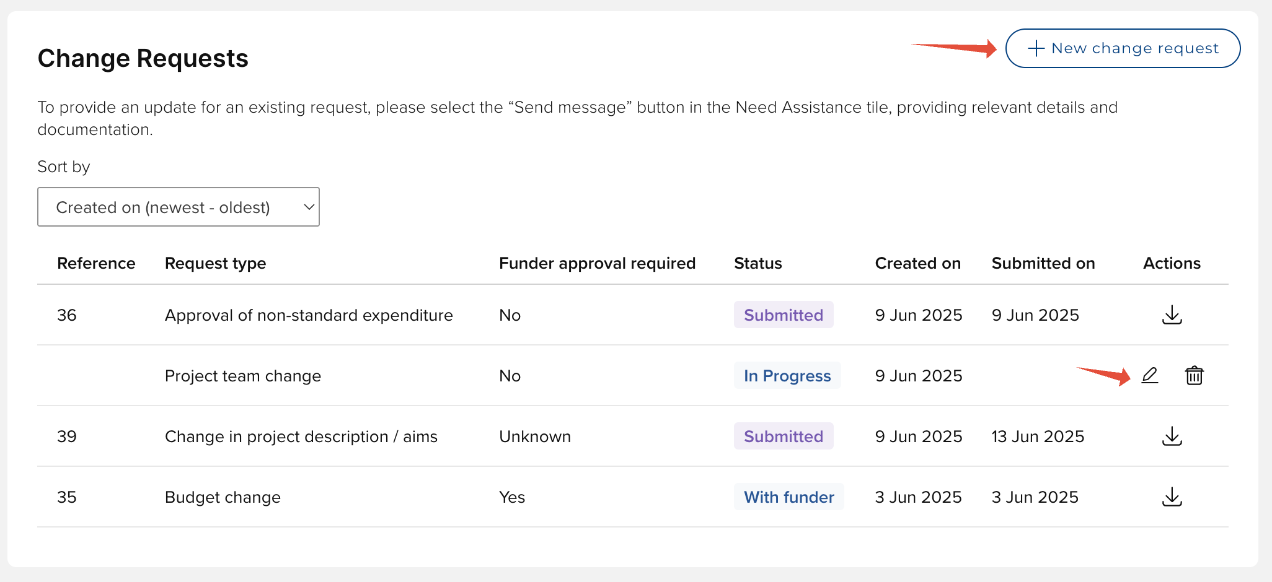
Authorised project team members can also delete any Change request that has not yet been submitted.
In this release, we have also rationalised the visibility of the Change request section on the Proposal and Project Details pages so that it is now only visible to the participant roles listed above.
Further details on creating Change requests via the portal are available in this support article.
Hiding reviewer details
In this release we are introducing the facility to hide reviewer / approver details from project team members on the Proposal details page.
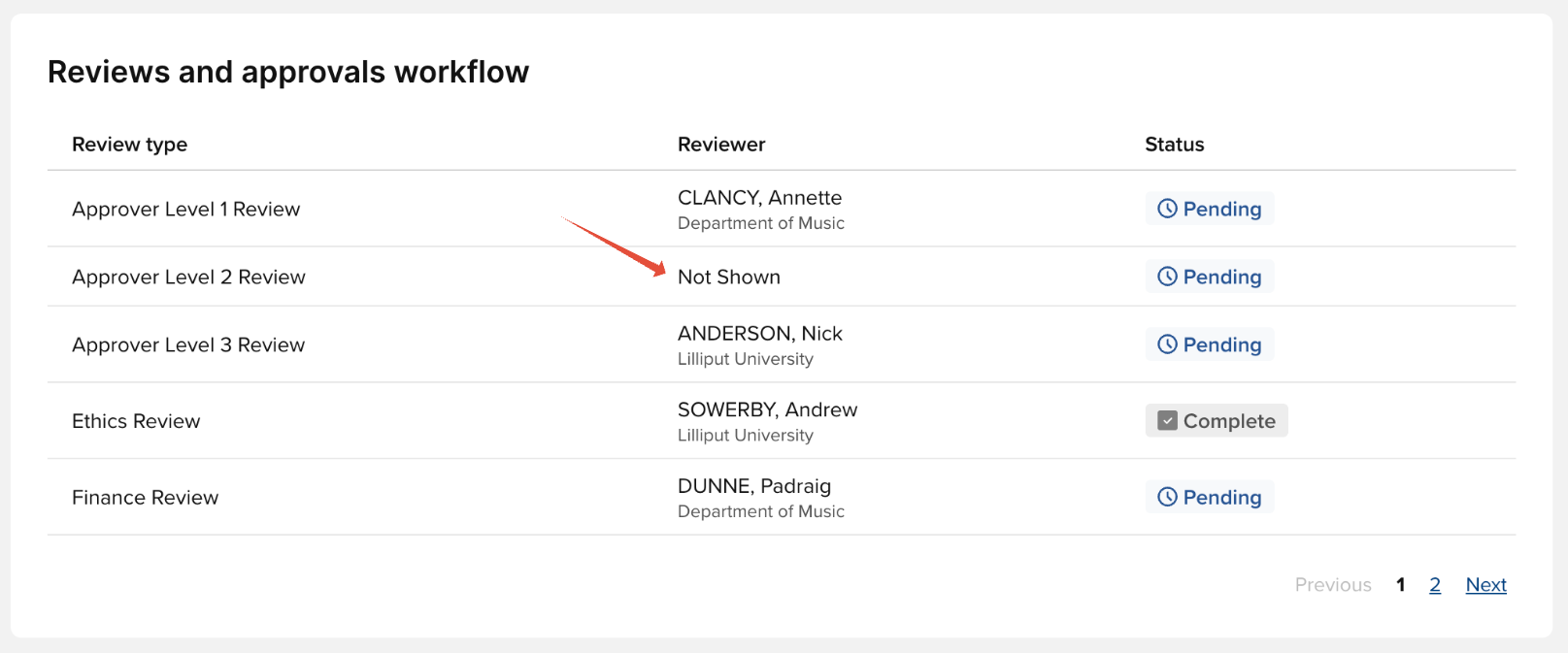
By default, all review types are set to be visible (if you would like to change this default behaviour, just get in touch and we can make that adjustment). But for each individual Funding Opportunity, you can configure the visibility settings of each review type as desired. When adding a review type to a Funding Opportunity, you now have an option to set whether to 'Show Reviewer Details in Portal'.
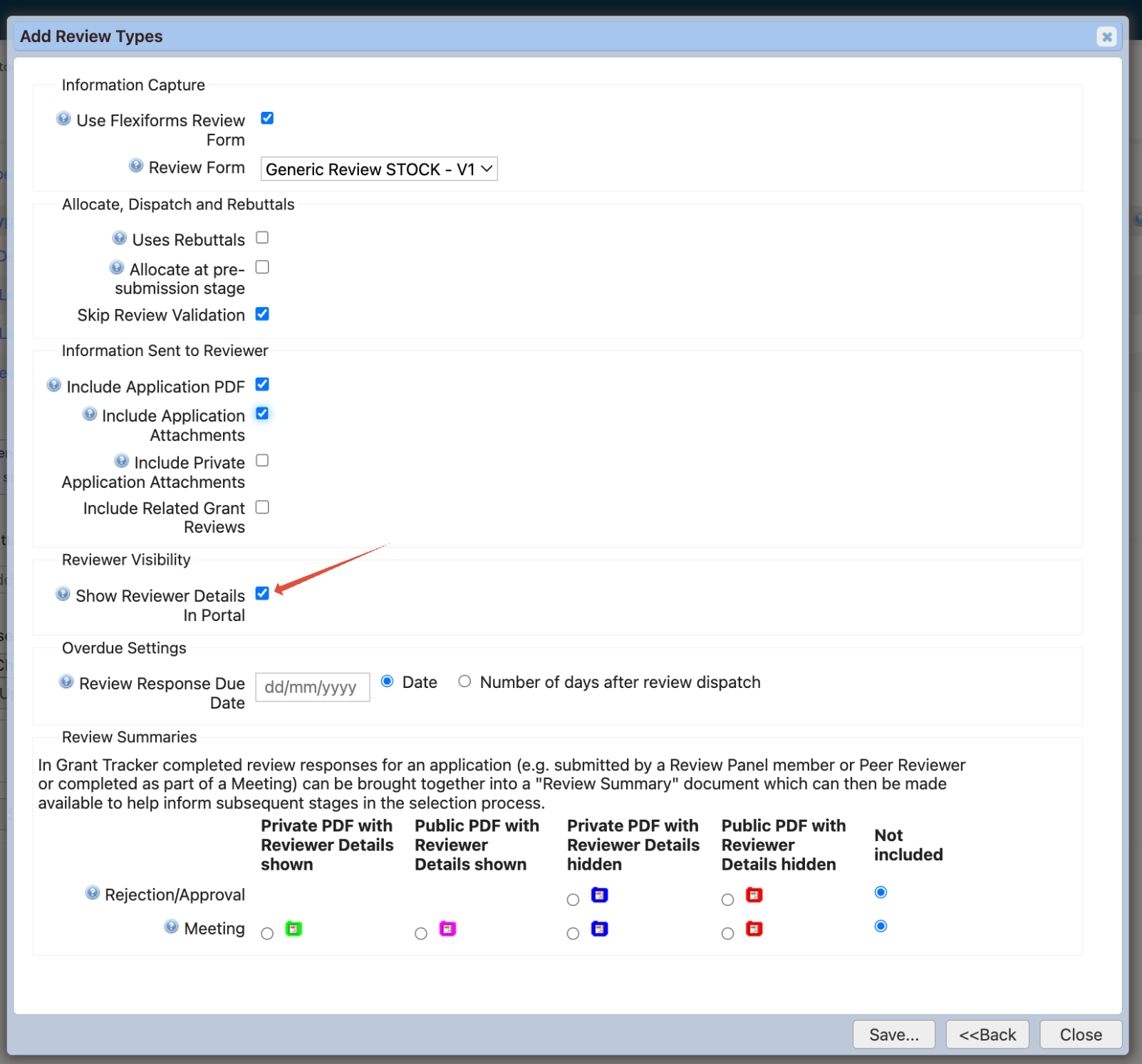
Further details on configuring review types on Funding Opportunities are available in this support article.
Additional portal improvements
New 'Opportunity status' filter
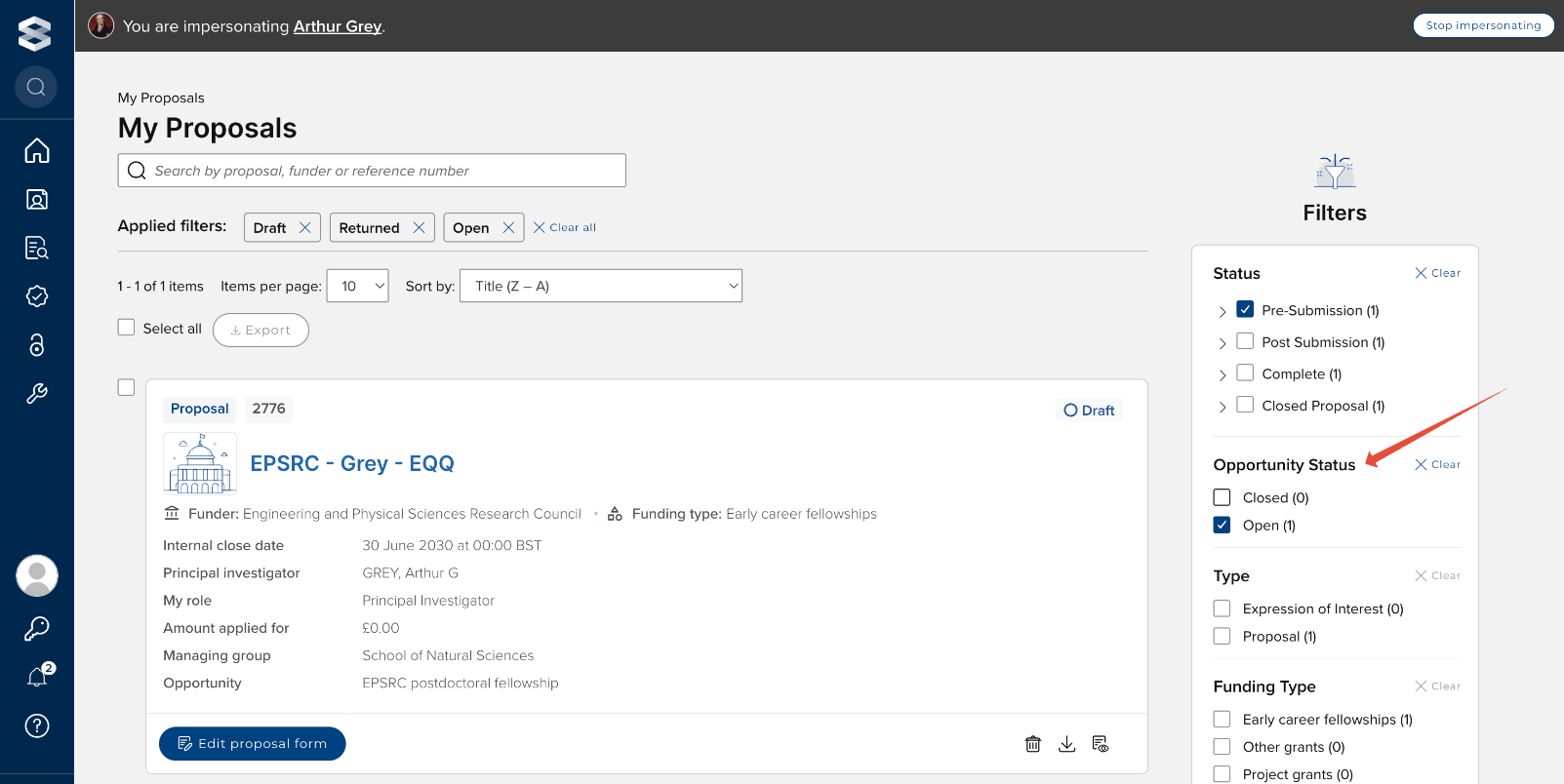
On the 'My Proposals' list page, we have introduced a new 'Opportunity status' filter than enables the user to filter their Proposals based on the status of the associated Funding Opportunity, enabling them to easily locate Draft or Returned proposals that can no longer be submitted, and/or proposals that should be deleted.
Open
Returns Proposals where the proposal form is editable (i.e. the Funding Opportunity's status is 'Applications open' or 'Applications closed' with an extended deadline that is in the future)
Closed
Returns Proposals where the proposal form is NOT editable (i.e. the Funding Opportunity's status is 'Applications closed' and there is no extension or the extended deadline is in the past)
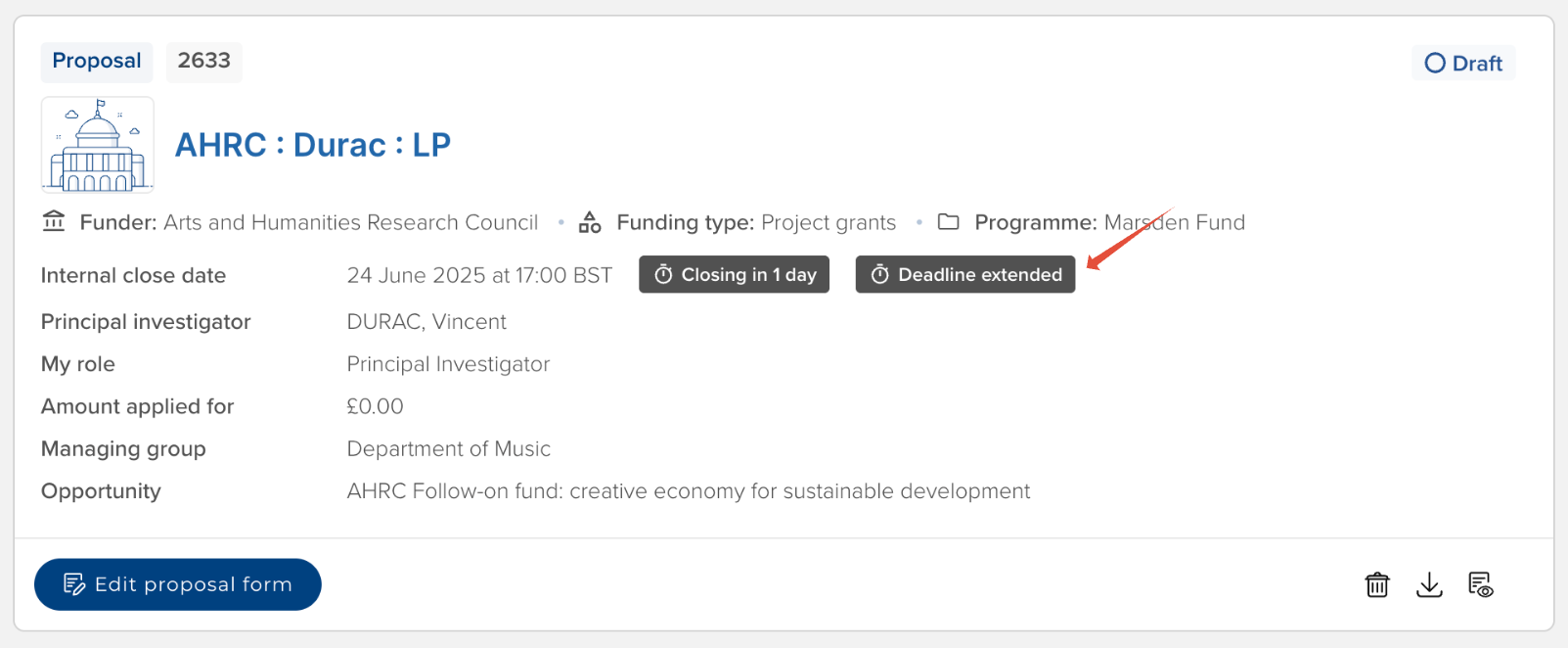
New 'Deadline extended' badge
On the 'My Proposals' list page and on the Proposal Details page, we have introduced a new 'Deadline extended' badge where the Funding Opportunity's status is 'Applications closed' but the deadline has been extended for that particular Proposal.
Enhanced navigation experience
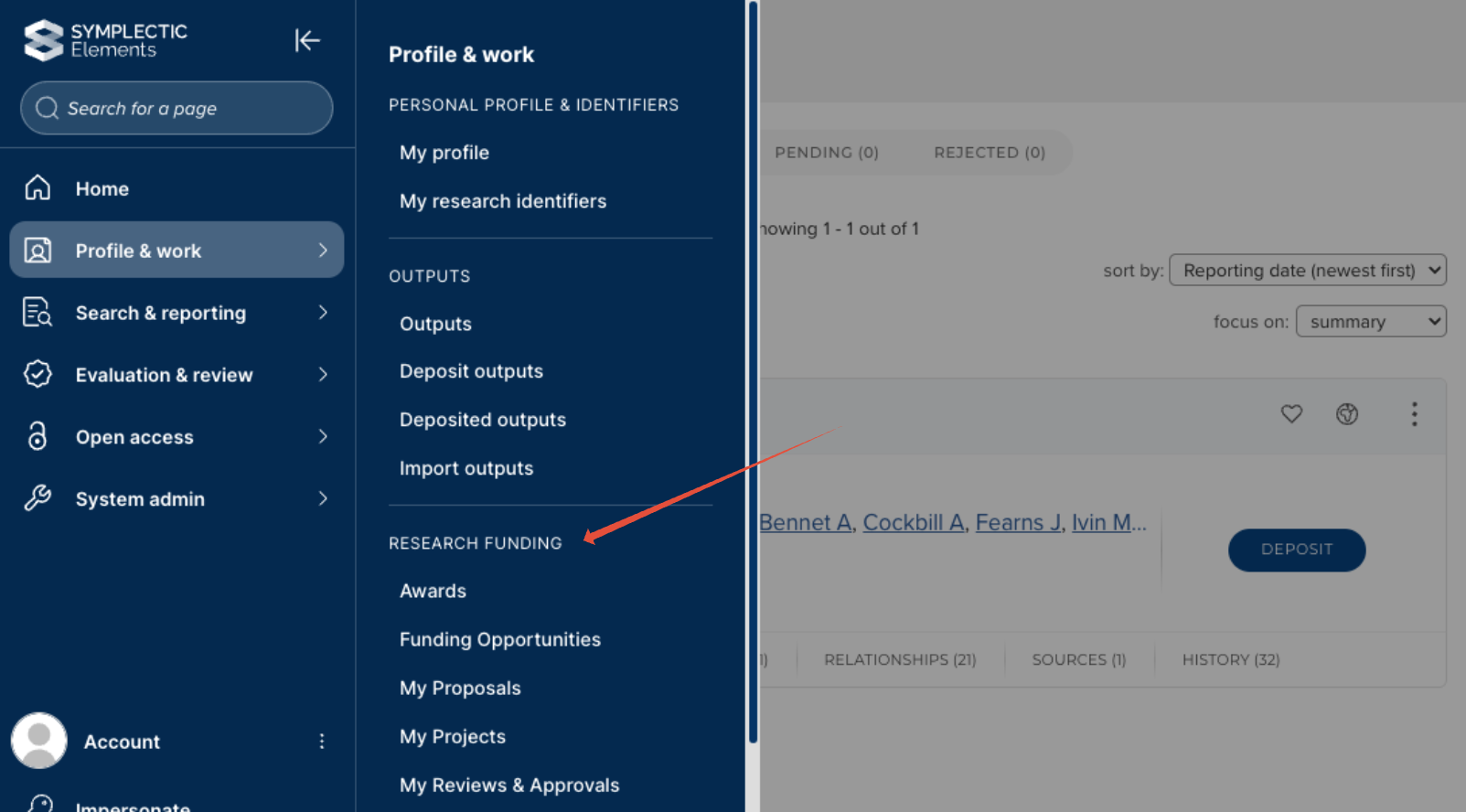
Awards management menu items are now available under Profile & work > Research funding.
We have removed the old 'Funding homepage' page.
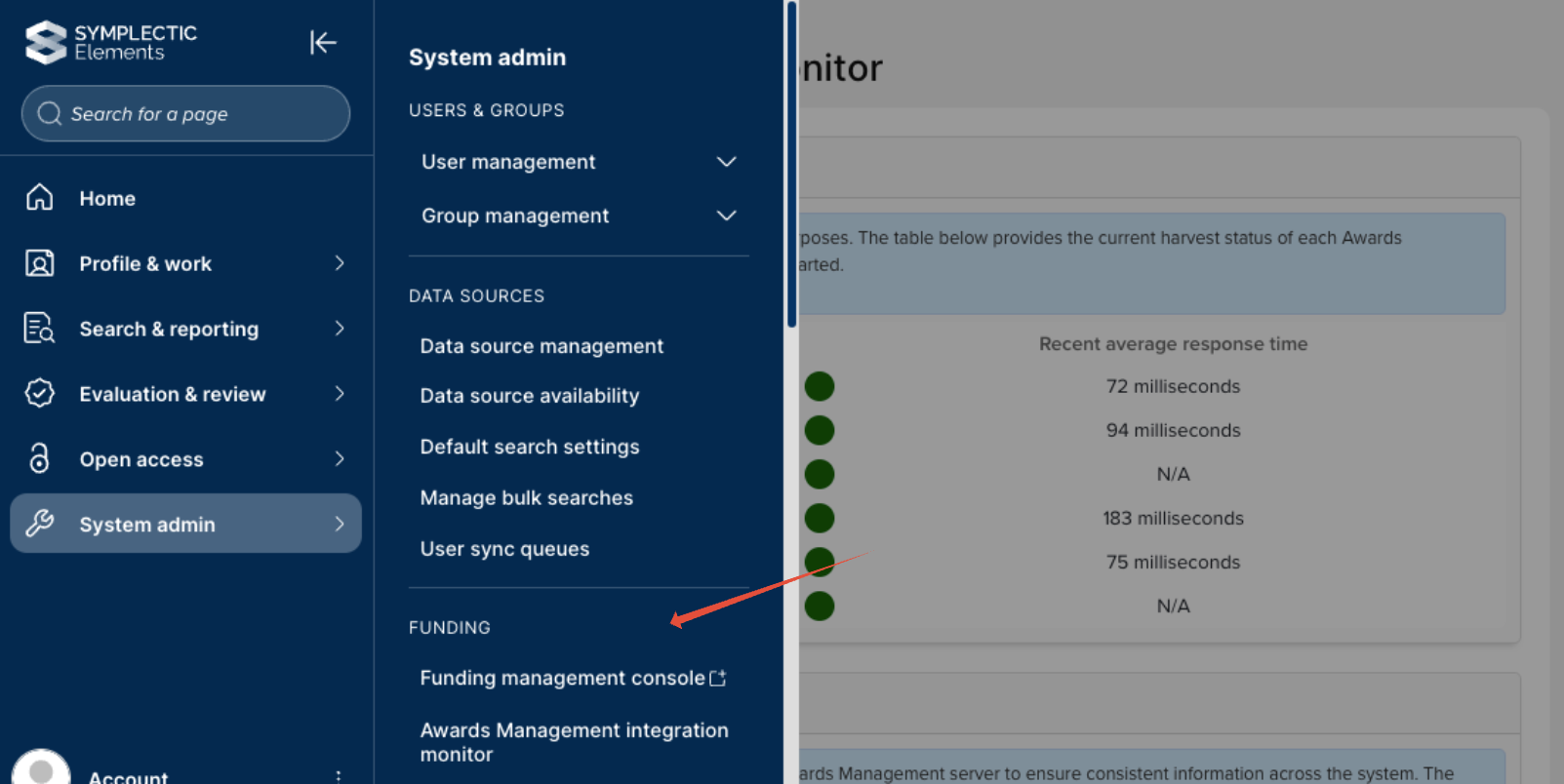
For administrators, the Funding management console and the Awards Management integration monitor are now available in the 'System admin' menu, under the 'Funding' header.
Other improvements & bug fixes
We have resolved an issue where the font on Eligibility forms did not match the font used elsewhere in Awards Management.
We have resolved an issue where it was not possible to reduce the Project budget upon re-opening a previously closed Project.