
Review items in an Item evaluation exercise
The 'My assigned reviews' page (Evaluation & review > [ITEM EVALUATION] > My assigned reviews) lists all non-Draft exercises where a user has reviews that have been dispatched to them.
Note - if the Item evaluation exercise has just been created / made active, you may need to log out and log back in to Elements for the menu item to appear.
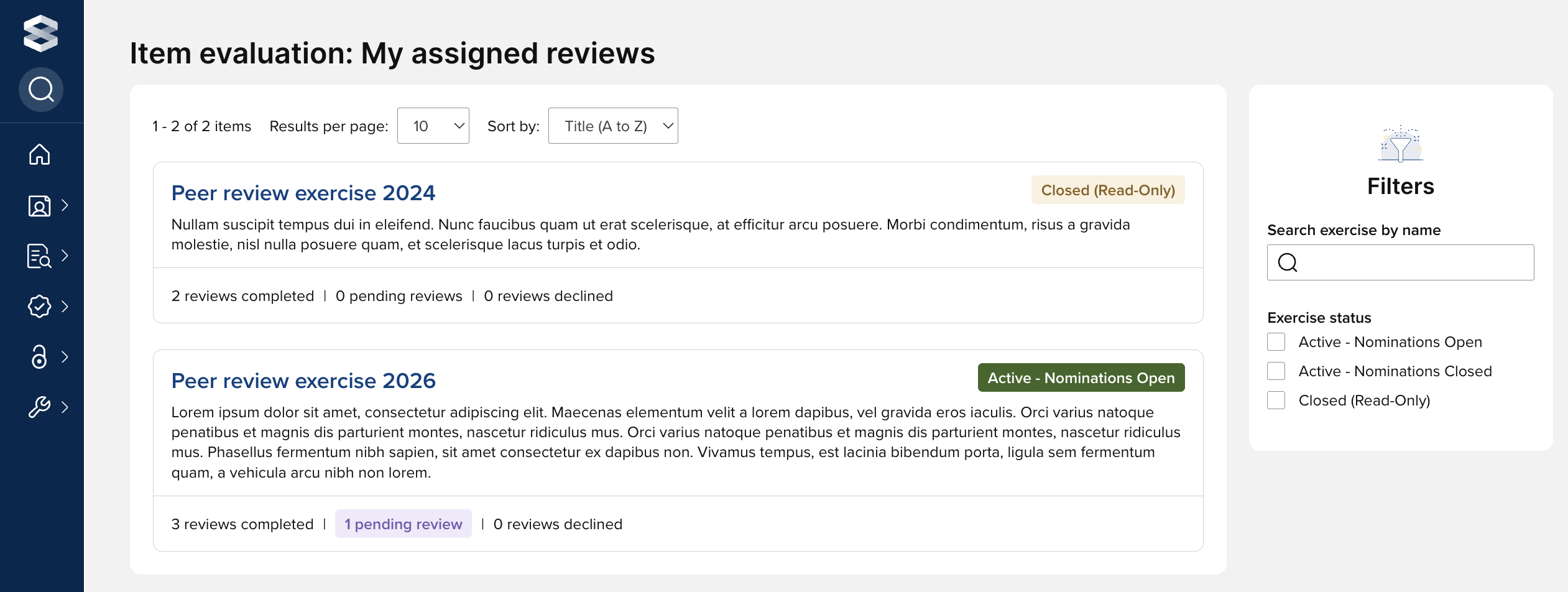
Selecting the exercise name navigates the user to their list of assigned reviews for the exercise in question.
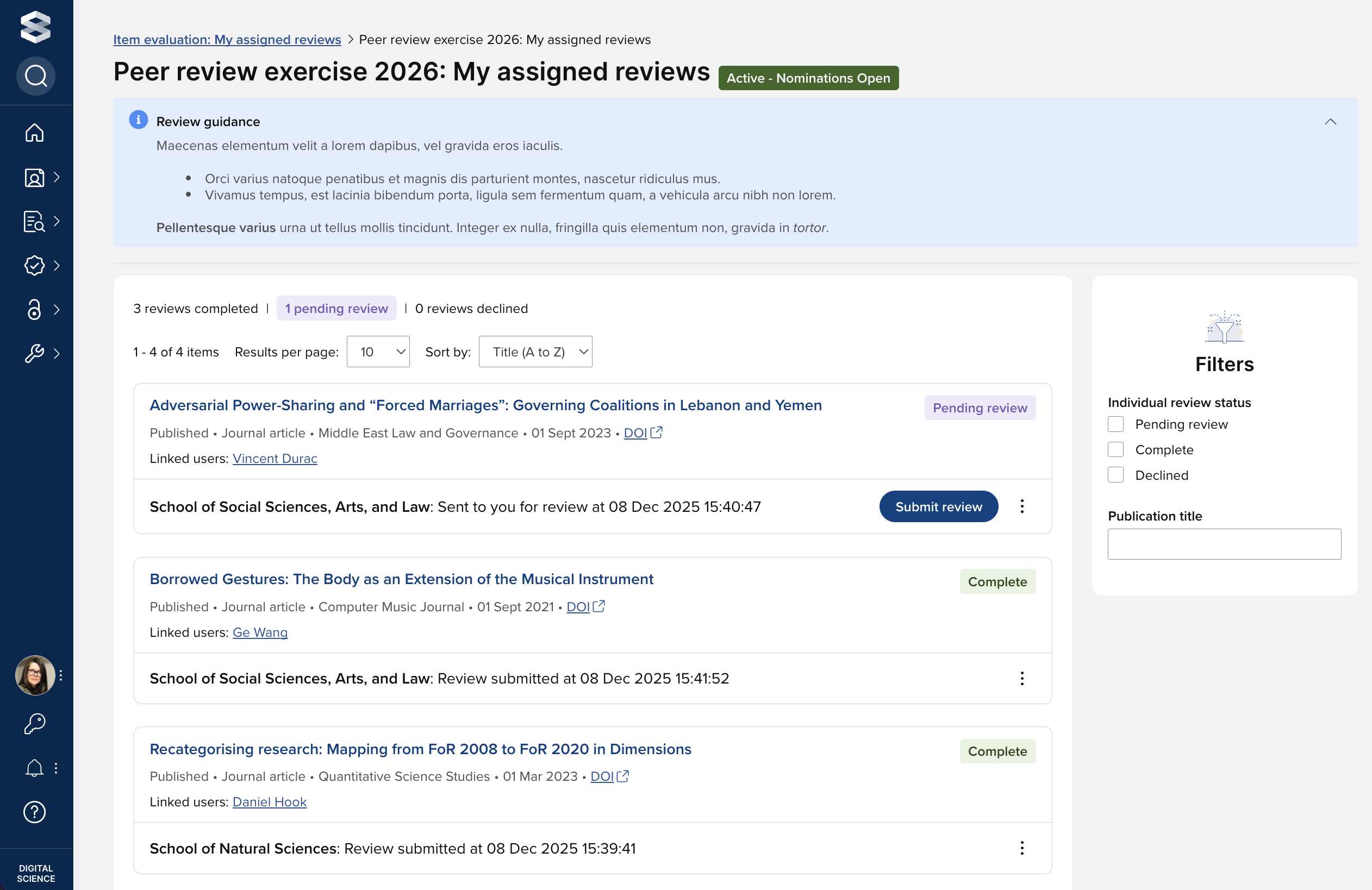
Depending on the exercise status, from this page users can:
View the nomination form submitted by the nominator
Access the publication object in Elements (from which a deposited full-text file may be accessible)
Undertake individual reviews
Decline assigned individual reviews
View completed reviews
The statuses available for individual reviews are described in the 'Individual review' section of the 'Item evaluation statuses' support article.
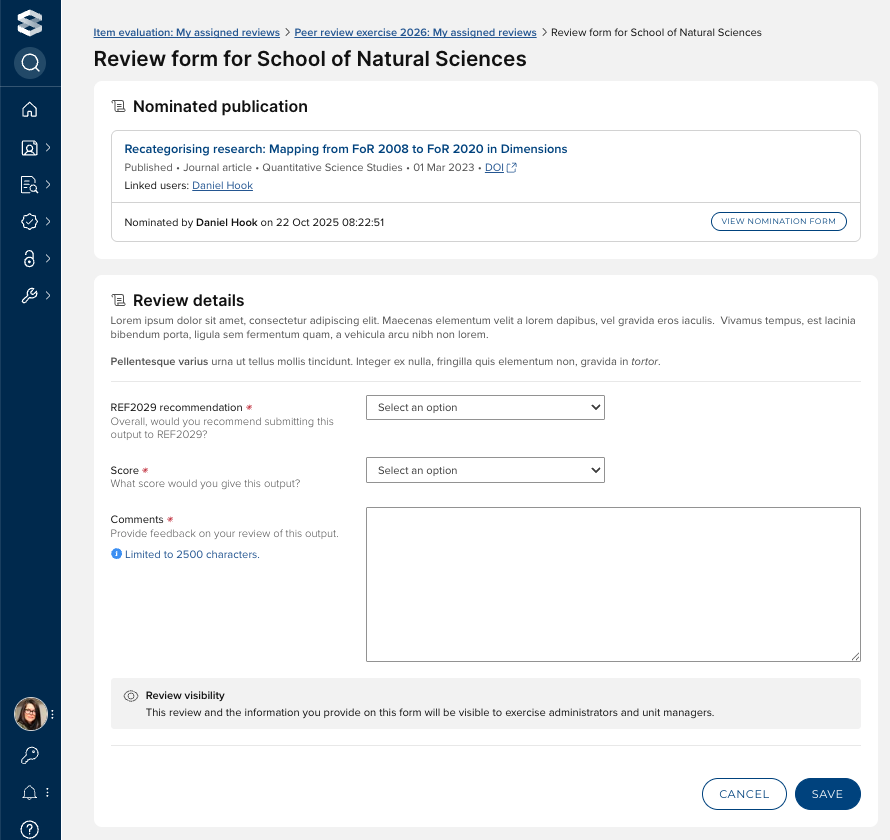
Review an item
To review an assigned item, select the 'Submit review' action on the publication card.

The user will then be prompted to complete the review form and submit the review.
From the review form, the reviewer can also:
Access the publication object in Elements (from which a deposited full-text file may be accessible)
Access the publication via the DOI (if available)
View the submitted nomination form
Decline a review
To decline an assigned review (e.g. if you have a conflict of interest), select the 'Decline review' action.
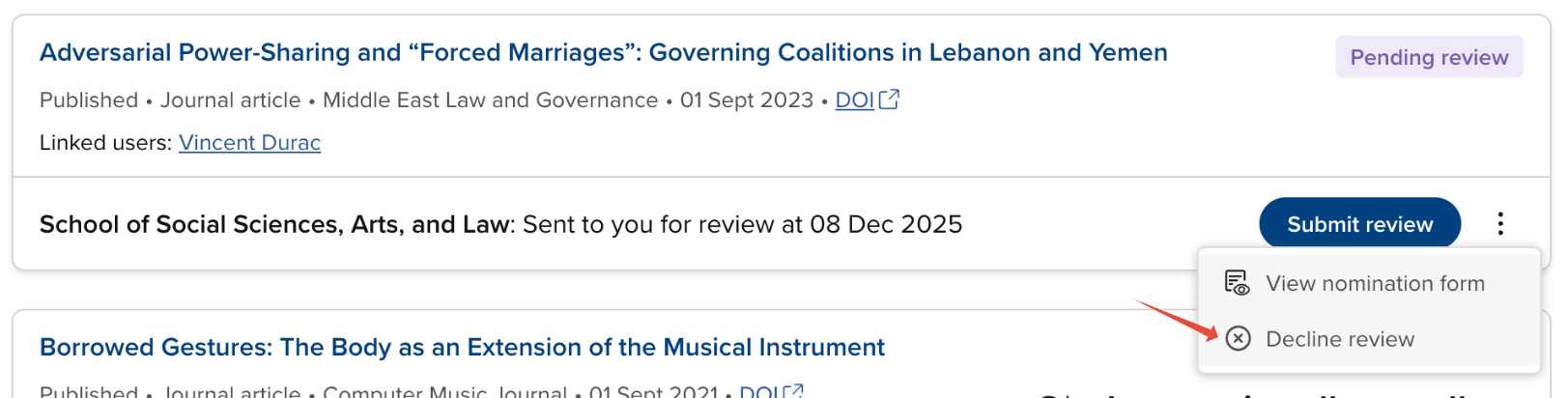
You will then be prompted to provide your reasons for declining the review.
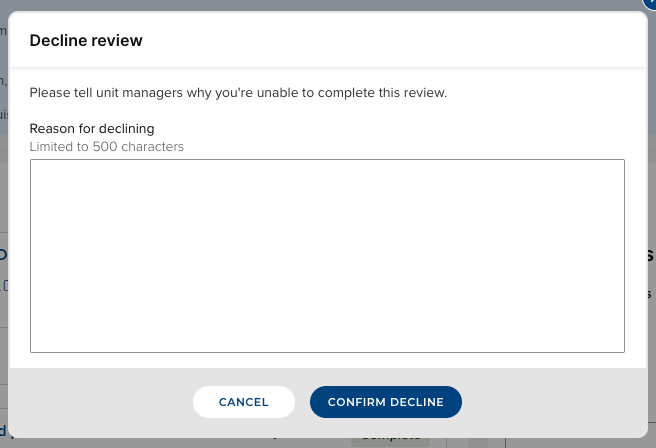
Confirming the decline will update the review's status to 'Declined'. You can view your decline reasons via the 'View decline reasons' action.

View / Edit review form
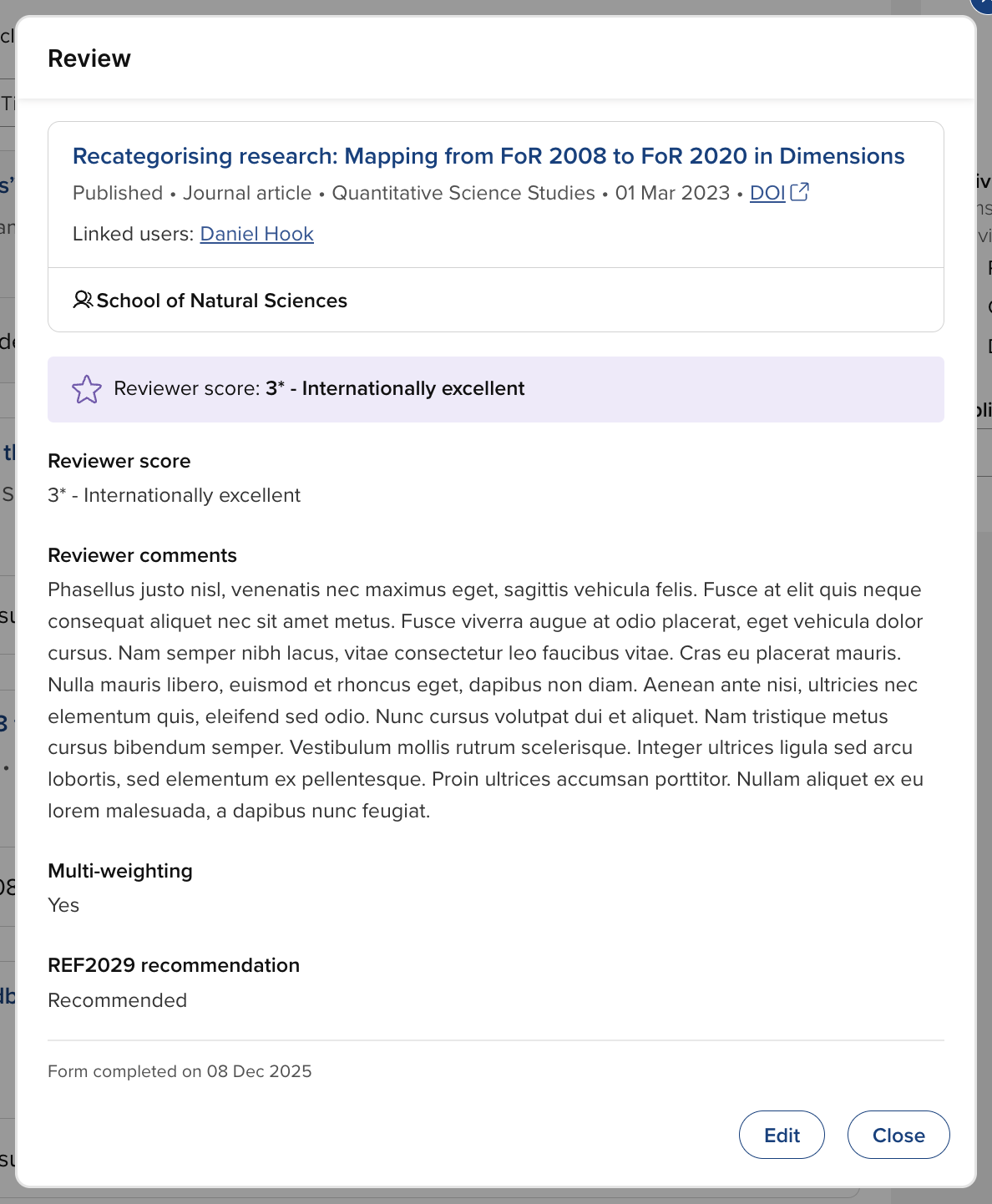
When a review is complete, the review form continues to be available via the 'View review form' action.
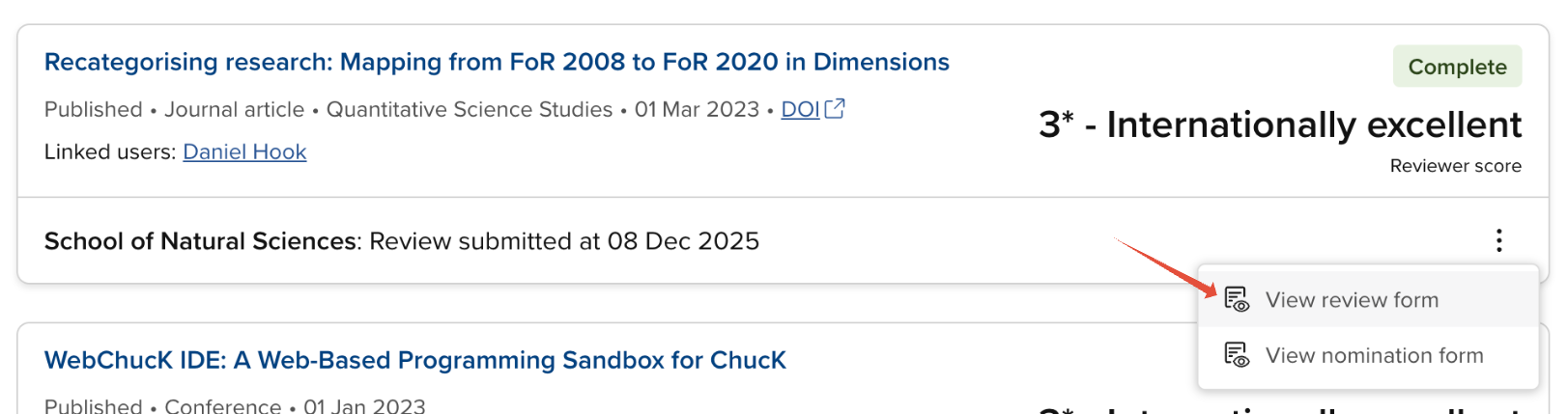
The reviewer can continue to edit the review form until the item's overall evaluation status is Complete (including for those reviews submitted on their behalf by Unit managers).
Additional notes
System Administrators, Research Information Administrators, and exercise unit managers can manage reviews (including submitting and declining), as described in the 'Assign, dispatch, and manage reviews' support article.