
What can a Statistician do?
Users who have been assigned the ‘Statistician’ role for a group have usage rights over that group’s data. This includes any sub-groups below it in the group hierarchy.
Statisticians can run Basic Reports and Formatted Reports (aka “SSRS, or Registered Reports”).
See Elements Basic Reports and Group Statistics for details of how to obtain Basic Reports and Groups Statistics from the System.
See the ‘Report viewing and running permissions’ section of the Introduction to the Reporting Hub for details of how to gain access to Formatted Reports.
How can a person be assigned to be a Statistician?
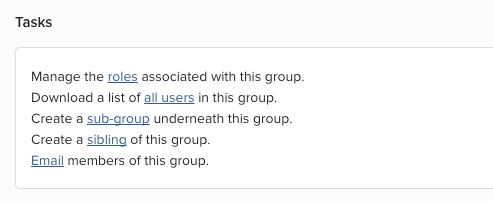
A System Administrator can add the role for an individual under System admin > Users & Groups > Group management > Manage groups. Select the user group and then click on the link "Manage the roles associated with this group."
This will present a list of roles (Administrator, Research Manager, Statistician, Group Impact Officer) available for assignment.
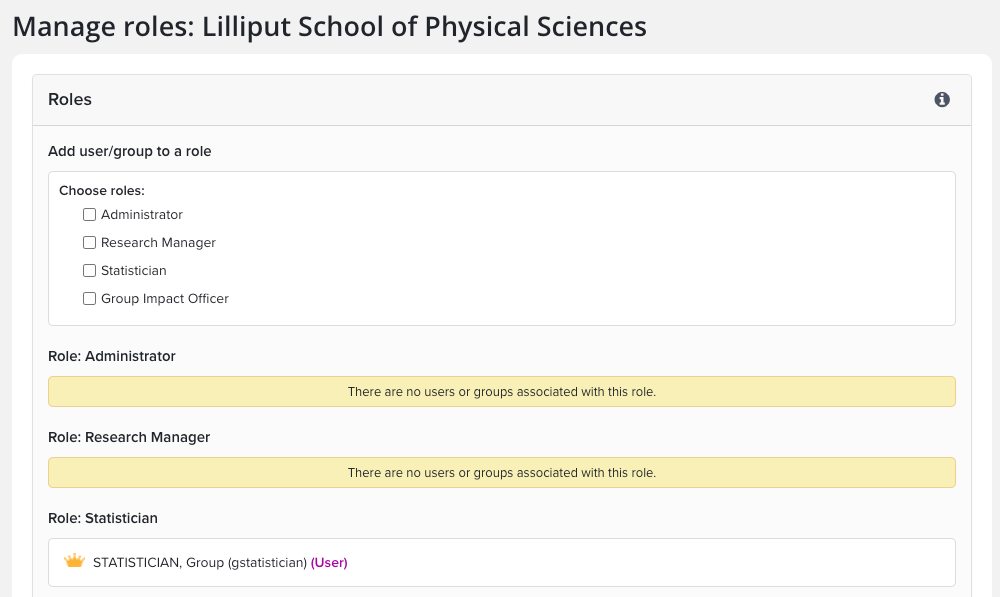
Select the Statistician role and then either check the groups or search for the users who will receive the role. Click "Add groups" or "Add users" as needed.
Can a person be assigned the statistician role for multiple groups?
Yes.
If a person is granted the Statistician role for a Primary Group, then is the person also a Statistician for any groups that descend from the Primary Group?
Yes.
Are Group Administrators and Research Managers automatically granted the ability to run reports?
No, the roles are separate. The Group Manager or Research Manager must also be designated a Statistician.
Can a Statistician see items in reports that have had their relationship marked as ‘private’ by the user?
Yes.