Bulk edit REF2 Submission state

Released : 5.16
Updated : 5.17, 5.20
Bulk edit REF2 Submission state
It is possible to edit REF2 Submission states (Accepted, Not accepted, Attributed (and where Attributed, to whom)) using a bulk action, accessed from the Manage selections screen.
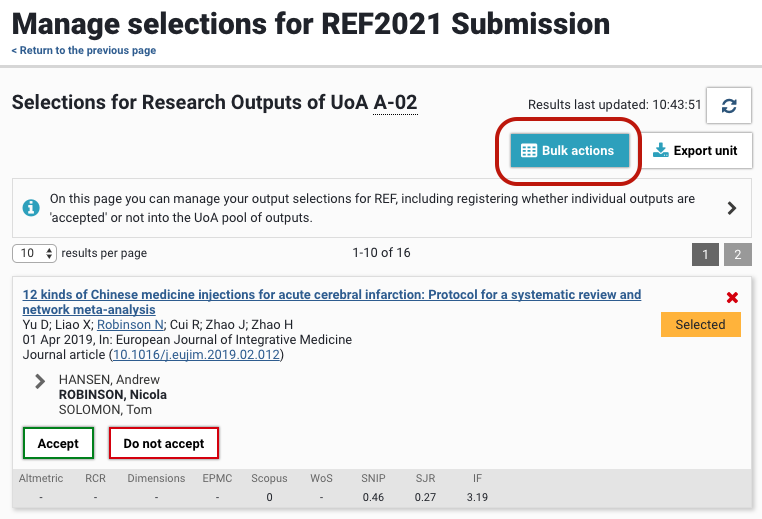
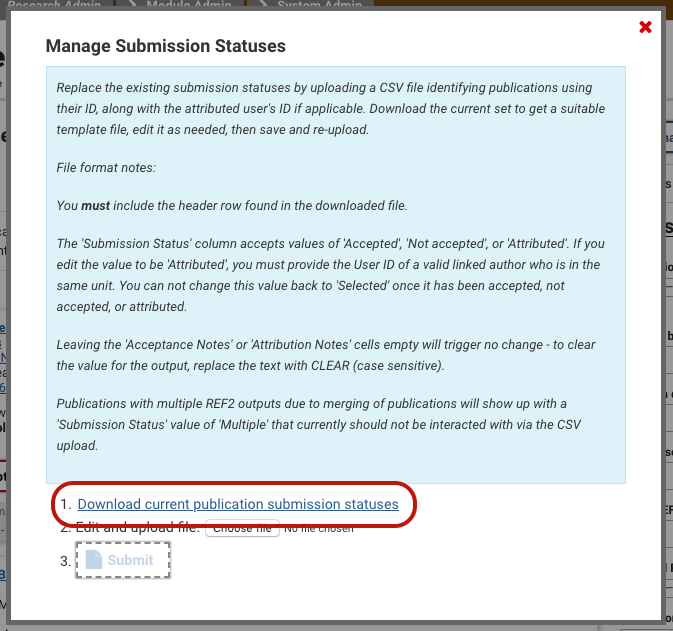
To access the import file template, go to the Manage selections screen for the desired UoA, and select 'Bulk actions'. From there you can 'Download current publication submission statuses' for all outputs in the UoA, with their current Submission statuses. The downloaded file will reflect any filters you have applied on the Manage Selections screen.
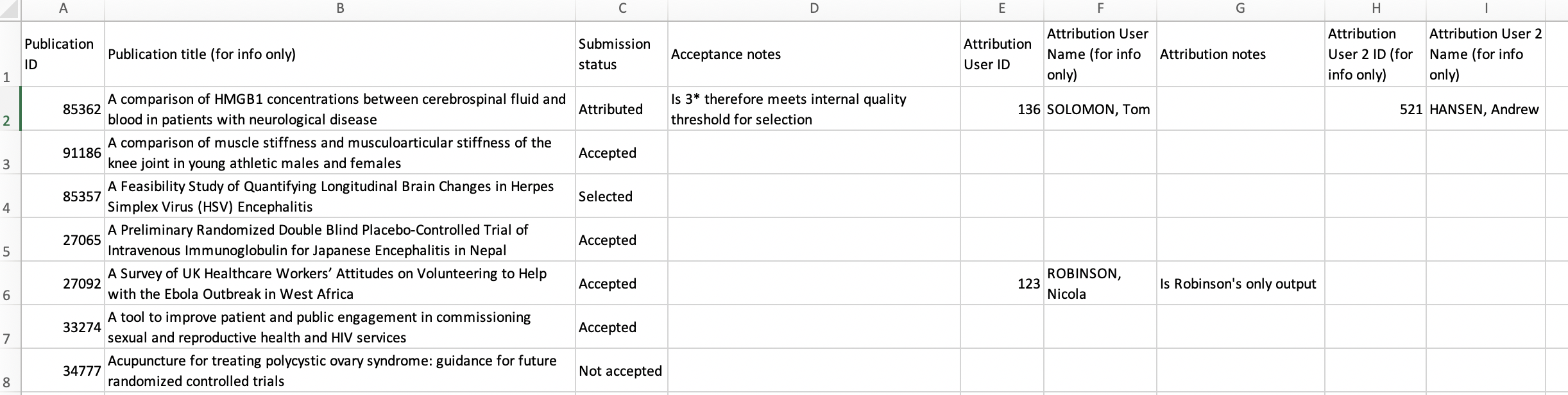
To update the Submission status of an output, replace the existing submission status in the file, along with the attributed user's User ID, Username, or User proprietary ID (or any combination that uniquely identifies one user) (if updating the status to 'Attributed').
File format notes:
You must include the header row found in the downloaded file.
The 'Submission Status' column accepts values of 'Accepted', 'Not accepted', or 'Attributed'. If you edit the value to be 'Attributed', you must provide one of User ID, Username, or User proprietary ID (or any combination that uniquely identifies one user) for a valid linked author who is in the same unit.
You can not change this value back to 'Selected' once it has been accepted, not accepted, or attributed. Any attempt to do so will simply be ignored by the job - no warning message will be generated.
You can not change the status of a 'Not attributable' output using this bulk function, nor can you use this bulk function to move an output to 'Not attributable' (as 'Not attributable' is a derived status based on the 'Appropriate to be attributed to this REF1 Researcher' flag (see REF2: Acceptance + Attribution tab support page)).
Trying to move an output to 'Not attributable' will simply be ignored by the job - no warning message will be generated
Trying to move a 'Not attributable' output to 'Accepted' or 'Attributed' will generate a warning message ("Publication ID XXXXX does not match any valid publications that are currently selected or have an output in this unit.") and the Submission status will remain as it is currently held on the output
If there are existing values in the 'Acceptance Notes' or 'Attribution Notes' cells:
Leaving the cells empty in the import file will leave the existing values as they are
To clear the existing value, populate the cell with the text CLEAR (case sensitive)
Publications with multiple REF2 outputs due to merging of publications will show up with a 'Submission Status' value of 'Multiple' that currently should not be interacted with via the CSV upload. Any attempt to do so will simply be ignored by the job - no warning message will be generated.
Note that while double attributions made manually will be accurately captured when downloading the 'current publication submission statuses' file, it is not possible to create double attributions using this bulk upload function (as to do so requires the restriction of one attributed REF1 to be removed, and in all Panels bar Panel D, the REF2 output must also be double-weighted). Double attributions must be implemented manually in the REF2 Acceptance + Attribution tab).
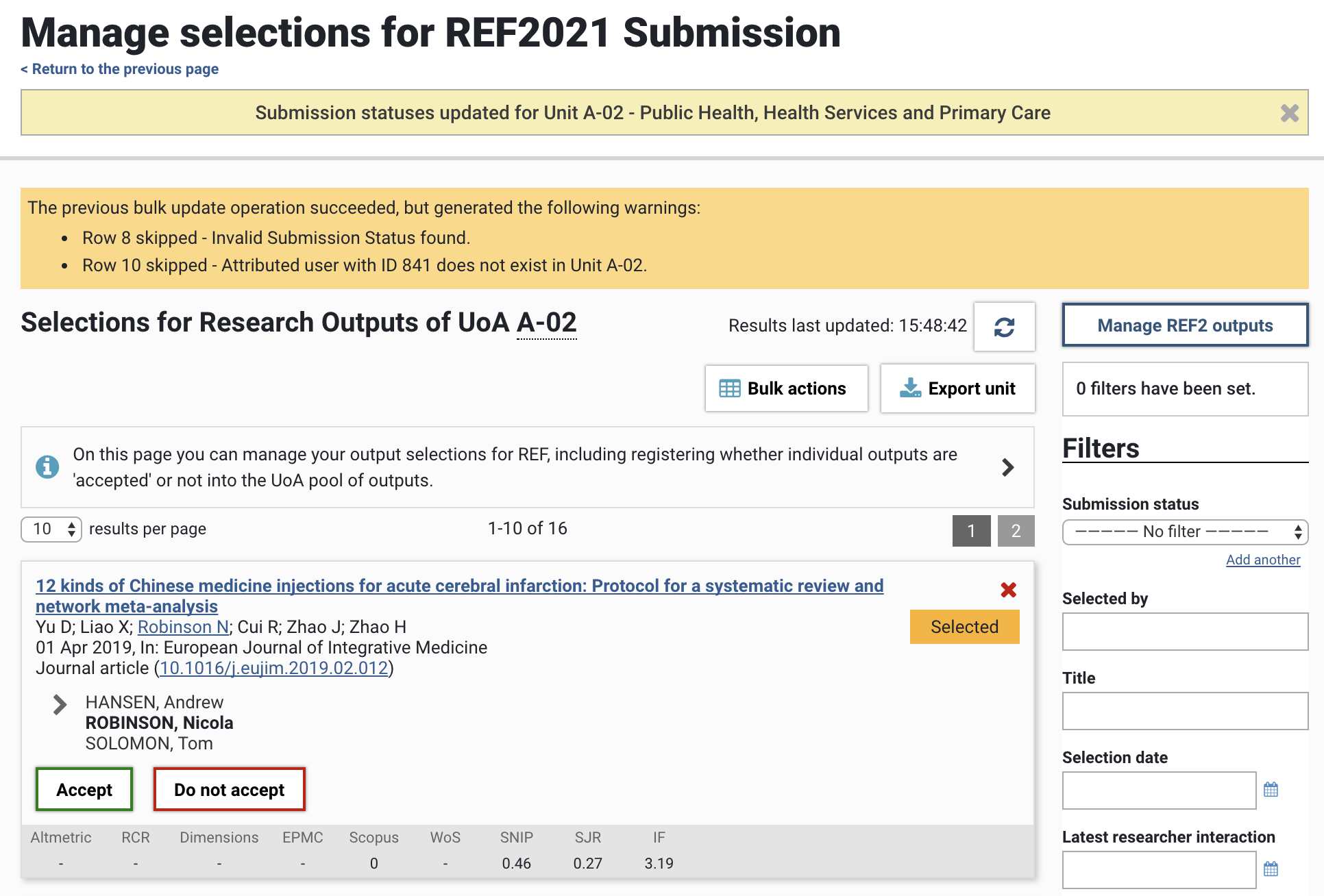
Errors encountered during the bulk edit operation will be listed in the yellow information box at the top of the screen following the import being actioned (note that row numbers cited ignore the header row).