
Managing Units of Assessment

Updated : 5.19, 5.20 (and 5.20.0.2906), 5.21.0.2915, 6.0.0.2897, 6.1.0.2898
Managing Units of Assessment
The Units tab also enables the capture of relevant metadata for each UoA:
Research Groups
Output sub-profile category (UoAs 3 and 12 only)
Required outputs calculations
Applicable Open Access policy
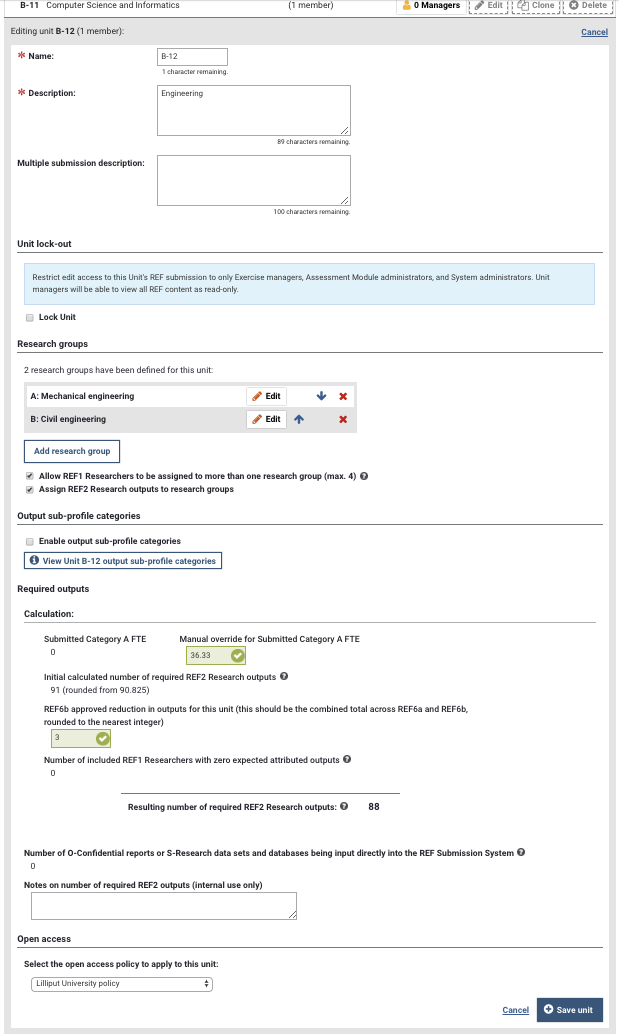
Name and multiple submission details
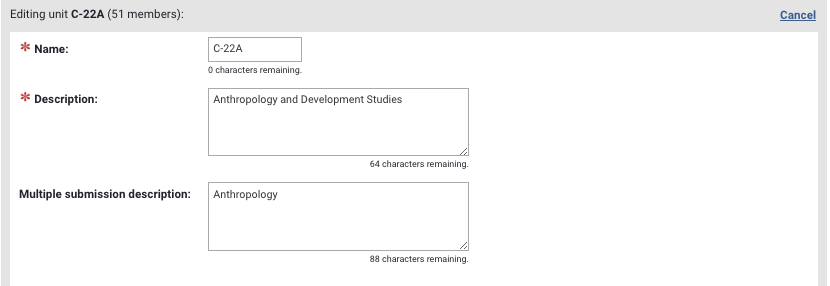
As described in the Getting started support article, the short name of each of your units in your REF2021 submission must match the standard REF2021 UoA list employed in Elements . Your list should adhere to the following format:
Panel-UoA
Examples:
A-02
B-11
D-33
Multiple submissions:
If you are making any multiple submissions, these should be in the following format:
B-11A
B-11B
B-11C
Further, you should ensure that the Unit 'Description' should be the full Unit name, and the 'Multiple submission description' the name of the multiple submission
Unit lock out
See Unit lock-out support article.
Research Groups
Adding Research groups enables you to assign your REF1 Researchers and (optionally) their REF2 Research outputs to Research groups.
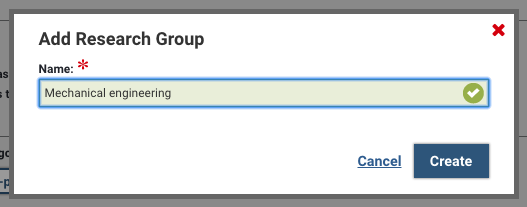
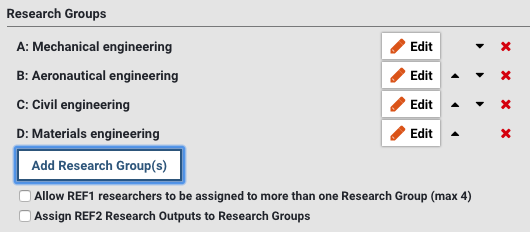
To add a Research group, select the 'Add Research Group(s)' button and input the Research group name. Upon creating the Research group, Elements will automatically assign a code to the Research Group. Once created, use the arrows to move Research groups around in the list (which will automatically update the assigned code). Deleting a Research group from the list will remove that Research group assignment from all associated REF1 Researchers and their REF2 outputs.
As per the REF submission guidance, each REF1 can be assigned to up to 4 Research groups. To enable more than one Research group assignment per REF1 Researcher, tick the 'Allow REF1 researchers to be assigned to more than one Research Group (max 4)' field. If you would also like to assign REF2 outputs to Research groups, tick the 'Assign REF2 Research Outputs to Research Groups' field.
Output sub-profile category
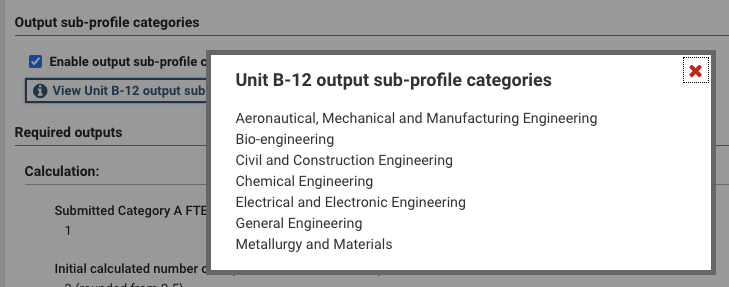
In UoAs 3 and 12, institutions have the option to receive output sub-profiles for distinct areas covered in their submissions, as specified in the Panel criteria. In these UoAs, if you wish to receive these sub-profiles, select the 'Enable output sub-profile categories' field. This will then enable you to capture the appropriate area for each output in the REF2 form.
Required outputs
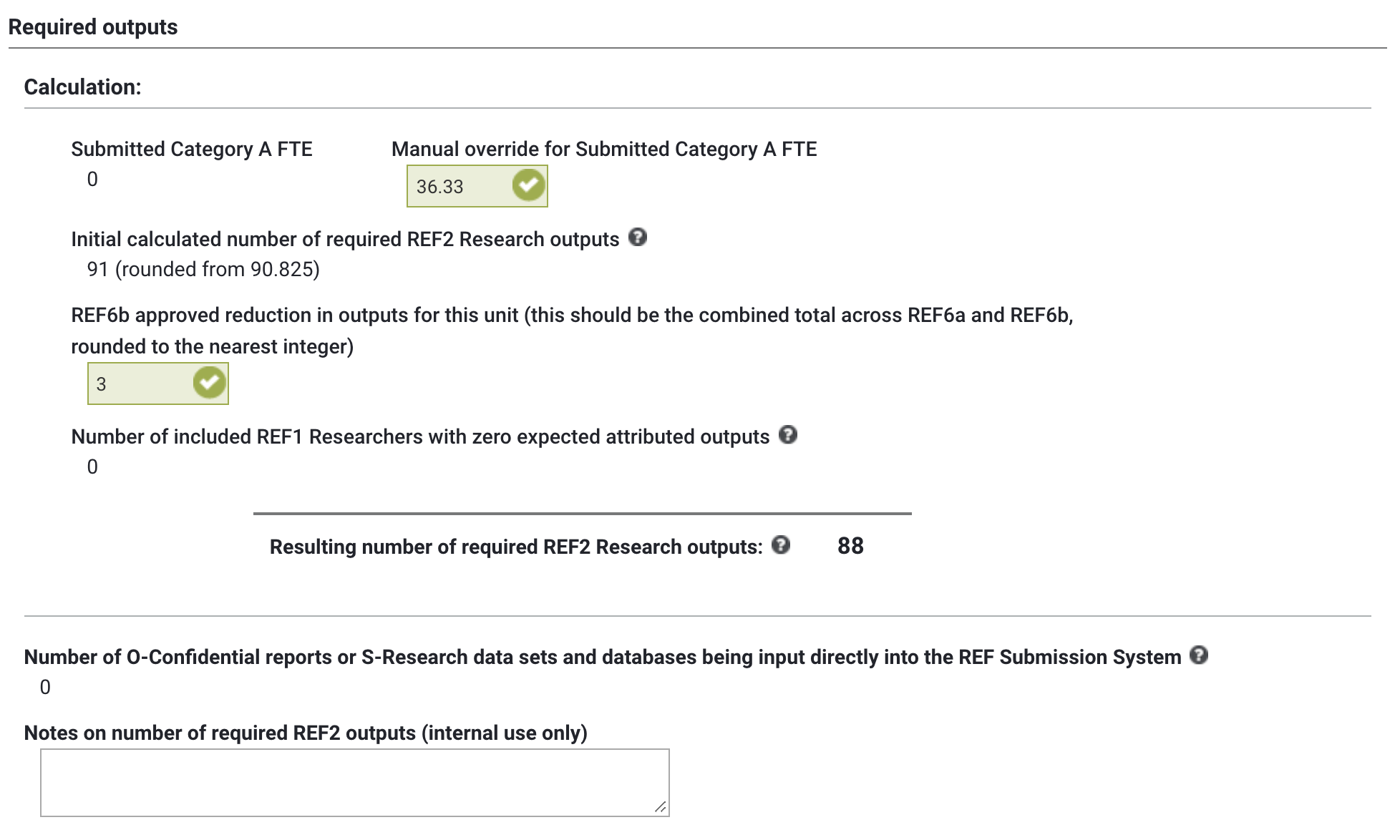
You can source the number of required REF2 Outputs for the Unit in the 'Required outputs' section.
Field | Notes |
Submitted Category A FTE | Sum of the Cat A FTE of REF1 Researchers flagged as included in the submission. |
Manual override for Submitted Category A FTE | You can override the calculated Cat A FTE (if, for example, you know some significant FTE updates are not yet reflected on individual REF1 forms). |
Initial calculated number of required REF2 Research outputs | Basic calculation of the number of REF2 outputs required for the unit - taking the Cat A FTE x 2.5. The raw calculation is presented in brackets, with the rounded value (rounded to nearest integer) also provided. |
REF6b approved reduction in outputs for this unit (this should be the combined total across REF6a and REF6b, rounded to the nearest integer) | Input the REF6b approved reduction in outputs for the unit, which will also include individual REF6a waivers. This value should be rounded to the nearest integer. |
Number of included REF1 Researchers with zero expected attributed outputs | In order to accurately calculate the number of attributed REF2s required for the unit (which includes reducing the overall number required by one for each Cat A submitted with zero attributions and no REF6a waiver), this field sums up those REF1 Researchers where it is expected they will have zero attributions and no REF6a waiver. Sourced from included REF1 Researchers. See the REF1 Researchers form support article for further details. |
Resulting number of required REF2 Research Outputs | Calculation of the number of REF2 Outputs required for the unit: |
Number of Number of O-Confidential reports or S-Research data sets and databases being input directly into the REF Submission System | Sourced from included REF1 Researchers. See the REF1 Researchers form support article for further details. |
Notes on number of required REF2 outputs (internal use only) | Space where you can capture any notes on the number of REF2 outputs required in the unit. |
Open Access
You can select the Open Access policy to apply to the UoA. The main purpose of this option is to support different embargo period maxima in Panels A/B and C/D. Further information on the implications of OA policy selection is available in the REF2: Open Access tab support article.