
Getting started

Updated : 5.18
Getting started
To create your REF2021 submission in Elements, you should follow the same steps as you would to create any Assessment Exercise definition in the Assessment module (guidance below), with the following additions and caveats:
Flag the Exercise definition as 'REF2021'
Go to Module Admin and choose the Exercise definition you would like to flag as your REF submission. In the 'Exercise' tab, you will see the option to flag the Exercise definition as 'Is REF submission'.
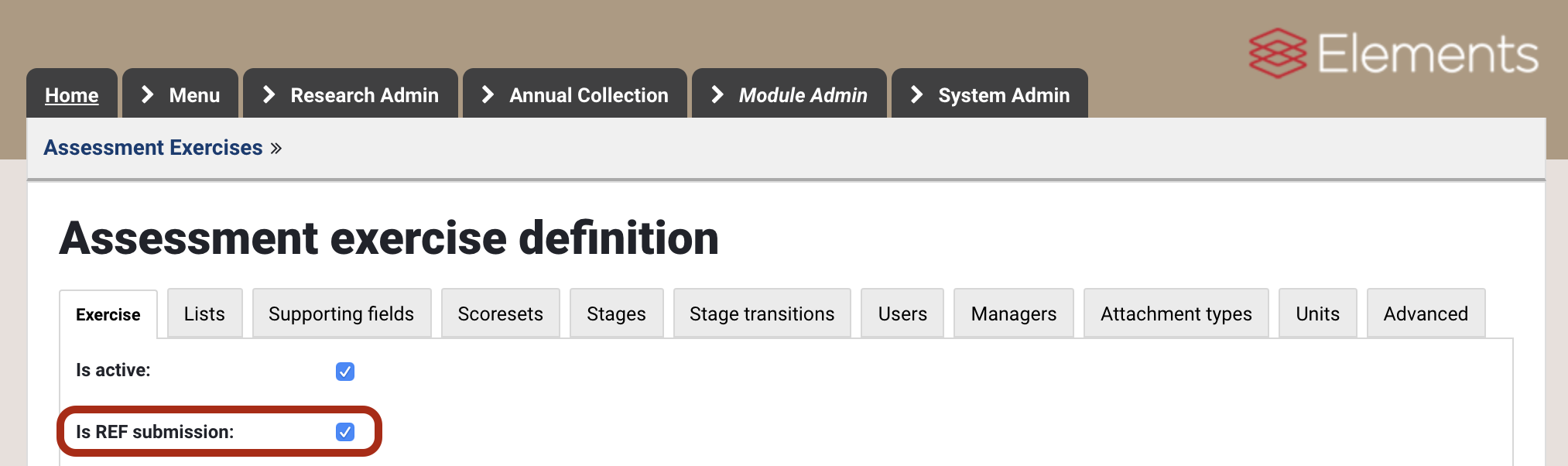
You will be unable to flag the Exercise definition as your REF submission if:
A different Exercise definition has already been flagged as your REF submission
Your Exercise definition contains not exactly one Publication list (see below)
Your units do not adhere to the standard list of Units (see below)
Once you flag the Exercise as 'REF2021', you will experience some different behaviour compared with your other assessment exercises. For example:
When accessing the REF exercise, your landing page will become the Manage units screen, from which you can access all relevant REF screens for each active Unit
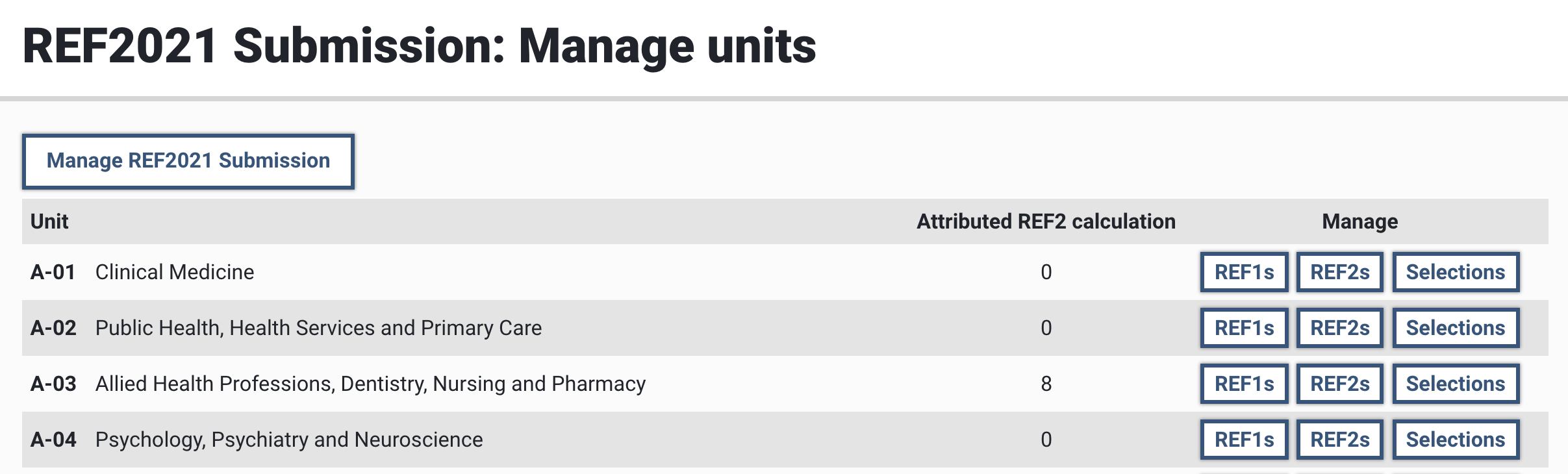
REF-specific functionality will become available:
Manage selections screen
Manage REF2 Research outputs screen
REF2 forms
Manage REF1 Researchers screen
REF1 forms
Submission functionality
Single Publication list
Your REF2021 exercise definition can only contain a single Publication list. This is to enable the creation of a single submission XML file, ensuring as uncomplicated a submission process as possible.
Units of Assessment
The short name of each of your units in your REF2021 submission must match the standard REF2021 UoA list employed in Elements . Your list should adhere to the following format:
Panel-UoA
Examples:
A-02
B-11
D-33
If you are making any multiple submissions, these should be in the following format:
B-11A
B-11B
B-11C
Employing a consistent list of UoAs across all Elements customers allows us to implement UoA-specific logic (e.g. different Output allocation taxonomies, different rules for co-author contribution statements).
To employ the standard list of Units, you can either choose to use the existing REF2021 Units template (but this will result in the loss of any existing user unit allocations and override settings), or you can simply re-name your existing units as per the format described above. If you have no units set up yet, it is recommended that you use the existing REF2021 Units template - this will create the REF2021 units and will automatically assign all existing users to the 'Unallocated' (default) unit. You can then assign users to the appropriate units.
REF2021 Exercise definition template
For customers wishing to start their selection process in Elements from 5.16 (rather than migrate / consolidate existing content), there is a REF exercise template (called 'REF2021 Submission') available for use, with the following properties (in summary):
Publications:
Up to 6 publications requested per user
Published between 1 Jan 2014 and 31 Dec 2020
All types, excluding:
Internet publication
Figure
Fileset
Media
Presentation
Stages:
3 stages are default applied, with no transitions configured
Scoreset
The REF 13-point scoreset template is applied
Supporting fields:
A number of supporting fields have been applied to the Publications list, aligned with the REF2 data requirements. These have been applied across all UoAs, with differing instructions, based on the different Panel requirements (see the attached file)
All supporting fields are flagged as 'Summary' fields (to ensure their visibility in the REF2 Research Output form)
No supporting fields are flagged as 'Key' fields
Units:
All 34 REF2021 Units of Assessment are available to be applied
Migrating existing Exercise definitions or multiple publication lists to one, in preparation for REF2021
If you have an existing Exercise definition you would like to migrate into your REF2021 submission (i.e. multiple Exercise definitions, multiple publication lists), please create a support ticket and we will coordinate with you to undertake the necessary actions.
Generic Assessment module guidance
Guidance on creating and managing Exercise definitions is available from:
Assessment Module Administration - Create an exercise using a template
Assessment - Guide for Reviewers V5.2-5.4