
Submission screen and XML generation

Released : 5.20
Updated : 5.20.0.2685, 5.20.0.2803, 5.20.0.2906, 5.21 (and 5.21.0.2804, 5.21.0.2915), 6.0.0.2805 (and 6.0.0.2897), 6.1.0.2898
Submission screen and XML generation
Submission screen
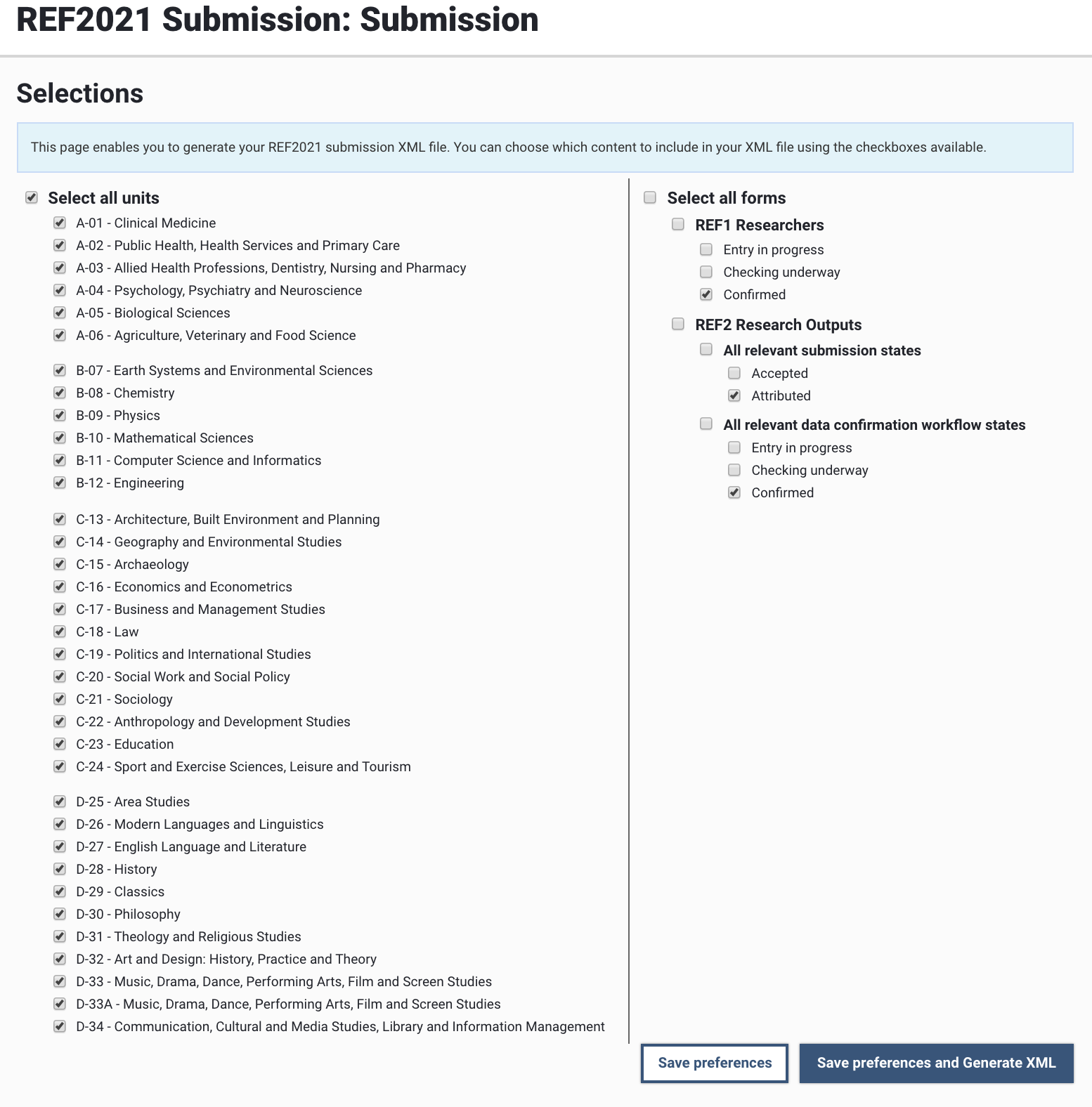
Accessible from the Manage Units screen, the Submission screen enables System Administrators and Exercise Managers to generate and download the REF2021 Submission XML file, for manual upload to the REF Submission System.
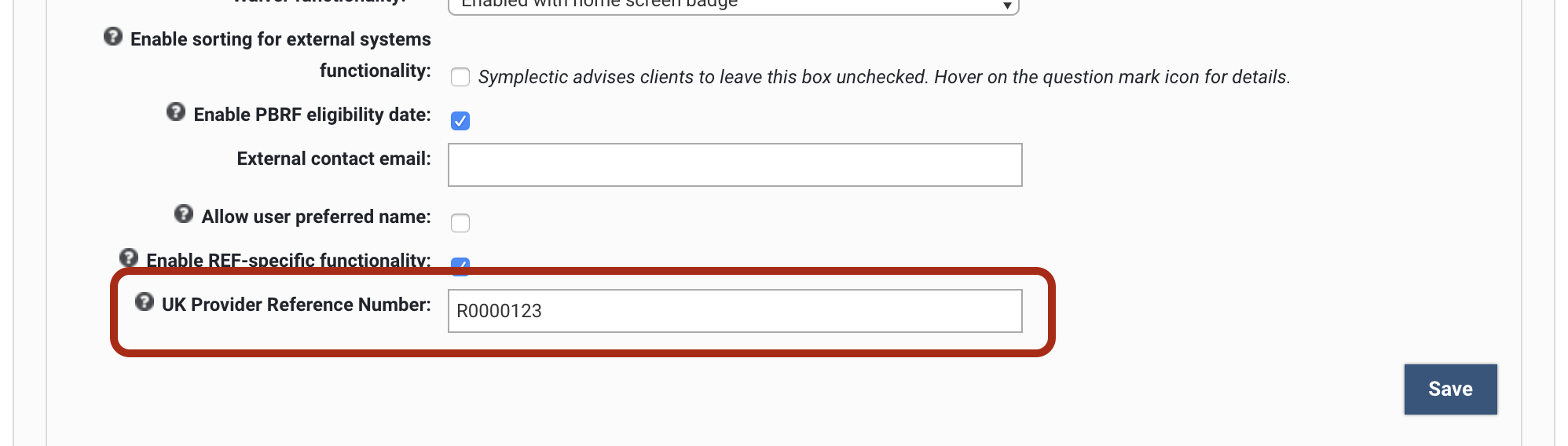
In order to generate your submission XML file, your System Administrator must first set your institution's UKPRN at the bottom of the Global Settings page (System Admin > Setup > Global settings).
XML generation
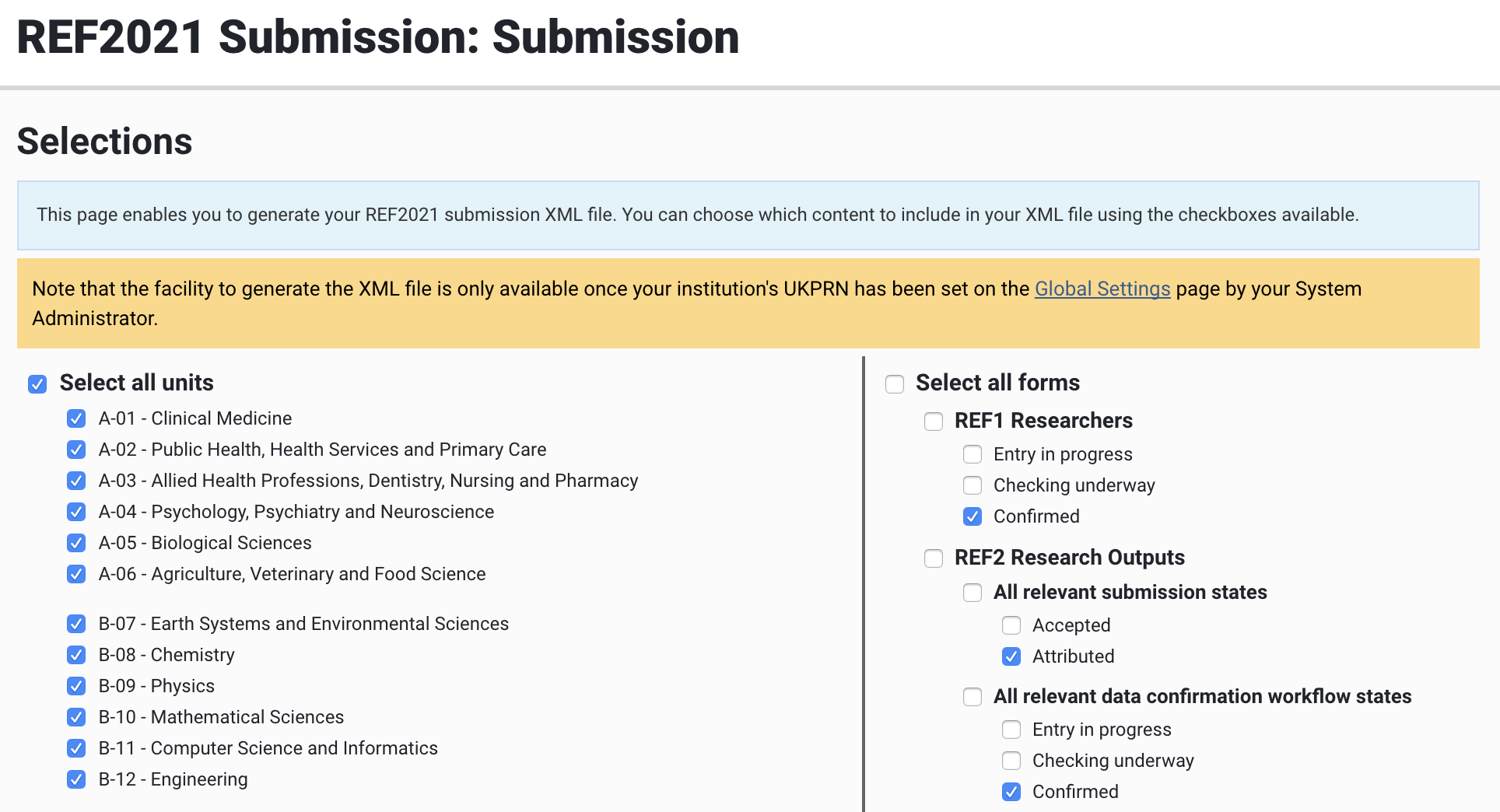
Once your UKPRN has been input into the Global settings, you will be able to generate your submission XML. Select the content you wish to include in your XML file:
Which Unit(s) (by default, all are selected)
Which forms
REF1 Researchers
Can select which Data confirmation workflow states to include (by default, only 'Confirmed' are selected)
REF2 Research Outputs (which includes the Staff-Output link)
Can select which Selection status to include (Accepted and/or Attributed) (by default, only 'Attributed' are selected)
Can select with Data confirmation workflow states to include (by default, only 'Confirmed' are selected)
Notes:
The content included in the XML file generated is as per the selections made
REF1 Researchers:
REF1 Researchers flagged as 'Not included in submission' are not included in the submission XML file
As described in the REF1 form, the early career researcher field is only returned if the HESA ID is not provided.
REF2 Research Outputs:
REF Open Access status
REF OA status is only returned for E-Conference contributions with an ISSN and D-Journal articles. You may have E-Conference contributions with no ISSN in Elements with a REF OA status, but this will not be included in the XML generated.
REF2 output type
If no REF2 output type is specified for an output, it will be included in the submission XML file generated, but key bibliographic metadata will be missing (e.g. Title, etc.), which results in the XML import failing and generating save errors in the REF submission system import log.
Non-english outputs
Where the output has been flagged as being produced in a language within the remit of the Unit, no information on language is included in the submission XML file, and if an English abstract has been input, this is also not included in the submission XML.
'Not attributable' REF2 outputs are not included in the XML
REF2 Output identifier is sourced from the REF2 Object ID in Elements (which is visible in the REF2 Outputs report in the 'Output ID' column)
Uploading to the REF Submission System
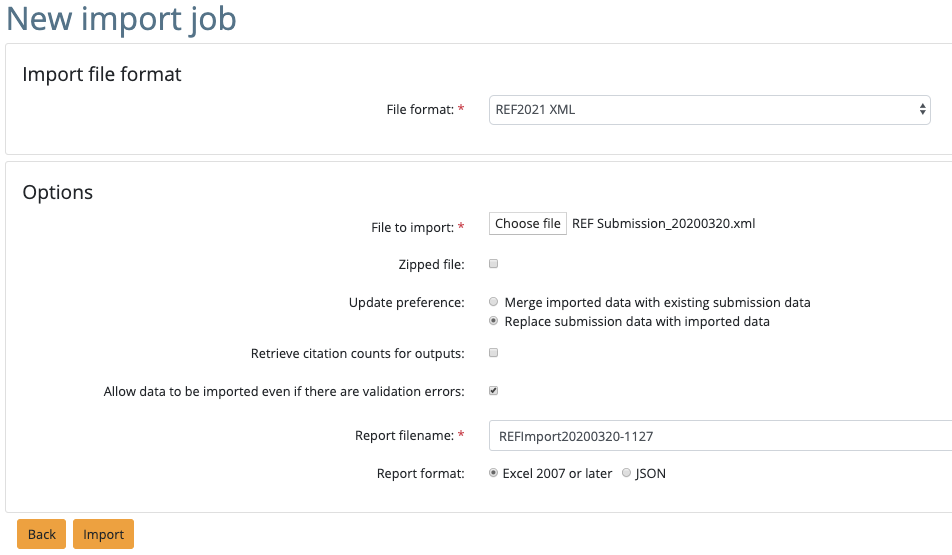
When importing the XML file generated to the REF submission system, the following settings are recommended:
Field | Notes |
File format | Select 'REF2021 XML' |
File to import | 'Choose file' and select the downloaded submission XML file from Elements |
Zipped file | Leave unselected |
Update preference | 'Replace submission data with imported data' is recommended, but this depends on what already exists in the REF Submission System, what is in your submission XML file, and how you wish these to interact. Note that the replace function will only replace data if there is new data to import. Replacing works on a per form basis where there is new data to import. Example: You have a submission with REF1 and REF2 data. You run a replace import with no REF1 data but REF2 data, your data will be replaced in REF2 but not in REF1, because no data was supplied in the import. |
Retrieve citation counts for outputs | You choose |
Allow data to be imported even if there are validation errors | Leave selected |
Report filename | You choose |
Report format | You choose |