
Configuring OpenURL v6.7+
See this support article for details of OpenURL configuration prior to v6.7.
The OpenURL is a standard similar to the DOI (Digital Object Identifier) and is widely used to launch and resolve links directly to full text content. The OpenURL is constructed from a base URL together with some bibliographic data from Elements and passed directly as a request to your institutional Link Resolver Knowledge Base. This request is authorised to retrieve full text content from the publishers that your library subscribes to and delivers this in a new window.
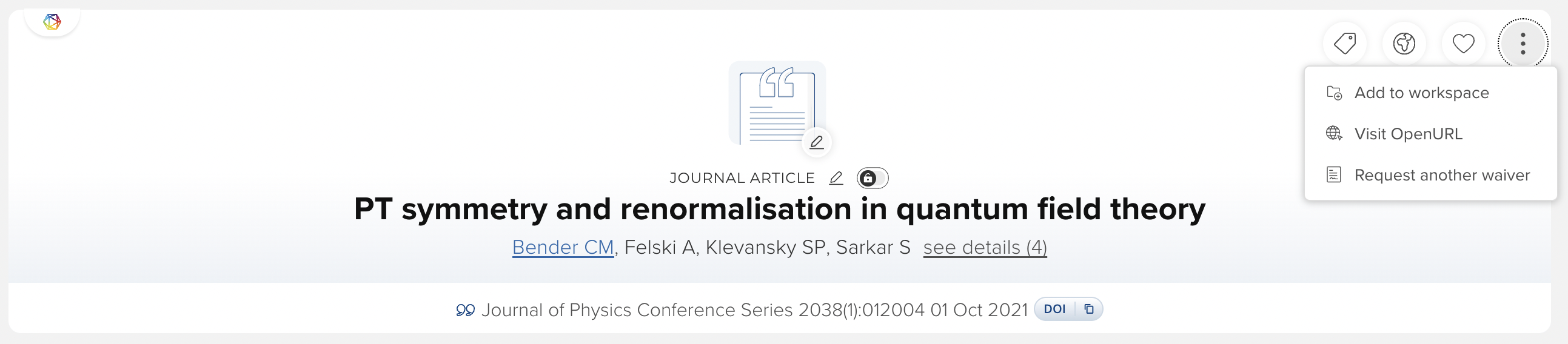
In version 6.7 of Elements the configuration of the OpenURL functionality has been moved to its own dedicated page System Admin > Integration & Customisation > OpenURL configuration. The default ‘sfx’ icon or any custom icons added previously have been removed. Instead, access to the link is via the ‘more menu’ on the publication details page. Any existing configuration will remain in place following upgrade to v6.7 plus.
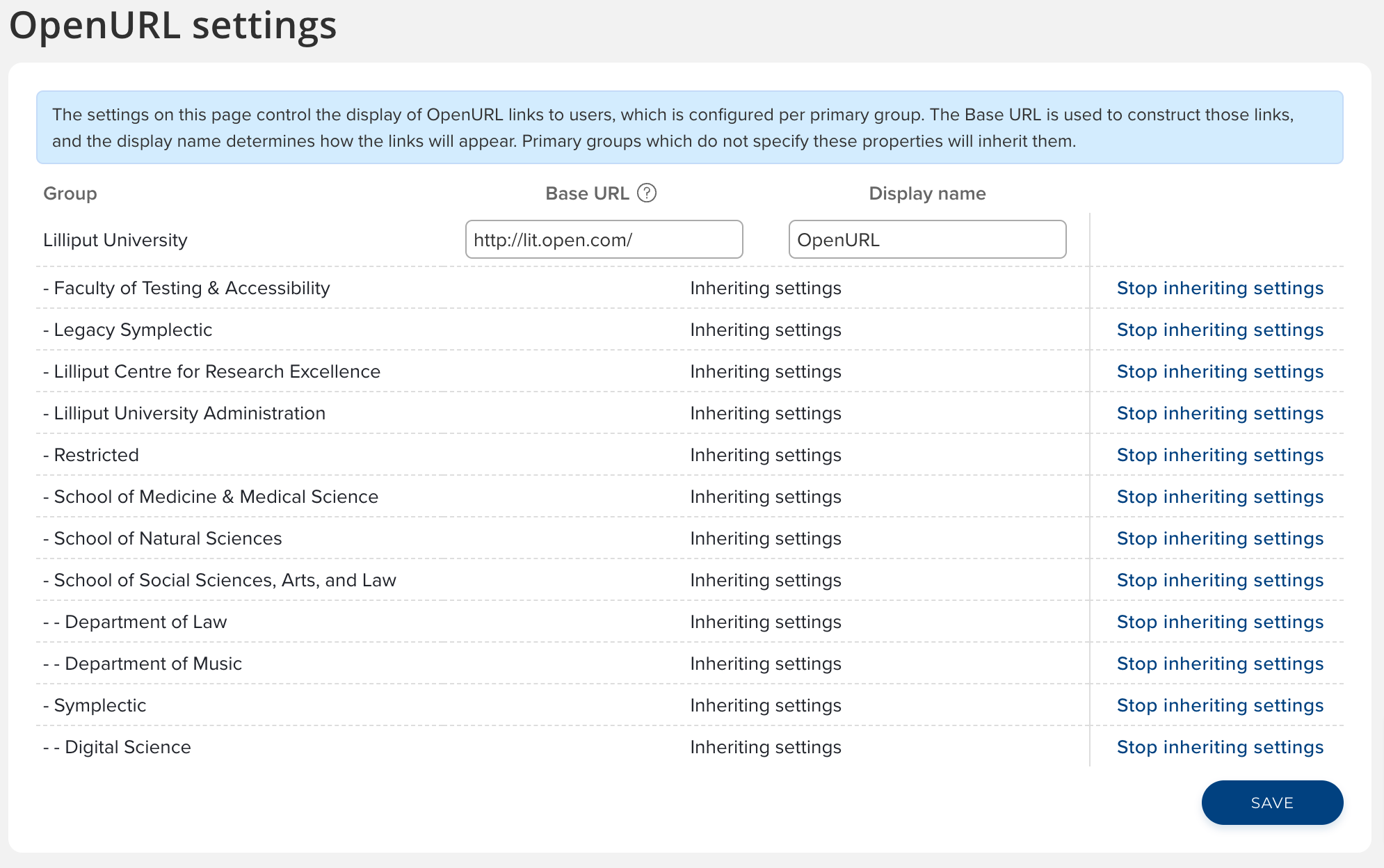
The new page allows administrators to set the ‘Base URL’ and ‘Display name’ for all primary groups within the system. These settings are inheritable and can be overridden per primary group. The display name is a required field that defaults to ‘OpenURL’ on upgrade but can be changed by administrators. If you wish to hide the display of the OpenURL link you can remove the base URL from any group.