
Deleting a relationship
The ability to delete an existing relationship between funding records is restricted to System Administrators and Research Funding Administrators.
Deleting a relationship only deletes the relationship between the parent and the sub-grant - both funding records will remain post-deletion, but they will no longer be related together.
Note that you should NOT ever delete a Linked relationship.
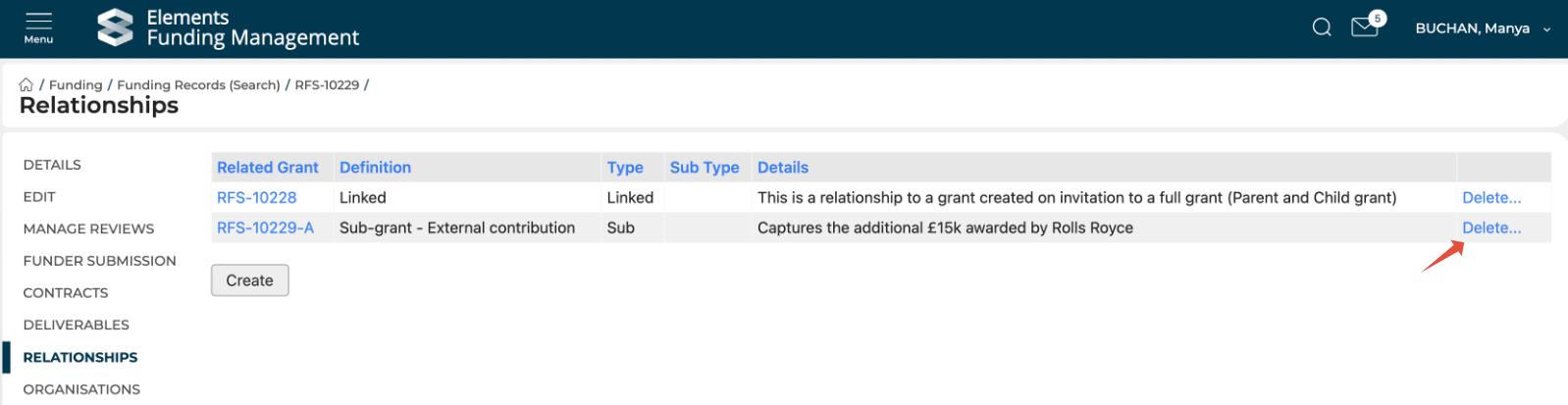
To delete an existing relationship, go to the desired funding record in the Management Console (can be either the parent or the sub-grant) and navigate to the Relationships tab in the left-hand navigation.
The Relationships page shows you all existing relationships and enables you to create new ones, and delete existing ones.
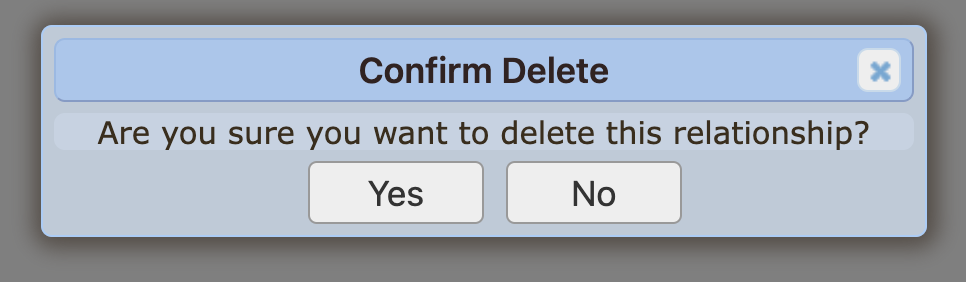
To delete a relationship, select the Delete action for the relationship you would like to delete, and confirm the action.
Note that once a relationship is deleted, it cannot be re-created - you would need to create a new sub-grant and withdraw the existing one.