
User Generic Fields and Restricted HR Data
Elements offers the capability for clients to store arbitrary data about end users in any of the 50 User Generic Fields.
Configuring User Generic Fields
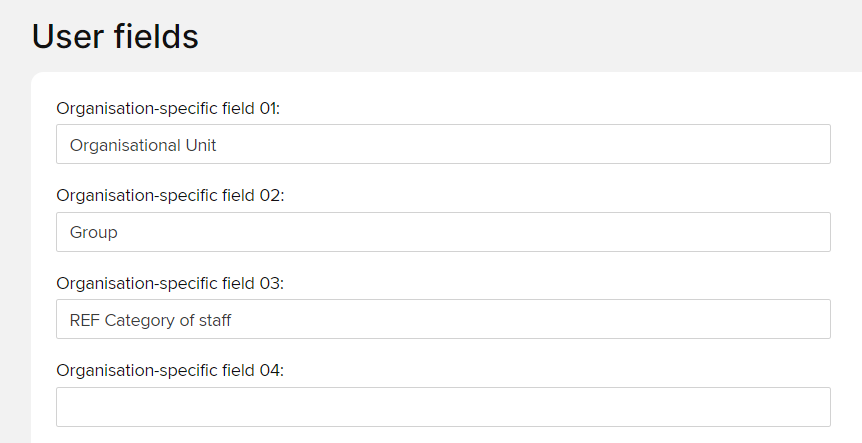
All of the User Generic Fields are initially named "Generic 01" and similarly. As you begin to use them to store data, you should configure appropriate custom display names for them. Follow the System admin > Users & groups > User management > Manage user generic fields menu option.
The following screenshot shows an example of fields 01, 02 and 03 with overridden names. 04 has its default name. All of the displayed fields are useable - even those with their default names.
Entering/editing data
Data can only be entered into these fields/edited by suitably privileged administrative users of Elements by:
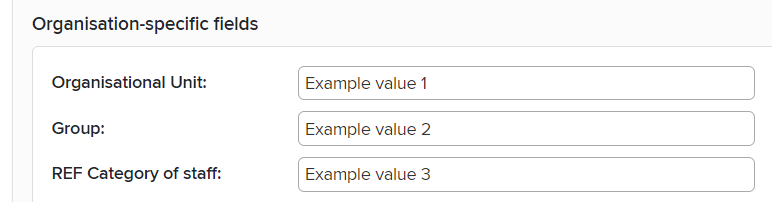
For a non-feed-managed user, manually editing field values on the user.html management page; The required privilege is that the logged-in user is in one of the following administrative roles on the system:
Research Information Administrator
Symplectic Configuration Support
System Administrator
For a feed-managed user, by providing the required values in the Elements HR Feed. The required privilege is that the connecting API account implementing the feed has been granted access to "HR Data" on the API Accounts management page by an Elements administrative user. This right is required to implement an HR feed.
Data privacy
From a privacy perspective, the User Generic Fields 1-10 are treated quite differently to the User Generic Fields 11-50, as described below:
User Generic Fields 01-10
Data entered into these fields is subject to the default privacy level for user data in Elements generally: It can be shared with any other user of Elements, and where a user profile is marked for public exposure, it may be exposed publicly if the client has configured it to be.
See Introduction to Data Privacy and Personal Data in Elements for more information about default privacy levels by data type
User Generic Fields 11-50 - The "restricted HR data" fields
These fields are the "restricted HR data" fields. Access to data in these fields is restricted to suitably privileged administrative users of Elements, with such data otherwise not even accessible by the subject users themselves:
Users in any of the following system administrative roles can access data in the restricted HR data fields:
Research Information Administrator
Symplectic Configuration Support
System Administrator
Users in the Group Administrator role on a group configured with "auto" group membership are able to configure a conditional "where clause" (a filter expression against the set of users in Elements) that defines the membership of their group. This where clause supports queries against any of the restricted HR data fields. Therefore, although the Group Administrator role does not provide direct read access to restricted HR data fields, it does provide group administrators with the means to discover which set of users have restricted HR data field values that match the group administrator's choice of filter query.
In the Reporting Hub, report execution privileges can be granted to anyone by an administrative user of the Reporting Hub (a user in the Reporting Hub Administrator, System Administrator or Symplectic Configuration Support roles) on a report specifically configured by the client to display the above data
Any reporting database credentials configured/requested by an administrative client representative have access to all Elements data, including the restricted HR data fields.
An API account that has explicitly been granted access to "HR Data" can access the restricted HR data fields.
Please note that as per Symplectic's General Terms of business, Symplectic does not expect or support clients to store specially regulated or classified information such as health or sensitive personal information in Elements.