
OA schemes list page
This article applies to Elements v6.20 and above.
OA schemes can be accessed by authorised users via Open Access > [MANAGE OPEN ACCESS] > OA schemes.
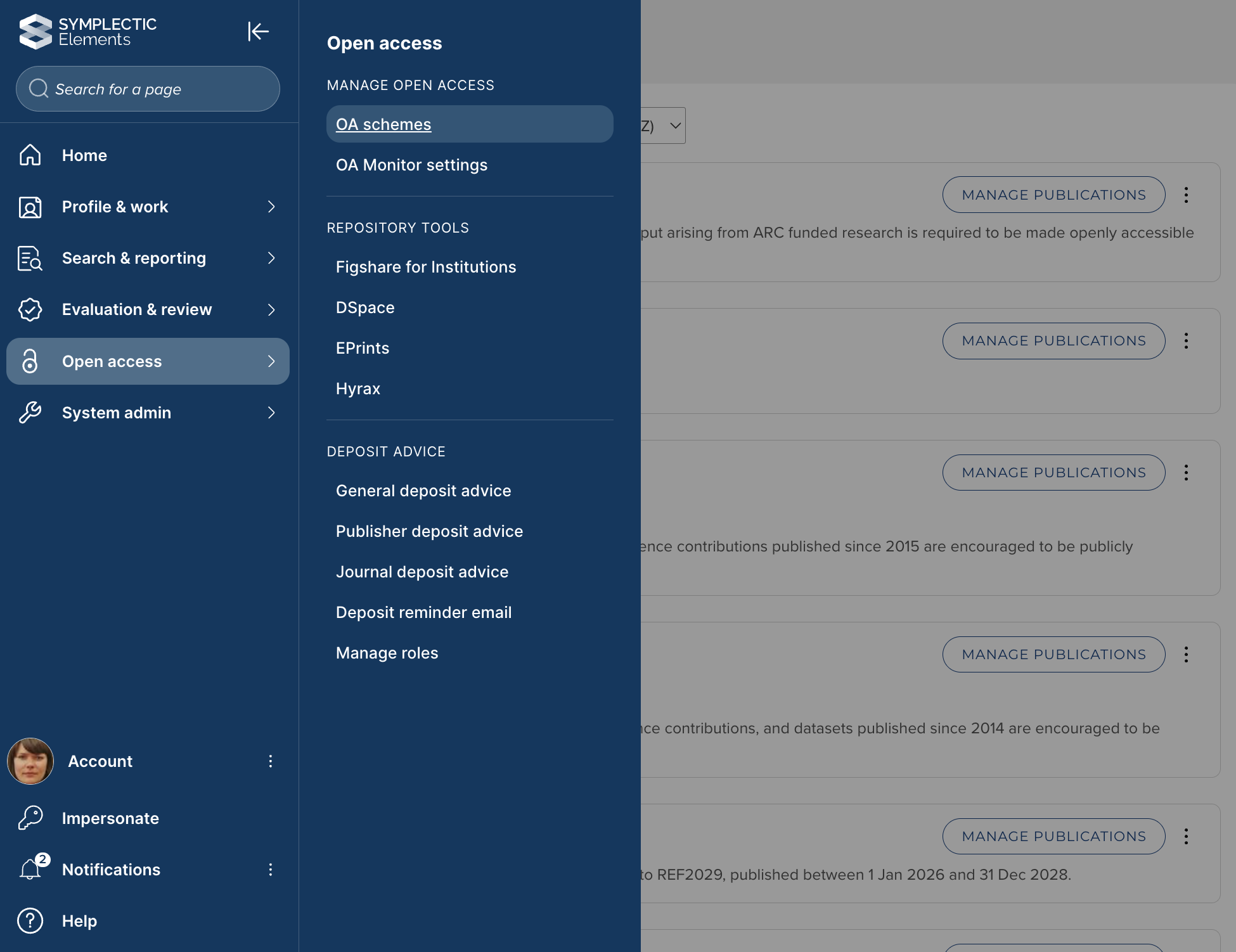
Image: Accessing OA schemes via the Elements navigation menu
The OA schemes list page lists all OA schemes that have been configured in your instance of Elements.
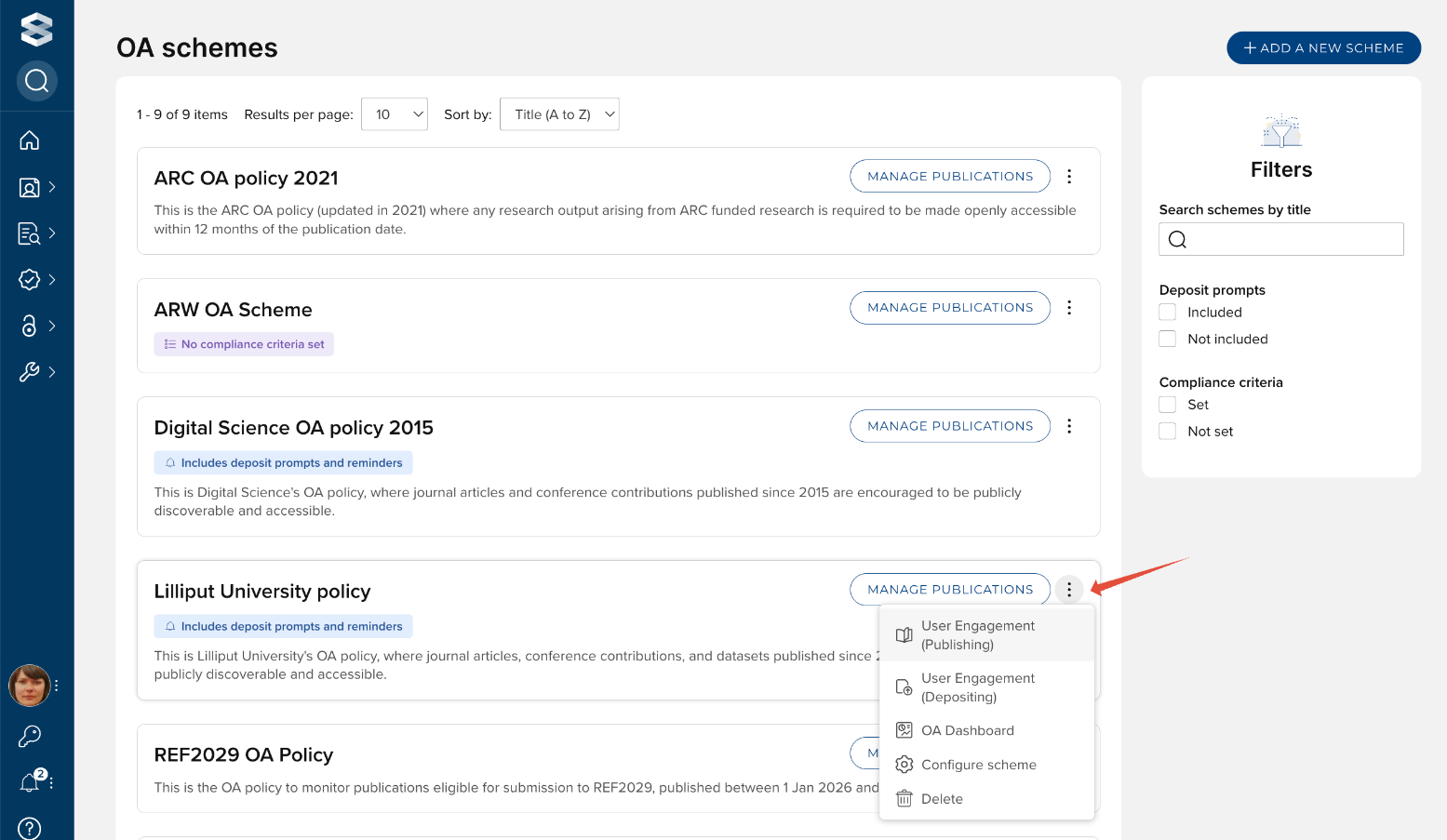
Image: Actions available on the OA schemes list page
Various actions are available for each scheme listed in the OA schemes list page.
Manage Publications
Guidance on how to manage publications within an OA scheme is available here.
User Engagement (Publishing)
The User Engagement (Publishing) page lists those users within the scope of the OA scheme who have not had any relevant publications accepted in the past 3 months (default filter). From this page you can export the list of users, or email individuals.
This page is only available for OA schemes that include deposit prompts and reminders.
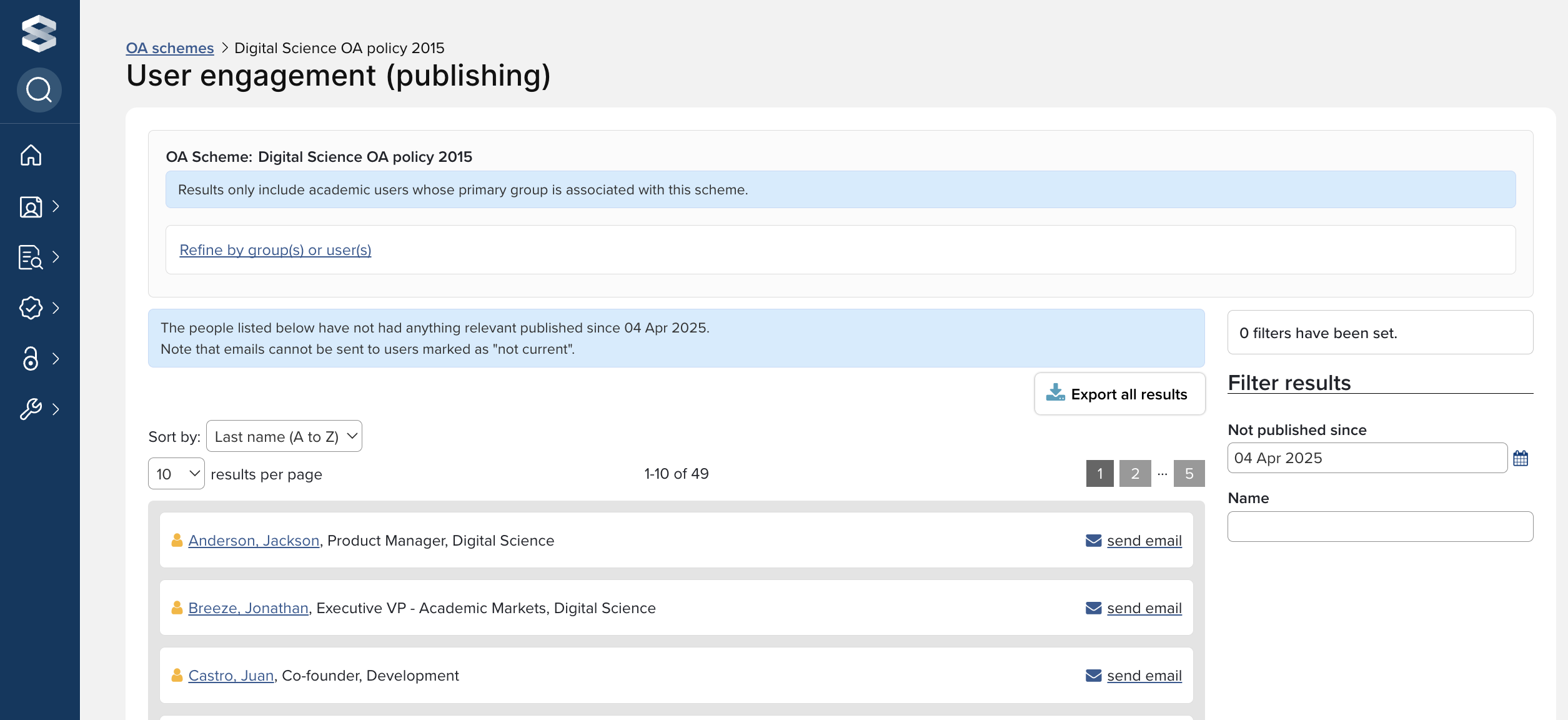
Image: User Engagement (Publishing) page
User Engagement (Depositing)
The User Engagement (Depositing) page lists users within the scope of the OA scheme, displaying publishing and deposit activity. You can use this page to request that Elements sends deposit reminder emails to selected users.
This page is only available for OA schemes that include deposit prompts and reminders.
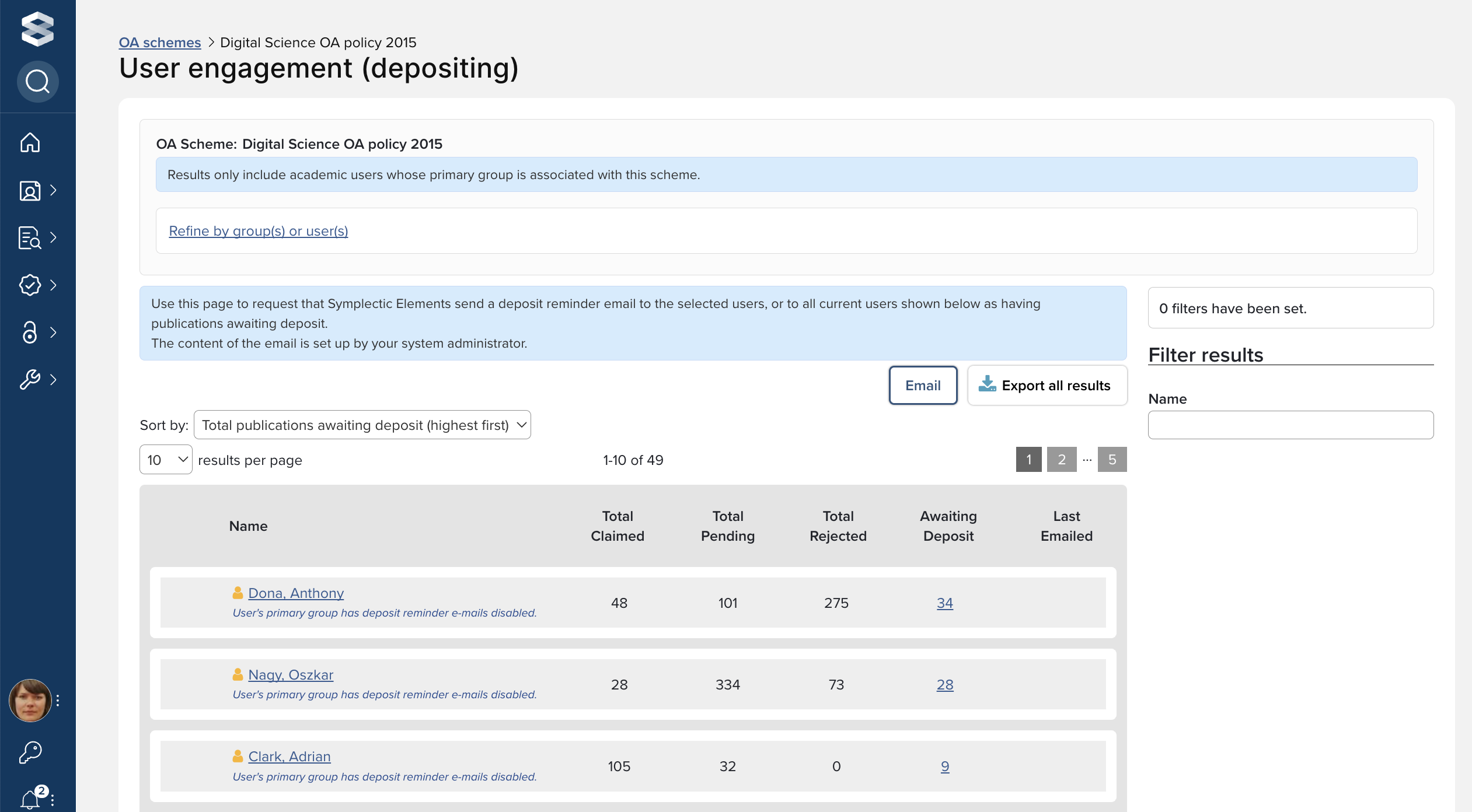
Image: User Engagement (Depositing) page
OA Dashboard
The OA Dashboard provides information on deposit and compliance behaviour.
This page is only available for OA schemes that include deposit prompts and reminders.
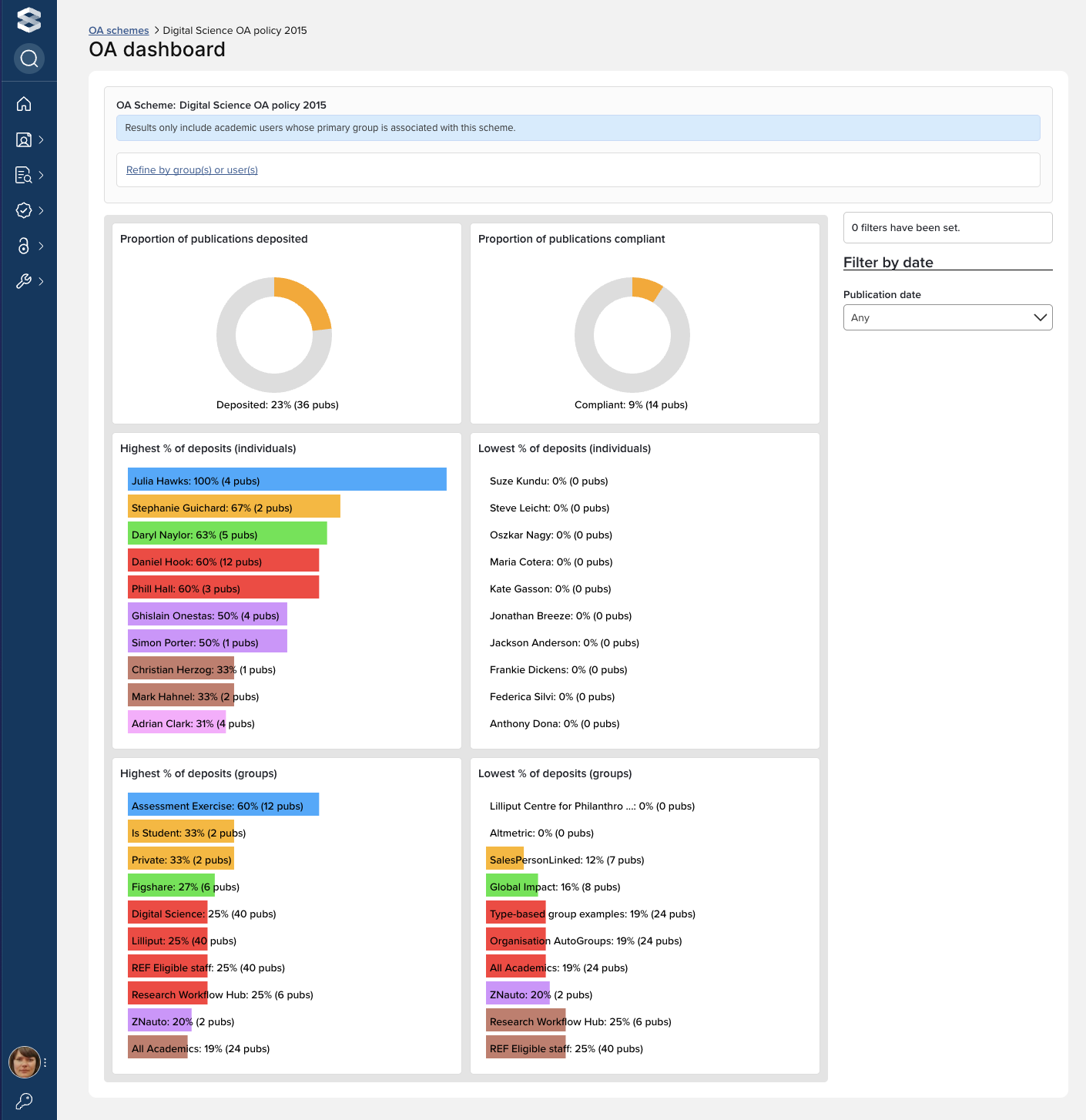
Image: OA dashboard
Configure scheme
You can modify the configuration of an existing OA scheme using the 'Configure scheme' action. Further detail is available here.
Delete
You can delete an existing OA scheme using the 'Delete' action. This will remove the OA scheme and all associated OA monitor content (compliance status, exceptions, etc.).
Note that you cannot delete a scheme that includes deposit prompts that has existing assigned primary groups - these must first be removed, the schemes list page refreshed, and a full search re-index completed before being able to proceed with the deletion. The root group cannot be removed from an exercise.
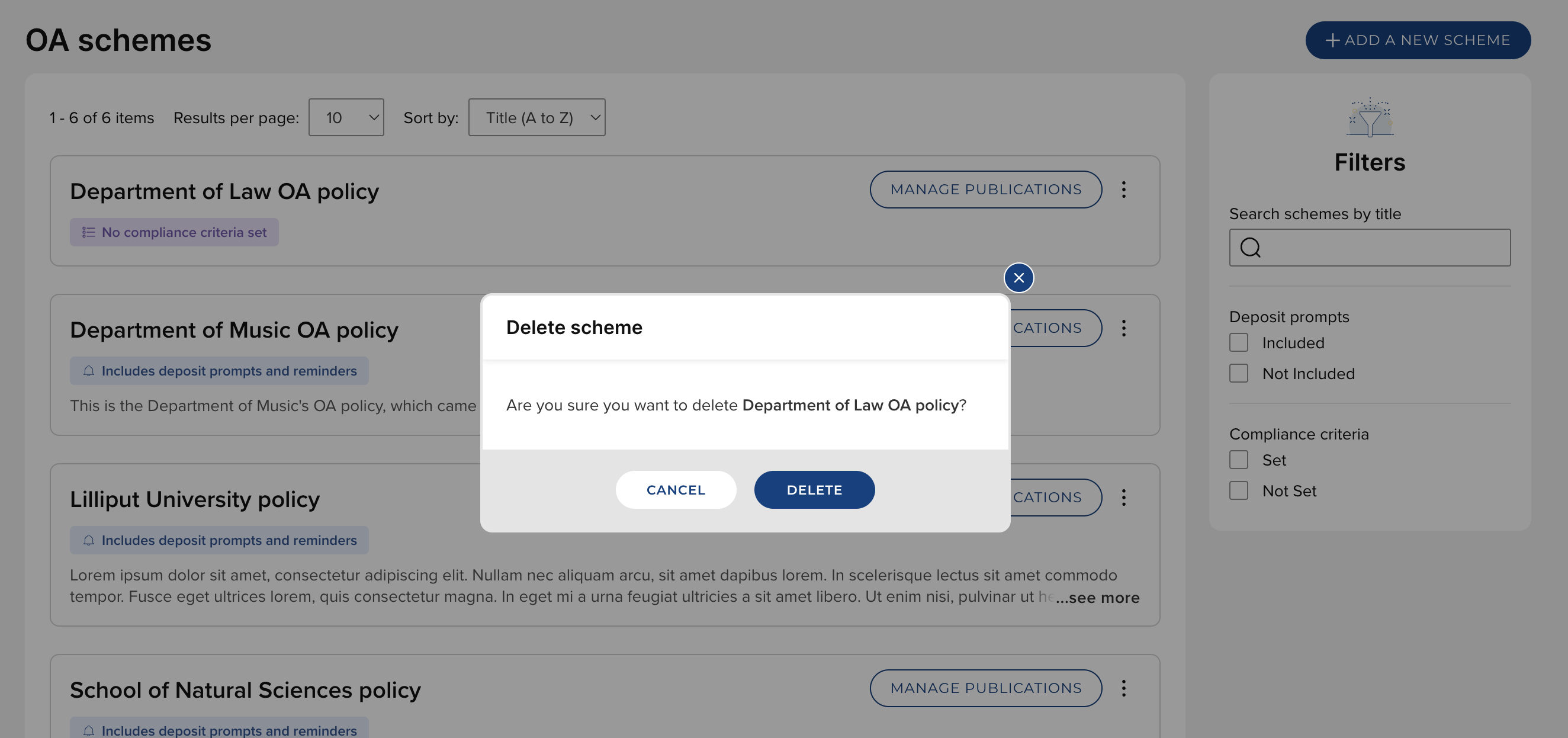
Image: Delete an OA scheme