Capture the overall outcome
System Administrators, Research Information Administrators, and exercise unit managers can capture the overall outcome and move an item evaluation to Complete once all assigned reviews have been submitted or declined and the item's status is Pending outcome.
On the 'Manage [unit]'s exercise' page, for the desired item, select the 'Capture overall outcome' action.
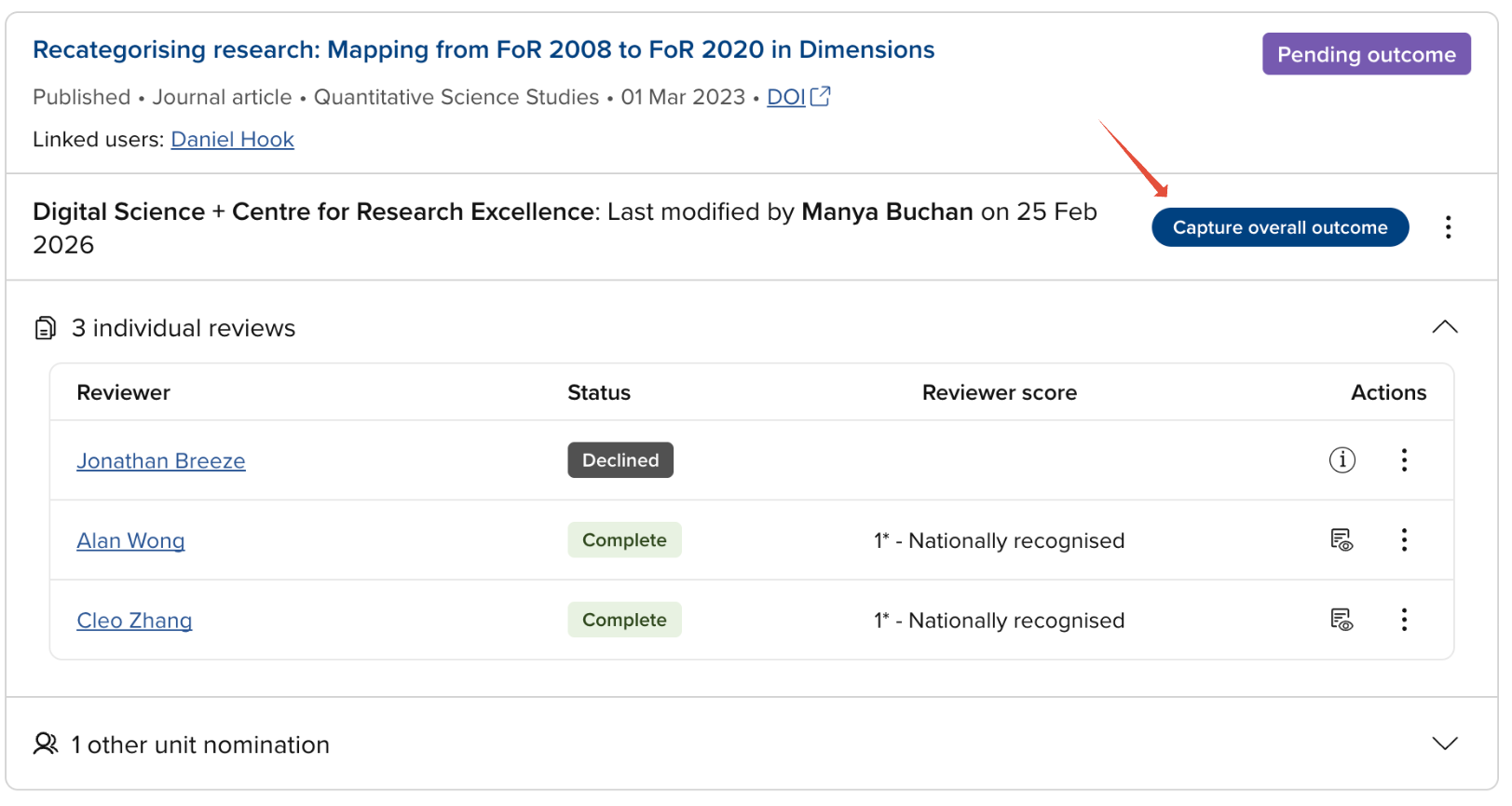
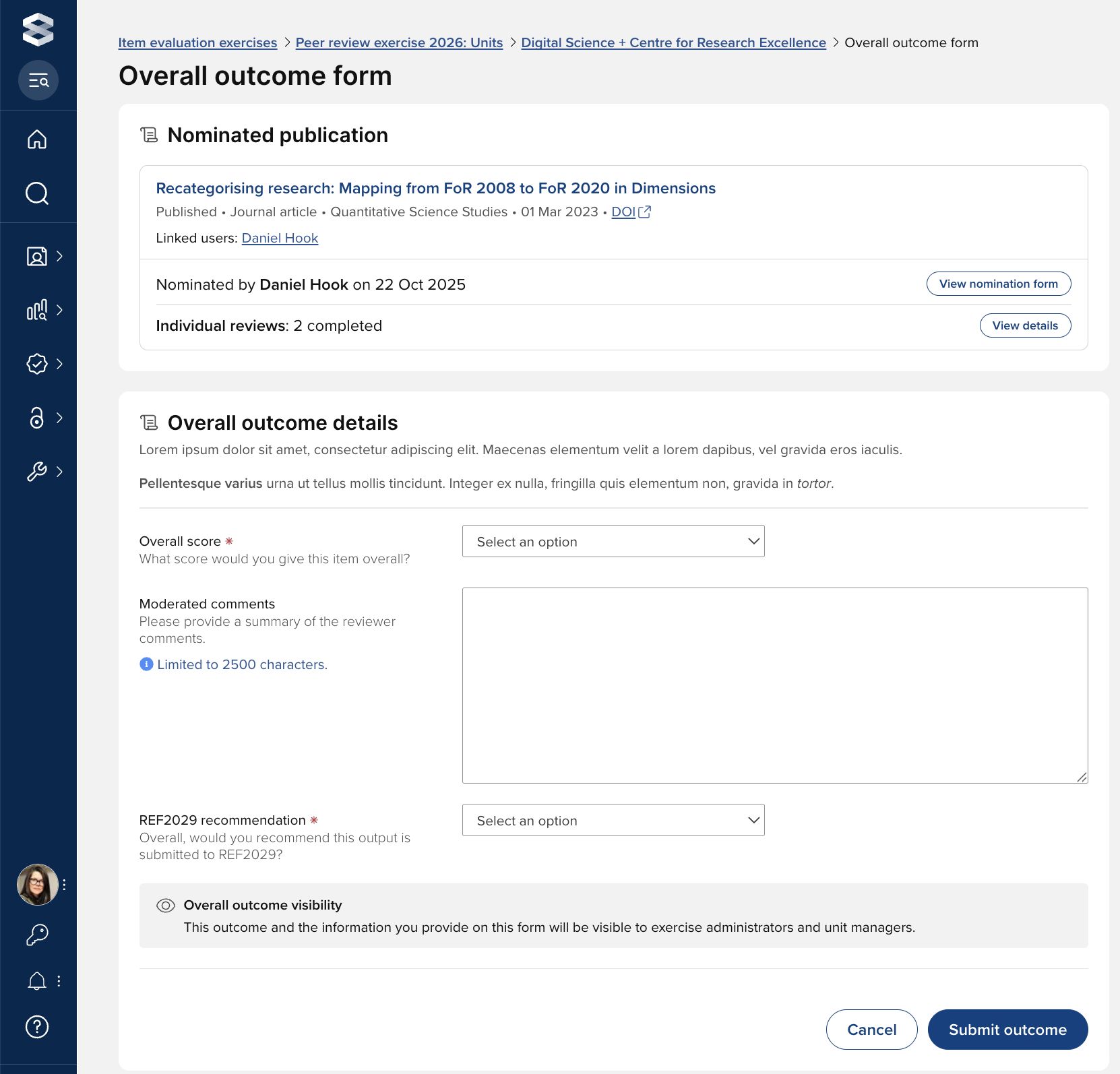
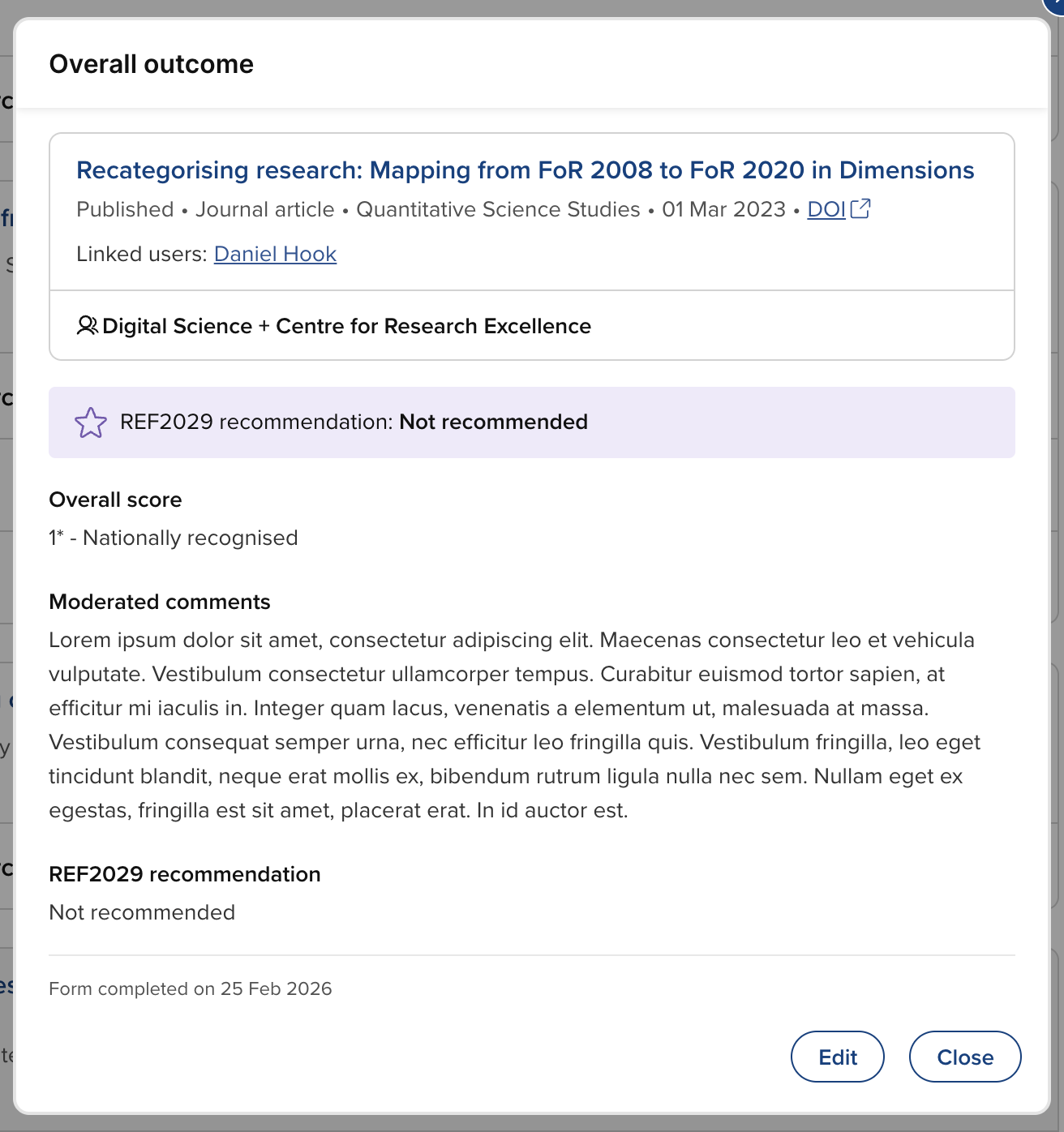
If an overall outcome form has been configured for this exercise, you will then be prompted to complete the form and submit the overall outcome. Otherwise, the 'Capture overall outcome' action will change the status of the item from 'Pending outcome' to 'Complete'.
Overall outcome form
From the outcome form, you can also:
Access the publication object in Elements (from which a deposited full-text file may be accessible)
Access the publication via the DOI (if available)
View the submitted nomination form
View the submitted reviews
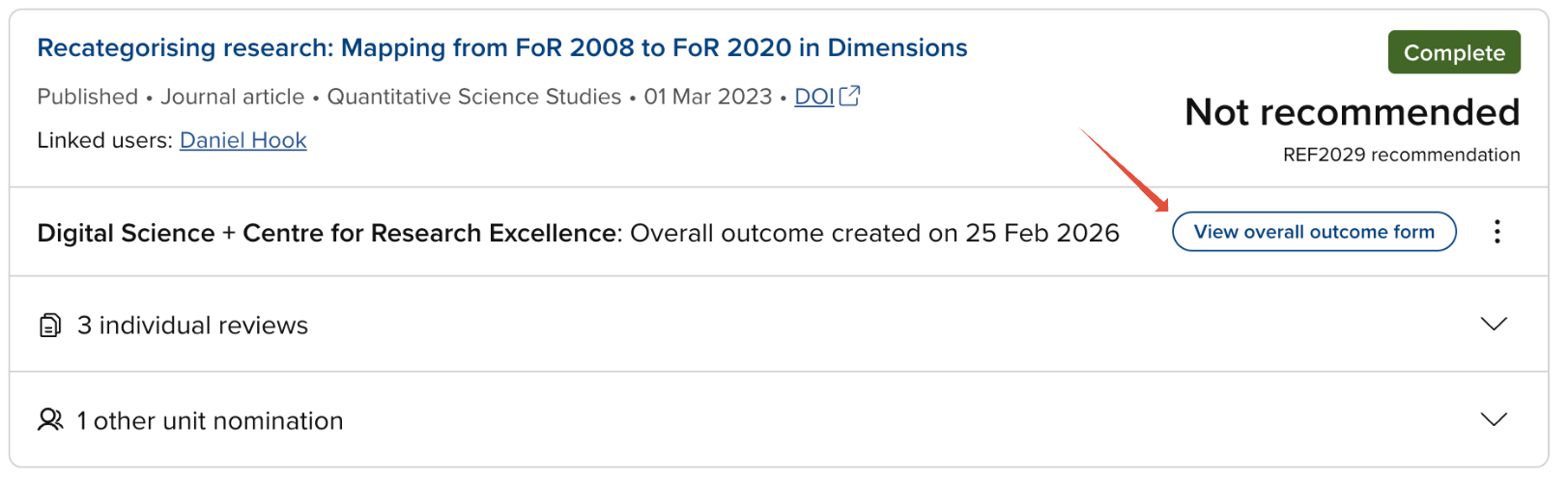
View / Edit outcome form
Once the overall outcome has been captured and the item's evaluation status is Complete, the outcome form can continue to be viewed and edited via the 'View overall outcome form' action.
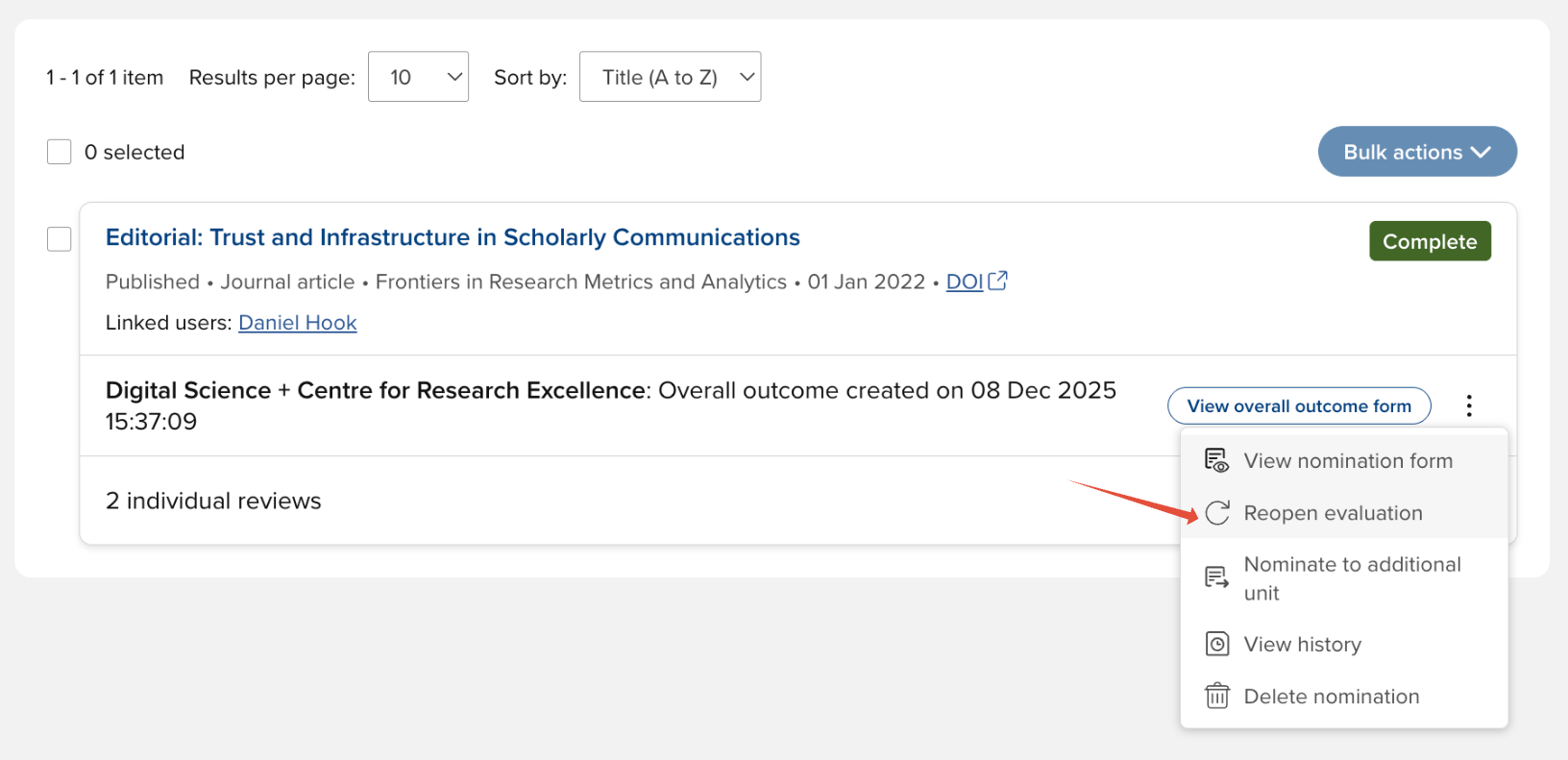
Reopen an item's evaluation
Once an item's evaluation has been completed, you may wish to reopen the evaluation, moving the status back to 'Pending outcome', which would enable you to assign and dispatch additional reviews.
Reopening an evaluation will permanently delete the overall outcome form and its data (if one exists).