
Awards Management 7.3 release notes
In this release of the Elements Awards Management module, we are pleased to introduce additional enhancements aimed at improving the approval workflows as well as building on the group-based changes introduced in the previous release. These features include:-
a series of improvements designed to simplify the approval and invitation process, reducing the number of steps required
expanding the group type restrictions options to Managing Group
addition of a new group type management page
addition of three new funding types
This release also contains a number of additional smaller features and enhancements, described at the bottom of this article.
Simplifying Approval Workflow
In response to feedback from our Awards Management community we have been working on ways to simplify and streamline the administrative process of approving proposals, or for inviting proposals to the next stage when configured for a multi-stage funding opportunity.
Approve/Invite options have now been added directly to the following Awards Management Console pages:-
Proposal Edit
Manage Reviews
Pre-Approved search
Under Review search
Further detail on this feature can be found in this support article.
Proposal Edit
For any proposal at Under Review you can approve it directly from within the Proposal Edit screen. An Approve... option next to the Status field will open a dialog where you can choose to notify the Principal Investigator or not. Any open pre-award reviews will be withdrawn at this stage.
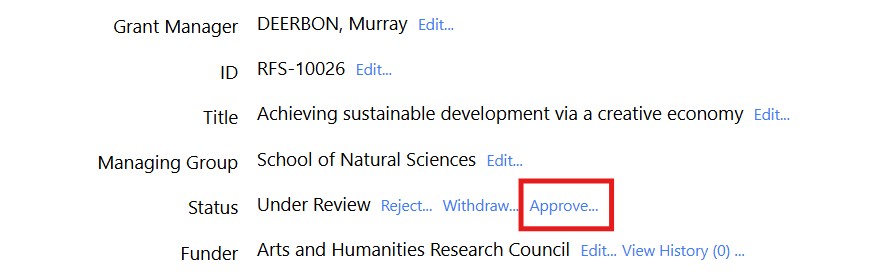
Image: New approval option on Proposal Edit page
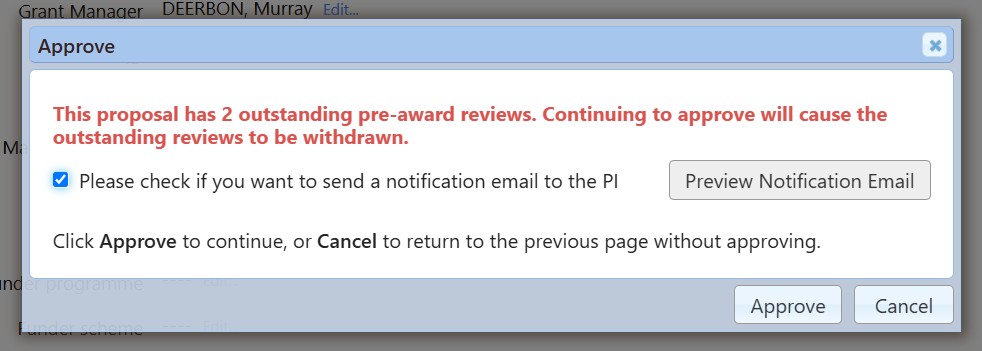
Image: Approval modal allowing you to choose email options and informing you of any reviews that will be withdrawn
Manage Reviews
Alternatively you can approve the Under Review proposal from within the Manage Reviews page. A new Approve option will be shown at the top of the page, leading you to the same popup as above.
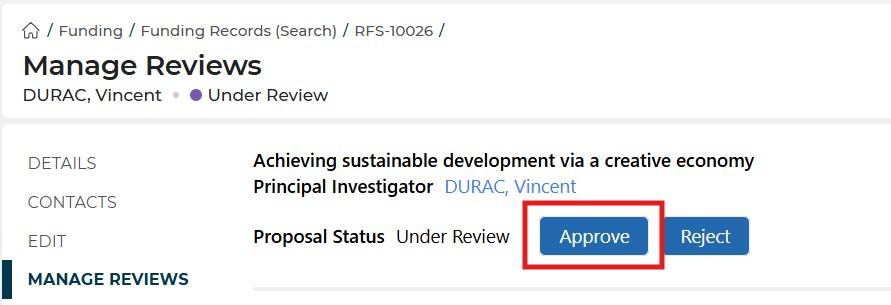
Image: New approve option on proposal's Manage Reviews page
Bulk Approvals
The Pre-Approved & Under Review Search pages now both support direct approval for both individual proposals and multiple proposals in bulk. Previously this was possible within the Pre-Approved search page but only when the proposals were all for the same Funding Opportunity. Now proposals from multiple Funding Opportunities can be approved together.
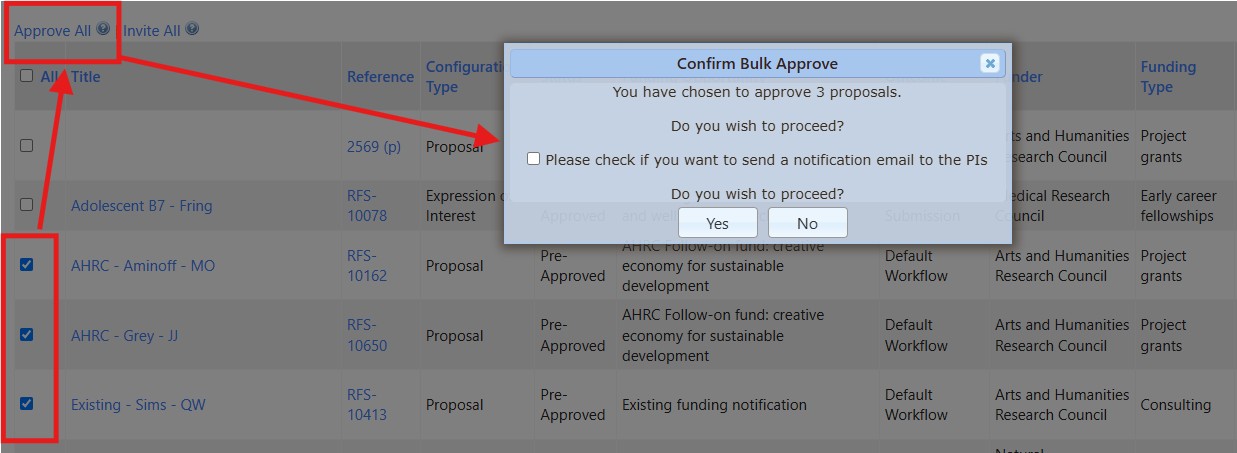
Image: Bulk approval of proposals from the Under Review search page
Group Type Restrictions
The previous 7.2 release introduced new functionality for capturing project team collaborator's represented group within a proposal. Full details of those changes [here]. Part of this change was bringing over the Elements Group Types into Awards Management and using them to define which of the individual's groups were available for selection. The available group types can be restricted but the initial release did not include a way to manage those restrictions from within the Awards Management console.
The 7.3 release includes this management page to complete this work. The management page is only available to users who belong to either the System Administrator or the Research Funding Administrator role. It can be accessed through the Admin > Contacts & Content menu.
Further detail on the group type feature is available in this support article.
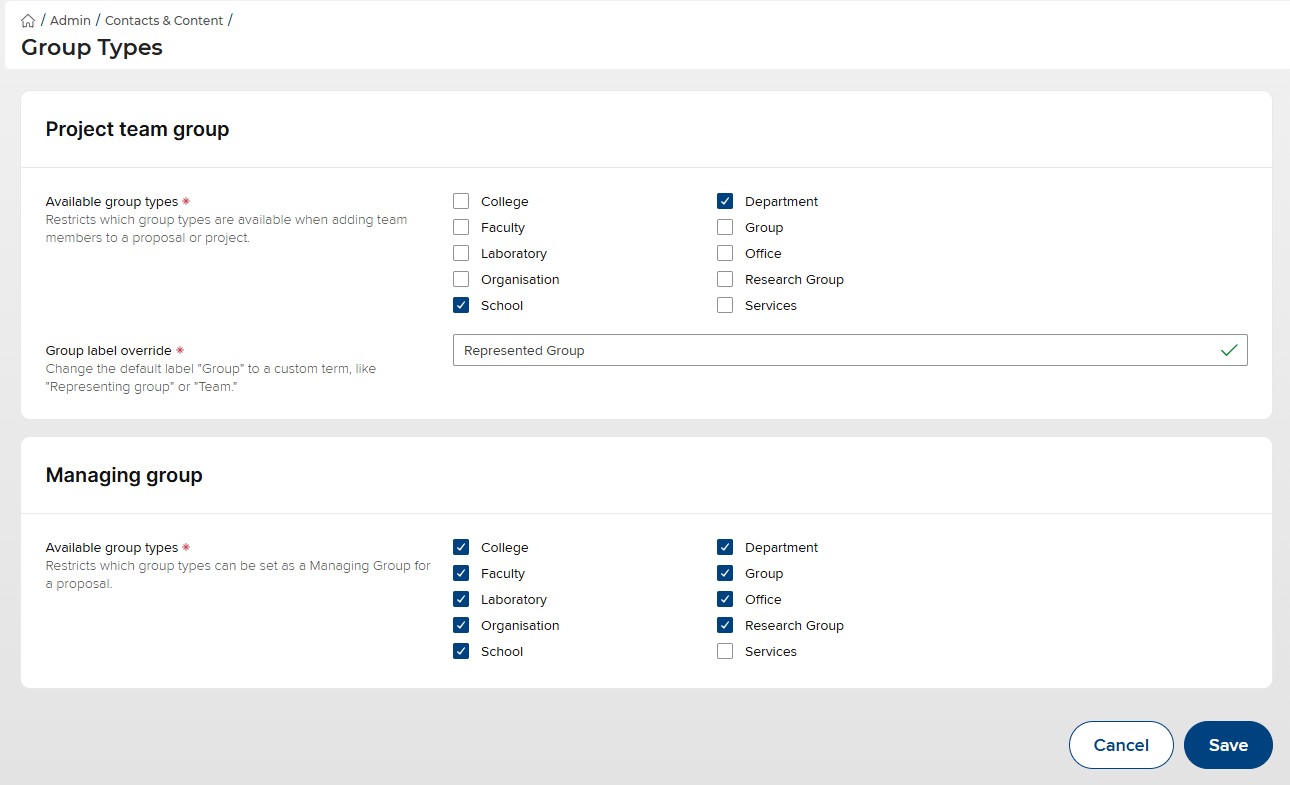
Image: New management page for setting group type restrictions
Project Team Group Type Restrictions
When a project team group type restriction is in place, anyone being added to a proposal will not be able to set their representative group to be of that group type. For example, if School and Department are the only available group types, each participant will only be able to assign their representative group as one of type School or Department.
The Group label override allows you to change the term used throughout the system for the Project Team representative group.
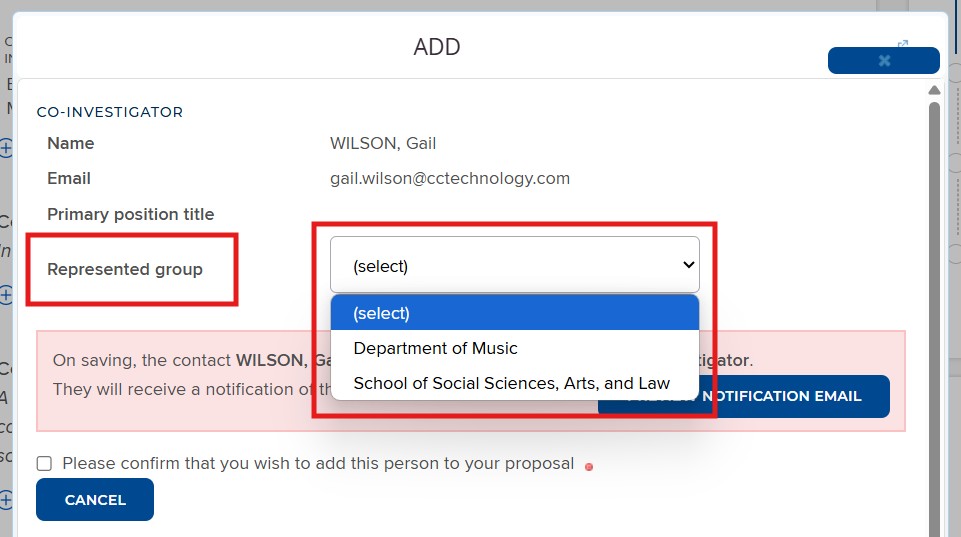
Image: Form participant control showing the group label override and the restricted set of available groups
Managing Group Restrictions
The Group Type admin page also allows to set restriction on which groups can be assigned as the Managing Group of a proposal. This behaves in the same way as the project team restrictions. For example, if you restricted the Managing Groups to Colleges or Departments only groups of those types would be available to be selected.
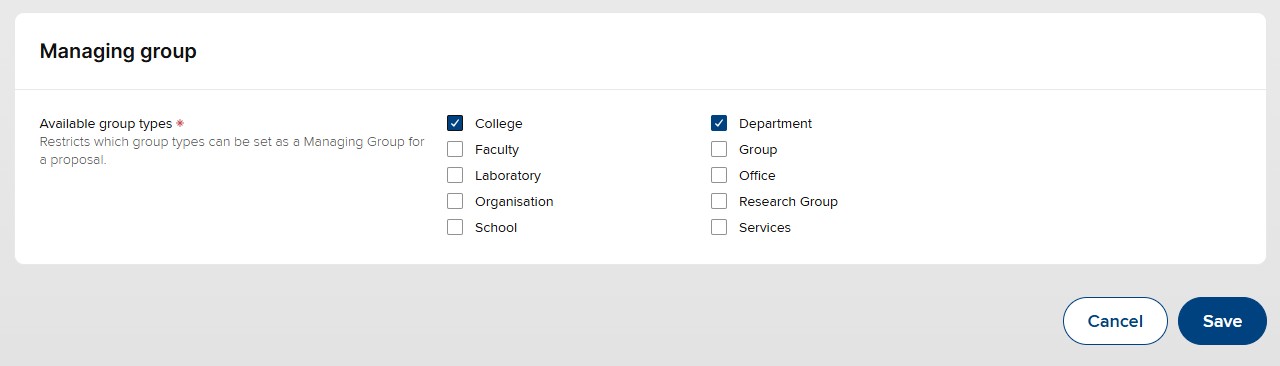
Image: Group Type management page section for restricting the group types available for the Managing Group
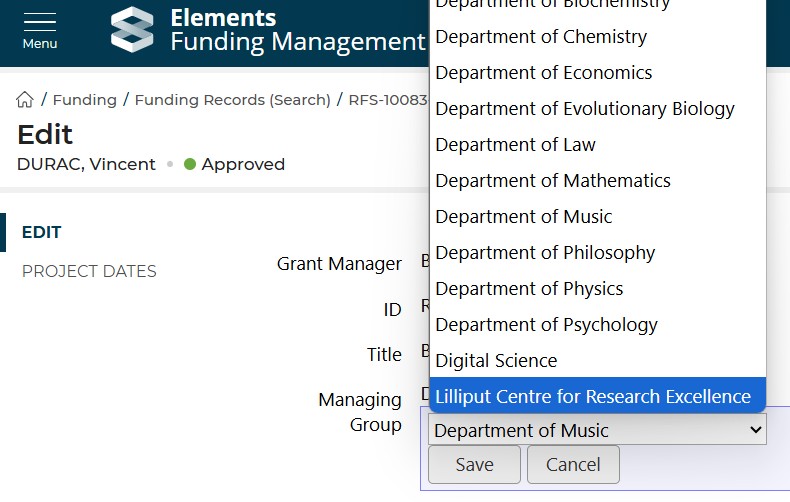
Image: Proposal Edit page showing the restricted set of groups available for the Managing Group field
Budget Menu
The Proposal Budget page has, up until now, been found within the Proposal Edit menu. In the 7.3 release of the Awards Management module we have moved this page to the Proposal Finance menu where it intuitively belongs.
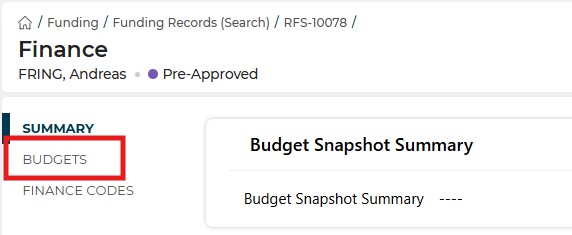
Image: New location of the proposal's Budgets page
Other Improvements & Bug Fixes
We have added three new funder types to the standard Awards Management module. These are:-
Mid career fellowships
Research fellowships
Translational research
Previously, when a proposal was closed using the Unsuccessful action, the Unsuccessful Reasons field was not available to view afterwards. This has been resolved in this release and the Unsuccessful Reasons field can be accessed and viewed for those affected proposals.
We have resolved an issue affecting the breadcrumb navigation links when viewing some proposal forms resulting in an error when navigating back to My Proposals or Proposal Details.
We have resolved an issue that was affecting Date Picker controls within grids, where the control would occasionally become unresponsive.
Previously, some users will have been unable to view the Proposal Submissions dashboard tile on the funding opportunity details page. We have fixed this and the dashboard tile now displays correctly.
We have removed a redundant "Change Password" link that was erroneously still displayed in the console A-Z menu.