
Impact Module Settings
This article outlines the configuration options required to implement the Impact module. These settings both control how users interact with the module, including the display and entry of records, and also allow the System Administrator to give specific users the role of Category Admin or Group Impact Officer.
Licence Settings
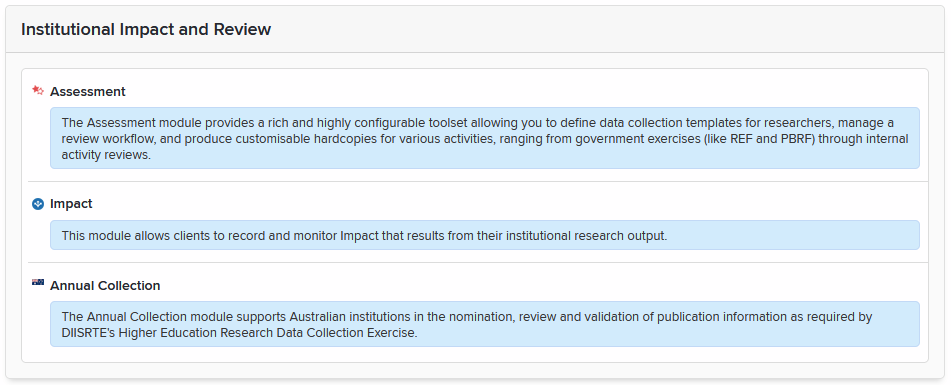
To see if you are licensed for the module, go to Menu > System admin > [GENERAL SETTINGS] > Licence (V6.n System Admin > Setup > Licence). Impact is listed last under "Institutional Impact and Review." If you don't see it, please raise a support request.
System Settings
Module Access
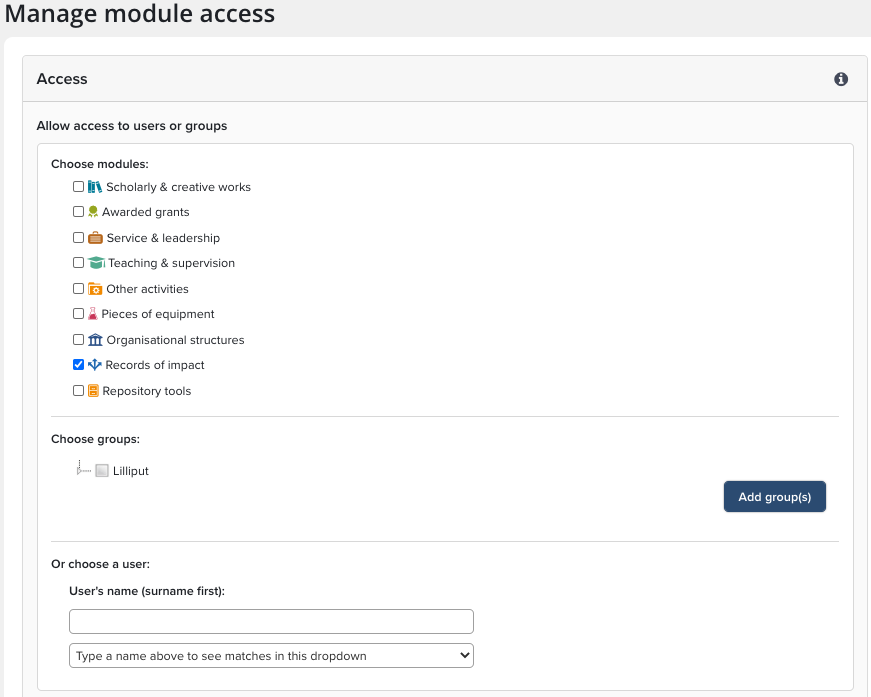
To ensure that researchers can add records of impact, first you will want to enable access for the appropriate users or groups. Navigate to Menu > System admin > [DATA CATEGORY SETTINGS] > Manage module access. (V6.n System Admin > User Management > Module Access) and select the Impact module. Then, add the required group(s) or user(s). Review the Manage module access article for more detail on enabling system wide access.
Roles
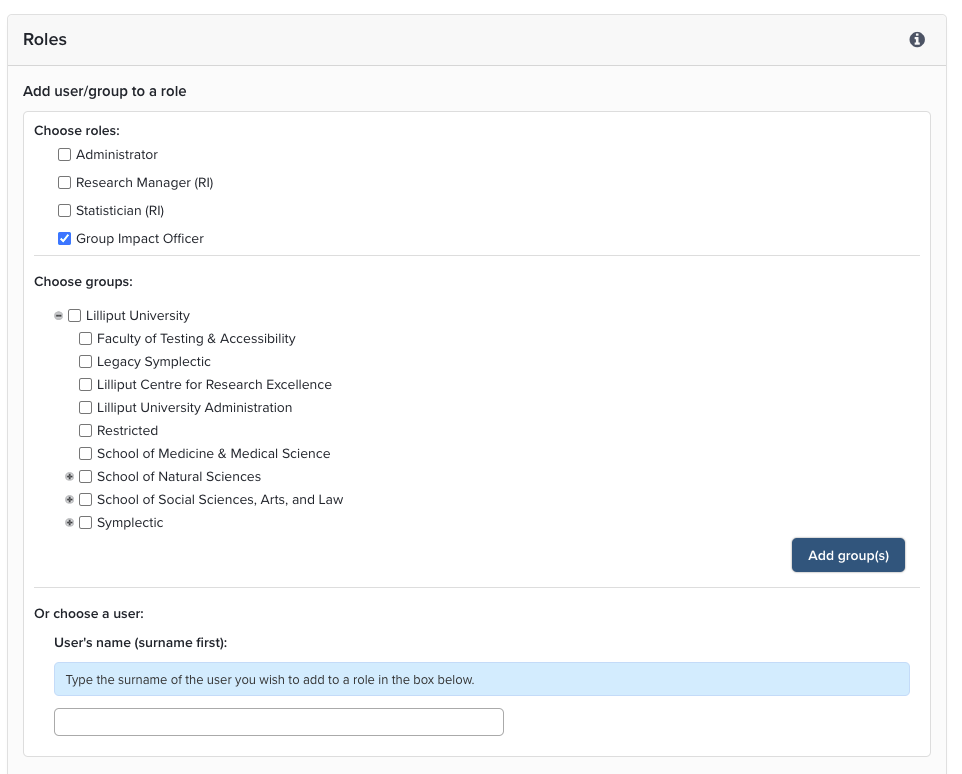
Category Admin: To assign a user privilege to manage this category, navigate to Menu > System admin > [DATA CATEGORY SETTINGS] > {Records of impact} > Manage category roles. (V6.n Category Admin > Records of Impact > Manage Roles.). Begin by selecting the role, and then add group(s) or user(s).
Group Impact Officer: Navigate to Menu > System admin > [USERS & GROUPS] > Group management > Manage groups. In the Group hierarchy select the group from the list and then on the new page that opens on the right part of the window from the ROLES tile, select MANAGE, select Group Impact Officer, add the required group(s) or user(s). (V6.n System Admin > User Management > User Groups) and select a group. Under Tasks you will find the link to manage the roles associated with this group. Begin by selecting the role, and then add groups or users to assign them this role. The Group Impact Officer can create and manage records that have links to users in their assigned group.
In addition to the above roles, administrators with system-wide privileges will be able to lock manual records and prevent users from editing them. These roles include Research Information Administrator, Research Information Verifier, Symplectic Configuration Support, and System Administrator.
Label Scheme
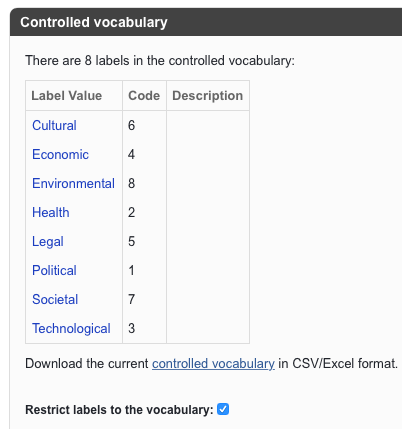
Add one or more label schemes to categorise your impact records via Label Schemes (System Admin). The Manage and Create Labels article explains how to create and edit labels.
There is a handy scheme on our Sandbox (https://preview.symplectic.co.uk/login.html) for the REF categories that you can copy. Please raise a support request to get a Sandbox account or ask us to supply you a copy of the .csv file. Note that you can apply label schemes to Records of Impact and create limited visibility of these labels if you are an Impact Officer.
Getting Started - Create a Record of Impact
We created this Quick Start Guide to assist your End Users and Impact Officers in the use of the Impact Module.
Outreach and Engagement
For many disciplines, the place and frequency of publication will continue to be the most effective method to evaluate the quality of research. Times are changing, though, and in recent years a growing number of funding agencies, including the NIH, HEFCE, RCUK and ARC have begun to ask institutions and researchers to provide qualitative evidence of research ‘impact’ generated as a result of externally funded research.
In 2014 for example, the NIH medical research agency introduced a new version of their Biosketch to “redirect the focus of reviewers and the scientific community more generally from widely questioned metrics” to a more qualitative outline of their work. Unfortunately, developing a comprehensive evidence base of the wider impact of research undertaken within an institutional setting can be quite a challenge:
Timing – research impact often occurs long after the research is completed.
Attribution – collaborative research involves multiple stakeholders and has many inputs, often in isolation of each other.
Appropriateness – it’s not always obvious who might be the beneficiary of research, so tracking the diverse range of impacts can get very complicated.
These particular challenges are why the Impact Module will help to capture the emerging evidence of research impact resulting from your researcher’s work.