
Introduction to the Discovery Module: page types, data included, and search functionality
What this article covers: |
If you have any questions or suggestions as a result of reading this content, please get in touch with nick@symplectic.co.uk or m.bryant@digital-science.com (APAC) - we love to hear your feedback.
Overview of the Discovery Module
What is the Discovery Module? | The Elements Discovery Module provides Elements clients with an easy to use, low cost public profile that allows institutions to showcase their researchers, groups, and equipment with minimal IT overhead. It is a public search and discovery layer for a client's existing Elements user profiles (which are internal only). The Discovery Module allows users to curate and publish a public web profile via their Elements Profile page in Elements. The Discovery Module also includes additional functionality to support end users to find and explore its content. All of the data displayed in the Discovery Module is sourced from Elements, with links out to other information where this is available. This data not only creates interesting profiles which showcase your groups, your equipment, and the work of your researchers, it also powers search in the public domain, making those profiles easy to find. Visitors to your Discovery website will have a richer experience when the profiles are well-populated with data in Elements. The Discovery Module is managed by Symplectic (i.e. it is a hosted solution). |
What does a Discovery profile website include? | A Discovery website includes several types of pages:
|
Can researchers control their data? | Users have control over the privacy of fields or objects being displayed in the Discovery Module. For more information, see "Control of user data in Elements". |
The Discovery Landing Page
What is the landing page? | The landing page is the doorway to your Discovery profiles. It can be configured to display institutional branding and local links (see the Branding section on this page for more detail), and includes search functionality by category: Expert, Equipment, and Groups. Note: these are the default names used, but other options are available. Facilities & Equipment and Groups categories are optional and can be enabled/disabled via the Discovery Configuration page in Elements. |
How do you search on the landing page? | Use the toggles above the search box to switch between Expert, Equipment, or Group search. Expert search is selected by default. Use the Control icon in the search box to choose between free-text search or by tag based search. Notes: tags appear on the Search Results page and can be used as filter following a free-text search. |
|
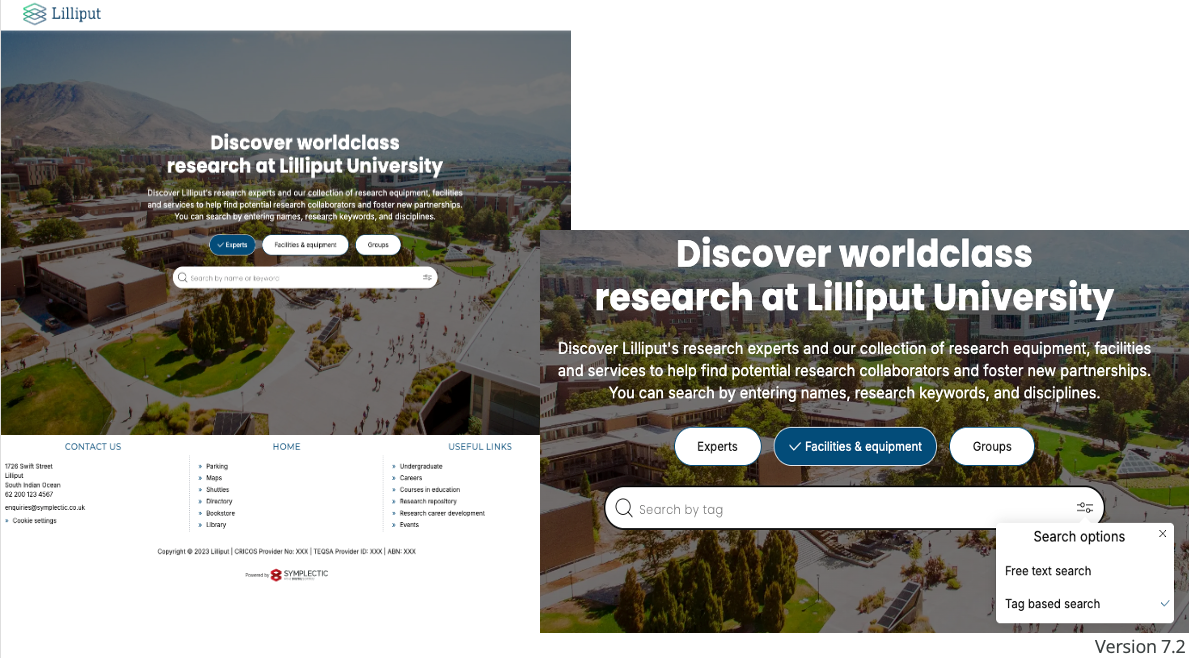
How Search Works in the Discovery Module
What is Discovery tag based search? | Tag based search looks for the search query in the tags associated with a profile. The tags are entries against a specific label scheme used in Discovery; the FoR label scheme is often used for this purpose. | ||||||
How are tag based search results listed (relevance)? | Returned profiles will be sorted by alphabetical name order (Lastname A-Z, Firstname A-Z). | ||||||
What is Discovery free text search? | Free text search uses simple searches and looks for the search query string in specific fields:
| ||||||
How are free text search results listed (relevance)? | Like other search engines, the Discovery search uses sophisticated scoring algorithms to determine the order of the search results (relevance), with profiles calculated to be more relevant to the search string scoring higher and being displayed first. The Discovery search algorithm weights some fields, such as researcher names and equipment titles, so they are given higher priority than other metadata. This ensures that searches for a specific researcher or piece of equipment by name (the most common use case) will return their profiles first.
Any results with the same score will be sorted alphabetically by name (Lastname A-Z, Firstname A-Z). |
Search Results Page
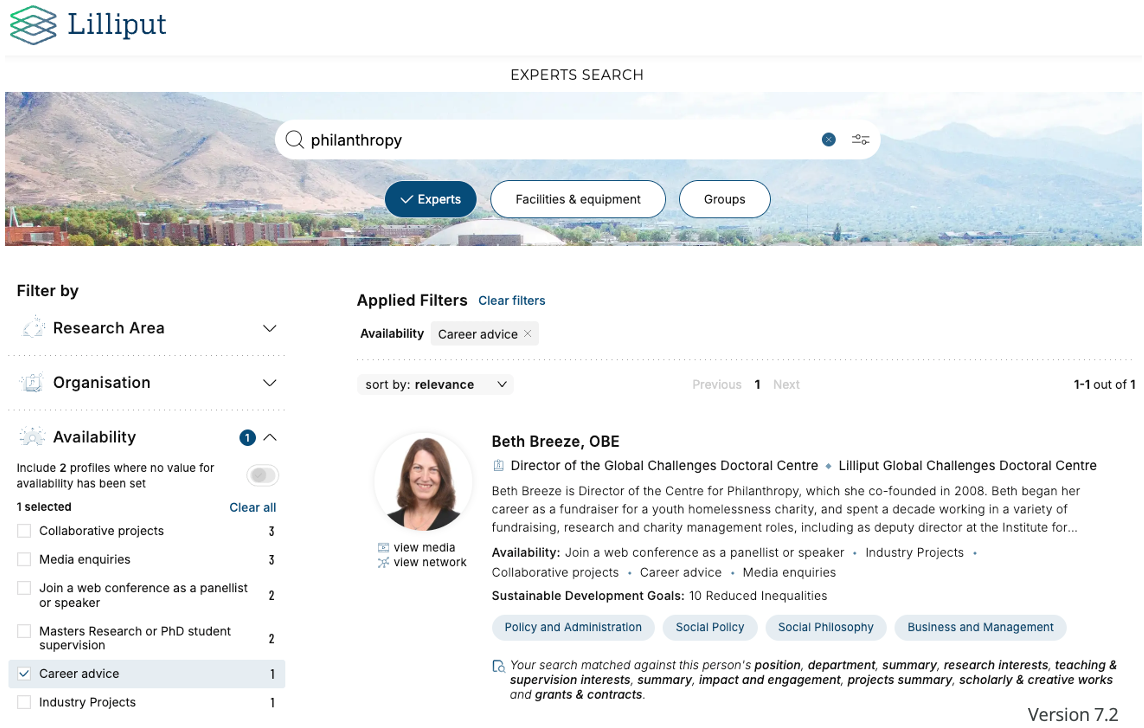
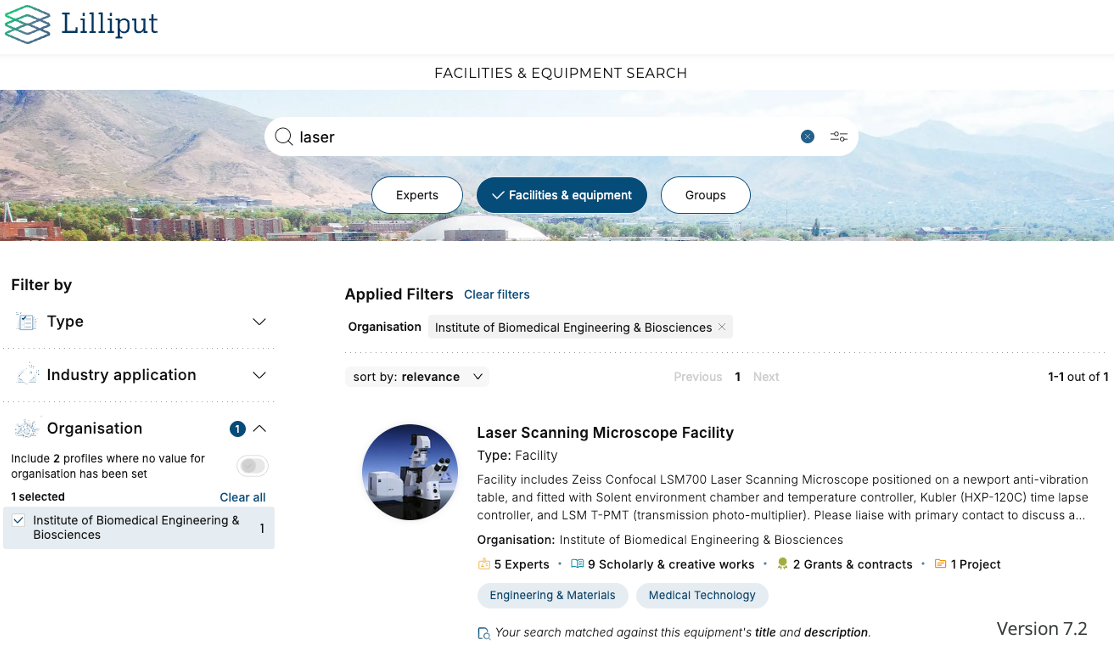
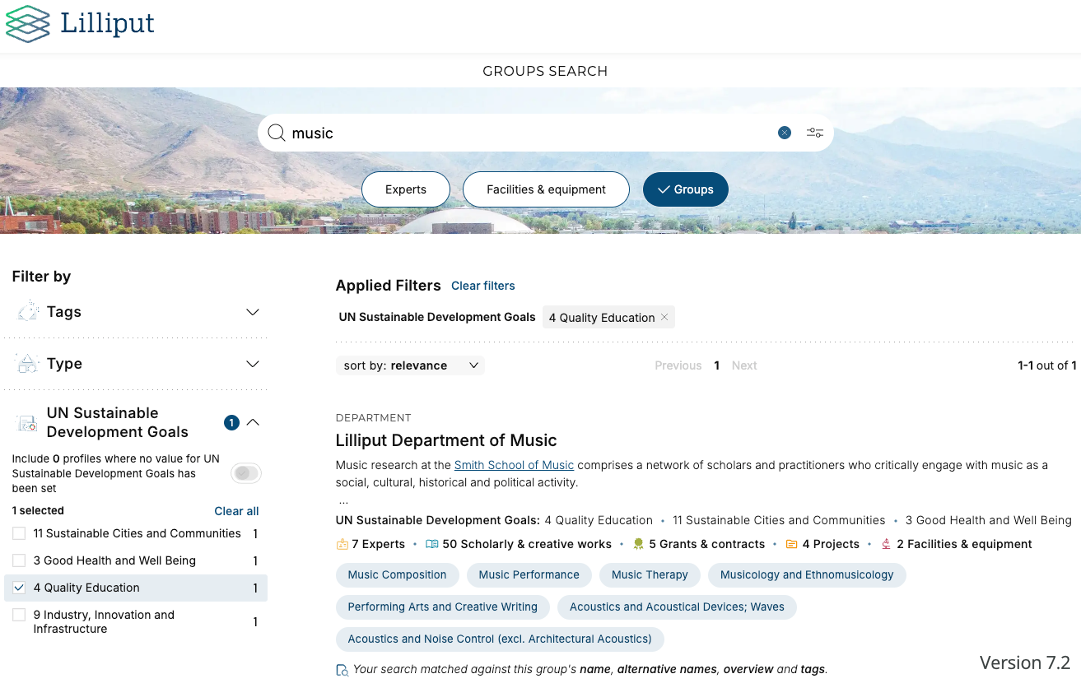
What is the search results page? | The search results page is the page that displays following a search (from the landing page). It displays a list of summary information for profiles returned by the search query. It also allows further searches to be run via the search bar or search results to be further refined using the filter options. |
What information is included in an Experts search results page? | Results can be ordered by relevance (default) or last name. A number of optional filters can be included. Each profile will display the following data (if populated):
|
What information is included in an Equipment search results page? | Results can be ordered by relevance (default) or last name. A number of optional filters can be included. Each profile will display the following data (if populated):
|
What information is included in a Group search results page? | Results can ordered by relevance (default) or name. A number of optional filters can be included. Each profile will display the following data (if populated):
Full details on Groups in Discovery are available in this support article.
|
About Pages
What is are the about pages? | About pages are the main pages for an expert, equipment, or group profile and show core information about the expert, a piece of equipment, or a group. This page also gives access to other relevant information - such as publications, activities and associated profiles - via the tabbed information pages. |
What information is included in an Expert about page? | Expert about pages display the following data (if populated):
|
What information is included in an Equipment about page? | Equipment about pages display the following data (if populated):
|
What information is included in a Group about page? | Group about pages display the following data (if populated):
Full details on Groups in Discovery are available in this support article.
|
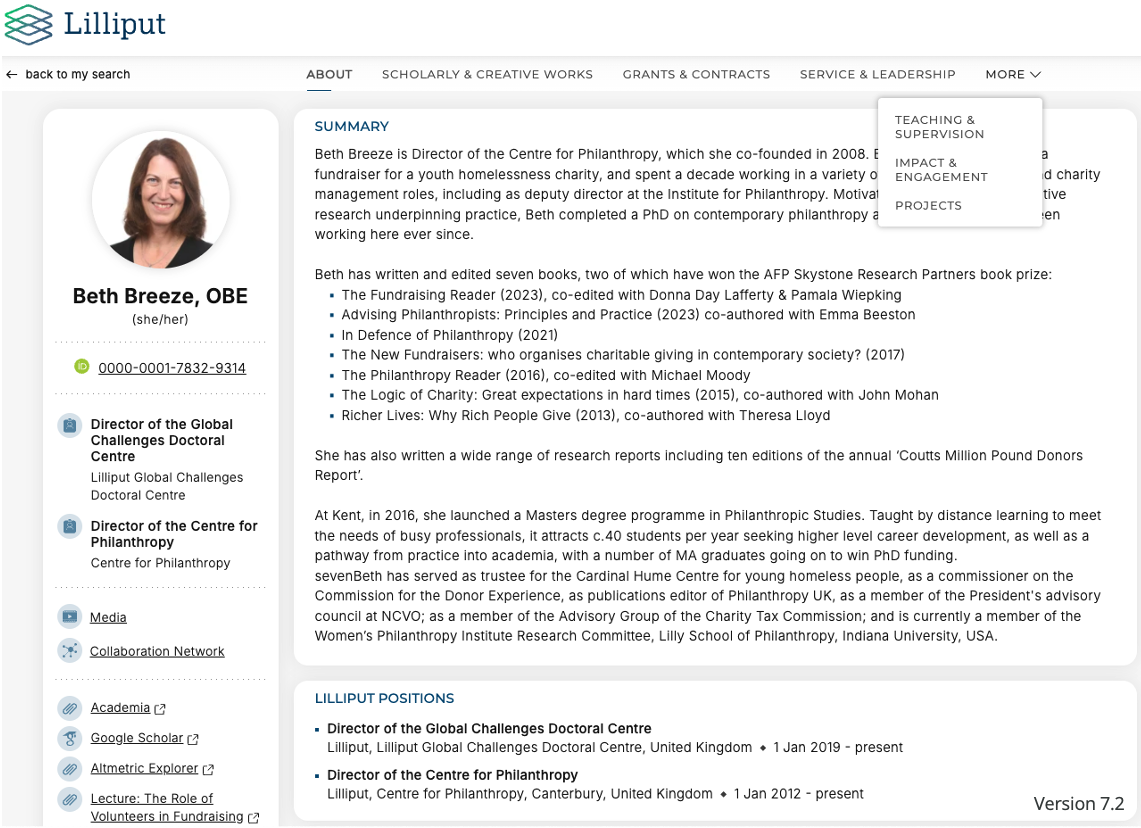
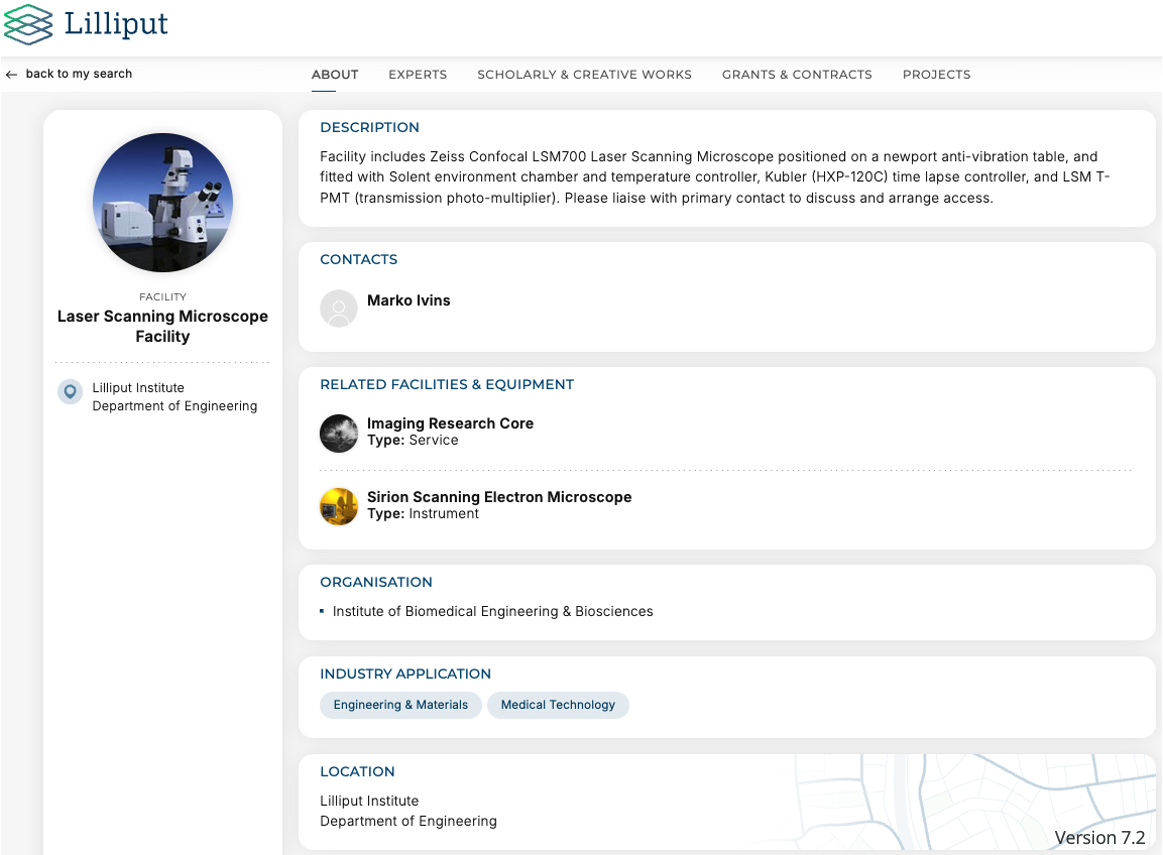
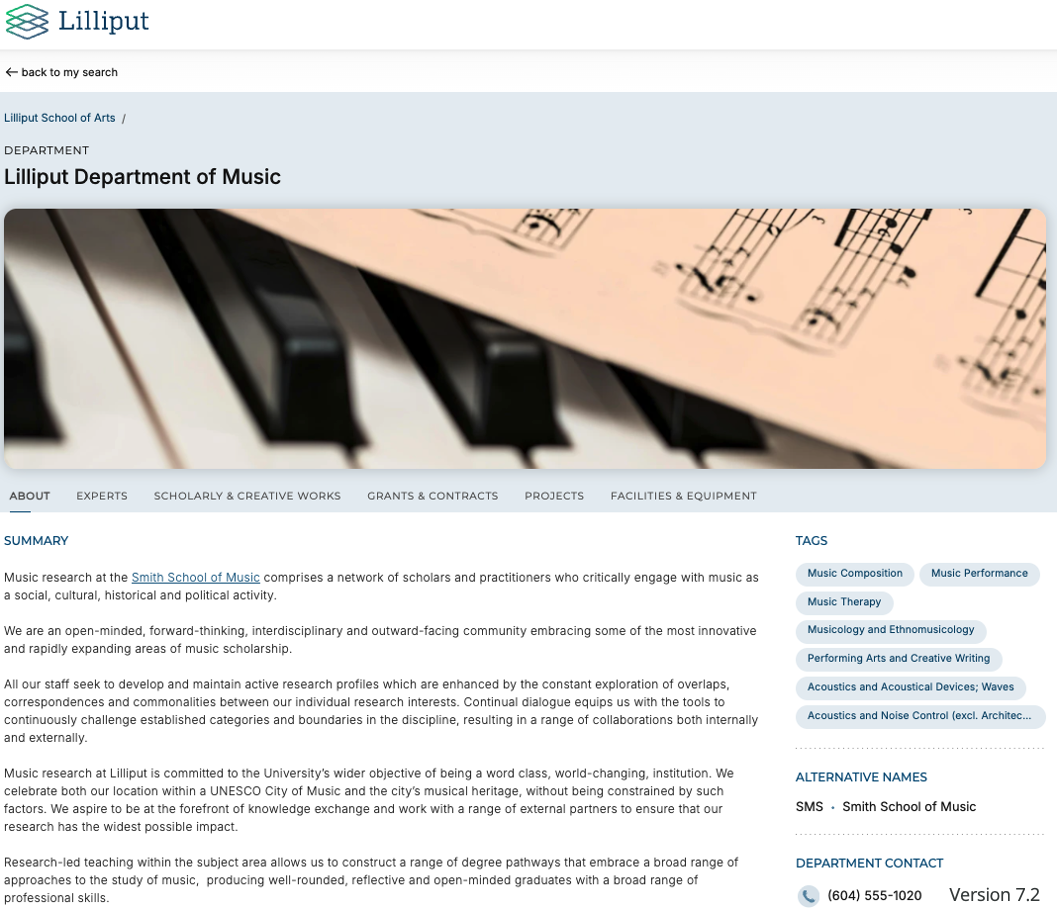
Tabbed Information Pages on Expert Discovery Profiles
What are tabbed information pages? | The tabbed information pages on Discovery profiles include a list of data for a particular Elements data categories i.e. outputs, grants, teaching activities, etc. Optionally, a custom narrative field can be configured and added to information pages (except for publications).
|
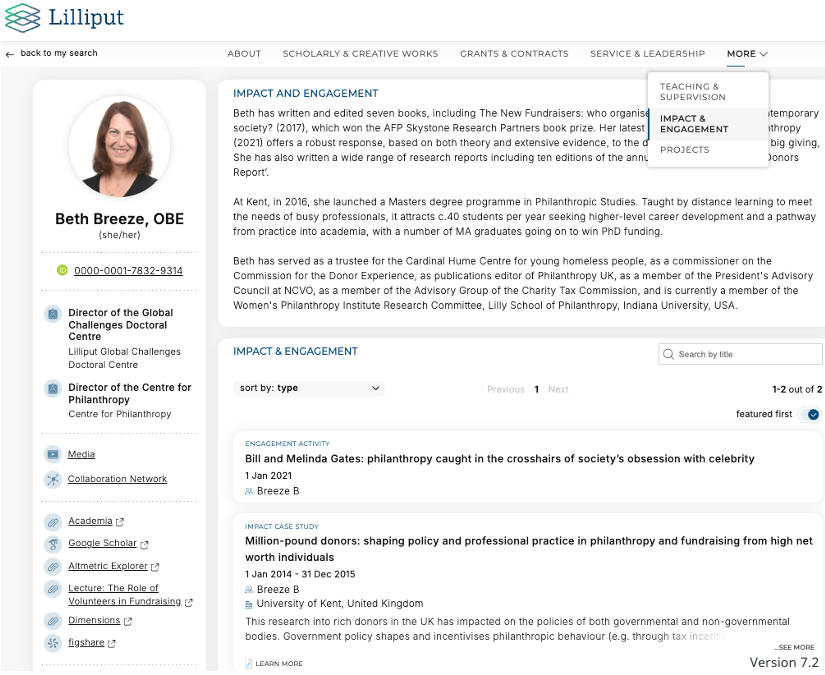
Elements Data That Can Be Displayed in the Discovery Module
What Elements data fields are shown on expert profiles? |
|
|
|
What Elements data fields are shown on equipment profiles? |
|
|
|
What Elements data fields are shown on group profiles? |
|
|
Full details on Groups in Discovery are available in this support article. |
Note: If a profile does not include a data type, that data type will not be displayed.
Back to the Discovery Module index