
Single- and multi-stage processes
This article describes the different processes for single- and multi-stage funding opportunities, internal and external funding calls. The differences described here come in to play upon capturing the internal approval decision. Guidance on configuring single- v. multi-stage funding opportunities is described here.
The Awards Management module supports the following stage scenarios:
Single stage full Proposal
Multi-stage:
Expression of Interest > full Proposal
Initial Expression of Interest > Expression of Interest > full Proposal
The diagrams below represent examples of:
Internal funding
Expression of Interest (optional) > full Proposal
External funding
Expression of Interest (optional) > full Proposal
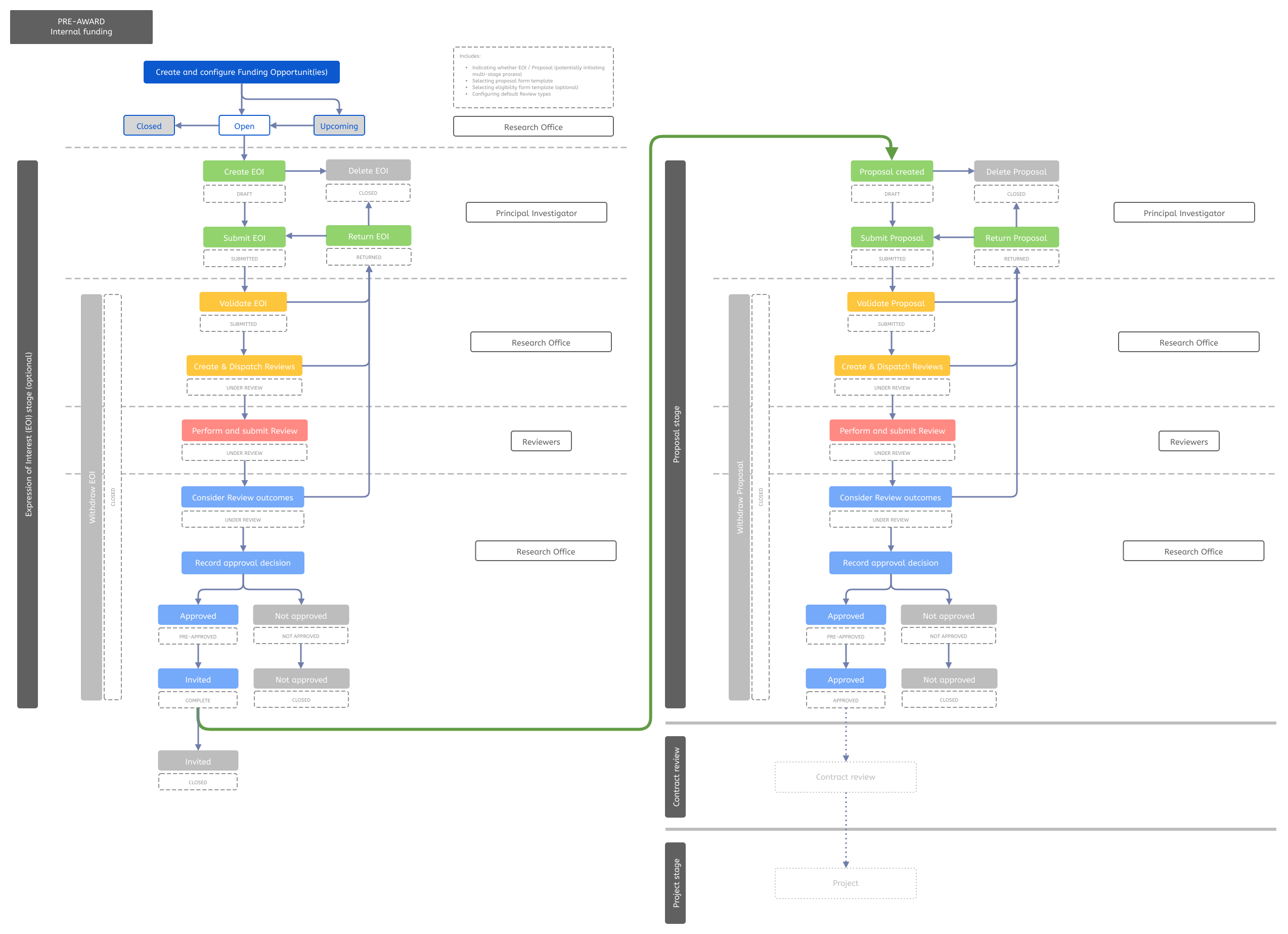
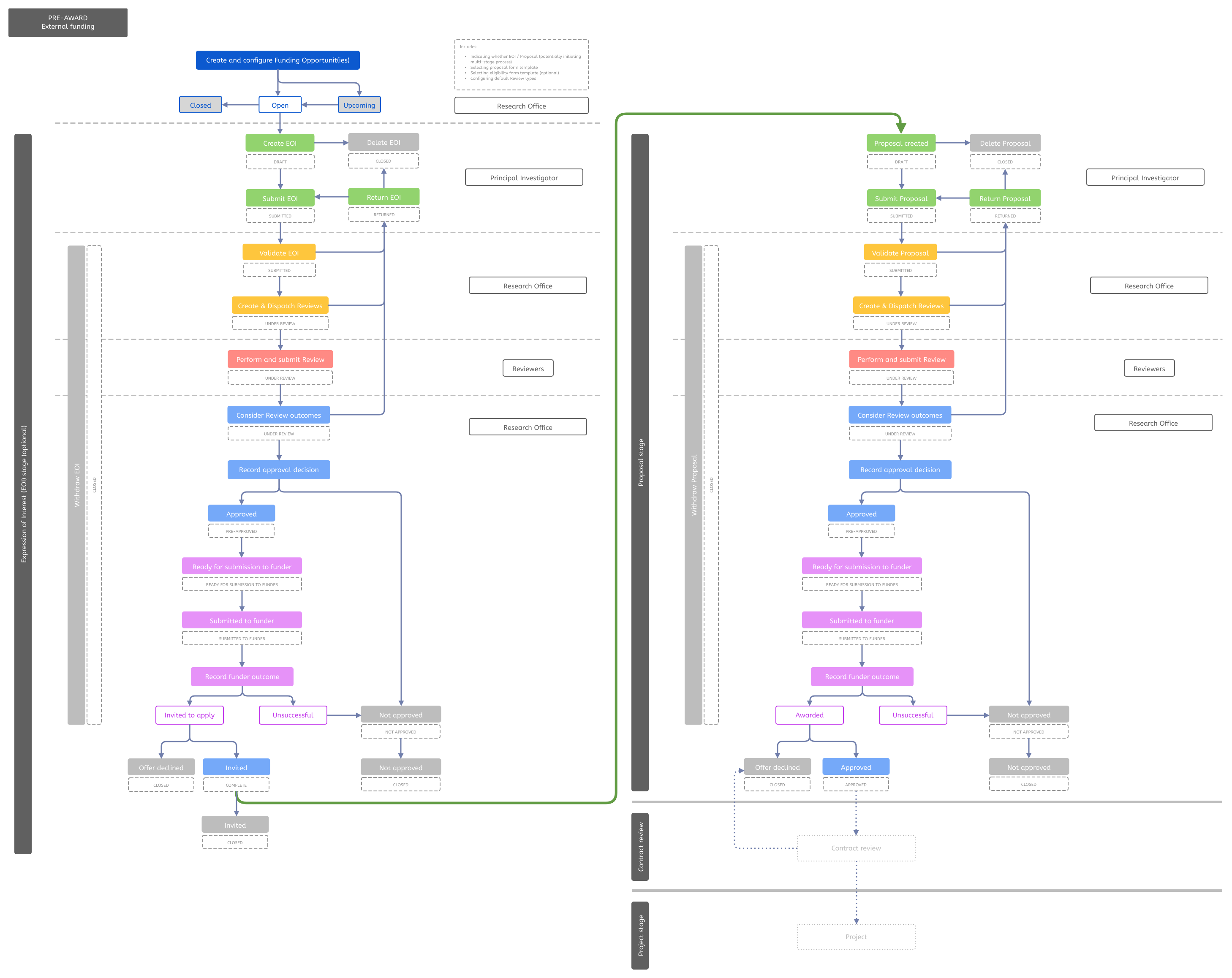
A single-stage Funding Opportunity is where only one stage of review / approval is required before the award decision is made.
Internal funding
Capturing the award decision for single-stage internal funding calls is described in the Recording the approval decision support article.
External funding
For Proposals that are NOT endorsed for submission to funder, follow the guidance at the bottom of the Recording the approval decision support article, in the 'Unsuccessful proposals' section.
For Proposals that are endorsed for submission to funder, as described in the Recording the approval decision support article, after capturing the overall decision, you should navigate to Pre-award > Proposals > Pre-approved. Clicking on the Action icon will then initiate the funder submission tracking process.
Multi-stage funding opportunities
A multi-stage Funding Opportunity is where more than one stage of review / approval (and potentially submission, if an external opportunity) is required before the ultimate award decision is made.
Multi-stage opportunities could come in a number of shapes and forms. Some examples:
Internal Expression of interest, followed by full internal Proposal (internal funding calls)
Internal Expression of interest, followed by full Proposal and submission to funder
External Expression of interest, followed by invitation to full Proposal and submission to funder
Internal Initial Expression of interest, followed by an External Expression of interest, followed by invitation to full Proposal and submission to funder
Internal funding
Initial Expression of interest / Expression of Interest
For Initial EOIs / EOIs that are NOT to proceed to the next stage, follow the guidance at the bottom of the Recording the approval decision support article, in the 'Unsuccessful proposals' section.
For Initial EOIs / EOIs that are to proceed to the next stage, as described in the Recording the approval decision support article, after capturing the overall approval decision, you should navigate to Pre-award > Proposals > Pre-approved. Clicking on the Action icon will then initiate the Invitation process to the next stage (whether that be a full Expression of Interest, or final stage Proposal).
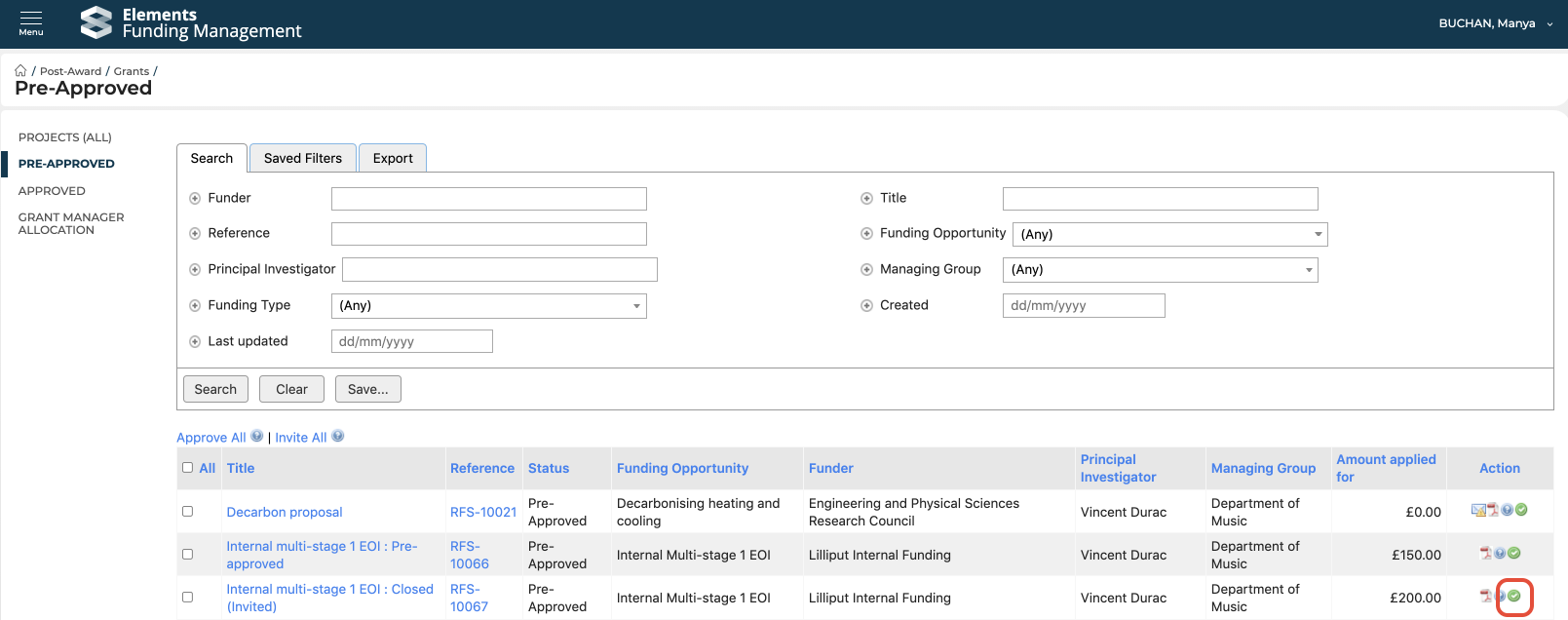
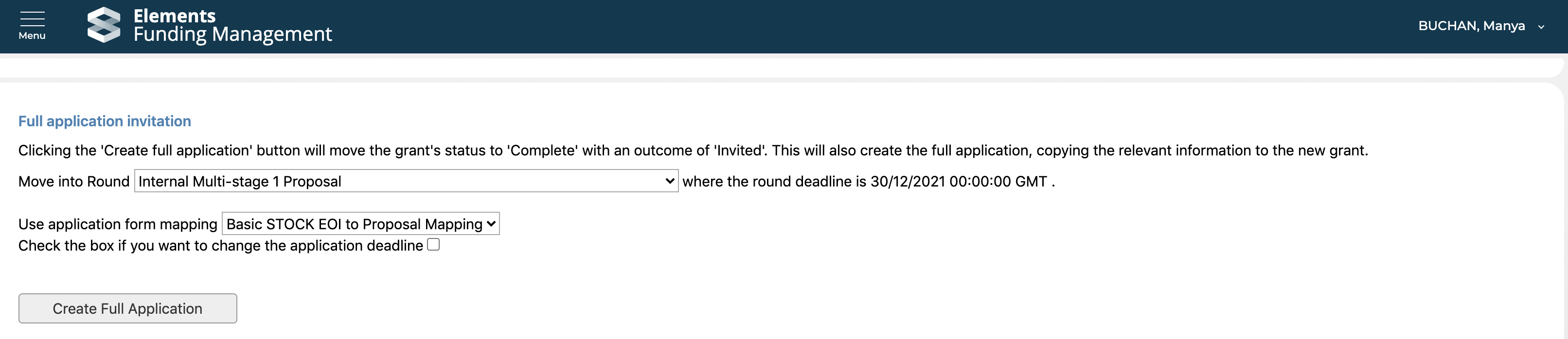
On the next screen, you can:
View the full draft proposal for the next stage
Send the PI a notification of the invitation and a link to the automatically created Proposal for the next stage (using a specified email template) (after sending the email, you will be re-directed to this page where you can then close the Proposal)
Close this Initial EOI / EOI in this stage (moving its status to Closed (Invited))

Full Proposal
Capturing the award decision for a final-stage proposal (successful or unsuccessful) is as described in the Recording the approval decision support article.
External funding
For Initial EOIs, EOIs, or full Proposals that are NOT endorsed for submission to funder, follow the guidance at the bottom of the Recording the approval decision support article, in the 'Unsuccessful proposals' section.
For those that are endorsed for submission to funder, as described in the Recording the approval decision support article, after capturing the overall decision, you should navigate to Pre-award > Proposals > Pre-approved. Clicking on the Action icon will then initiate the funder submission tracking process.
Initial Expression of Interest / Expression of Interest
Once the funder invitation to apply has been input and the action processed, you are navigated to the 'Full application invitation' screen. Select the next stage from the 'Move into Round' drop-down, then select the desired form mapping and click 'Create Full Application'. This will then automatically create a Proposal (pre-populated with data from the previous round, as per your selected mapping) for this next stage.
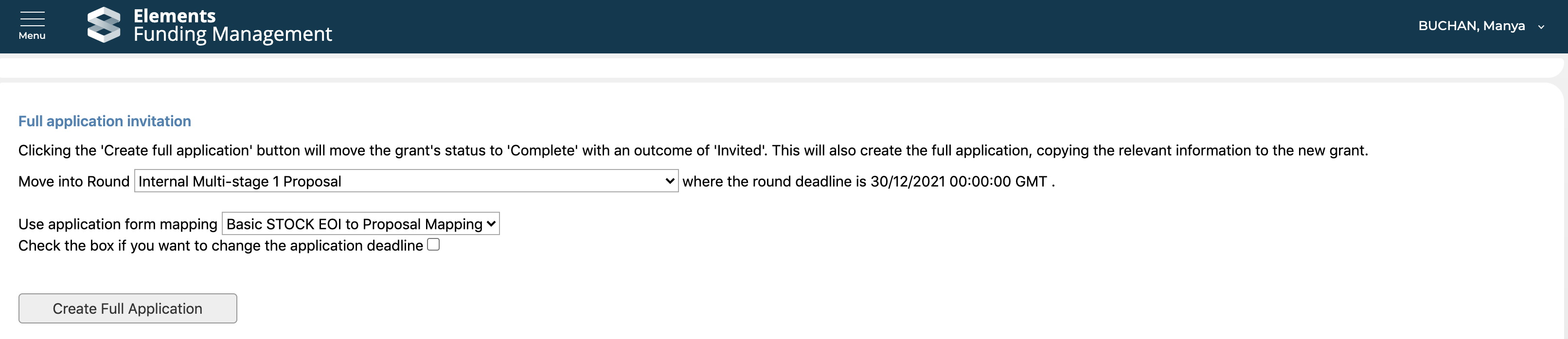
On the next screen, you can:
View the full draft proposal for the next stage
Send the PI a notification of the invitation and a link to the automatically created Proposal for the next stage (using a specified email template) (after sending the email, you will be re-directed to this page where you can then close the Proposal)
Close this Initial EOI / EOI in this stage (moving its status to Closed (Invited))

Full Proposal
Guidance for capturing funder submission and outcome details for a final stage proposal are outlined in the Funder submission and outcomes support article.