
RFS 6.10 release notes
The Elements Research Funding Solution (RFS) continues to grow and in this release we are pleased to introduce new functionality supporting various aspects of the research funding lifecycle.
Finance integration
A number of updates have been made in support of integrating RFS with institutional finance systems.
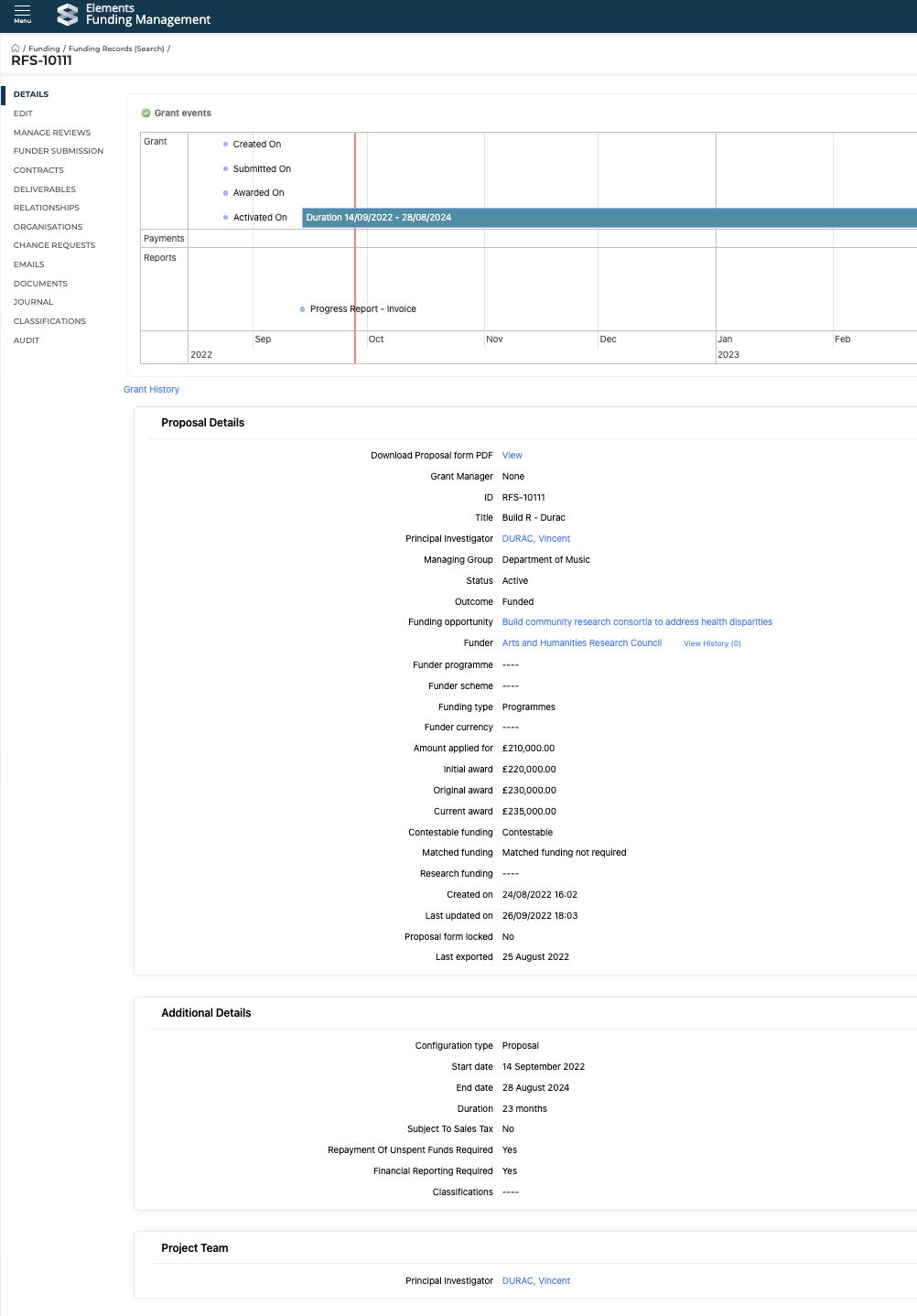
In consultation with clients, a number of additional fields have been added to the Project datamodel in order to support the creation of projects in institutional finance systems. Details are available here.
Additional fields are available to be added to the RFS Project Extract (e.g. Subject to tax, Repayment of unspent funds required) - we will pick this up with clients individually as we work on implementing Finance integrations with each client
The first stage of the Finance system import into RFS is now available, supporting the import of the Finance system reference. Details are available here.
Applied for and Awarded amount definitions
In this release, we have updated our definition of 'amount applied for' and introduced a new 'initial amount awarded' value.
Value | Definition |
Amount applied for | Was previously only reflecting the budget total at the point of internal submission, which meant that for external applications, the amount applied for to the funder was not accurately captured. This has been updated as follows:
|
Initial amount awarded | New field. Award amount (in base currency) as captured on the Funder outcome screen - as per award letter |
Original award | Approved budget snapshot on Project activation - as per initial contract |
Current award | Current budget (capturing any budget variations applied post-award) |
In our next release (v.6.11 Dec), we will update relevant stock reports to reflect these updated values.
Funder submission and outcome screens
With the recent addition of Funder currency to the Funding Opportunity datamodel, and the updated definition of 'applied for' amount, we have updated the Funder submission and outcome screens:
Funder submission screen:
Display the 'Amount applied for (calculated)' - the total of the Reviewed budget
Where the funder currency is not your base currency:
Display the Funder currency (as identified on the Funding Opportunity or Proposal form)
New 'Amount applied for in funder currency' field
New 'Exchange rate applied at funder submission' field
Funder outcome screen:
Where the funder currency is not your base currency:
Display the Funder currency (as identified on the Funding Opportunity or Proposal form)
New 'Award amount in funder currency' field
New 'Exchange rate applied at funder outcome' field
Updated Proposal / Project details Console screen
With the addition of new fields (as described above), we have updated the Proposal / Project details screen.
Funding Opportunities
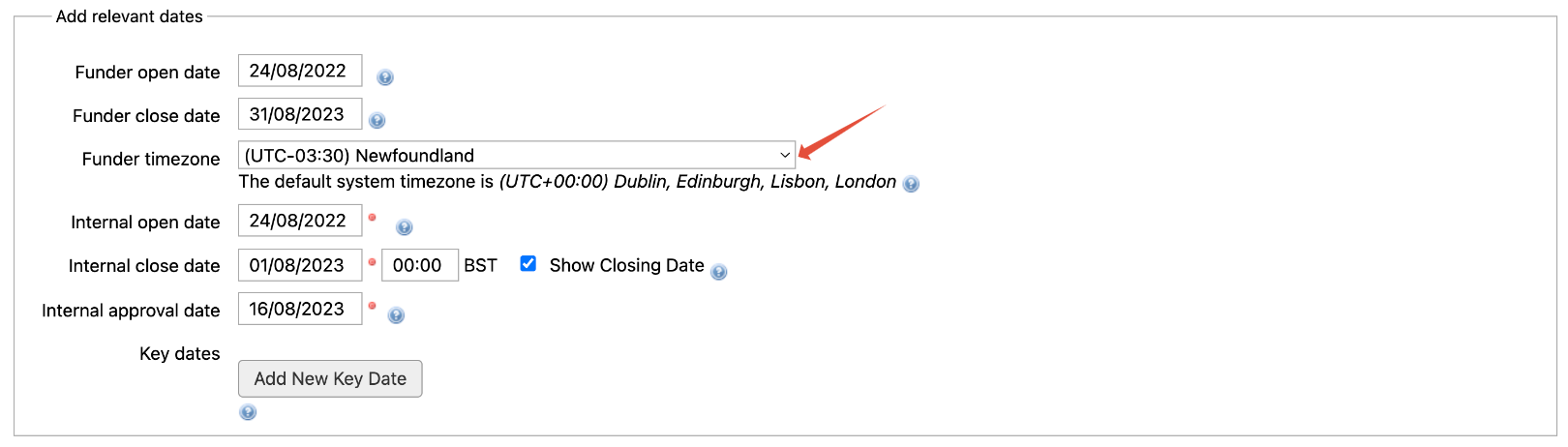
In this release, we have introduced the facility to capture the funder's timezone (to ensure there is no confusion for researchers in terms of the funder's application deadline). If no timezone is selected, it is assumed that the funder's timezone is the same as your system timezone.
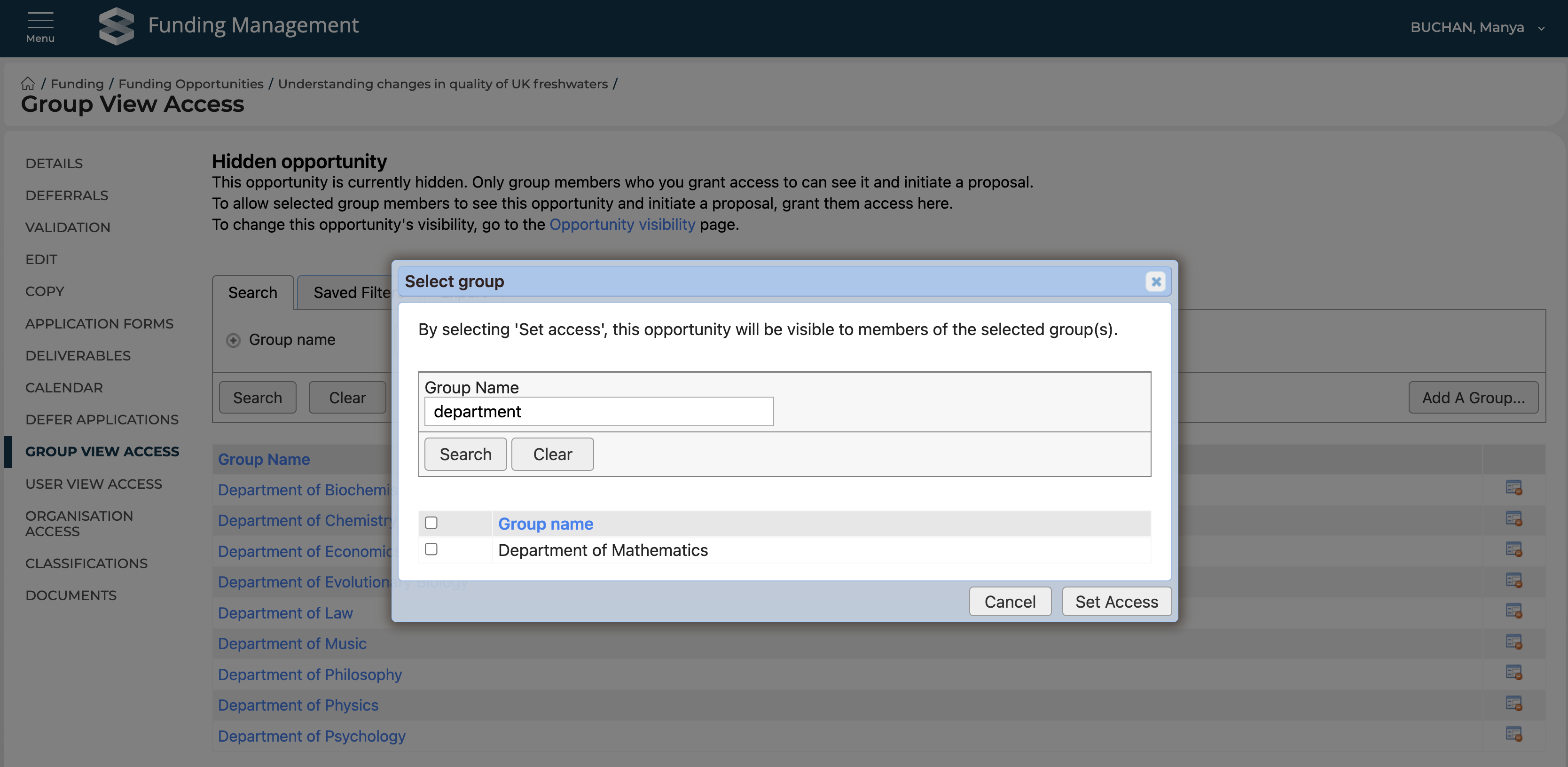
We have also updated the View access functionality as follows:
Already selected groups / users are no longer listed when adding additional groups / users
Deleted groups / inactive users are no longer available for selection
Other improvements
With this release we have made significant improvements to how RFS generates PDF documents. Clients are strongly encouraged to test their system-generated PDFs to ensure they continue to be formatted as intended.
New document types ('Project costs - completed spreadsheet', 'Project costs - summary', and 'Project costs - template') and deliverable types ('Other regulatory requirement' and 'Final financial reconciliation') are available in this release.
New Grant Institution Types have been introduced in order to better support identifying the originating funder and the contracting organisation in sub-contract arrangements. Further details are available at the bottom of the Proposal Required and inherited fields support article.